1. Киришүү
This manual provides instructions for the installation, operation, and maintenance of the Hombli Smart Indoor Camera (Model HBCI-0309). This device is designed to enhance home security with features such as 1080P Full HD video, motion detection, night vision, and two-way audio. It integrates with smart home ecosystems like Amazon Alexa and Google Assistant for convenient control.

The Hombli Smart Indoor Camera, model HBCI-0309, shown alongside its retail packaging. The packaging highlights features such as 'Easy install & User friendly' and compatibility with Google Assistant and Alexa.
2. Продукт бүтүп калдыview
2.1 Негизги өзгөчөлүктөрү
- 1080P Full HD Video: Provides clear video quality with a 130-degree wide-angle view.
- Motion and Audio Detection: Sends notifications to your smartphone upon detecting activity.
- Түнкү көрүнүш: Ensures visibility in low-light conditions up to 7 meters.
- Эки тараптуу аудио: Built-in microphone and speaker for direct communication.
- Жергиликтүү сактагыч: Supports Micro SD card for video recording.
- Hombli App Control: Live video streaming and remote management via the Hombli app (Android and iOS).
- Үн менен башкаруу: Amazon Alexa жана Google Assistant менен шайкеш келет.
- Оңой орнотуу: Designed for user-friendly setup.
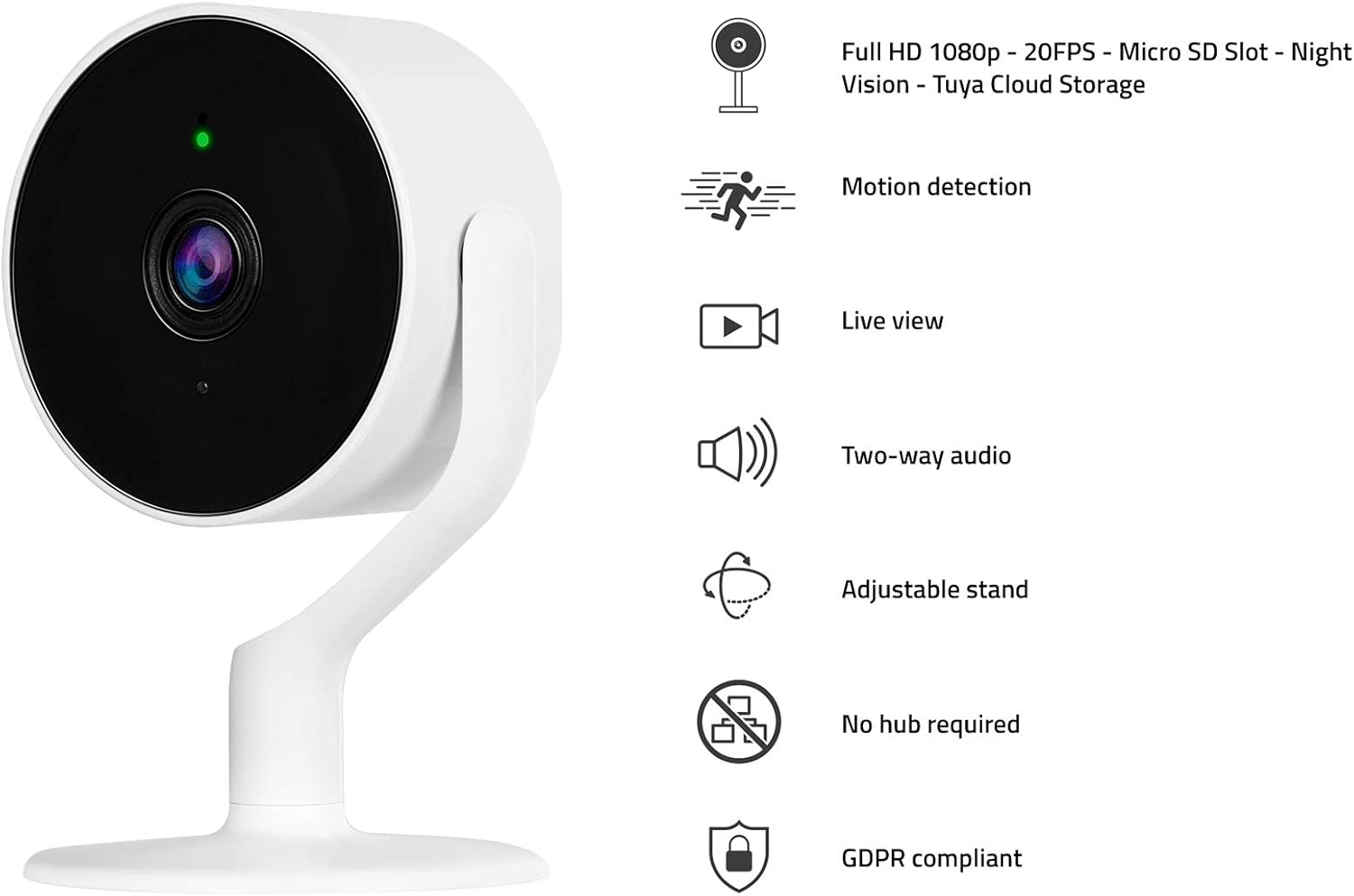
The Hombli Smart Indoor Camera with a visual representation of its key features: Full HD 1080p video, motion detection, live view, two-way audio, adjustable stand, no hub required, and GDPR compliance.
2.2 Пакеттин мазмуну
- Hombli Smart Indoor Camera (HBCI-0309)
- Кубаттуу адаптер
- Mounting Accessories (e.g., self-adhesive base)
- Колдонуучунун Колдонмосу (бул документ)
3. Орнотуу колдонмосу
3.1 Физикалык орнотуу
- Жайгашкан жерди тандаңыз: Select an indoor location with a clear view of the area you wish to monitor and within range of your Wi-Fi network. The camera can be placed on a flat surface or mounted to a wall.
- Prepare for Mounting (Optional): If mounting, ensure the surface is clean and dry. Peel the protective film from the self-adhesive base.
- Камераны орнотуу: Secure the camera to the desired surface. The adjustable stand allows for flexible positioning.
- Туташуу кубаты: Plug the included power adapter into the camera's power port and then into a standard electrical outlet. The camera will power on and indicate its status with an LED light.

A close-up of hands peeling the protective film from the self-adhesive base, preparing the camera for installation.
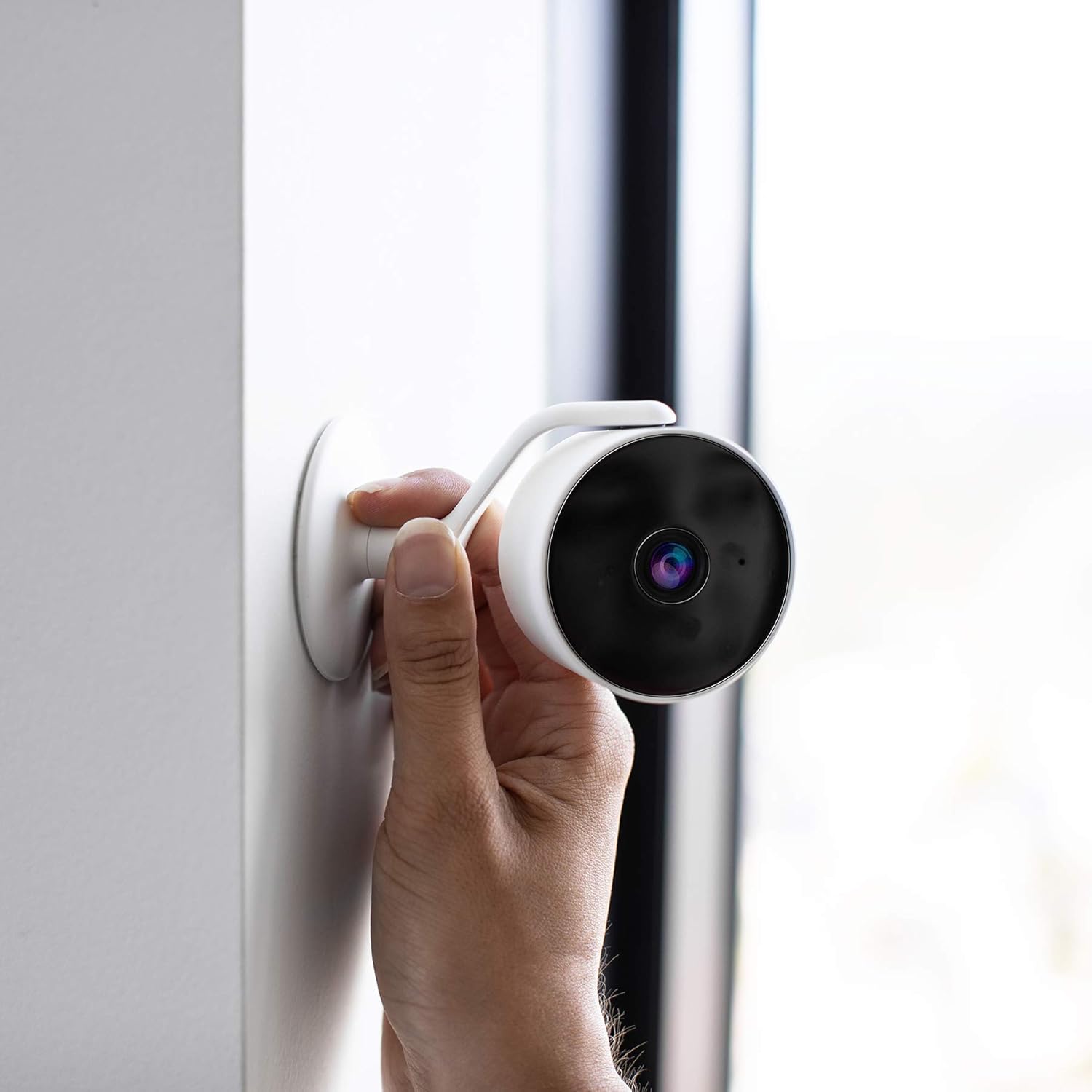
A hand positioning the Hombli Smart Indoor Camera against a wall, illustrating its flexible mounting options.
3.2 Колдонмону орнотуу жана жупташтыруу
- Download the Hombli App: Издөө "Hombli" in the Apple App Store (for iOS) or Google Play Store (for Android) and download the application.
- Каттоо эсебин түзүү: Open the Hombli app and follow the on-screen instructions to create a new user account or log in if you already have one.
- Түзмөк кошуу: In the Hombli app, tap the "+" icon to add a new device. Select "Smart Indoor Camera" from the list of available devices.
- Колдонмодогу нускамаларды аткарыңыз: The app will guide you through the pairing process, which typically involves connecting the camera to your 2.4 GHz Wi-Fi network. Ensure your smartphone is connected to the same Wi-Fi network during setup.
- Камераңызды атаңыз: Once successfully paired, you can assign a name to your camera (e.g., "Living Room Camera") for easy identification.
4. Иштөө нускамалары
4.1 Live View
Open the Hombli app and select your camera from the device list to view the live video feed. You can monitor your space in real-time from anywhere with an internet connection.

The Hombli Smart Indoor Camera positioned next to a smartphone, which shows the live feed and motion detection alerts within the Hombli application.

Колдонуучу viewing the Hombli app on their smartphone, observing the live video feed from the Smart Indoor Camera.
4.2 Motion and Audio Detection
The camera is equipped with sensors to detect motion and sound. When an event is detected, the camera will send a notification to your smartphone via the Hombli app. You can customize detection sensitivity and notification settings within the app.
4.3 Эки тараптуу аудио
Utilize the two-way audio feature to communicate through the camera. Tap the microphone icon in the live view interface of the Hombli app to speak, and listen through the camera's built-in speaker.
4.4 Түнкү көрүнүш
The camera automatically switches to night vision mode in low-light conditions, providing clear black and white video up to 7 meters. This feature ensures continuous monitoring around the clock.
4.5 SD карта сактагычы
Insert a Micro SD card (not included) into the designated slot on the camera for local video storage. The camera supports continuous recording or event-based recording, configurable through the Hombli app. Ensure the SD card is formatted correctly via the app.

A detailed diagram illustrating the physical dimensions of the Hombli Smart Indoor Camera (6.1 x 6.1 x 10.2 cm) and indicating the location of the Micro SD card slot for local storage.
4.6 Үн менен башкаруунун интеграциясы
The Hombli Smart Indoor Camera can be integrated with Amazon Alexa and Google Assistant. Follow the instructions in the respective smart assistant apps to link your Hombli account. Once linked, you can use voice commands to view шайкеш келген акылдуу дисплейлерде түз эфирде көрсөтүлөт.

The Hombli Smart Indoor Camera highlighting its compatibility with Google Assistant and Amazon Alexa for voice control.
5. Техникалык тейлөө
- Тазалоо: Камера линзасын жана корпусун тазалоо үчүн жумшак, кургак чүпүрөктү колдонуңуз. Катуу химиялык заттарды же абразивдүү материалдарды колдонуудан алыс болуңуз.
- Программалык камсыздоонун жаңыртуулары: Regularly check the Hombli app for available firmware updates to ensure optimal performance and security.
- Тармактын туруктуулугу: Wi-Fi тармагыңыздын туруктуу жана үзгүлтүксүз иштеши үчүн камерага жетиштүү сигнал күчүн камсыз кылганын текшериңиз.
6. Кыйынчылыктарды
- Камера оффлайн:
- Камера күйгүзүлгөнүн жана кубат адаптери ишенимдүү туташтырылганын текшериңиз.
- Verify your Wi-Fi network is active and the camera is within range.
- Кубат адаптерин сууруп жана кайра сайып, камераны өчүрүп-күйгүзүңүз.
- If issues persist, try re-pairing the camera with the Hombli app.
- Видеонун сапаты начар:
- Камера объективинин таза жана чаң же тактар жок экенин текшериңиз.
- Wi-Fi сигналыңыздын күчүн текшериңиз; алсыз сигнал видео агымынын сапатына таасир этиши мүмкүн.
- Motion/Audio Detection Not Working:
- Verify that motion and audio detection are enabled in the Hombli app settings for the camera.
- Adjust the sensitivity settings in the app.
- Смартфонуңузда колдонмо эскертмелери иштетилгенин текшериңиз.
- SD карта жаздырылбай жатат:
- SD карта туура салынганын текшериңиз.
- Format the SD card through the Hombli app.
- Check if the SD card has sufficient free space or if it's corrupted.
7. Техникалык шарттар
| Модель номери | HBCI-0309 |
| Видео тартуунун резолюциясы | 1080p толук HD |
| Viewбурч | 130 градус |
| Түнкү көрүү диапазону | 7 метр |
| Зымсыз технология | Wi-Fi (2.4 GHz) |
| Аудио | Эки тараптуу аудио |
| Сактагыч | Микро SD карта (128 ГБ чейин, камтылган эмес) |
| Power Source | 5V адаптер |
| Өлчөмдөрү (L x W x Y) | 6.1 x 6.1 x 10.2 см |
| Салмагы | 200 г |
| Материал | Пластик |
| Түс | Ак |
| Ички/тышкы колдонуу | Indoor |
| Шайкеш түзмөктөр | Smartphone (Android/iOS), Amazon Alexa, Google Assistant |
8. Кепилдик жана колдоо
For warranty information and technical support, please refer to the official Hombli website or contact Hombli customer service directly. Details are typically provided on the product packaging or within the Hombli app's support section.


