1. Продукт бүтүп калдыview
The FosPower Emergency Weather Radio Model A3 is a versatile device designed for emergency preparedness and outdoor activities. It features NOAA/AM/FM radio reception, a powerful 14800mWh (4000mAh) internal power bank, and multiple charging options including USB-C, solar, and hand crank. Additional functions include an SOS alarm, a bright flashlight, and a reading light.
Негизги өзгөчөлүктөрү:
- 14800mWh (4000mAh) Power Bank: Provides extended radio operation and can charge external USB devices.
- Бир нече энергия булактары: Rechargeable via USB-C, hand crank, and solar panel.
- SOS ойготкуч: Шашылыш сигнал берүү үчүн катуу сирена жана жаркылдаган жарыкты иштетет.
- Кош жарык булактары: Includes a flashlight and a reading light with motion sensor functionality.
- NOAA Emergency Weather Broadcast Access: Receives local weather information and hazard alerts.
- AM/FM радиосу: Full access to standard AM and FM radio broadcasts.

Figure 1: FosPower Emergency Weather Radio Model A3. This image displays the radio with its solar panel open, hand crank visible, flashlight illuminated, and a smartphone connected for charging.
2. Пакеттин мазмуну жана компоненттери
Пакеттин мазмуну:
- FosPower Emergency Weather Radio (Model A3)
- USB-C заряддоо кабели
- User Manual
Негизги компоненттер:
- Антенна: Жакшыртылган радио кабыл алуу үчүн узартылат.
- Күн панели: For supplementary charging in sunlight.
- Кол бурчу: Кол менен электр энергиясын өндүрүү үчүн.
- Кол чырак: Интегралдык жарык булагы.
- Окуу жарыгы: Panel light, often with motion sensor.
- SOS баскычы: Шашылыш сигнализацияны иштетет.
- Үн баскычы: Controls audio output and powers the unit on/off.
- Тунинг баскычы: Радио жыштыгын тууралайт.
- Топту тандагыч: Switches between AM, FM, and WB (Weather Band).
- USB-C киргизүү порту: Радиону заряддоо үчүн.
- USB-A чыгаруу порту: Тышкы түзмөктөрдү кубаттоо үчүн.
- Гарнитура уячасы: Жеке угуу үчүн.
3. Баштапкы орнотуу
3.1 Радиону заряддоо
Before first use, it is recommended to fully charge the radio's internal 14800mWh (4000mAh) battery using the USB-C port.
- USB-C заряддоо: Connect the provided USB-C cable to the radio's USB-C input port and the other end to a standard USB power adapter (not included) or a computer USB port. The charging indicator will illuminate.
- Кол менен заряддоо: Rotate the hand crank clockwise or counter-clockwise at a steady pace (approximately 130-150 RPM) for 3-5 minutes to generate sufficient power for initial operation or to extend battery life.
- Күн панелин заряддоо: Place the radio with the solar panel facing direct sunlight. This method is primarily for maintaining battery charge or for emergency power generation, and is slower than USB-C charging.

Figure 2: Multiple Power Sources. This diagram highlights the USB, hand crank, and solar panel charging options for the radio.
4. Иштөө нускамалары
4.1 Күйгүзүү/өчүрүү жана үндү башкаруу
Радиону күйгүзүү үчүн бургула Көлөм баскычы clockwise from the 'OFF' position. Continue rotating to increase the volume. To power off, rotate the Көлөм баскычы counter-clockwise until it clicks into the 'OFF' position.
4.2 Radio Tuning (AM/FM/NOAA)
- Антеннаны узартуу: Оптималдуу кабыл алуу үчүн, телескопиялык антеннаны толугу менен сунуңуз.
- Тандоо тобу: колдонуу Band Selector switch to choose between 'AM', 'FM', or 'WB' (Weather Band).
- Жөндөө станциясы: айлантыңыз Тюнинг баскычы to scan for desired radio stations or NOAA weather channels. The tuning indicator light will illuminate when a strong signal is detected.
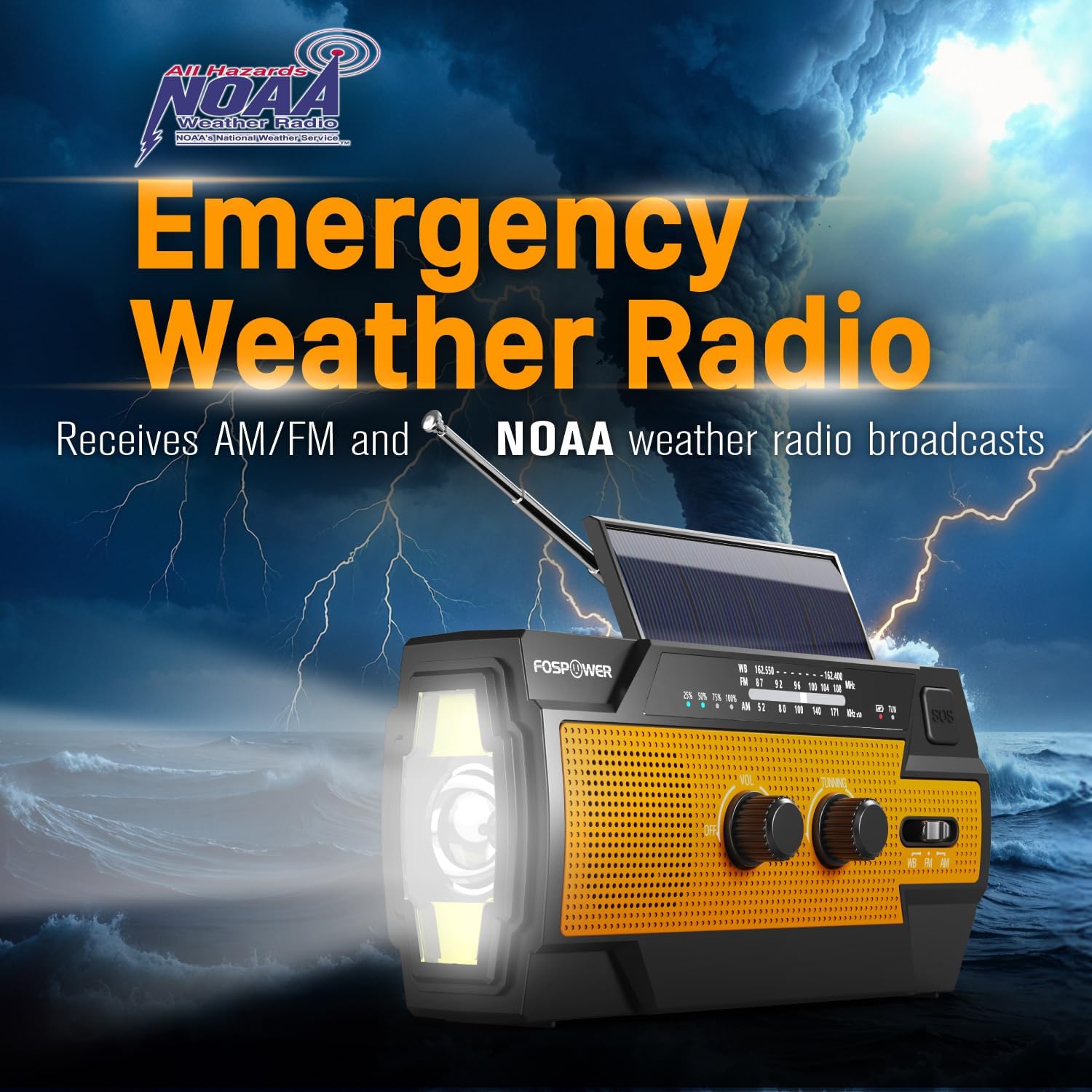
Figure 3: Emergency Weather Radio Function. This image shows the radio against a stormy background, emphasizing its ability to receive AM/FM and NOAA weather broadcasts.
4.3 Фонардын иштеши
The integrated flashlight offers multiple modes:
- Press the flashlight button once for Толук режим (максималдуу жарыктык).
- үчүн кайра басыңыз Far Mode (focused beam).
- үчүн үчүнчү жолу басыңыз Кең режим (broader illumination).
- Press a fourth time to turn the flashlight off.

Figure 4: Flashlight Settings. This image illustrates the three distinct flashlight modes available on the radio.
4.4 Reading Light Operation
The reading light provides illumination for close-range tasks:
- Slide the reading light switch to the 'LIGHT' position for constant illumination.
- Slide the switch to the 'AUTO' position to activate the motion sensor. The light will turn on when motion is detected and turn off after approximately 30 seconds of no motion.

Figure 5: Reading Light Modes. This image shows the reading light in operation, highlighting its constant and motion-activated settings.
4.5 SOS Сигнал функциясы
In an emergency, activate the SOS alarm to attract attention:
- басып, кармап туруңуз SOS баскычы to activate a loud siren and a flashing light.
- Release the button to deactivate the alarm.
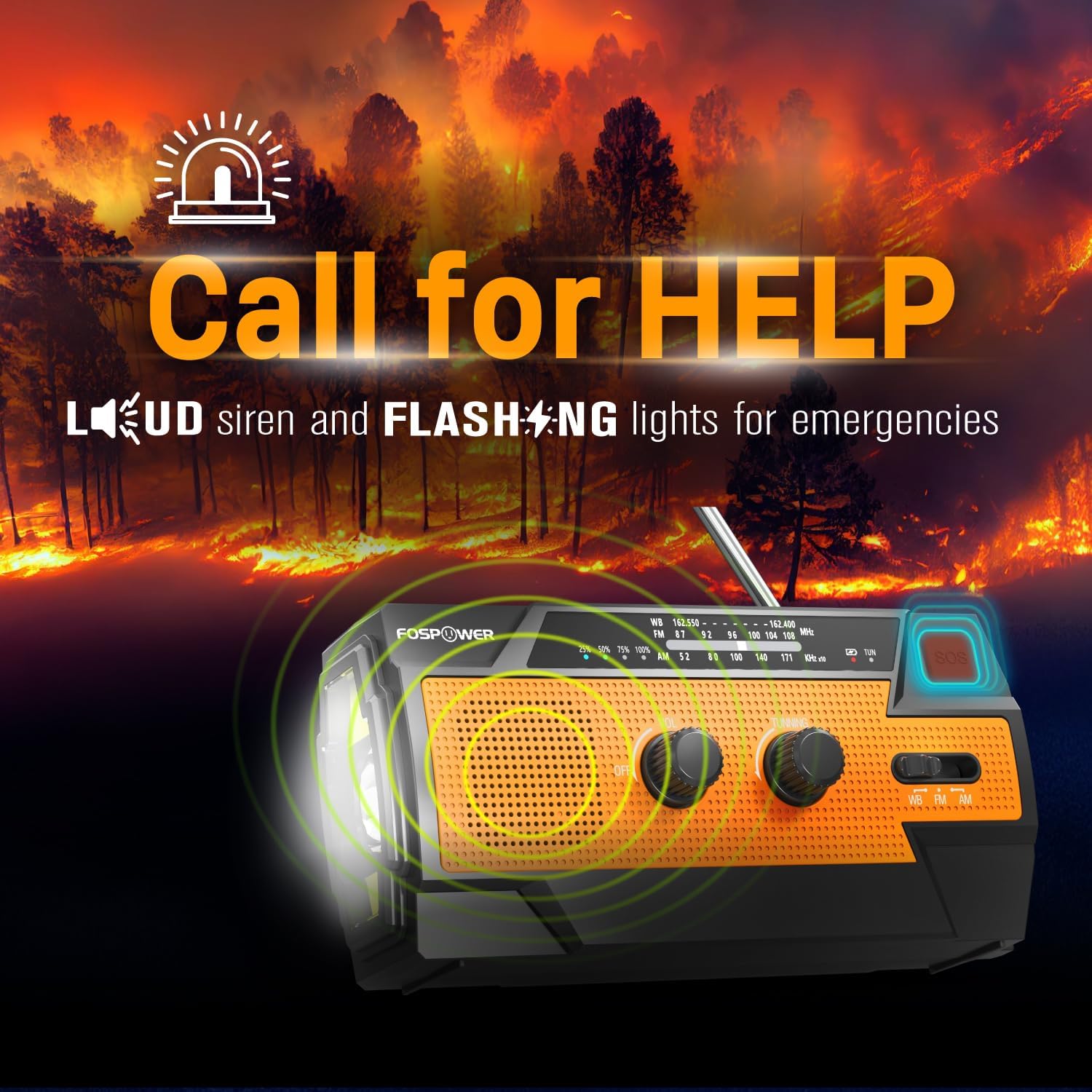
Figure 6: SOS Alarm Activation. This image depicts the radio emitting a loud siren and flashing lights, indicating the SOS function is active.
4.6 Power Bank катары колдонуу
The radio's internal battery can be used to charge external USB devices:
- Connect your smartphone, tablet, or other USB-powered device to the radio's USB-A Чыгаруу Порт using your device's charging cable.
- The radio will begin charging the connected device. Monitor the radio's battery indicator to ensure sufficient charge remains for its own operation.

Figure 7: Power Bank Function. This image shows the radio charging a smartphone on a wooden table outdoors, demonstrating its 14800mWh power bank capability.
5. Кароо жана тейлөө
- Тазалоо: Радиону жумшак менен сүртүңүз, гamp кездеме. Катуу химиялык заттарды же абразивдүү тазалагычтарды колдонбоңуз.
- Сактагыч: Store the radio in a cool, dry place away from direct sunlight and extreme temperatures. For long-term storage, ensure the battery is partially charged (around 50%) and recharge every 3-6 months to prevent deep discharge.
- Суу каршылык: The radio is IPX3 water resistant, meaning it can withstand spraying water. Do not submerge the radio in water.

Figure 8: IPX3 Water Resistance. This image shows the radio in a light rain shower, illustrating its IPX3 water-resistant design suitable for harsh environments.
6. Кыйынчылыктарды
| Көйгөй | Мүмкүн себеп | Чечим |
|---|---|---|
| Радио күйбөйт. | Батарея түгөнүп калды. | Charge the radio via USB-C, hand crank, or solar panel. |
| Радио кабыл алуу начар. | Антенна узартылган эмес, сигнал алсыз, тоскоолдук бар. | Fully extend the telescopic antenna. Move to an open area away from obstructions. Fine-tune the tuning knob. |
| Фонарь/Окуу жарыгы иштебей жатат. | Battery is low, incorrect mode selected. | Charge the radio. Ensure the correct light mode (Full, Far, Wide for flashlight; Light, Auto for reading light) is selected. |
| External device not charging from radio. | Radio battery is low, cable issue, device incompatibility. | Ensure the radio has sufficient charge. Check the USB cable connection. Try a different USB cable or device. |
| Кол менен айлануучу рычаг катуу же бурулуу кыйын. | Possible obstruction or internal issue. | Ensure there are no physical obstructions. Turn the crank smoothly and avoid excessive force. If problem persists, contact customer support. |
| Күн энергиясы менен кубаттоо жай же натыйжасыз. | Insufficient sunlight, dirty solar panel. | Place the radio in direct, strong sunlight. Clean the solar panel surface with a soft cloth. Note that solar charging is supplementary. |
7. Продукттун спецификациялары
| Өзгөчөлүк | Спецификация |
|---|---|
| Модель номери | FOSPWB-2402 |
| Продукциянын өлчөмдөрү | 6.23"L x 2.48"W x 3.19"H (15.82 x 6.30 x 8.10 см) |
| Элемент Салмагы | 1.06 фунт (0.48 кг) |
| Power Source | Solar, Battery (14800mWh internal), Handcrank |
| Батарея сыйымдуулугу | 14800mWh (4000mAh) |
| Радио топтору колдоого алынат | AM, FM, WB (Weather Band) |
| Байланыш технологиясы | USB C (Input), USB A (Output) |
| Өзгөчө өзгөчөлүк | Portable, Power Bank, SOS Alarm, Flashlight, Reading Light |
| Суу каршылык | IPX3 |

Figure 9: Product Dimensions. This diagram provides the exact measurements of the FosPower Emergency Weather Radio.
8. Кепилдик жана Кардарларды колдоо
Чектелген Өмүр бою Кепилдик
FosPower products are backed by a limited lifetime warranty. This warranty covers defects in materials and workmanship under normal use. Please refer to the official FosPower webТолук кепилдик шарттары жана шарттары үчүн сайтка же сатып алуу документтериңизге кайрылыңыз.
Кардарларды колдоо
For any questions, technical assistance, or warranty claims, please contact FosPower's dedicated USA-based customer service team. Contact information can typically be found on the product packaging or the official FosPower webсайт.
Сиз да зыярат кылсаңыз болот FosPower Store on Amazon көбүрөөк маалымат жана продукт жаңыртуу үчүн.


