1. Киришүү
Сатып алганыңыз үчүн рахматasing the Salora SBO680 Soundbar. This manual provides essential information for the safe and efficient operation of your new audio system. Please read it thoroughly before use and retain it for future reference.
The Salora SBO680 is a sophisticated audio solution designed to enhance your home entertainment experience. Featuring 2.1 audio output channels, it delivers immersive sound with a 60W RMS rated power, ensuring crystal-clear audio reproduction. The soundbar speaker has an RMS power of 40W and a 6.35 cm (2.5 inch) tweeter diameter, providing crisp highs and detailed mid-range frequencies. Its active subwoofer, with an RMS power of 20W, adds rich, deep bass to your audio, improving the overall listening experience. The product is available in an elegant black color, complementing any interior decor, and is ideal for home use. Volume control is conveniently managed via buttons, offering ease of use. With wired and wireless connectivity technology, the Salora SBO680 offers versatile options for seamless integration into your entertainment setup.

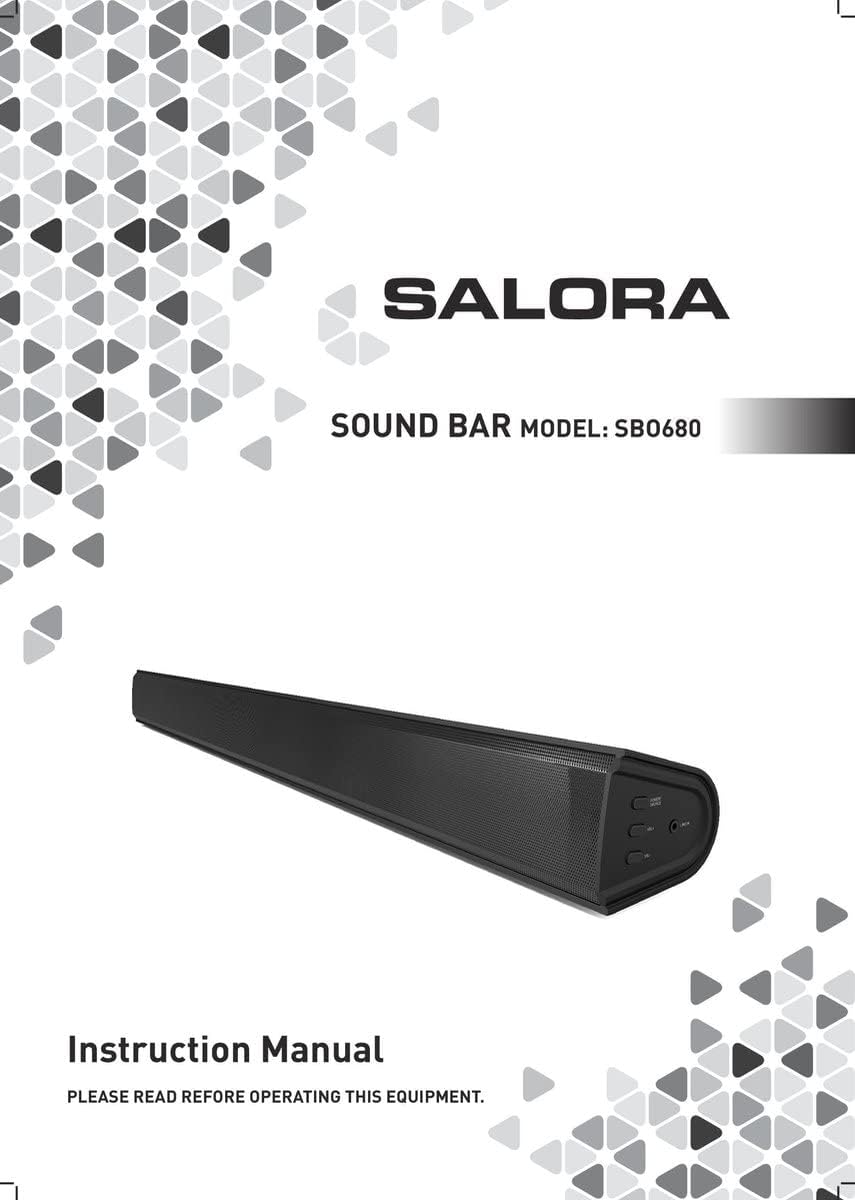
Image: Front cover of the Salora SBO680 Soundbar instruction manual.
2. Коопсуздук боюнча маанилүү маалымат
- Көрсөтмөлөрдү окуу: Read all safety and operating instructions before using the product.
- Көрсөтмөлөрдү сактоо: Келечекте маалымат алуу үчүн коопсуздук жана иштетүү нускамаларын сактаңыз.
- Эскертүүлөргө кулак сал: Буюмдагы жана колдонуу нускамасындагы бардык эскертүүлөрдү сактаңыз.
- Инструкцияларды аткарыңыз: Бардык иштетүү жана колдонуу нускамаларын аткарыңыз.
- Тазалоо: Тазалоодон мурун бул продуктуну розеткадан сууруп алыңыз. Суюк тазалагычтарды же аэрозоль тазалагычтарды колдонбоңуз. Жарнама колдонууamp тазалоо үчүн кездеме.
- Тиркемелер: Өнүмдүн өндүрүүчүсү сунуш кылбаган тиркемелерди колдонбоңуз, анткени алар коркунучтарды жаратышы мүмкүн.
- Суу жана ным: Бул продуктуну суунун жанында колдонбоңуз - мисалыampле, ваннанын, кол жуугучтун, ашкана раковинасынын, кир жуугучтун жанында, нымдуу жертөлөдө же бассейндин жанында.
- Вентиляция: Шкафтагы оюктар жана тешиктер продуктунун ишенимдүү иштешин камсыз кылуу жана аны ысып кетүүдөн коргоо үчүн желдетүү үчүн каралган. Бул тешиктер бүтөлүп же жабылбашы керек.
- Кубат булактары: Бул продуктуну этикеткада көрсөтүлгөн кубат булагынын түрүнөн гана иштетиңиз. Эгер үйүңүзгө электр менен камсыздоонун түрүнө ишенбесеңиз, продуктуңуздун дилерине же жергиликтүү электр компаниясына кайрылыңыз.
- Электр кабелин коргоо: Power-supply cords should be routed so that they are not likely to be walked on or pinched by items placed upon or against them.
- Чагылган: Чагылган бороондо же ал кароосуз жана узак убакыт бою пайдаланылбай калганда бул продуктуну кошумча коргоо үчүн аны розеткадан сууруп коюңуз.
- Тейлөө: Бул өнүмдү өзүңүз тейлөөгө аракет кылбаңыз, анткени капкактарды ачуу же алып салуу сизди кооптуу көлөмгө дуушар кылышы мүмкүнtage же башка коркунучтар. Бардык тейлөөлөрдү квалификациялуу тейлөө кызматкерлерине тапшырыңыз.
3. Пакеттин мазмуну
Бардык буюмдардын бар экенин жана жакшы абалда экенин текшериңиз.
- Salora SBO680 Soundbar
- Алыстан башкаруу пульту (2 AAA батарейка талап кылынат, дайыма эле кошула бербейт)
- Колдонуучунун Колдонмосу (бул документ)
- Электр кабели
4. Продукт бүтүп калдыview
4.1 Алды жана каптал View
Сүрөт: алдыңкы view of the Salora SBO680 Soundbar, showing the speaker grille.

Image: Close-up of the side panel controls, including Power/Source, Volume Up, Volume Down, and Line In port.
- Power/Source Button: Press to turn on/off or switch input modes.
- Үнүн жогорулатуу (+): Үнүн жогорулатуу.
- Үнүн төмөндөтүү (-): Үнүн азайтуу.
- LINE IN Порт: Тышкы түзмөктөр үчүн 3.5 мм аудио киргизүү.
4.2 Арткы View жана Байланыштар

Сүрөт: Арткы view of the Salora SBO680 Soundbar, showing various input ports and mounting points.

Image: Close-up of the rear connection panel, featuring USB, HDMI ARC, Optical, and DC 20V power input.
- USB порт: Аудио ойнотуу үчүн fileUSB дисктен.
- HDMI ARC порту: Аудио жана башкаруу үчүн сыналгынын HDMI ARC портуна туташыңыз.
- ОПТИКАЛЫК ПОРТ: Digital audio input from devices like TVs or game consoles.
- DC 20V порт: Саундбар үчүн кубат киргизүү.
4.3 Алыстан башкаруу

Image: The included remote control for the Salora SBO680 Soundbar, showing various buttons for power, volume, input, and sound modes.
The remote control allows you to manage volume, bass/treble, and input selection. It requires 2 AAA batteries (not always included).
- Кубат баскычы: Саундбарды күйгүзөт же өчүрөт.
- Киргизүү баскычы: Cycles through input sources (HDMI ARC, Optical, AUX, Bluetooth, USB).
- Көлөм +/-: Adjusts the main volume.
- BA+/-: Басс деңгээлин тууралайт.
- TR+/-: Жыштыктардын деңгээлин тууралайт.
- Music/TV/Movie: Pre-set equalizer modes for different audio content.
- ЖУБ: Bluetooth жупташтыруу режимин баштайт.
- ЖОК: Resets sound settings to factory defaults.
5. Орнотуу жана байланыштар
Before connecting, ensure the soundbar and all devices are powered off.
5.1 Кубат туташтыруу
- Connect the power cable to the DC 20V port on the back of the soundbar.
- Электр кабелинин экинчи учун розеткага сайыңыз.
5.2 Connecting to a TV (Recommended)
The Salora SBO680 offers multiple ways to connect to your TV. HDMI ARC is recommended for the best audio quality and ease of control.
5.2.1 HDMI ARC туташуусу
HDMI ARC (Audio Return Channel) allows you to send audio from your TV to the soundbar using a single HDMI cable and control the soundbar with your TV remote.
- Connect one end of an HDMI cable (not included) to the HDMI ARC port on the soundbar.
- Connect the other end of the HDMI cable to the HDMI ARC port on your TV. (Look for a port labeled "HDMI ARC" or "HDMI IN (ARC)").
- Turn on the soundbar and select the HDMI ARC input using the remote or the Power/Source button.
- Ensure your TV's audio output settings are configured for HDMI ARC or external speakers.
5.2.2 Оптикалык туташуу
Эгерде телевизоруңуз HDMI ARC колдобосо, жогорку сапаттагы санарип аудио үчүн оптикалык кабель колдонуңуз.
- Connect one end of an optical cable (not included) to the OPTICAL port on the soundbar.
- Connect the other end of the optical cable to the optical digital output port on your TV or other audio source.
- Turn on the soundbar and select the OPTICAL input.
- Ensure your TV's audio output settings are configured for optical output.
5.3 Bluetooth байланышы
Stream audio wirelessly from your smartphone, tablet, or other Bluetooth-enabled devices. The soundbar remembers up to 8 devices.
- Turn on the soundbar and select the BLUETOOTH input using the remote or the Power/Source button. The indicator light will flash, indicating pairing mode.
- Bluetooth түзмөгүңүздө Bluetooth иштетиңиз жана жеткиликтүү түзмөктөрдү издеңиз.
- Select "Salora SBO680" from the list of devices.
- Once paired, the indicator light on the soundbar will stop flashing and remain solid.
- Эми түзмөгүңүздөгү аудиону саундбар аркылуу ойнотсоңуз болот.
- To disconnect, disable Bluetooth on your device or select a different input on the soundbar.
5.4 AUX (Line In) Connection
Connect older devices or devices without digital audio outputs using a 3.5mm audio cable.
- Connect one end of a 3.5mm audio cable (not included) to the LINE IN port on the side of the soundbar.
- Экинчи учун тышкы аспабыңыздын гарнитура уячасына же аудио чыгышына туташтырыңыз.
- Turn on the soundbar and select the AUX input.
- Түзмөгүңүздөн аудиону ойнотуңуз.
5.5 USB ойнотуу
Аудио ойнотуу fileтүздөн-түз USB флэш-дискинен.
- Insert a USB flash drive (containing compatible audio files) into the USB port on the back of the soundbar.
- Turn on the soundbar and select the USB input.
- Саундбар автоматтык түрдө аудио ойной баштайт files from the USB drive. Use the remote control to navigate tracks.
6. Иштөө нускамалары
6.1 Негизги операция
- Күйгүзүү/өчүрүү: Press the Power button on the remote or the Power/Source button on the soundbar.
- Үндү тууралоо: Use the Volume +/- buttons on the remote or the soundbar.
- Киргизүүнү тандоо: Press the Input button on the remote or the Power/Source button on the soundbar to cycle through available inputs (HDMI ARC, Optical, AUX, Bluetooth, USB).
- Үнсүз: Press the Mute button on the remote to temporarily silence the audio. Press again to unmute.
6.2 Үн режимдери жана эквалайзер
The Salora SBO680 offers pre-set equalizer modes and manual bass/treble adjustments to optimize your listening experience.
- Алдын ала коюлган режимдер: Use the MUSIC, TV, or MOVIE buttons on the remote to select an optimized sound profile мазмунуңуз үчүн.
- Басс тууралоо: Use the BA+/- buttons on the remote to increase or decrease bass levels.
- Үч ырды жөндөө: Use the TR+/- buttons on the remote to increase or decrease treble levels.
- Демейки жөндөөлөр: Press the DEFAULT button on the remote to reset all sound settings to their factory defaults.

Image: Illustration showing the soundbar and remote control, with sound waves emanating from the soundbar, symbolizing immersive audio.
7. Техникалык тейлөө
7.1 Тазалоо
- Тазалоодон мурун дайыма саундбарды розеткадан сууруп алыңыз.
- Сырткы беттерди сүртүү үчүн жумшак, кургак чүпүрөктү колдонуңуз.
- Do not use liquid cleaners, abrasive cleaners, or chemical solvents, as these may damage the finish.
- For the speaker grille, use a soft brush or a vacuum cleaner with a brush attachment to gently remove dust.
7.2 Сактоо
- If storing the soundbar for an extended period, unplug it from the power source.
- Аны салкын, кургак жерде, түз күндүн нурунан жана экстремалдык температурадан алыс сактаңыз.
- Сактоо жана ташуу үчүн баштапкы таңгакты сактап коюу сунушталат.
8. Кыйынчылыктарды
If you encounter issues with your Salora SBO680 Soundbar, refer to the following common problems and solutions.
| Көйгөй | Мүмкүн себеп | Чечим |
|---|---|---|
| Күч жок | Power cable not connected or power outlet not active. | Кубат кабелинин саундбарга жана иштеп жаткан розеткага бекем туташтырылганын текшериңиз. |
| Үн жок | Incorrect input selected, volume too low, or incorrect TV audio settings. |
|
| Bluetooth жупташтыруу ишке ашпай калды | Soundbar not in pairing mode, device too far, or interference. |
|
| Пульт иштебей жатат | Batteries depleted or remote not aimed correctly. |
|
| Бурмаланган үн | Volume too high, poor audio source, or incorrect equalizer settings. |
|
9. Техникалык шарттар
| Модель аты | Salora SBO680 |
| Бренд | САЛОРА |
| Чыгуу күчү (RMS) | 60W (Soundbar: 40W, Subwoofer: 20W) |
| Динамик түрү | Soundbar with Built-in Subwoofer |
| Аудио чыгаруу режими | Стерео (2.1 канал) |
| Байланыш технологиясы | Bluetooth, HDMI ARC, Optical, USB, AUX (3.5mm Line In) |
| Зымсыз байланыш | Bluetooth |
| Шайкеш түзмөктөр | Smartphone, Tablet, Television |
| Башкаруу ыкмасы | Remote Control, On-device Buttons |
| Продукциянын өлчөмдөрү (L x W x Y) | 81 x 9 x 7.85 см (31.9 x 3.5 x 3.1 дюйм) |
| Элемент Салмагы | 2.6 килограмм (5.73 фунт) |
| Түс | Кара |
| Материал | Пластик |
| Power Source | Electric Cable (DC 20V) |
| Алыскы Батарейкалар | 2 x AAA (not always included) |
| Максималдуу диапазон (Bluetooth) | 12 метр |
| Өзгөчөлүктөр | Жогорку чечилиштеги аудио колдоо |
10. Кепилдик жана колдоо
For warranty information, please refer to the warranty card included with your product or contact your local retailer.
If you require technical support or have questions not covered in this manual, please visit the official SALORA webсайтка же кардарларды тейлөө бөлүмүнө кайрылыңыз.


