1. Киришүү
The HXSJ P6 Keyboard and Mouse Adapter is a portable converter designed to allow the use of a standard keyboard and mouse with various gaming consoles. This adapter provides an enhanced gaming experience by converting keyboard and mouse signals into controller signals, offering precise control for compatible games.
It features a four-color breathing light indicator and is built with high-quality ABS material for durability and portability.
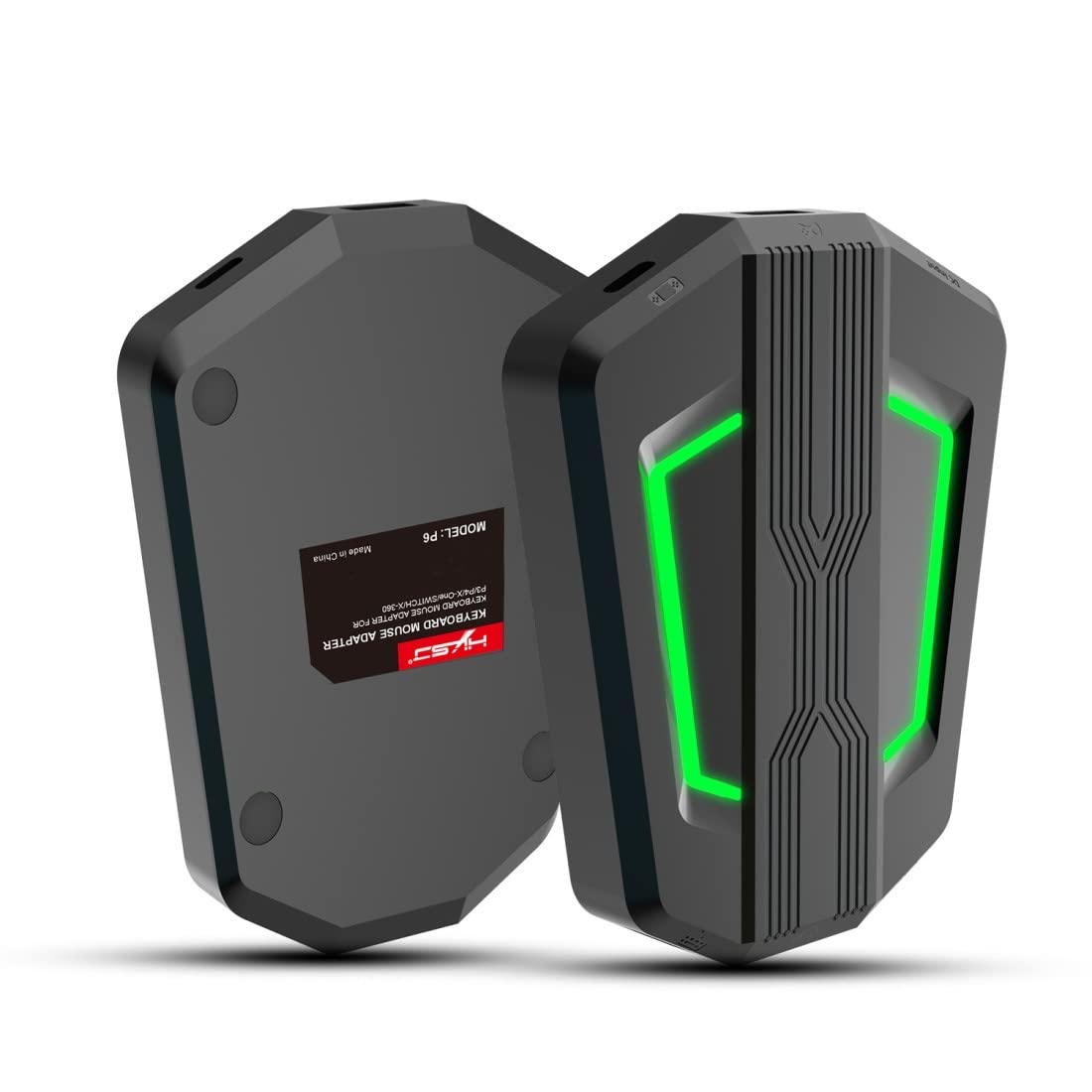
Сүрөт 1.1: Алдыңкы жана арткы view of the HXSJ P6 Keyboard and Mouse Adapter, showcasing its compact design and LED lighting.
2. Продукциянын өзгөчөлүктөрү
- Жогорку сапаттагы курулуш: Made from durable ABS plastic.
- Кеңири шайкештик: Compatible with N-SWITCH, XBOX ONE, PS4, PS3, and XBOX 360, supporting all standard mainstream devices.
- Plug and Play: No drivers required for installation, ensuring easy setup.
- Enhanced Game Control: Provides players with superior control methods for a better gaming experience.
- Ыңгайлаштырылган Орнотуулар: Supports mouse sensitivity selection and custom button mapping to suit individual player preferences.
- Портативдик дизайн: Small and lightweight, making it convenient for daily use and travel.
- LED көрсөткүчү: Features a four-color breathing light for mode correspondence and visual appeal.

Figure 2.1: The HXSJ P6 adapter demonstrating compatibility with N-Switch, Xbox One, PS4, and PS3 consoles.
3. Пакеттин мазмуну
Сураныч, кутудан чыгарганда пакеттин мазмунун текшерип, бардык буюмдар бар экенин текшериңиз:
- 1 x HXSJ P6 Keyboard and Mouse Adapter
- 1 x USB кабели
- 1 х Колдонуучунун колдонмосу (бул документ)

Figure 3.1: The retail packaging of the HXSJ P6 Keyboard and Mouse Adapter, indicating its contents.
4. Техникалык шарттар
| Атрибут | Деталь |
|---|---|
| Продукт аты | Баскычтоп жана чычкан адаптери |
| Модел | P6 |
| Бренд | HXSJ |
| Материал | ABS пластик |
| Шайкеш консолдор | N-Switch, PS4, PS3, Xbox One, Xbox 360 |
| Буюмдун өлчөмдөрү (Узундугу*Т*Б) | 11.4 x 9.5 x 2 см (4.49 x 3.74 x 0.79 дюйм) |
| Элемент Салмагы | 101.7 g (3.59 oz) / 365 g (packaged) |
| Байланыш | USB, C түрү |
| Кыймылды аныктоо технологиясы | Optical (for compatible mice) |
| Түс | Кара |
| Өндүрүүчү | Кытай |
| ASIN | B08GNZL5XQ |
5. Орнотуу жана орнотуу
The HXSJ P6 adapter is designed for plug-and-play functionality, requiring no additional drivers. Follow these steps to connect your keyboard and mouse to your gaming console:
- Кубатка туташуу: Connect the provided USB cable to the Type-C power input port (labeled 'DC Input' or 'TYPE-C Power input interface ④') on the adapter and to a suitable USB power source (e.g., console USB port, USB wall adapter).
- Connect to Console: Connect the adapter to your gaming console using the appropriate Type-C game device input interface (labeled 'TYPE-C game device input interface ②'). For N-Switch, connect to the N-Switch Host base. For other consoles, connect via a guide handle interface (labeled 'Guide handle interface ③') if required, or directly to a console USB port.
- Туташуу баскычтоп: Plug your USB keyboard into the keyboard interface (labeled 'keyboard interface ⑥') on the adapter.
- Чычканды туташтыруу: Plug your USB mouse into the mouse interface (labeled 'Mouse interface ⑤') on the adapter.
- Күйгүзүү: Ensure your console is powered on. The adapter's indicator light (labeled 'Indicator light ①') will illuminate, indicating it is ready for use.

Figure 5.1: Diagram illustrating the connection of the HXSJ P6 adapter to power, console, keyboard, and mouse.

5.2-сүрөт: Детальдуу view of the HXSJ P6 adapter's ports and indicator lights.
6. Иштөө нускамалары
The HXSJ P6 adapter allows for various settings adjustments to optimize your gaming experience. Use the following key combinations to access and modify settings:
Function Switching Instructions:
- Орнотуу режимине кириңиз: Басыңыз ESC + SPACE бир эле убакта.
- Default Page 1: Басыңыз ESC + CTRL + Q.
- Орнотуу режиминен чыгуу: Басыңыз ESC + SPACE бир эле убакта.
- Mouse Speed Switch: Басыңыз ESC + CAPSLOCK + A/S/D/F/G to cycle through different mouse speed settings.
- Y-axis Reverse: Басыңыз ESC + R to reverse the mouse Y-axis movement.
- Page Area Selection: Басыңыз ESC + TAB + Q/W/E/R/T for specific page area selections (functionality may vary by game/console).
- Key Value Restore Default: Узак басуу ESC + CTRL + ALT for 3 seconds to restore all key values to their default settings.

Figure 6.1: Illustration of mouse Y-axis direction control and sensitivity adjustment options.

Figure 6.2: Visual representation of how the adapter converts keyboard and mouse inputs into signals compatible with game consoles.
7. Техникалык тейлөө
To ensure the longevity and optimal performance of your HXSJ P6 Keyboard and Mouse Adapter, please follow these maintenance guidelines:
- Тазалоо: Use a soft, dry cloth to wipe the surface of the adapter. Do not use liquid cleaners, aerosols, or abrasive solvents, as these may damage the device.
- Сактагыч: Store the adapter in a cool, dry place away from direct sunlight, extreme temperatures, and high humidity.
- Колдонуу: Avoid dropping the adapter or subjecting it to strong impacts. Do not attempt to disassemble the device, as this will void any warranty and may cause damage.
- Портка кам көрүү: When connecting or disconnecting cables, always hold the plug, not the cable itself, to prevent damage to the ports or cables.
8. Кыйынчылыктарды
If you encounter issues with your HXSJ P6 Keyboard and Mouse Adapter, please refer to the following common troubleshooting steps:
- Адаптер жооп бербей жатат:
- Ensure the adapter is properly connected to a power source and the console.
- Check if the indicator light on the adapter is illuminated. If not, try a different USB port or power adapter.
- Verify that all cables (USB, keyboard, mouse) are securely plugged into their respective ports.
- Баскычтоп/чычкан иштебейт:
- Ensure your keyboard and mouse are functioning correctly by testing them on a computer.
- Try reconnecting the keyboard and mouse to the adapter.
- Ensure the console is recognizing the adapter as a controller. Some consoles may require specific settings to enable external input devices.
- Incorrect Key Mapping or Mouse Sensitivity:
- Refer to Section 6, "Operating Instructions," to adjust mouse speed, Y-axis settings, or restore default key values.
- Ensure you are in the correct setting mode when attempting to change configurations.
- Lag or Input Delay:
- Ensure your console's firmware is up to date.
- Try using different USB ports on your console.
- Minimize other USB devices connected to the console that might draw significant power or bandwidth.
If the issue persists after trying these steps, please contact HXSJ customer support for further assistance.
9. Кепилдик жана колдоо
HXSJ products are manufactured to the highest quality standards. For information regarding warranty coverage, technical support, or service, please refer to the warranty card included with your product or visit the official HXSJ webсайт. Кепилдик дооматтары үчүн сатып алганыңыздын далилин сактап коюңуз.
Эң акыркы колдоо маалыматы үчүн төмөнкү дарекке кайрылыңыз: www.hx-sj.com (Эскертүү: Бул толтургуч URL, please refer to actual product documentation for official support channels).


