1. Продукт бүтүп калдыview
The VENTION USB 3.0 Hub (Model CHL) is a compact and portable 4-port USB splitter designed to expand the connectivity of your laptop or PC. It offers high-speed data transfer and broad compatibility with various USB devices.
Негизги өзгөчөлүктөрү:
- 4-порттук кеңейтүү: Provides four additional USB ports for connecting multiple peripherals simultaneously.
- Жогорку ылдамдыктагы маалыматтарды өткөрүп берүү: Utilizes USB 3.0 technology for data sync speeds up to 5Gbps, which is up to 10 times faster than USB 2.0.
- Plug and Play: Requires no driver installation for immediate use.
- External Power Support: Includes a micro USB port for optional external power supply when connecting power-hungry devices. Avoid power adapters exceeding 5V/2A.
- Компакт жана көчмө: Ultra-slim and lightweight design for easy transport and use on the go.
- Кеңири шайкештик: Supports Windows 10/8/7/Vista/XP, Mac OS x 10.6-10.12 or later, and Linux 2.6.14 or later.
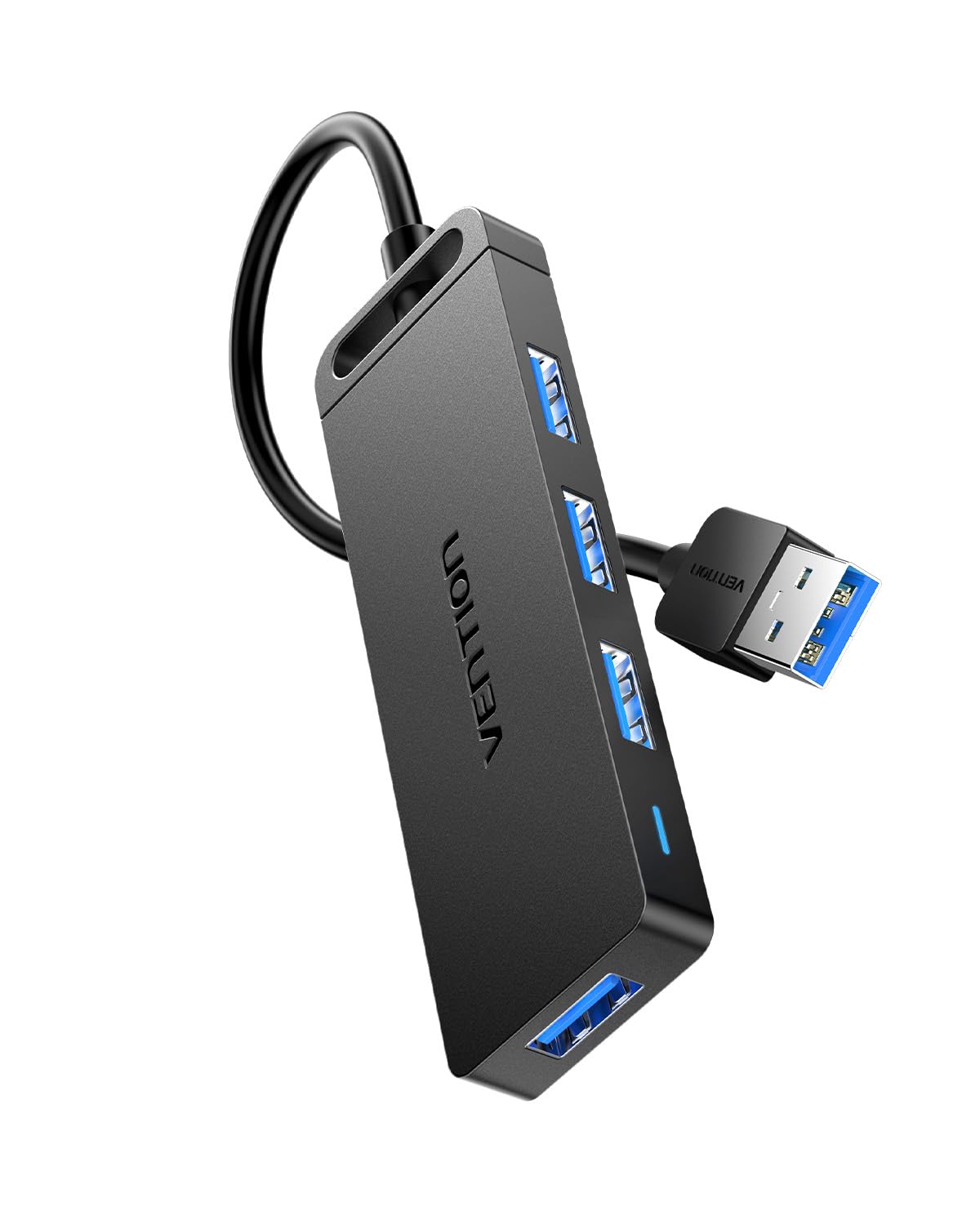
Figure 1: VENTION USB 3.0 Hub (Model CHL)
2. Орнотуу нускамалары
Follow these steps to set up your VENTION USB 3.0 Hub:
- Хост түзмөккө туташуу: Plug the USB-A connector of the VENTION USB 3.0 Hub into an available USB 3.0 port on your laptop, PC, or other compatible host device. The hub is plug-and-play, so no additional drivers are required.
- Индикатор жарыгын байкаңыз: Once connected, a blue indicator light on the hub will illuminate, signifying that the device is powered and operational.
- Optional External Power: If you plan to connect power-hungry devices such as external hard drives, connect a micro USB power adapter (not included) to the micro USB port on the hub. Ensure the power adapter does not exceed 5V/2A to prevent damage.

Figure 2: Connecting the USB Hub to a laptop.
Video 1: Demonstrates connecting the VENTION USB 3.0 Hub to a laptop, showing the indicator light, internal chip, data transfer capabilities, and smart phone charging support.
3. Иштөө нускамалары
Once the hub is connected, you can begin using its ports:
- Түзмөктөрдү туташтыруу: Insert your USB devices (e.g., flash drives, external hard drives, mouse, keyboard, printer) into any of the four available USB 3.0 ports on the hub.
- Маалыматтарды өткөрүү: The hub supports high-speed data transfer up to 5Gbps. This allows for quick transfer of large files, such as a 1GB file in approximately 3 seconds.
- Заряддоо: The USB 3.0 ports can also support charging for smart phones and other compatible devices, especially when the hub is connected to an external power source.
- Артка шайкештик: The hub is backward compatible with USB 2.0 and USB 1.0 devices, ensuring versatility with older peripherals, though data transfer speeds will be limited to the device's capabilities.
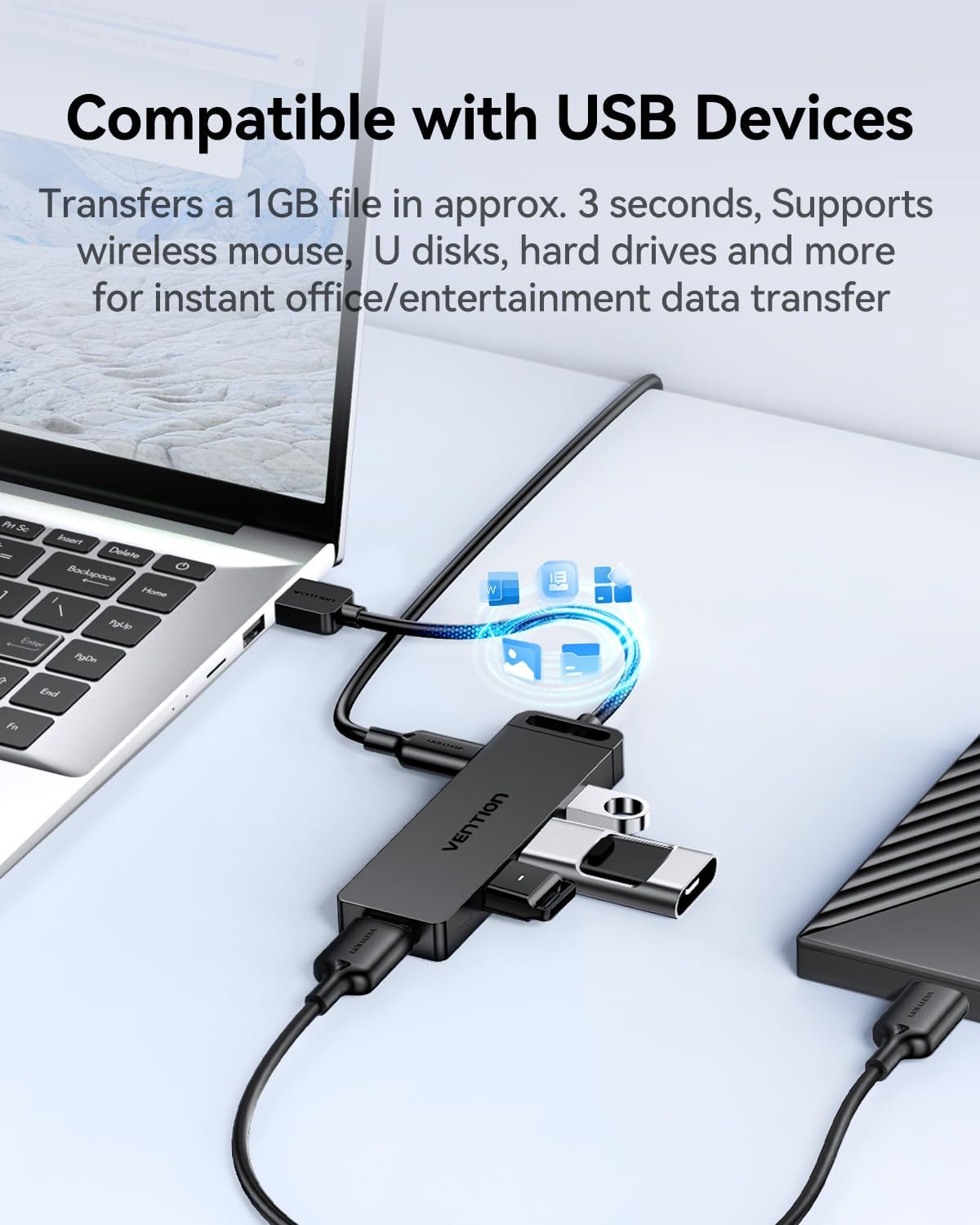
Figure 3: The VENTION USB 3.0 Hub connected to a laptop with multiple USB devices.

Figure 4: The 4-in-1 USB 3.0 Multiport Hub helps maintain a tidy workspace by consolidating connections.
Video 2: Shows the VENTION USB 3.0 Hub in use, connecting multiple devices to a tablet and demonstrating its utility.
4. Техникалык тейлөө
To ensure the longevity and optimal performance of your VENTION USB 3.0 Hub, follow these maintenance guidelines:
- Тазалоо: Use a soft, dry cloth to wipe the exterior of the hub. Avoid liquid cleaners or abrasive materials that could damage the surface or internal components.
- Сактагыч: Колдонулбаган учурда хабды күн тийбеген жана өтө температурадан алыс салкын, кургак жерде сактаңыз.
- Кабельге кам көрүү: Avoid bending or twisting the integrated USB cable excessively to prevent internal wire damage.
- Жылуулук таркатылышы: The hub features a durable, scratch-resistant ABS shell designed to improve heat dissipation. Ensure it is not covered or placed in an enclosed space during operation to allow for proper airflow.

Figure 5: The durable ABS shell of the VENTION USB 3.0 Hub is designed for effective heat dissipation.
5. Кыйынчылыктарды
If you encounter issues with your VENTION USB 3.0 Hub, refer to the following common problems and solutions:
- Түзмөк таанылган жок:
- Ensure the hub is securely plugged into your computer's USB port.
- Компьютердеги борборду башка USB портуна туташтырып көрүңүз.
- Компьютериңизди өчүрүп-күйгүзүп, хабды кайра туташтырыңыз.
- If connecting a power-hungry device (e.g., external HDD), ensure an external micro USB power adapter (5V/2A max) is connected to the hub.
- Маалыматтарды өткөрүү ылдамдыгы жай:
- Verify that both the hub and your connected device support USB 3.0 for optimal speeds. If either is USB 2.0, speeds will be limited to USB 2.0 rates.
- Ensure the hub is connected to a USB 3.0 port on your computer (often identified by a blue interior).
- Avoid connecting too many power-hungry devices simultaneously without an external power supply.
- Үзгүлтүксүз туташуу:
- Бардык кабелдик байланыштардын боштугун текшериңиз.
- Ensure the USB cable of the hub is not damaged.
- Test with different USB devices to isolate if the issue is with a specific peripheral.
If these steps do not resolve the issue, please contact VENTION customer service for further assistance.
6. Техникалык шарттар
| Өзгөчөлүк | Деталь |
|---|---|
| Бренд | ВЕНЦИЯ |
| Модель номери | CHL |
| Продукциянын өлчөмдөрү | 3.9 x 1.2 x 0.4 дюйм |
| Элемент Салмагы | 1.38 унция |
| Аппараттык интерфейс | USB 3.0 |
| Маалыматтарды өткөрүү ылдамдыгы | 5 Гбит/сек чейин |
| Өзгөчөлүктөр | Fast Data Transfer, Heat Resistant, Indicator Light, Lightweight, Portable |
| Шайкеш түзмөктөр | Computers, Laptops, Keyboards, Mouse, USB sound cards, Flash Drives, HDDs, Printers |
| Электр камсыздоо | USB Bus-powered; Micro USB for optional external power (5V/2A max) |
| Операциялык системалар | Windows 10/8/7/Vista/XP, Mac OS x 10.6-10.12+, Linux 2.6.14+ |
7. Кепилдик жана колдоо
The VENTION USB 3.0 Hub (Model CHL) comes with a 1 жылдык кепилдик сатып алынган күндөн тартып. Бул кепилдик өндүрүштөгү кемчиликтерди камтыйт жана кадимки колдонууда продукттун көрсөтүлгөн иштөө стандарттарына жооп берерин камсыздайт.
For any questions, technical support, or warranty claims, please contact VENTION customer service. You can typically find contact information on the product packaging or the official VENTION webсайт.


