1. Киришүү
The Instax Square SQ1 is an instant camera designed for capturing and printing square-format photographs. It features automatic exposure control and a dedicated selfie mode for ease of use.

Image: The Instax Square SQ1 camera in Terracotta Orange, held by a user, demonstrating its compact size and ergonomic design.
2. Орнотуу
2.1. Кутуда эмне бар
- Instax SQ1 camera
- 2 х CR2 литий батарейкалар
- Кол боо
- Колдонуучунун колдонмосу
- Rubber thumb grip
Эскертүү: Instax SQUARE film is sold separately and is required for printing photos.
2.2. Батареяны орнотуу
- Камеранын капталында жайгашкан батарея бөлүкчөсүнүн капкагын ачыңыз.
- Insert the two CR2 lithium batteries, ensuring correct polarity (+/-).
- Батарея уясынын капкагын бекем жабыңыз.
2.3. Фильмди жүктөө
- Камеранын артындагы пленка бөлүгүнүн капкагын ачыңыз.
- Пленка таңгагындагы сары белгини камерадагы сары белги менен тегиздеңиз.
- Insert the film pack straight into the compartment. Do not press the two rectangular holes on the back of the film pack.
- Close the film compartment cover. The film counter will display "S" (Start) and then "10" after the dark slide is ejected.
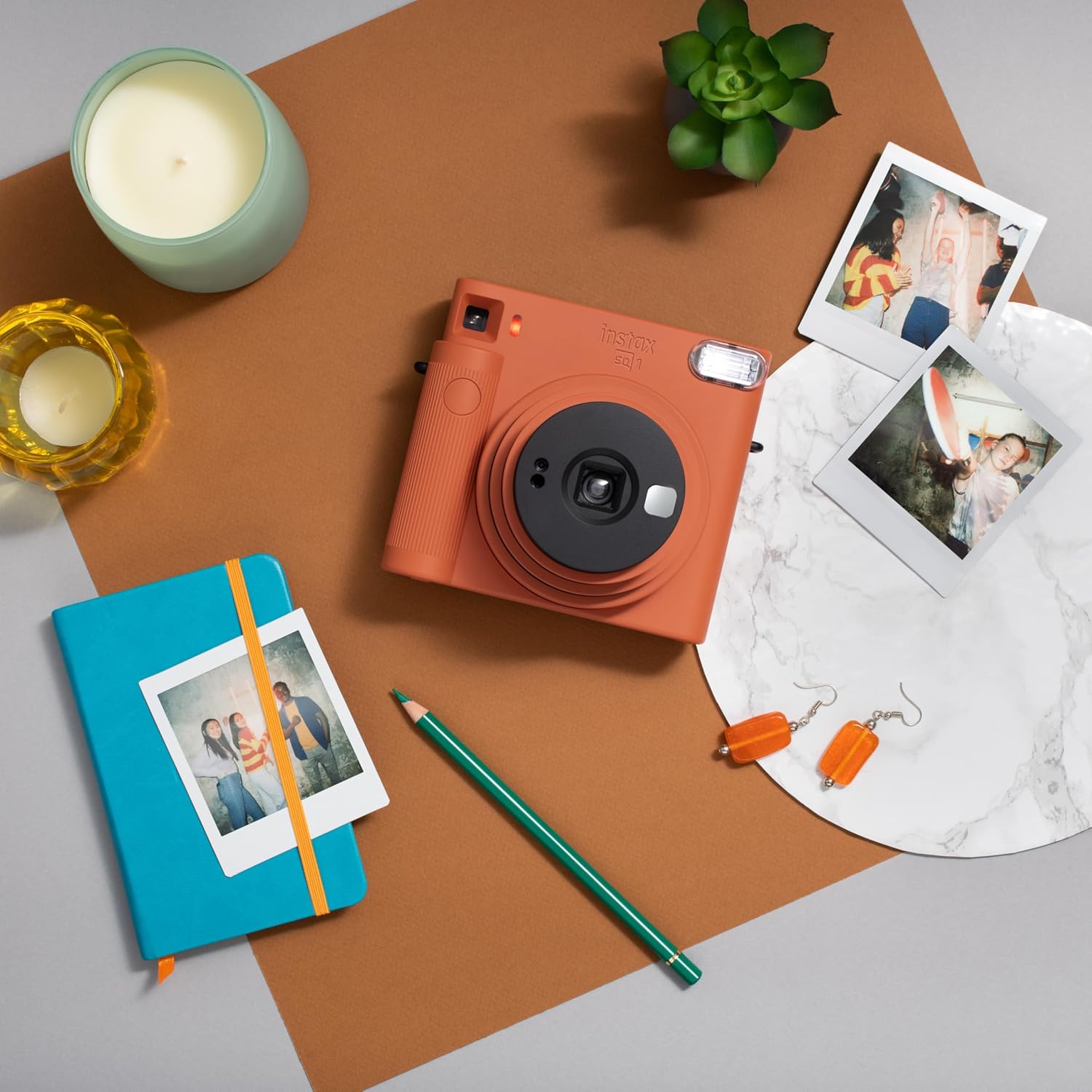
Image: The Instax Square SQ1 camera alongside a pack of Instax Square film and several printed instant photos, illustrating the film type used.
2.4. Кол боону бекитүү
Thread the hand strap through the strap eyelet on the camera and secure it. This helps prevent accidental drops.
3. Иштөө нускамалары
3.1. Turning On/Off and Selecting Modes
To turn the camera on, rotate the lens ring from "OFF" to "ON". The lens will extend. To activate Selfie Mode, rotate the lens ring further to "SELFIE". To turn the camera off, rotate the lens ring back to "OFF".
3.2. Сүрөткө тартуу
- Объектив шакекчесин "ON" абалына айландыруу менен камераны күйгүзүңүз.
- аркылуу карап viewСиздин кадр үчүн тапкыч.
- Сүрөткө тартуу үчүн жапкычты басыңыз. Тасма автоматтык түрдө жогорку уячадан чыгарылат.
- Allow the photo to develop for approximately 90 seconds. Avoid bending or shaking the print during development.
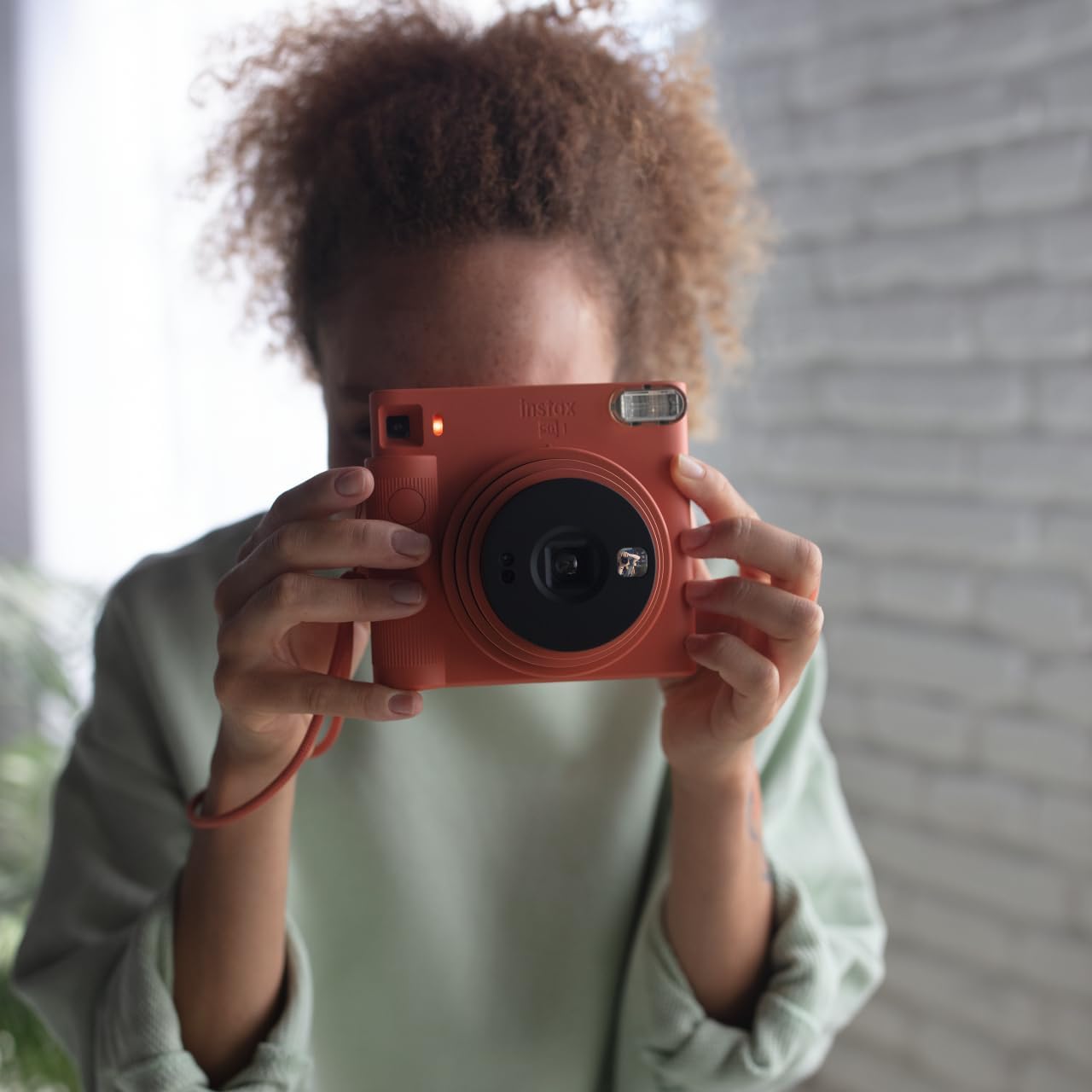
Image: A user holding the Instax Square SQ1 camera, demonstrating the typical posture for taking a photograph through the viewтапкыч.
3.3. Using Selfie Mode
For selfies, rotate the lens ring to "SELFIE". This extends the lens further and adjusts the focus for close-up shots (30-50 cm). Use the small mirror next to the lens to check your framing before pressing the shutter button.
3.4. Automatic Exposure
The SQ1 features automatic exposure, which senses the ambient light and adjusts the shutter speed and flash output accordingly. This ensures optimal brightness for your photos in various lighting conditions.
4. Техникалык тейлөө
- Тазалоо: Use a soft, dry cloth to clean the camera body, lens, and viewfinder. Do not use alcohol, thinner, or other solvents.
- Сактагыч: Камераны салкын, кургак жерде күн тийбеген жана жогорку температурадан алыс сактаңыз.
- Батареянын иштөө мөөнөтү: Replace batteries when the flash charging lamp takes longer to light up or does not light up at all.
- Тасманы иштетүү: Keep film packs in their original packaging until ready to use. Avoid exposing film to high temperatures or direct sunlight.
5. Кыйынчылыктарды
| Маселе | Мүмкүн себеп | Чечим |
|---|---|---|
| Камера күйбөйт. | Өлүк же туура эмес салынган батарейкалар. | Check battery polarity or replace with new CR2 batteries. |
| Фильм чыкпайт. | Film pack empty or improperly loaded. | Ensure a new film pack is correctly loaded. If the film counter shows "0", the pack is empty. |
| Сүрөттөр өтө караңгы/жарык. | Extreme lighting conditions or flash not firing. | The camera has automatic exposure; ensure the flash is not obstructed. For very dark scenes, the flash will fire automatically. |
| Blurry photos. | Камера титиреп же объект өтө жакын/алыс. | Hold the camera steady. For close-ups (30-50 cm), use Selfie Mode. |
For more detailed troubleshooting, please refer to the complete user manual or contact customer support.
6. Техникалык шарттар
- Модель аты: SQ1
- Тасма форматынын түрү: Instax аянты
- Тасманын көлөмү: 72 mm x 86 mm (Image size: 62 mm x 62 mm)
- Объектив: 65.75 mm, f/12.6
- Viewтапкыч: Инверттелген Галилея тапкыч, максаттуу так менен 0.4x
- Жабык ылдамдыгы: Программаланган электрондук жапкыч 1/2ден 1/400 сек. Аз жарык үчүн жай синхрондоштуруу.
- Экспозицияны көзөмөлдөө: Автоматтык, Lv 5.0 – 15.5 (ISO 800)
- Flash: Constant firing flash (automatic light adjustment), recycling time: 6.5 seconds or less (with new batteries), effective flash range: 0.3 to 2.2 m
- Электр камсыздоо: Эки CR2 литий батареясы
- Өлчөмдөрү (W x Y x D): 130.7 мм x 118.6 мм x 57.5 мм (2.36 x 5.12 x 4.72 дюйм)
- Салмагы: 390 g (13.8 ounces) (without batteries, strap, and film)
7. Кепилдик жана колдоо
The Instax Square SQ1 camera comes with a manufacturer's warranty. For specific warranty details, registration, or technical support, please refer to the warranty card included in your product packaging or visit the official instax webсайт.
Онлайн колдоо: www.instax.com/support


