Introduction
This manual provides comprehensive instructions for the setup, operation, and maintenance of your ROCCAT Burst Core Gaming Mouse. Designed for performance and precision, the Burst Core features an extreme lightweight design, an 8,500 DPI optical sensor, and durable construction. Please read this manual thoroughly to ensure optimal use and longevity of your device.
Продукт бүттүview
The ROCCAT Burst Core is an extreme lightweight optical gaming mouse engineered for core performance. It features a symmetrical ergonomic shape, a solid honeycomb shell, and ROCCAT's Titan Switch Optical technology.
- Symmetrical Ergonomic Shape: Crafted for comfort and performance.
- Жеңил дизайн: Weighs only 68g due to its solid honeycomb shell.
- Titan Switch Optical: Provides a mechanical feel with optical speed for rapid, precise clicks.
- PTFE Mouse Feet: Ensures exceptional glide across various surfaces.
- 8,500 DPI оптикалык сенсор: Based on the PixArt PMW3330 sensor for high precision tracking.

1-сүрөт: Алдыңкы оң жак view of the ROCCAT Burst Core Gaming Mouse, showcasing анын эргономикалык дизайны жана жылдыргыч дөңгөлөк.
Жайгашуу
1. Чычканды туташтыруу
- Компьютериңизден жеткиликтүү USB портун табыңыз.
- Plug the USB connector of the ROCCAT Burst Core mouse into the USB port.
- Your operating system (Windows 7, Windows XP, Linux, or newer versions) should automatically detect and install the necessary drivers.
2. Software Installation (ROCCAT Swarm)
For advanced customization options, including DPI control, button assignments, scroll speed, click speed, and RGB lighting effects, it is recommended to install the ROCCAT Swarm software.
- Visit the official ROCCAT webсайт (www.roccat.com/pages/swarm) to download the latest version of ROCCAT Swarm.
- Орнотууну аяктоо үчүн экрандагы нускамаларды аткарыңыз.
- Once installed, launch ROCCAT Swarm to configure your mouse settings.

Сүрөт 2: Жогорку view of the ROCCAT Burst Core, highlighting the main buttons, scroll wheel, and DPI button.
Иштөө нускамалары
Негизги функциялар
- Сол чыкылдатуу: Негизги аракет, тандоо.
- Оң чыкылдатуу: Secondary action, context menu.
- Жылдыруу дөңгөлөгү: Scroll up/down, middle click for universal scrolling or assigned function.
- DPI баскычы: Cycles through preset DPI (Dots Per Inch) sensitivity levels. Default settings can be customized via ROCCAT Swarm.
- Каптал баскычтары: Typically assigned as 'Forward' and 'Back' in web браузерлер жана file explorers. Customizable via ROCCAT Swarm.
Advanced Customization with ROCCAT Swarm
The ROCCAT Swarm software allows you to personalize your mouse experience.
- DPI жөндөөлөрү: Adjust DPI steps and values to match your preference.
- Баскычты дайындоо: Reassign functions to any of the mouse buttons, including macros.
- Добуш берүү көрсөткүчү: Configure the mouse's reporting rate to the computer.
- RGB жарыктандыруу: Customize the illumination effects and colors of the scroll wheel.
- Profiles: Бир нече профессионал түзүңүз жана сактаңызfileар кандай оюндар же тиркемелер үчүн.
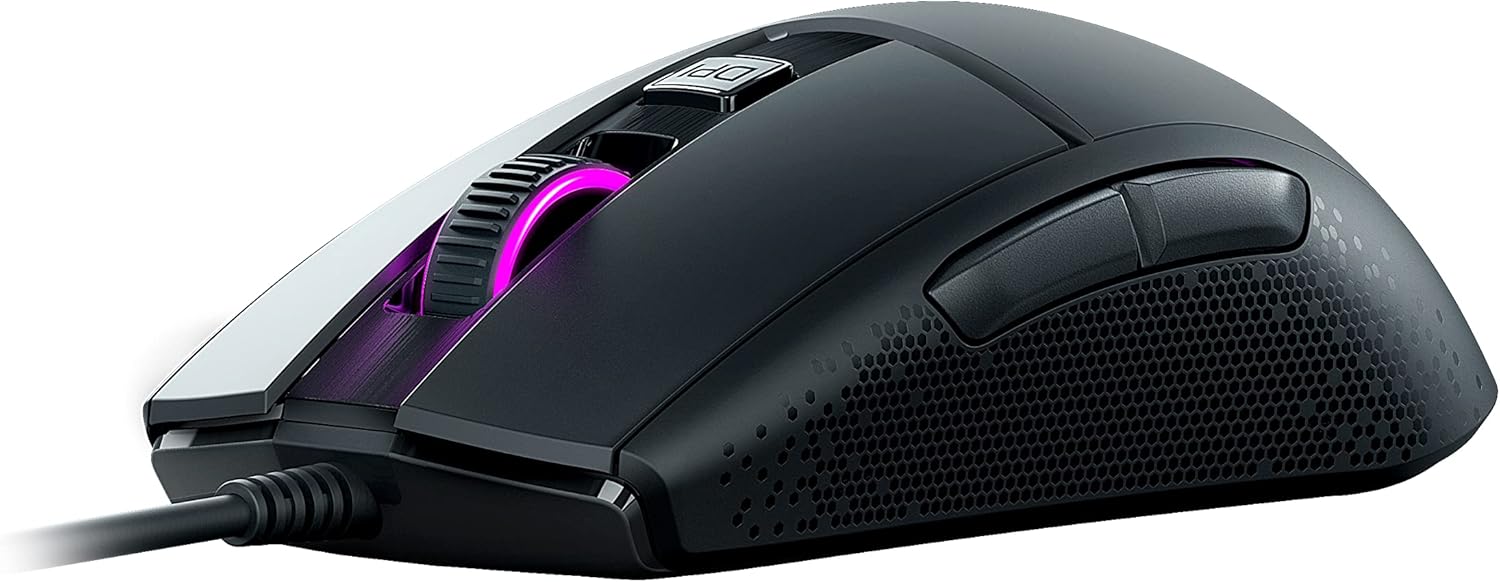
Сүрөт 3: Каптал view of the ROCCAT Burst Core, illustrating the textured hexagonal pattern for enhanced grip.
Техникалык тейлөө
Чычканыңызды тазалоо
- Тазалоодон мурун чычканды компьютериңизден ажыратыңыз.
- Бир аз жумшак, түксүз кездемени колдонуңуз dampсуу же жумшак тазалоо эритмеси менен.
- Катуу химиялык заттарды, абразивдүү тазалагычтарды же эриткичтерди колдонуудан алыс болуңуз.
- Gently wipe the surface of the mouse. For the optical sensor, use a cotton swab to carefully remove any dust or debris.
- Ensure the mouse is completely dry before reconnecting it to your computer.
Сактагыч
Store the mouse in a cool, dry place away from direct sunlight and extreme temperatures. Avoid placing heavy objects on the mouse or its cable.
Проблемаларды чечүү
| Көйгөй | Мүмкүн себеп | Чечим |
|---|---|---|
| Чычкан жооп бербей жатат |
|
|
| Так эмес көз салуу же курсордун артта калуусу |
|
|
| Баскычтар иштебейт |
|
|

Сүрөт 4: Детальдуу view of the ROCCAT Titan Switch Optical mechanism, illustrating its internal components.
Техникалык шарттар
| Бренд | ROCCAT |
| Модель номери | ROC-11-750 |
| Байланыш технологиясы | USB |
| Кыймылды аныктоо технологиясы | Optical (PixArt PMW3330 based) |
| Макс DPI | 8,500 DPI |
| Элемент Салмагы | 68г (2.4 унция) |
| Продукциянын өлчөмдөрү (LxWxH) | 0.63 x 6.69 x 5.28 дюйм |
| Түс | Кара |
| Аппараттык платформа | PC |
| Операциялык системанын шайкештиги | Windows 7, Windows XP, Linux (and newer versions) |
| Өзгөчөлүктөр | Ergonomic Design, Lightweight, Titan Switch Optical, PTFE Mouse Feet |
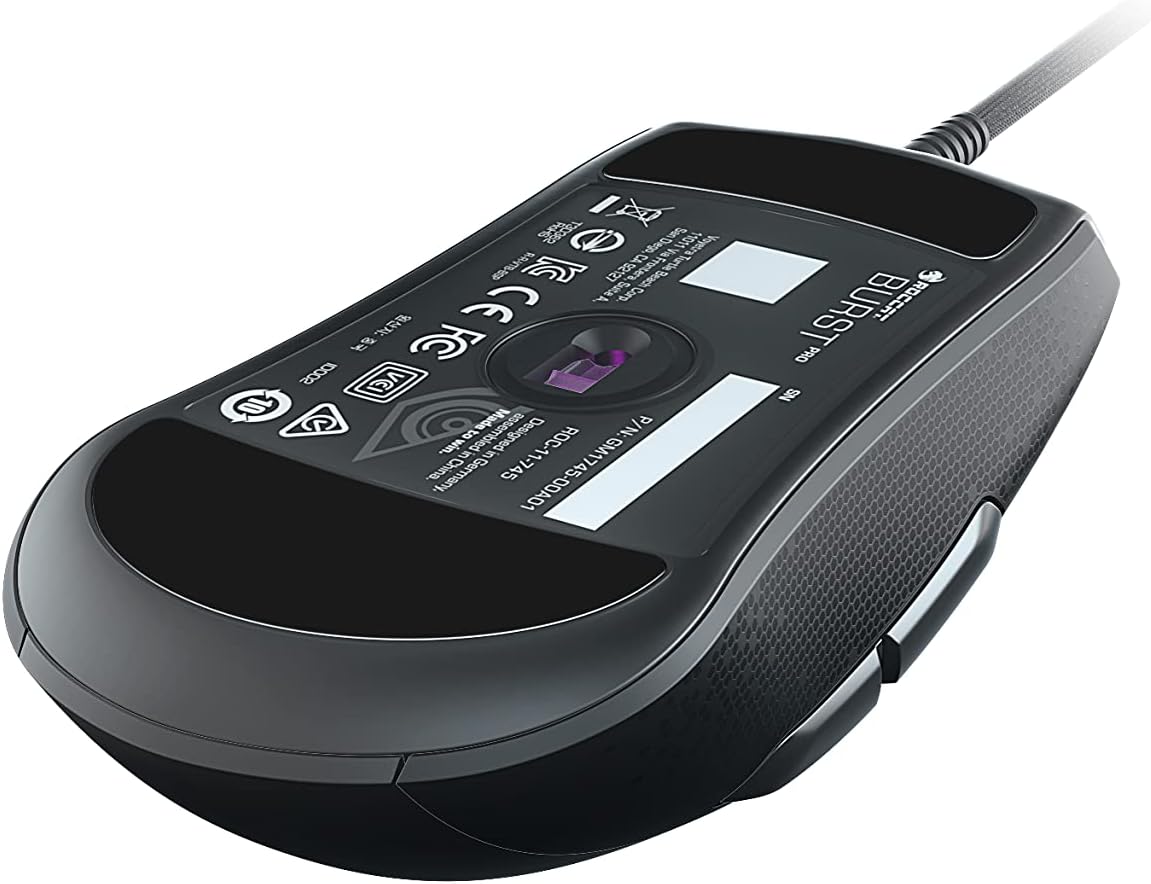
Сүрөт 5: Төмөнкү view of the ROCCAT Burst Core Gaming Mouse, displaying the model number and regulatory certifications.
Кепилдик жана колдоо
Кепилдик маалымат
ROCCAT products typically come with a manufacturer's warranty. Please refer to the warranty card included with your product or visit the official ROCCAT webСиздин аймакка тиешелүү деталдуу кепилдик шарттары жана шарттары үчүн сайт. Кепилдик дооматтар үчүн сатып алганыңыздын далилин сактаңыз.
Кардарларды колдоо
For technical assistance, troubleshooting, or product inquiries, please contact ROCCAT customer support.
- Webсайт: Visit the official ROCCAT support page at support.roccat.com Көп берилүүчү суроолор, айдоочулар жана байланыш параметрлери үчүн.
- Онлайн ресурстар: Check for updated drivers and firmware on the ROCCAT webоптималдуу аткарууну камсыз кылуу үчүн сайт.
Коопсуздук маалыматы
- Аппаратты экстремалдык температурага, нымдуулукка же суюктукка тийгизбеңиз.
- Аппаратты ажыратууга же өзгөртүүгө аракет кылбаңыз. Бул кепилдикти жокко чыгарат.
- Аппаратты балдардан жана үй жаныбарларынан алыс кармаңыз.
- Dispose of the device according to local environmental regulations.


