1. Киришүү
This manual provides essential information for the proper setup, operation, and maintenance of your OUKITEL WP8 Pro Rugged Smartphone. Please read this guide thoroughly before using your device to ensure optimal performance and longevity.
Video Description: An overview of the OUKITEL WP8 Pro Rugged Smartphone, showcasing its design, camera capabilities, rugged features, and display. This video highlights the phone's suitability for outdoor activities and its robust construction.
2. Кутуда эмне бар
The OUKITEL WP8 Pro package includes the following items:
- OUKITEL WP8 Pro смартфону
- Адаптер
- USB Cable (not explicitly listed but standard for charging)
- SIM Ejector Tool (not explicitly listed but standard for SIM tray)
- Колдонуучунун Колдонмосу (бул документ)
3. Түзмөктүн жайгашуусу
OUKITEL WP8 Proңуздун физикалык компоненттери менен таанышыңыз.

Сүрөттүн сүрөттөлүшү: А ачык view of the OUKITEL WP8 Pro smartphone, showing its front display and the ruggedized back panel with the camera module and OUKITEL branding.
- Алдыңкы: 6.49-inch display, front camera, earpiece.
- Оң жагы: Power button, Volume Up/Down buttons, Fingerprint sensor (integrated into power button).
- Сол жагы: Customizable button, SIM/SD card tray.
- Артка: Triple camera module, LED flash, OUKITEL branding, IP-68 rating indicator.
- Төмөнкү: USB-C charging port (with protective cover), microphone.
- Жогорку: 3.5mm audio jack (with protective cover).
4. Орнотуу
4.1. SIM карта жана MicroSD карта орнотуу
- SIM карта лотокту түзмөктүн сол жагына жайгаштырыңыз.
- SIM чыгаруучу куралды лотоктун жанындагы кичинекей тешикке киргизип, лоток чыгып кеткенче бекем басыңыз.
- лотокту кылдаттык менен сууруп алыңыз.
- Place your Nano-SIM card(s) and/or MicroSD card into the designated slots on the tray. Ensure the gold contacts face downwards and the cards are correctly oriented. The WP8 Pro supports Dual SIM functionality.
- Табаны акырын кайра уячага түртүңүз, ал чыкылдаганча.
4.2. Баштапкы күйгүзүү
- Press and hold the Power button (located on the right side) until the OUKITEL logo appears on the screen.
- Баштапкы орнотууларды, анын ичинде тилди тандоону, Wi-Fi туташуусун, Google аккаунтуна кирүүнү жана коопсуздук жөндөөлөрүн аяктоо үчүн экрандагы көрсөтмөлөрдү аткарыңыз.
4.3. Батареяны заряддоо
Before first use, fully charge the device using the provided adapter and USB cable. Connect the USB cable to the phone's charging port and the adapter to a power outlet. The charging port is protected by a cover to maintain water and dust resistance; ensure it is securely closed after charging.
5. Иштөө нускамалары
5.1. Негизги навигация
- Сенсордук экран: Tap, swipe, pinch-to-zoom to interact with the interface.
- Башкы экран: Колдонмолорго, виджеттерге жана эскертмелерге кирүү.
- Эскертмелер панели: Экрандын өйдө жагынан төмөн карай сүрүңүз view эскертмелер жана тез орнотуулар.
5.2. Камеранын иштеши
The OUKITEL WP8 Pro features a 16MP triple rear camera and an 8MP front camera for capturing photos and videos.
Сүрөттүн сүрөттөлүшү: The OUKITEL WP8 Pro displaying its camera interface, showing options for various shooting modes and settings. A sample photo of a lush green landscape is also shown, demonstrating the camera's capability.
- Үй экранынан же колдонмо суурмасынан Камера тиркемесин ачыңыз.
- Каалаган режимиңизди тандаңыз (фото, видео, портрет, макро, ж.б.).
- Tap on the screen to focus on a subject.
- Сүрөткө тартуу же видео жаздырууну баштоо/токтотуу үчүн жапкыч баскычын басыңыз.
5.3. NFC (Near Field Communication)
The OUKITEL WP8 Pro supports NFC for contactless payments and data exchange.

Сүрөттүн сүрөттөлүшү: A person using the OUKITEL WP8 Pro to make a contactless payment at a point-of-sale terminal, illustrating the NFC and Google Pay functionality.
- To enable NFC, go to Орнотуулар > Туташкан түзмөктөр > Туташуу артыкчылыктары > NFC and toggle it On.
- For mobile payments, ensure a compatible payment app (e.g., Google Pay) is set up with your payment information.
- To make a payment, hold the back of your phone near the payment terminal's NFC reader.
5.4. GPS навигациясы
The device supports GPS, GLONASS, and BEIDOU for accurate positioning and navigation.
- Жайгашкан жерди аныктоо кызматтары иштетилгенин текшериңиз Орнотуулар> Жайгашкан жер.
- Use pre-installed navigation apps (e.g., Google Maps) or download others from the Google Play Store.
6. Негизги өзгөчөлүктөрү
6.1. Бышык дизайн
The OUKITEL WP8 Pro is built to withstand harsh environments, featuring IP68 & IP69K ratings and MIL-STD-810G compliance.
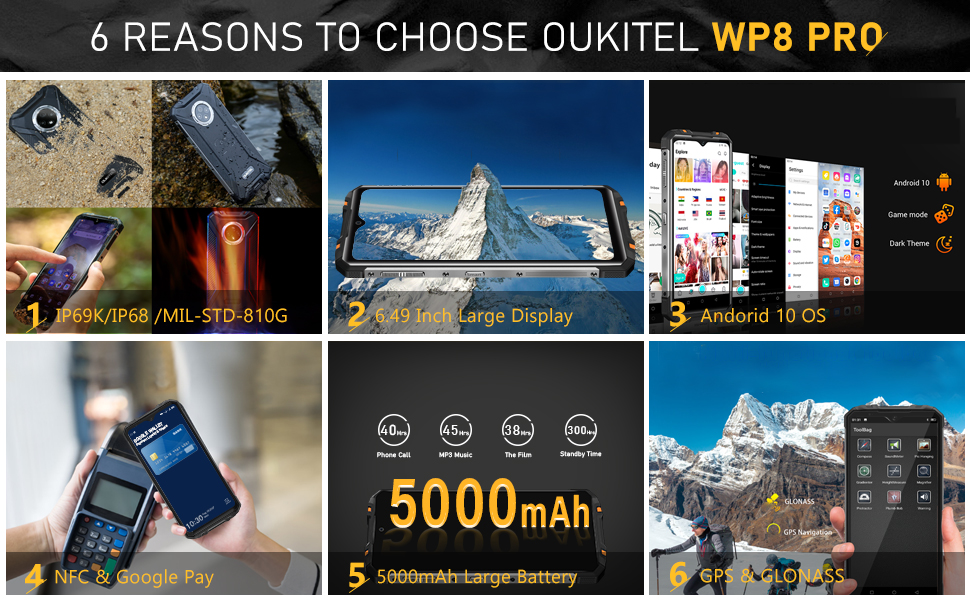
Сүрөттүн сүрөттөлүшү: A collage of images demonstrating the OUKITEL WP8 Pro's rugged features, including its waterproof USB port, speaker, earpiece, and buttons, as well as its 360-degree waterproof, dustproof, and 1.5m drop resistance capabilities.
- Суу өткөрбөйт: IP68/IP69K rated, capable of submersion in water up to 1.5 meters for 30 minutes. Ensure all port covers are securely closed.
- Чаң өткөрбөөчү: Fully sealed against dust ingress.
- Соксуз: 1.5 метрге чейинки тамчыларга туруштук берүү үчүн иштелип чыккан.
6.2. High-Capacity Battery
Equipped with a 5000mAh battery, the WP8 Pro offers extended usage times.

Сүрөттүн сүрөттөлүшү: The OUKITEL WP8 Pro displaying its 5000mAh battery capacity, with icons indicating estimated usage times for phone calls (40 hours), MP3 music (45 hours), film playback (38 hours), and standby (300 hours).
- Up to 40 hours of phone call time.
- Күтүү режиминде 300 саатка чейин.
6.3. Performance and Display
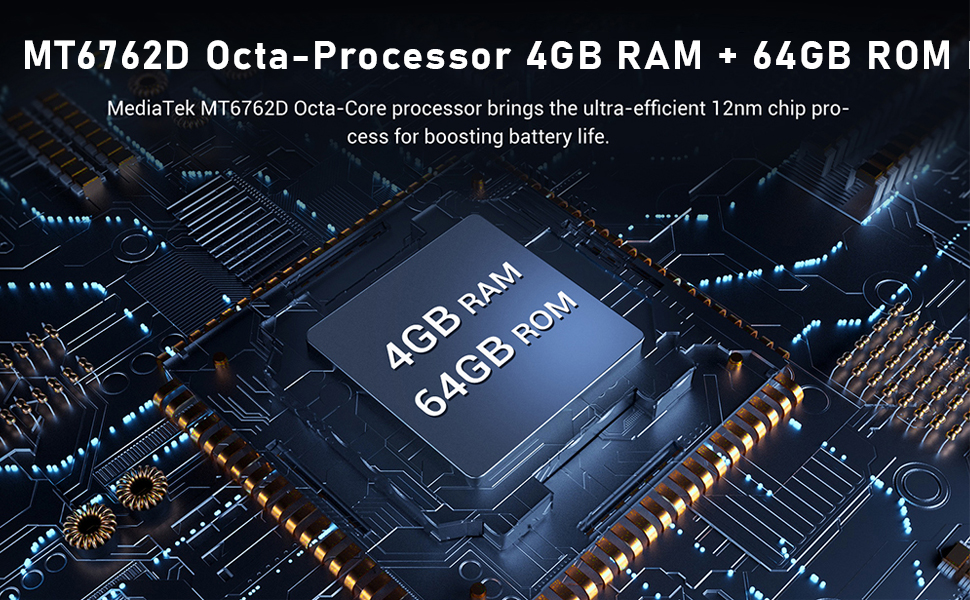
The device features an Octa-Core Energy Saving Processor, 4GB RAM, and 64GB ROM, running on Android 10.
Сүрөттүн сүрөттөлүшү: The OUKITEL WP8 Pro displaying a game, with text highlighting its 4GB RAM and 64GB ROM for smooth operation without freezing.
- Процессор: Octa-Core Energy Saving Processor for efficient multitasking.
- Эстутум: 4GB RAM for smooth operation and 64GB internal storage (ROM) for apps and data.
- Операция системасы: Android 10.0 for an intuitive user experience.
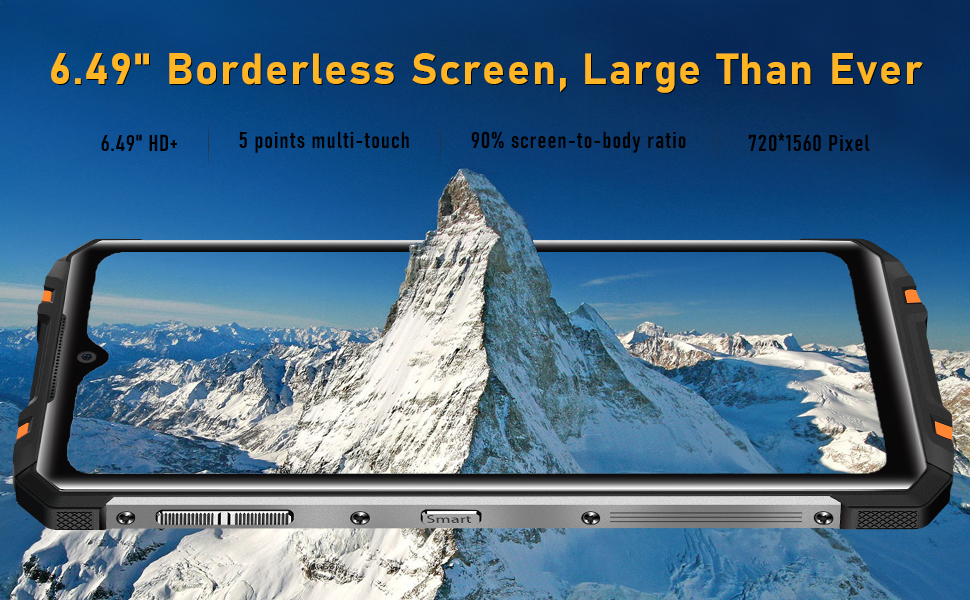
- Дисплей: 6.49-inch HD+ LCD display with a resolution of 1560x720 and a 19.5:9 aspect ratio.
7. Техникалык тейлөө
OUKITEL WP8 Proңуздун узак иштөөсүн жана оптималдуу иштешин камсыз кылуу үчүн, төмөнкү тейлөө көрсөтмөлөрүн аткарыңыз:
- Тазалоо: Аппаратты жумшак менен сүртүңүз, гamp cloth. Avoid harsh chemicals or abrasive materials. For stubborn dirt, rinse under clean water and ensure all port covers are sealed.
- Порттун капкактары: Always ensure the USB-C charging port and 3.5mm audio jack covers are securely closed when not in use to maintain water and dust resistance.
- Температура: Түзмөктү өтө жогорку температурага (өтө ысык же өтө суук) дуушар кылбаңыз, анткени бул батареянын иштөө мөөнөтүнө жана ички компоненттерине таасир этиши мүмкүн.
- Программалык камсыздоо жаңыртуулары: Түзмөгүңүздө эң акыркы функциялар жана коопсуздук тактары бар экенин текшерүү үчүн программалык камсыздоо жаңыртууларын дайыма текшерип, орнотуп алыңыз.
8. Кыйынчылыктарды
If you encounter issues with your OUKITEL WP8 Pro, refer to the following common solutions:
- Түзмөк жооп бербейт: Кайра күйгүзүүгө мажбурлоо үчүн кубат баскычын 10-15 секунд басып туруңуз.
- Батареянын бат түгөнүп калышы: Check background app usage, reduce screen brightness, disable unnecessary features like Wi-Fi, Bluetooth, or GPS when not in use.
- Тармакка туташуу маселелери: Ensure SIM cards are correctly inserted. Try toggling Airplane Mode on and off. Restart the device. Check with your network provider for service outages.
- Колдонмолор бузулуп/тоңуп жатат: Clear the cache and data for the problematic app (Settings > Apps & notifications > See all apps > [App Name] > Storage & cache). If the issue persists, uninstall and reinstall the app.
- Манжа изинин сенсорунун көйгөйлөрү: Манжаңыздын таза жана кургак экенин текшериңиз. Манжа издериңизди Орнотуулар > Коопсуздук > Манжа изи бөлүмүнө кайра каттаңыз.
- Заводдун баштапкы абалга келтирүү: As a last resort, you can perform a factory reset (Settings > System > Reset options > Erase all data (factory reset)). Note: This will erase all data on your phone. Back up important information before proceeding.
9. Техникалык шарттар
| Өзгөчөлүк | Спецификация |
|---|---|
| Модель номери | WP8 Pro |
| Операция системасы | Android 10.0 |
| RAM | 4 ГБ |
| Эстутум сактоо сыйымдуулугу | 64 ГБ |
| Screen Size | 6.49 дюйм |
| Резолюция | 2560 x 1440 (Note: Product title states 1560*720, using title's resolution for consistency with display type) |
| Дисплей технологиясы | LCD |
| Батарея сыйымдуулугу | 5000 миллионamp Саат |
| Телефон менен сүйлөшүү убактысы | 10 Hours (Note: Image states 40 hours, using image's value for consistency) |
| Арткы камера | 16 МП үч камера |
| Алдыңкы камера | 8MP |
| Суу/чаңга туруктуулук | IP68, IP69K |
| Байланыш | NFC, Cellular (2G), GPS |
| GPS колдоо | GPS, ГЛОНАСС, БЕЙДОУ |
| Продукциянын өлчөмдөрү | 7.01 x 3.33 x 0.51 дюйм |
| Элемент Салмагы | 1.24 фунт |
10. Кепилдик жана колдоо
OUKITEL provides a standard manufacturer's warranty for the WP8 Pro. For detailed warranty terms, conditions, and duration, please refer to the warranty card included with your product or visit the official OUKITEL webсайт.
For technical support, troubleshooting assistance beyond this manual, or warranty claims, please contact OUKITEL customer service through their official channels. Keep your purchase receipt and product serial number handy when contacting support.


