1. Киришүү
This user manual provides essential information for the safe and efficient installation, operation, and maintenance of your TOA Electronics PC-1860 5-Inch Ceiling Mount Speaker. Please read this manual thoroughly before using the product and retain it for future reference.
The PC-1860 is designed for clear audio reproduction in various indoor environments, featuring a compact design suitable for ceiling installation.
2. Коопсуздук чаралары
ЭСКЕРТҮҮ:
- Ensure all electrical connections are made by qualified personnel and comply with local electrical codes.
- Do not install the speaker in locations exposed to direct water spray or excessive humidity, as the product is not waterproof.
- Орнотуу, техникалык тейлөө же мүчүлүштүктөрдү оңдоо иштерин жүргүзүүдөн мурун ар дайым электр кубатынан ажыратыңыз.
- Use appropriate mounting hardware and ensure the ceiling structure can support the speaker's weight (approximately 10 pounds).
- Avoid placing heavy objects on the speaker or subjecting it to strong impacts.
ЭСКЕРТҮҮ:
- Do not attempt to modify or repair the speaker yourself. Refer all servicing to qualified service personnel.
- Keep the speaker away from heat sources and direct sunlight to prevent damage.
- Ашыкча ысып кетүүнүн алдын алуу үчүн динамиктин айланасында жакшы желдетүүнү камсыз кылыңыз.
3. Пакеттин мазмуну
Төмөндө тизмеленген нерселердин баары пакетиңизге камтылганын текшериңиз:
- 1 x TOA Electronics PC-1860 5-Inch Ceiling Mount Speaker
- 1 x Mesh Filter
- Бул Колдонуучунун колдонмосу
4. Орнотуу жана орнотуу
Туура орнотуу оптималдуу аткаруу жана коопсуздук үчүн өтө маанилүү болуп саналат. Орнотуу квалификациялуу техник тарабынан аткарылышы сунушталат.
4.1 Пакеттен чыгаруу
Carefully remove the speaker and all accessories from the packaging. Inspect for any signs of damage during transit. If damage is found, contact your supplier immediately.
4.2 Орнотуу ордун тандоо
Choose a suitable location in the ceiling that can structurally support the speaker's weight. Ensure there are no obstructions such as electrical conduits, water pipes, or structural beams in the chosen area. Maintain adequate clearance for wiring and ventilation.
4.3 Орнотуу кадамдары
- Шыптын ачылышын даярдаңыз: Cut a circular hole in the ceiling at the selected location, ensuring the diameter matches the speaker's mounting requirements. Refer to the speaker's physical dimensions for precise measurements.
- Зымдарды туташтыруу: Динамиктин зымын өзүңүздөн өткөрүңүз amplifier or audio source to the ceiling opening. Connect the wires to the speaker terminals, observing correct polarity (+ to + and - to -). Ensure connections are secure.
- Insert Speaker into Opening: Carefully insert the speaker into the prepared ceiling opening. The mounting clips (visible in the image) are designed to secure the speaker in place.
- Спикерди коргоо: Engage the mounting clips by tightening the screws (if applicable) or by pushing them outwards until they firmly grip the ceiling material. Ensure the speaker is flush with the ceiling surface and securely held.
- Attach Mesh Filter: If not pre-installed, attach the included mesh filter to the speaker grille. This helps protect the speaker from dust and debris.
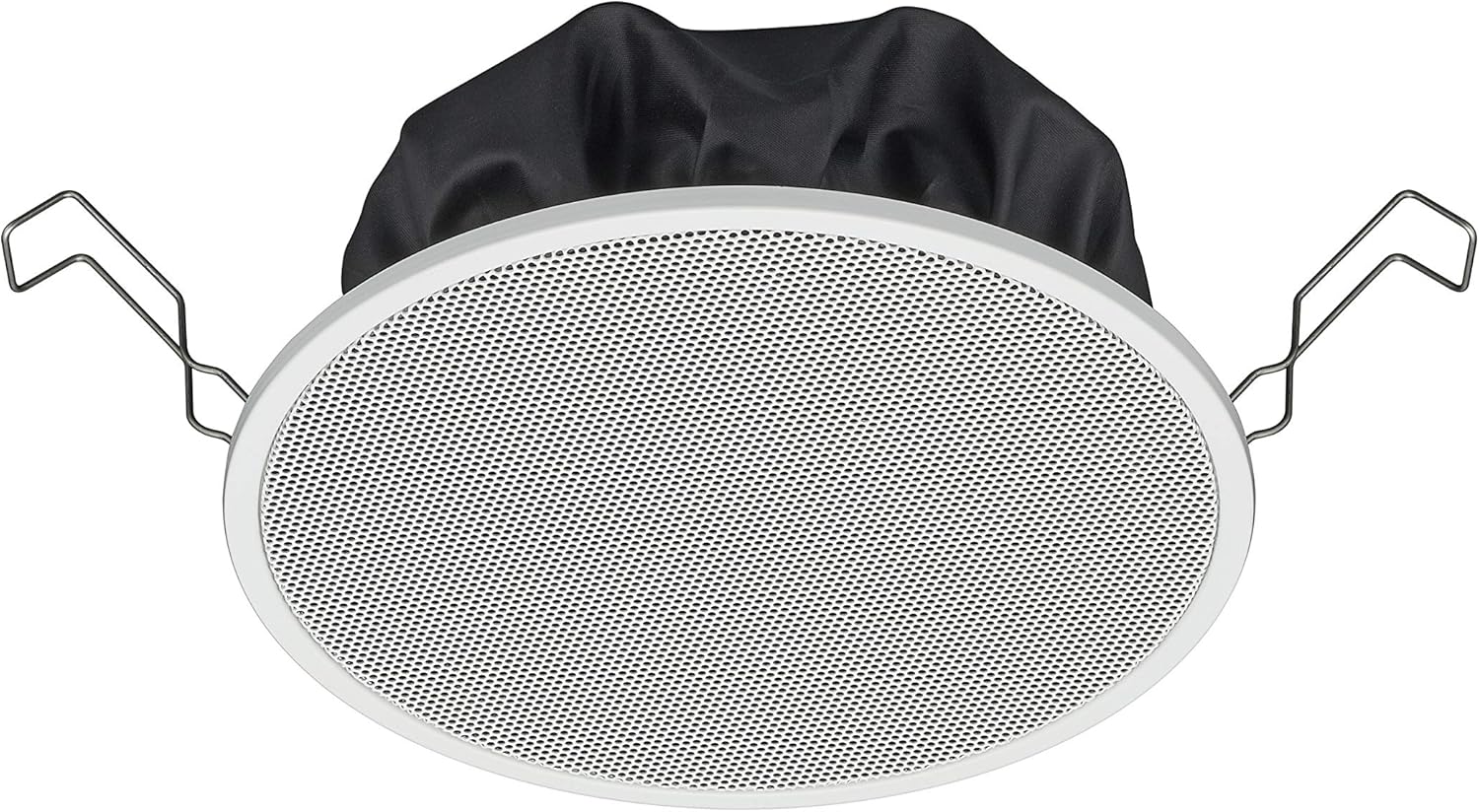
Figure 1: TOA Electronics PC-1860 5-Inch Ceiling Mount Speaker, showing the white grille, black rear enclosure, and metal mounting clips. This image illustrates the speaker's design for flush ceiling installation.
5. Иштөө нускамалары
The TOA Electronics PC-1860 is a passive speaker designed to reproduce audio from an external amplifier or audio source. It does not require direct power or complex controls.
5.1 Негизги аудио ойнотуу
- Күйгүзүү Ampөмүр берүүчү: Сиздин аудиону камсыз кылуу amplifier or receiver is powered on and connected to your audio source (e.g., MP3 player, desktop, projector, television).
- Үндү тууралоо: Use the volume controls on your amplifier or audio source to set the desired listening level.
- Voice Control (if applicable): If your connected audio system supports voice control, you may be able to manage playback and volume through voice commands directed at your audio source device. The speaker itself does not have integrated voice control functionality but can reproduce audio from devices that do.
- Radio Functionality (if applicable): If your connected audio source is a radio receiver, the speaker will reproduce the radio broadcast. The speaker itself does not contain a radio tuner.
The PC-1860 is designed for straightforward audio output. All primary controls for audio source selection, volume, and equalization will be managed through your connected ampкөтөргүч же аудио системасы.
6. Техникалык тейлөө
Үзгүлтүксүз техникалык тейлөө сиздин динамиктин узак мөөнөттүү иштешин жана оптималдуу иштешин камсыз кылат.
- Тазалоо: Gently wipe the speaker grille and frame with a soft, dry cloth. For stubborn dirt, a slightly damp cloth can be used, followed by a dry cloth. Avoid using harsh chemicals, solvents, or abrasive cleaners.
- Чаңды тазалоо: Periodically use a soft brush or a vacuum cleaner with a brush attachment to remove dust from the grille, especially the mesh filter.
- Текшерүү: Occasionally inspect the speaker for any visible damage or loose connections. If any issues are found, refer to the troubleshooting section or contact support.
- Курчап турган чөйрө: Ensure the installation environment remains within recommended temperature and humidity levels.
7. Кыйынчылыктарды
If you encounter issues with your PC-1860 speaker, refer to the following common problems and solutions:
| Көйгөй | Мүмкүн себеп | Чечим |
|---|---|---|
| Динамиктен үн жок |
|
|
| Бурмаланган же түшүнүксүз үн |
|
|
| Speaker not securely mounted |
|
|
If the problem persists after attempting these solutions, please contact TOA Electronics customer support.
8. Техникалык шарттар
Below are the key technical specifications for the TOA Electronics PC-1860 5-Inch Ceiling Mount Speaker:
| Өзгөчөлүк | Деталь |
|---|---|
| Модель аты | PC-1860 |
| Бренд | TOA Electronics |
| Динамик түрү | Шипте |
| Монтаж түрү | Шыпка орнотуу |
| Динамик өлчөмү | 5 дюйм |
| Аудио драйвер түрү | Динамикалык драйвер |
| Аудио чыгаруу режими | Stereo (when paired with another speaker) |
| Түс | Ак |
| Камтылган компоненттер | 1 x Mesh Filter |
| Суу өткөрбөйт | ЖАЛГАН |
| Элемент Салмагы | 10 фунт (болжол менен) |
| Power Source | Электр зымдары (аркылуу ampөмүрлүү) |
| Башкаруу ыкмасы | Voice (via compatible external devices) |
| Сунушталган Колдонуулар | Construction, Industrial |
| Шайкеш түзмөктөр | Desktop, MP3 Player, Projector, Television (via ampөмүрлүү) |
9. Кепилдик маалыматы
The TOA Electronics PC-1860 speaker comes with a Limited Warranty. Specific terms and conditions of the warranty, including coverage period and claim procedures, are subject to the policies of TOA Electronics.
For detailed warranty information, please refer to the official TOA Electronics webсайтка же түздөн-түз кардарларды тейлөөгө кайрылыңыз. Кепилдик дооматтар үчүн сатып алганыңыздын далилин сактаңыз.
10. Кардарларды колдоо кызматы
If you require further assistance, have questions not covered in this manual, or need technical support, please contact TOA Electronics customer service.
- Онлайн колдоо: Visit the official TOA Electronics webКөп берилүүчү суроолор, продукт документтери жана байланыш формалары үчүн сайт.
- Байланыш маалыматы: Refer to the TOA Electronics website for current phone numbers and email addresses for your region.
When contacting support, please have your product model (PC-1860) and purchase information readily available.