Introduction
Welcome and thank you for choosing the Umax Webcam W5. This manual provides essential information for setting up, operating, maintaining, and troubleshooting your webcam. Please read it carefully before use to ensure proper functionality and longevity of your device.
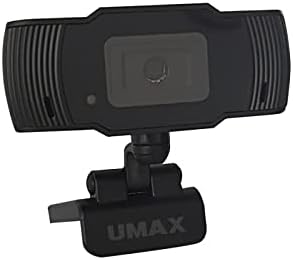
Сүрөт: алдыңкы view of the Umax W5 Webcam. This image displays the main unit of the webcam, highlighting its lens and overall design.
1. Орнотуу
1.1 Пакеттин мазмуну
- Umax W5 Webcam
- Күзгү
1.2 Системалык талаптар
Umax W5 Webcam is compatible with most operating systems that support standard USB webcams, including Windows, macOS, and Linux distributions.
1.3 Туташтыруу Webcam
- ачуу webcam's integrated clip/stand.
- кой webcam securely on top of your monitor, laptop screen, or a flat surface.
- USB кабелин түзмөктөн туташтырыңыз webкамераны компьютериңиздеги жеткиликтүү USB портуна коюңуз.
- The webcam should be automatically recognized by your operating system. No additional drivers are typically required for basic functionality.
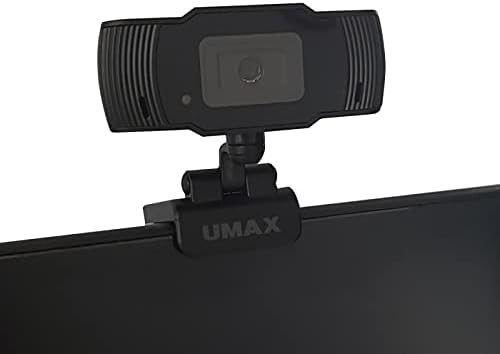
Image: Umax W5 Webcam mounted on top of a computer monitor. This image shows the webcam securely positioned on the upper edge of a computer monitor, demonstrating its typical mounting configuration.
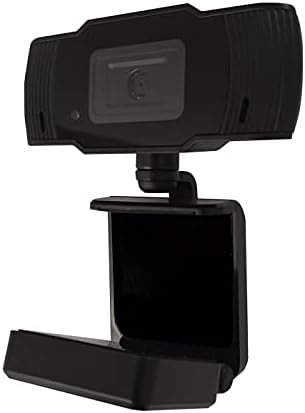
Image: Umax W5 Webcam with its adjustable clip/stand unfolded. This image displays the webcam with its integrated clip fully extended, illustrating how it can be adjusted to fit various monitor thicknesses or stand independently on a flat surface.
2. иштетүү Webcam
2.1 Негизги функционалдуулук
Once connected, the Umax W5 Webcam is ready for use with various video conferencing applications, streaming software, and other programs that utilize a webкамера
2.2 Тиркемелер менен колдонуу
- Open your desired application (e.g., Zoom, Skype, OBS Studio).
- Navigate to the application's settings or preferences menu.
- Select "Umax W5 Webcam" as your primary video input device.
- Adjust video settings such as resolution or frame rate within the application if these options are available.
2.3 Кол менен фокустоо
Umax W5 Webcam features manual focus. To adjust the focus, gently rotate the lens ring located around the camera lens until the image displayed on your screen appears clear and sharp.
3. Техникалык тейлөө
3.1 Линзаны тазалоо
To ensure optimal image quality, periodically clean the webкамера линзасы.
- Use a soft, lint-free cloth specifically designed for optical surfaces.
- Avoid abrasive materials or harsh chemical cleaners, as these can damage the lens coating.
- Чаңды же тактарды кетирүү үчүн линзаны тегерек кыймыл менен акырын сүртүңүз.
3.2 Сактоо
Колдонулбаган учурда, дүкөндү сактаңыз webcam in a clean, dry place away from extreme temperatures, high humidity, and direct sunlight to prevent damage.
4. Кыйынчылыктарды
4.1 WebКамера аныкталган жок
- USB кабели экөөнө тең бекем туташтырылганын текшериңиз webcam and an active USB port on your computer.
- туташтырып көрүңүз webкамераны компьютериңиздеги башка USB портуна туташтырыңыз.
- Компьютериңизди өчүрүп күйгүзүңүз.
- Операциялык системаңыздын Түзмөк менеджерин (Windows) же Система маалыматын (macOS) текшериңиз, эгерде webкамера тизмеде көрсөтүлгөн.
4.2 Сүрөттүн сапаты начар
- Кол менен фокустоо шакекчесин тууралаңыз webсүрөт так болгонго чейин камераны басыңыз.
- Ensure adequate lighting in your environment. Poor lighting can significantly affect image quality.
- тазалаңыз webкамера линзасын "Техникалык тейлөө" бөлүмүндө сүрөттөлгөндөй колдонуңуз.
- Check the video settings within your application (e.g., resolution, frame rate) to ensure they are set appropriately.
5. Техникалык шарттар
| Өзгөчөлүк | Деталь |
|---|---|
| Бренд | Umax |
| Модель аты | W5 |
| Элемент моделинин номери | W5 |
| Түс | Кара |
| Пакеттин өлчөмдөрү | 6.18 x 3.43 x 1.89 дюйм |
| Элемент Салмагы | 5.6 унция |
| Линзанын түрү | Чоңойтуу |
| Фокус түрү | Manual Focus |
| Image Stabilization | Жок |
| Батареялар | 2 АА батарейка талап кылынат. (камтылган) |
| Камтылган компоненттер | Күзгү |
| Дата биринчи жеткиликтүү | 14-сентябрь, 2020-жыл |
| Өндүрүүчү | Umax |
6. Кепилдик жана колдоо
For warranty information and technical support, please refer to the official Umax webсайтына кайрылыңыз же алардын кардарларды тейлөө кызматына түз кайрылыңыз. Кепилдик боюнча дооматтар үчүн сатып алуунун далили катары сатып алуу дүмүрчөгүңүздү сактап коюу сунушталат.
Өндүрүүчү: Umax
Биринчи жеткиликтүү болгон күнү: 14-сентябрь, 2020-жыл


