Introduction
This user manual provides comprehensive instructions for the setup, operation, maintenance, and troubleshooting of your Trust Ozaa Rechargeable Wireless Mouse. Please read this manual carefully before using the product to ensure optimal performance and longevity.

Image: The Trust Ozaa Rechargeable Wireless Mouse shown with its USB receiver and micro-USB charging cable. This image illustrates the main components included with the mouse.
Пакеттин мазмуну
Пакетте бардык буюмдар бар экенин текшериңиз:
- Trust Ozaa Rechargeable Wireless Mouse
- USB кабыл алгыч
- Micro-USB заряддоо кабели
- Колдонуу боюнча нускамалар (бул колдонмо)

Image: The retail packaging for the Trust Ozaa Rechargeable Wireless Mouse, highlighting its key features such as 10m wireless range, comfortable design, and silent click buttons.
Жайгашуу
- Чычканды заряддоо: Before first use, connect the supplied micro-USB charging cable to the mouse's charging port and to a USB power source (e.g., computer USB port, USB wall adapter). The charging indicator light will illuminate. Allow the mouse to fully charge.
- USB кабылдагычты салыңыз: Locate the USB receiver, typically stored in a compartment on the underside of the mouse. Remove it and plug it into an available USB-A port on your computer (PC or Mac).
- Күйгүзүү: Turn on the mouse using the on/off switch located on the underside.
- Автоматтык туташуу: The mouse should automatically connect to your computer. No additional drivers are typically required for basic functionality (Plug and Play).

Image: A user operating the Trust Ozaa mouse wirelessly next to a laptop, demonstrating its plug-and-play functionality and 10-meter wireless range.
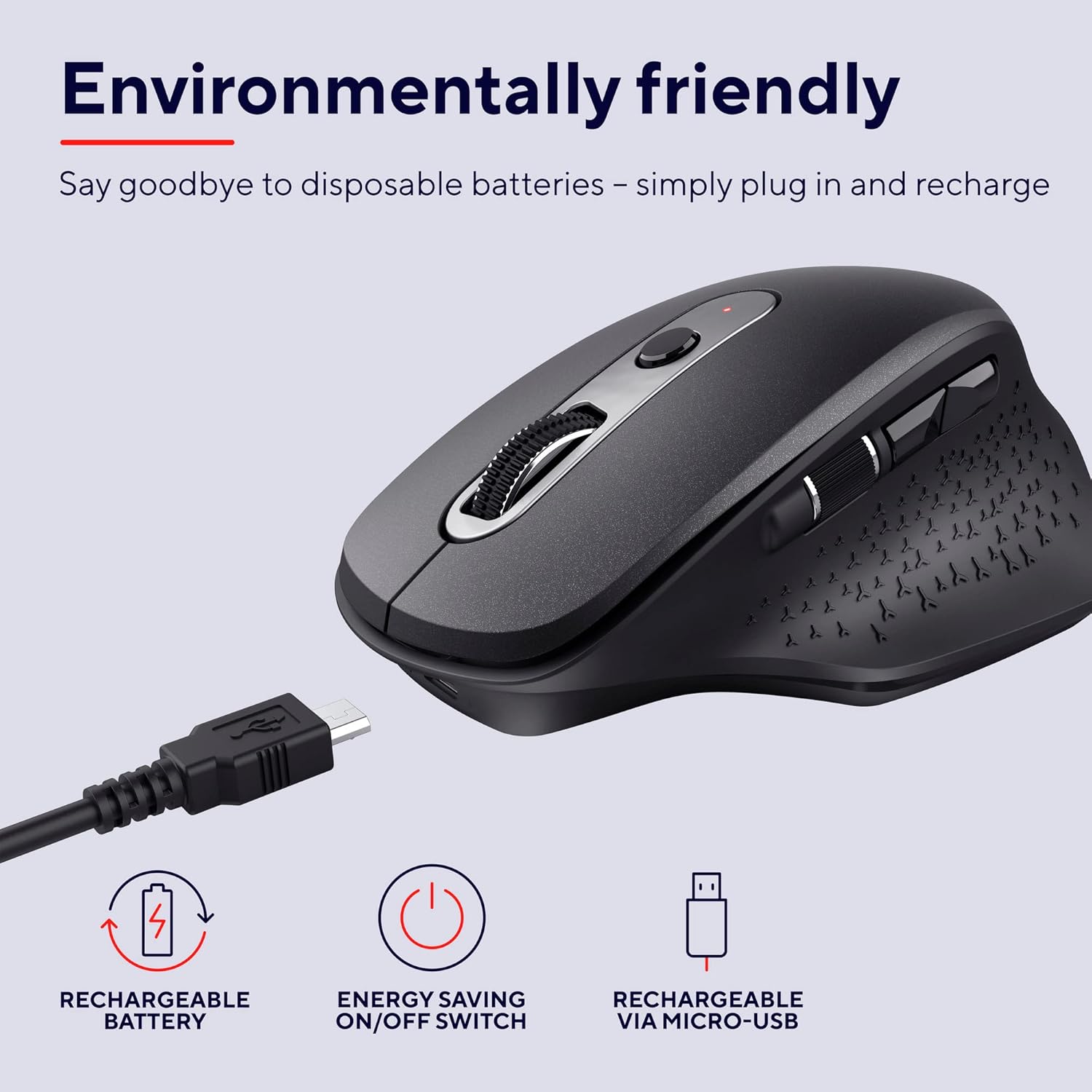
Image: The Trust Ozaa mouse being charged via its micro-USB cable, highlighting its rechargeable battery and energy-saving features.
Иштөө нускамалары
Баскыч функциялары
- Сол чыкылдатуу баскычы: Standard primary click. Designed for silent operation.
- Оң баскычты чыкылдатуу: Standard secondary click. Designed for silent operation.
- Жылдыруу дөңгөлөгү (ортоңку баскыч): Scroll vertically through documents and web pages. Press down for middle-click functionality.
- DPI жөндөө баскычы: Located behind the scroll wheel. Press to cycle through different cursor speeds (DPI settings: 800, 1200, 1600, 2400 DPI).
- Каптал айланма дөңгөлөк: Located on the left side. Allows for horizontal scrolling.
- Алдыга/Артка баскычтары: Located above the side scroll wheel. Used for navigating forward and backward in web браузерлер же file изилдөөчүлөр.

Сүрөт: үстүнкү view of the Trust Ozaa mouse, visually indicating the DPI adjustment, silent buttons, and convenient side scroll wheel.
DPI тууралоо
The mouse features an adjustable cursor speed (DPI) ranging from 800 to 2400 DPI. To change the DPI, press the dedicated DPI button located behind the main scroll wheel. Each press will cycle through the available settings, allowing you to select the sensitivity that best suits your task or preference.
Энергияны үнөмдөө
To conserve battery life, the mouse is equipped with an on/off switch on its underside. It also features an automatic sleep mode that activates after a period of inactivity. To wake the mouse, simply move it or click any button.
Техникалык тейлөө
- Тазалоо: Чычканды тазалоо үчүн жумшак, кургак чүпүрөктү колдонуңуз. өжөр кир үчүн, бир аз гamp кездемени колдонсо болот, бирок нымдуулуктун ички компоненттерге кирбегенин текшериңиз. Катуу химиялык заттарды же абразивдүү тазалоочу каражаттарды колдонбоңуз.
- Заряддоо: Recharge the mouse when the battery indicator light signals low power or when performance degrades. Use only the provided charging cable or a compatible micro-USB cable.
- Сактагыч: When not in use for extended periods, turn off the mouse to preserve battery life. Store it in a cool, dry place.
Проблемаларды чечүү
| Көйгөй | Мүмкүн себеп | Чечим |
|---|---|---|
| Чычкан жооп бербей жатат. |
|
|
| Курсордун кыймылы туруксуз же секирик. |
|
|
| Баскычтар иштебей жатат. |
|
|
Техникалык шарттар
| Бренд | Trust |
| Модель номери | 23812 |
| Байланыш технологиясы | Радио жыштык (зымсыз) |
| Зымсыз диапазон | 10 метрге чейин |
| DPI орнотуулары | 800, 1200, 1600, 2400 DPI (Adjustable) |
| баскычтардын саны | 6 (Left, Right, Scroll Wheel Click, DPI, Forward, Backward) + Side Scroll Wheel |
| Негизги баскычтар | Silent Left and Right Buttons |
| Power Source | Rechargeable Battery (1 AAA battery included, contained in equipment) |
| Заряддоо порту | Микро-USB |
| Продукциянын өлчөмдөрү (L x W x Y) | 7.7 x 11.8 x 4.6 см |
| Элемент Салмагы | 122 г |
| Аппараттык платформанын шайкештиги | PC, Mac |
| Операциялык системанын шайкештиги | Chrome OS, Windows, Mac OS |
| Өзгөчөлүктөр | Wireless, Rechargeable, Quiet, Ergonomic Design, Energy-saving On/Off Switch |
Кепилдик жана колдоо
Кепилдик жөнүндө маалымат жана техникалык колдоо алуу үчүн, расмий Trust компаниясына кайрылыңыз webсайтка же түздөн-түз кардарларды тейлөөгө кайрылыңыз. Кепилдик дооматтар үчүн сатып алганыңыздын далилин сактаңыз.
Ишенимдүү кызматкер Webсайт: www.trust.com
Бул колдонмого киргизүү үчүн сатуучунун эч кандай расмий продукт видеолору жеткиликтүү эмес.


