Introduction
Сатып алганыңыз үчүн рахматasing the SEMIER Retro Cassette Player Recorder Boombox. This versatile device allows you to enjoy your favorite cassette tapes, record audio, and listen to AM/FM radio. Designed for ease of use and portability, it offers both AC and battery power options, making it suitable for various environments. Please read this manual carefully to ensure proper operation and to maximize your enjoyment of this product.
Продукт бүттүview
The SEMIER Retro Cassette Player Recorder Boombox combines classic audio functionality with modern convenience. Below are the main components and features of your device.
Негизги өзгөчөлүктөрү:
- Көп функциялуу аудио ойнотуу: Play your collected cassette tapes and record external voice or radio directly to cassette using the built-in microphone.
- Superior AM/FM Reception: Equipped with a long antenna and an upgraded DSP chip for clear and reliable reception across AM (520-1710 kHz) and FM (87-108 MHz) frequencies.
- Күчтүү үн сапаты: Features a robust 6W speaker for excellent sound, plus a 3.5mm headphone jack for private listening.
- Portable and Convenient Design: Compact size (9.5 x 3.3 x 4.5 inches, 2.2 lbs) with a portable handle for easy transport.
- Ийкемдүү кубат параметрлери: Can be powered via AC plug-in (cord included) or 4 C batteries (not included).
- Туруктуу курулуш: Made from premium ABS material with large, user-friendly control buttons.
Компоненттер жана башкаруу элементтери:
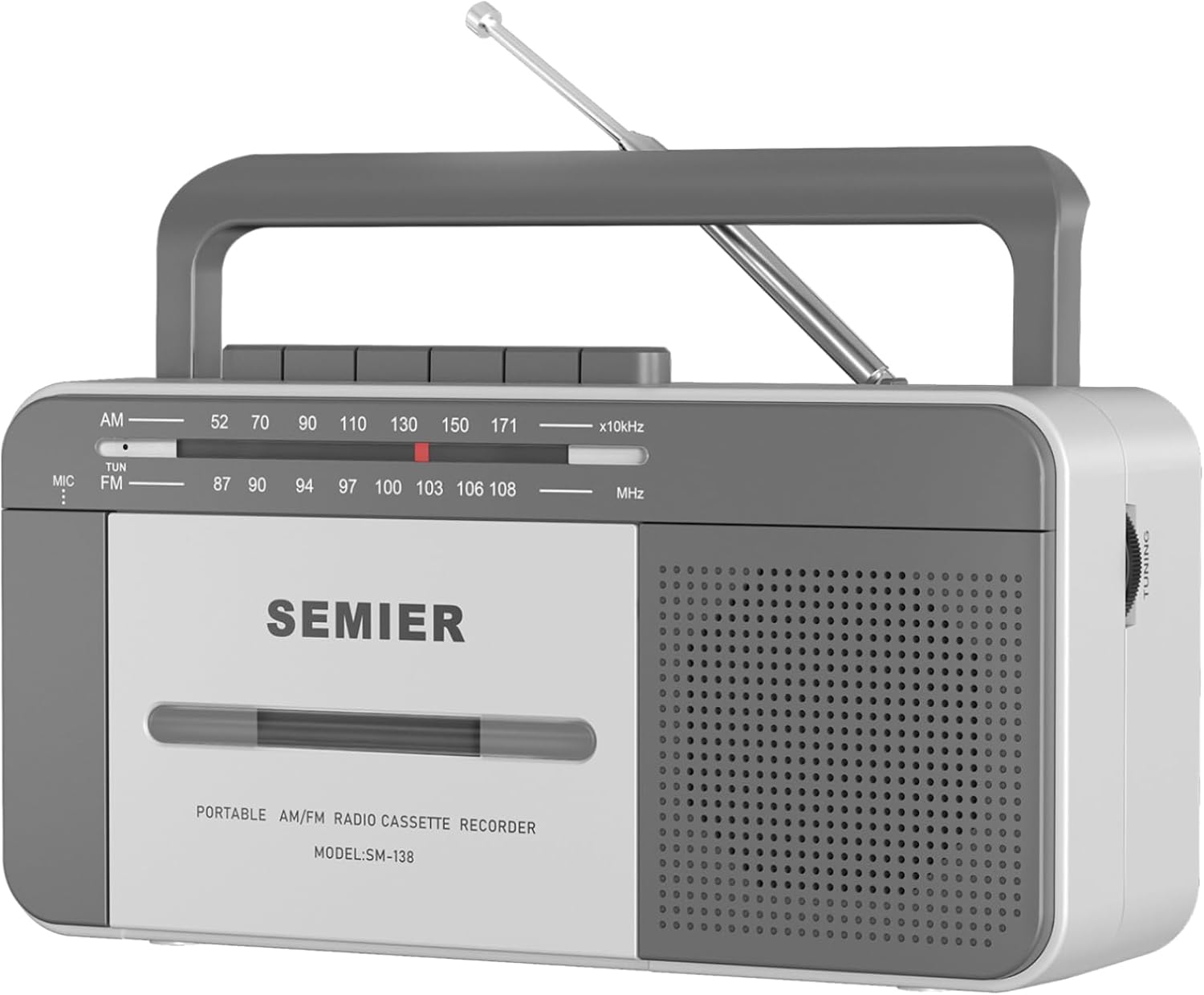
Фронт View: Shows the cassette deck, speaker grille, AM/FM tuning dial, and main control buttons (Play, Stop/Eject, Fast Forward, Rewind, Record, Pause).

Side View with Earphone Jack: Illustrates the 3.5mm earphone jack for private listening, located on the side of the unit.

Антенна: The telescopic antenna extends for improved AM/FM radio reception.
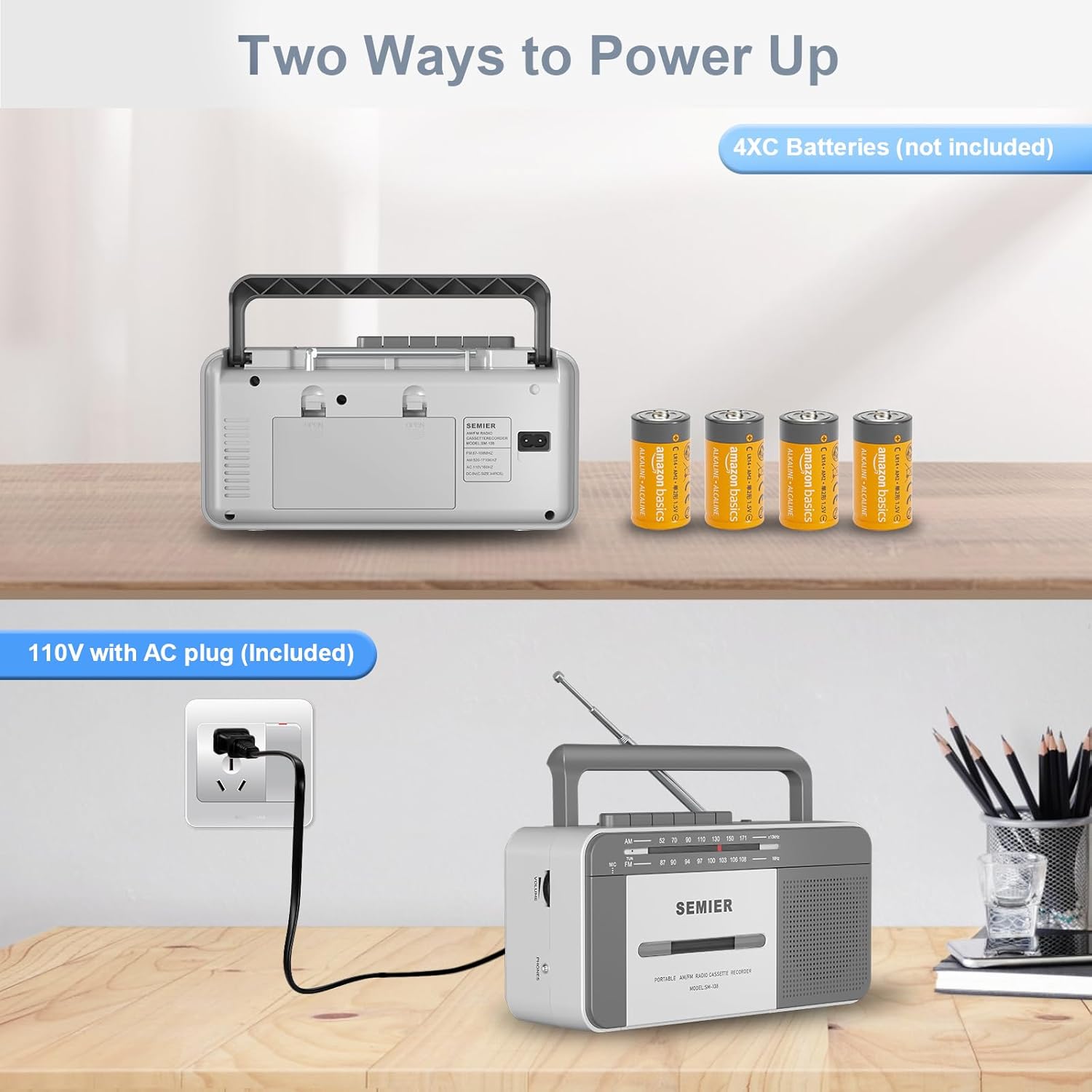
Кубат параметрлери: Арткы view showing the AC power input and the battery compartment for 4 C batteries.
Жайгашуу
Түзмөгүңүздү кубаттандыруу:
Your boombox offers two power options:
- AC кубаттуулугу:
- Locate the included AC power cord.
- Insert one end of the cord into the AC input jack on the back of the boombox.
- Plug the other end into a standard 110V AC wall outlet.

Connect the AC cord to the boombox and a wall outlet for continuous power.
- Батарея кубаттуулугу:
- Түзмөктүн арткы жагындагы батарея бөлүмүнүн капкагын ачыңыз.
- Insert 4 "C" size batteries (not included), ensuring correct polarity (+/-) as indicated inside the compartment.
- Батарея уясынын капкагын бекем жабыңыз.
Insert 4 C batteries into the designated compartment for portable use.
Note: When using AC power, batteries are automatically disconnected. Remove batteries if the unit will not be used for an extended period to prevent leakage.
Иштөө нускамалары
Кассетаны ойнотуу:
- басыңыз ТОКТОТУУ/ЧЫГАРУУ кассеталык бөлүмдүн эшигин ачуу үчүн баскыч.
- Insert a cassette tape with the open edge facing upwards and the side you wish to play facing you. Gently push the tape until it clicks into place.
- Кассета бөлүмүнүн эшигин жабыңыз.
- Функция которгучун күйгүзүңүз ЛЕНТ.
- басыңыз ОЙНОО ойнотууну баштоо үчүн
- тууралаңыз VOLUME knob to your desired listening level.
- Тез алдыга жылдыруу үчүн басыңыз F.FWD баскычын басыңыз. Артка түрүү үчүн, REW баскычы. Басуу ОЙНОО to resume playback or ТОКТОТУУ/ЧЫГАРУУ токтотуу.
- Ойноону тындыруу үчүн басыңыз ТЫНЫГУУ баскычы. Улантуу үчүн аны кайра басыңыз.
- Ойнотууну токтотуу үчүн, басыңыз ТОКТОТУУ/ЧЫГАРУУ баскычы.
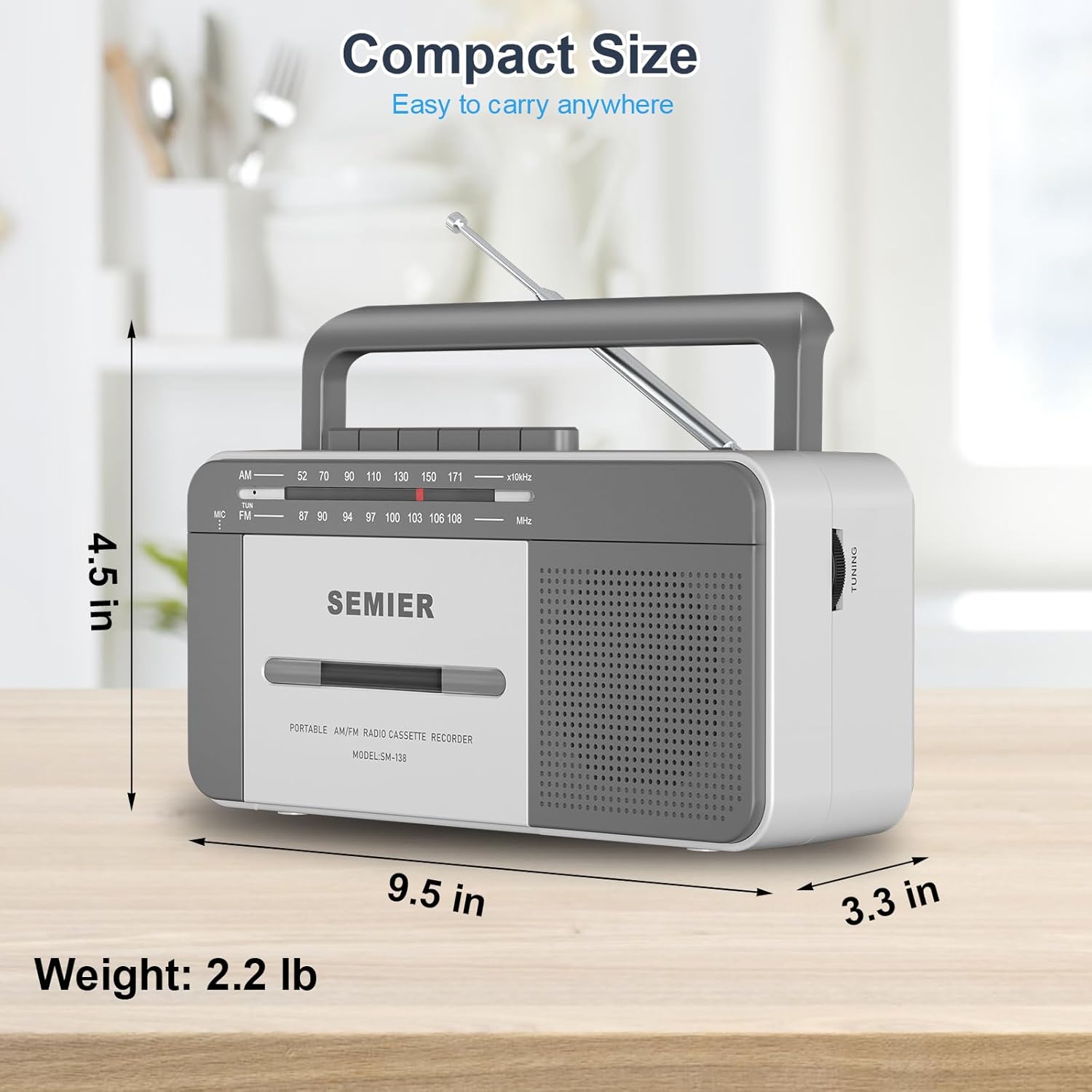
The large, clearly labeled buttons make operation simple and intuitive.
Кассеталык жаздыруу:
You can record audio from the built-in microphone or from the AM/FM radio.
- Insert a blank cassette tape into the compartment.
- To record from the built-in microphone:
- Функция которгучун күйгүзүңүз ЛЕНТ.
- басыңыз ЖАЗУУ button (this will also engage the PLAY button).
- Speak clearly into the built-in microphone located on the front of the unit.

Record external audio directly to cassette using the integrated microphone.
- To record from AM/FM Radio:
- Функция которгучун күйгүзүңүз РАДИО.
- Tune to your desired AM or FM radio station (see Radio Operation below).
- басыңыз ЖАЗУУ button (this will also engage the PLAY button). The radio broadcast will now be recorded onto the cassette.
- Жазууну токтотуу үчүн, басыңыз ТОКТОТУУ/ЧЫГАРУУ баскычы.
Радио операциясы:
- Оптималдуу кабыл алуу үчүн телескоптук антеннаны узартыңыз.
- Функция которгучун күйгүзүңүз РАДИО.
- Экөөнү тандаңыз AM or FM band using the band selector switch.
- айлантыңыз TUNING knob to find your desired radio station. The tuning dial will indicate the frequency.
- тууралаңыз VOLUME каалаган угуу деңгээлине чейин баскычты басыңыз.
- For best FM reception, adjust the position and length of the telescopic antenna. For AM reception, rotate the unit itself for optimal signal.

The long antenna ensures superior AM/FM reception for clear audio.
Наушник уясын колдонуу:
- Plug any standard 3.5mm stereo headphones (not included) into the ЕРФОН ЖЕК аппараттын капталында жайгашкан.
- The built-in speaker will automatically mute when headphones are connected, allowing for private listening.
Enjoy private listening by connecting your headphones to the 3.5mm earphone jack.
Техникалык тейлөө
- Агрегатты тазалоо: Бумбокстун сыртын тазалоо үчүн жумшак, кургак чүпүрөктү колдонуңуз. Абразивдүү тазалоочу каражаттарды же эриткичтерди колдонбоңуз.
- Кассета башын тазалоо: Тасма башын, кысуучу роликти жана капстанды мезгил-мезгили менен кебезди жеңил сүртүп тазалап туруңузampизопропил спирти менен эритилет. Бул үн сапатын сактоого жардам берет жана тасманын бузулушунун алдын алат.
- Батареяга кам көрүү: If the unit will not be used for an extended period, remove the batteries to prevent corrosion and leakage.
- Сактагыч: Аппаратты күн нурунан жана экстремалдык температурадан алыс салкын, кургак жерде сактаңыз.
Проблемаларды чечүү
| Көйгөй | Мүмкүн себеп | Чечим |
|---|---|---|
| Күч жок | AC cord not properly connected; Batteries are dead or inserted incorrectly. | Электр шнурунун бекем сайылганын текшериңиз. Батареяларды жаңыларына алмаштырыңыз, полярдуулукту текшериңиз. |
| Динамиктен үн жок | Volume too low; Headphones plugged in; Function switch set incorrectly. | Increase volume. Disconnect headphones. Set function switch to TAPE or RADIO. |
| Радио кабыл алуу начар | Антенна туура эмес узартылган же жайгаштырылган; Сигнал аймагы алсыз. | Fully extend and adjust the telescopic antenna. For AM, rotate the unit. Try moving to a different location. |
| Cassette tape not playing or "eating" tape | Tape head/pinch roller dirty; Old or damaged tape; Tape not inserted correctly. | Clean tape head and pinch roller with isopropyl alcohol. Try a different tape. Ensure tape is fully inserted and compartment is closed. For old tapes, fast forward and rewind completely before playing to loosen the tape. |
| Жаздыруу иштебей жатат | Tape is write-protected; Microphone blocked; Function switch not set to TAPE or RADIO. | Check the write-protect tab on the cassette. Ensure microphone is clear. Set function switch correctly. |
Техникалык шарттар
- Модел: SM-138
- Бренд: ЖАРЫМ
- Продукциянын өлчөмдөрү: 9.5 x 3.3 x 4.5 дюйм (L x W x H)
- Элемент Салмагы: 2.2 фунт
- Динамиктин чыгышы: 6W
- Радио жыштыктары: AM 520-1710 кГц, FM 87-108 МГц
- Байланыш: 3.5mm Earphone Jack, Auxiliary
- Кубат булагы: AC 110V (cord included) or 4 x "C" Batteries (not included)
- Материал: Premium ABS
- Түсү: Ак, Боз
Ыкчам жана жеңил дизайн жеңил көчүрүү үчүн.
Кепилдик жана колдоо
SEMIER is committed to providing high-quality products and excellent customer service. While specific warranty terms are not detailed in this manual, we offer peace of mind with our dedicated customer support.
- For any questions, technical assistance, or support needs, please contact SEMIER customer service.
- Сураныч, кепилдик дооматтар үчүн сатып алуунун далили катары сатып алуу дүмүрчөгүңүздү сактап коюңуз.


