1. Киришүү
This manual provides essential information for the safe and efficient operation of your new Samsung AI Control Washing Machine with Ecodoser. Please read it thoroughly before using the appliance and keep it for future reference.
Негизги өзгөчөлүктөрү:
- Жасалма интеллект башкаруусу: Intelligent system that learns your washing habits and suggests optimal cycles.
- Ecodoser: Automatically dispenses the precise amount of detergent and softener for each load, lasting up to one month.
- EcoBubble технологиясы: Transforms detergent into bubbles for effective cleaning even in cold water, saving energy.
- буу менен жуу: Releases a powerful steam jet from the drum bottom to remove stubborn dirt and 99.9% of bacteria and allergens.
- WiFi байланышы: Control and monitor your washing machine remotely using the SmartThings app.
- Санариптик инвертор мотору: Ensures quiet operation, durability, and energy efficiency, backed by a 20-year warranty.
2. Коопсуздук маалыматы
Always follow basic safety precautions when using electrical appliances to reduce the risk of fire, electric shock, or injury. This appliance is intended for household use only. Do not allow children to play with or operate the washing machine. Ensure the power cord is not damaged and that the appliance is properly grounded. Do not wash items that have been contaminated with flammable substances.
3. Кутуда эмне бар
Upon unpacking your Samsung washing machine, ensure all components are present:
- 1x Samsung AI Control Washing Machine with Ecodoser
- Колдонуучунун Колдонмосу (бул документ)
- Суу киргизүү шлангдары
- Дренаждык шлангдын жетеги
- Cap Wrench (for transport bolts)
4. Орнотуу & Орнотуу
4.1 Ташуу болтторун таңгактан чыгаруу жана алып салуу
Carefully remove all packaging materials. Locate and remove the transport bolts from the rear of the washing machine using the provided cap wrench. Failure to remove these bolts will cause severe vibration and damage during operation.
4.2 Leveling the Washing Machine
Place the washing machine on a firm, level surface. Adjust the leveling feet until the appliance is stable and does not rock. Use a spirit level to ensure perfect alignment.
4.3 Суу жана дренажды туташтыруу
Connect the hot and cold water inlet hoses to the corresponding valves on the wall and the back of the washing machine. Ensure connections are tight to prevent leaks. Secure the drain hose to a standpipe or laundry tub, ensuring it is not kinked or blocked.
4.4 Кубат туташтыруу
Электр шнурын жерге туташтырылган электр розеткасына сайыңыз. Voltagжана жыштыгы сиздин шайманыңыздын мүнөздөмөлөрүнө дал келет.
4.5 Баштапкы калибрлөө
After installation, perform an initial calibration cycle without laundry to ensure proper balance and operation. Refer to the detailed instructions in the full manual for specific steps.

Сүрөт 1: Алдыңкы view of the Samsung AI Control Washing Machine with Ecodoser, highlighting its dimensions (600mm width, 850mm height, 600mm depth) and key features like AI Control, Ecodoser, and Steam Wash.
5. Иштөө нускамалары
5.1 Башкаруу панелинин үстүнөview
The washing machine features an intuitive control panel with a rotary selector and touch controls. The display shows selected programs, time remaining, and other relevant information. The AI Control learns your preferences for a personalized experience.
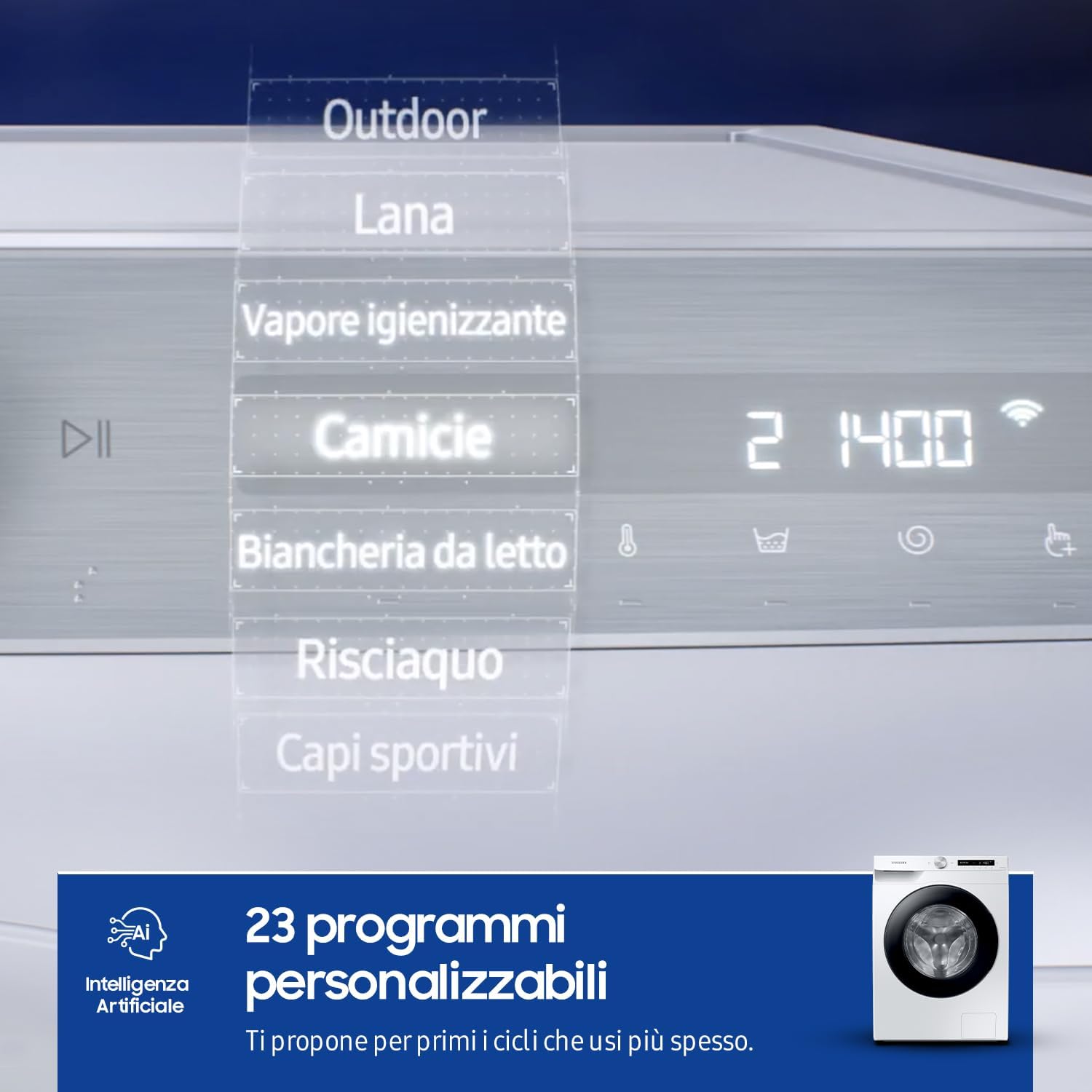
Figure 2: The control panel displaying various wash programs and settings.
5.2 Кирди жүктөө
Эшикти ачып, кирлерди барабанга салыңыз. Кир жуугуч машинаны ашыкча жүктөбөңүз; кийимдердин эркин оодарылышы үчүн жетиштүү орун бар экенин текшериңиз. Эшикти бекем жабыңыз.
5.3 Adding Detergent and Softener (Ecodoser)
The Ecodoser system automatically dispenses the correct amount of liquid detergent and softener. Fill the respective compartments in the dispenser drawer. The machine's sensors will detect the load weight and water hardness to optimize usage. The Ecodoser can hold enough for up to one month of washing.
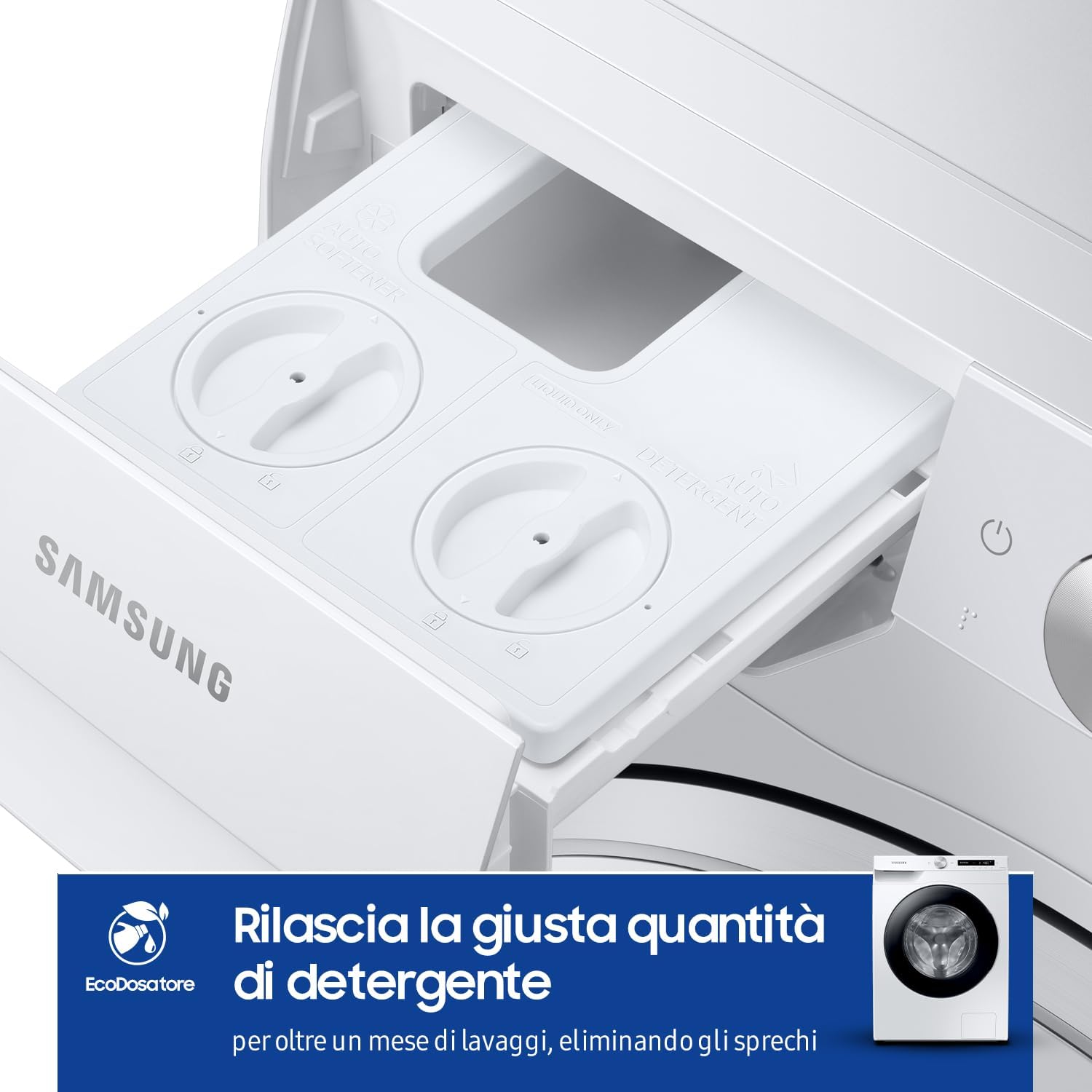
Figure 3: The Ecodoser drawer for automatic detergent and softener dispensing.
5.4 Жуу циклин тандоо
Turn the rotary selector to choose your desired wash program. The AI Control feature will learn your most frequently used cycles and suggest them first. Available programs include Cotton, Synthetics, Delicates, Wool, Outdoor, Quick Wash, and more. You can customize temperature, spin speed, and rinse options.
5.5 Special Features: EcoBubble and Steam Wash
Экокөбүк: This technology pre-mixes detergent with air and water to create bubbles that penetrate fabrics faster, allowing for effective cleaning at lower temperatures and reducing energy consumption.
буу менен жуу: For a hygienic clean, select the Steam Wash cycle. A powerful jet of steam is released into the drum, helping to remove deep-seated dirt, 99.9% of bacteria, and common allergens from your clothes.
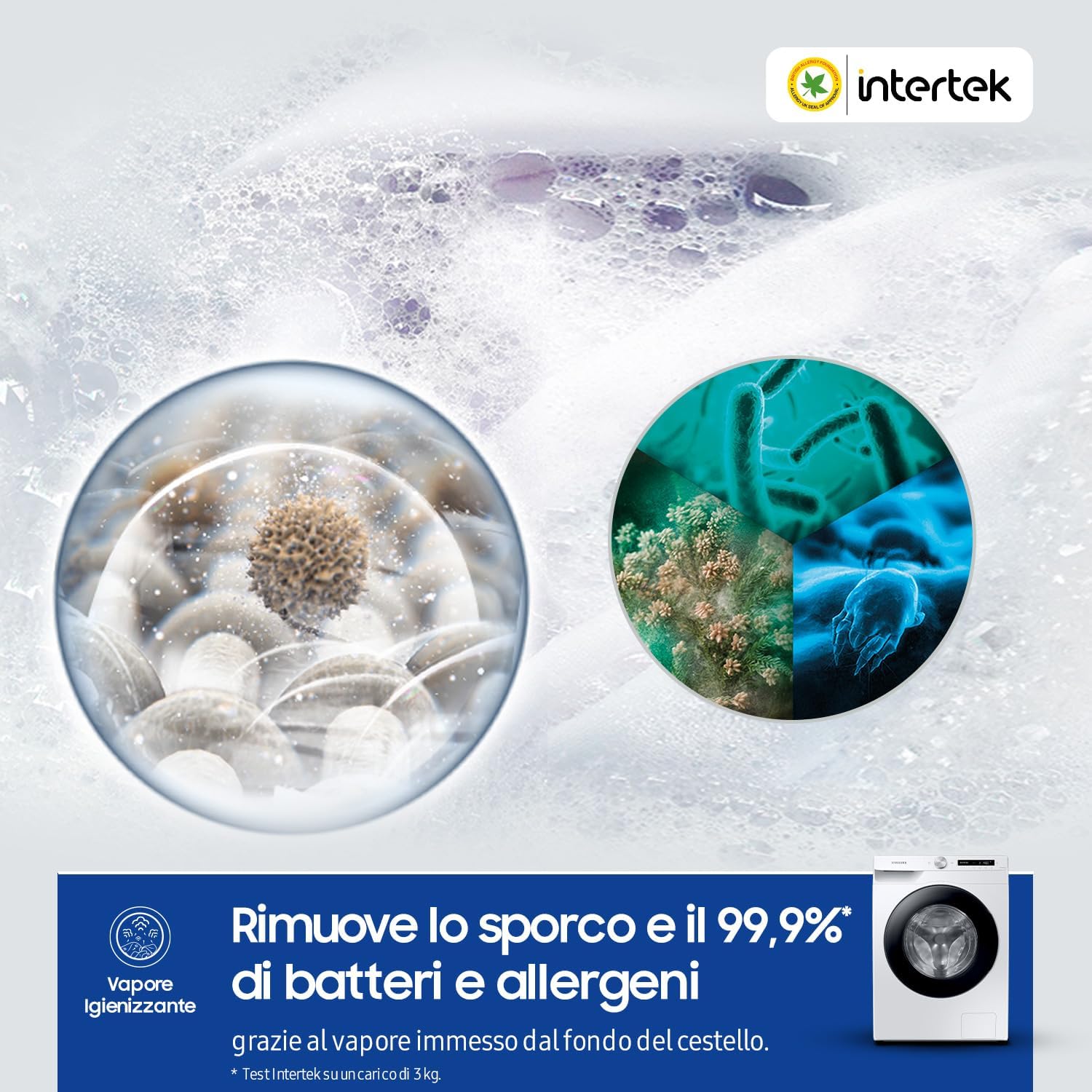
Figure 4: Visual representation of the Steam Wash function, illustrating its effectiveness against bacteria and allergens.
5.6 Циклды баштоо
Press the Start/Pause button to begin the selected wash cycle. The machine will automatically proceed through the washing, rinsing, and spinning phases.
5.7 SmartThings App интеграциясы
Connect your washing machine to the Samsung SmartThings app via WiFi for enhanced control. You can start/stop cycles, receive notifications, and get recommendations for optimal washing based on your habits and even weather conditions.
Video 1: This video demonstrates the AI Control features, including personalized program suggestions, EcoBubble technology for efficient cleaning, and the Ecodoser for automatic detergent dispensing. It also shows the Smart Link function for seamless communication with a compatible dryer.
6. Техникалык тейлөө
Үзгүлтүксүз тейлөө кир жуугуч машинаңыздын узак иштөөсүн жана оптималдуу иштешин камсыздайт.
6.1 Cleaning the Ecodoser Drawer
Periodically remove and clean the Ecodoser drawer to prevent detergent buildup. Rinse it under running water and use a soft brush if necessary. Ensure it is completely dry before reinserting.
6.2 Эко барабан тазалоо цикли
Run the Eco Drum Clean cycle regularly (e.g., once a month) to remove detergent residue and bacteria from the drum. This cycle uses hot water and high-speed spinning without any cleaning agents.
6.3 Таштанды чыпкасын тазалоо
The debris filter, located at the bottom front of the machine, should be cleaned periodically to prevent blockages. Open the cover, drain any residual water, and remove the filter. Clean it under running water and replace it securely.
6.4 Тышкы тазалоо
Кир жуугуч машинанын сыртын жумшак, г менен сүртүңүзamp кездеме. Бетке зыян келтириши мүмкүн болгон абразивдүү тазалоочу каражаттарды же эриткичтерди колдонуудан алыс болуңуз.

Figure 5: The washing machine's exterior, which should be cleaned regularly.
7. Кыйынчылыктарды
Эгерде сиз кир жуугуч машинаңызда көйгөйлөргө туш болсоңуз, тейлөө кызматына кайрылуудан мурун төмөнкү кеңири таралган көйгөйлөрдү жана чечимдерди карап чыгыңыз.
7.1 Жалпы маселелер
- Машина иштебейт: Check if the power cord is plugged in, the door is closed properly, and the Start/Pause button has been pressed.
- Суу менен камсыздоо жок: Ensure water taps are fully open and inlet hoses are not kinked or blocked.
- Ашыкча термелүү/ызы-чуу: Verify that transport bolts have been removed and the machine is level. Distribute laundry evenly in the drum.
- Суунун агып чыгышы: Check hose connections for tightness and ensure the drain hose is properly installed.
- Жуучу каражаттын калдыктары: Clean the Ecodoser drawer and ensure you are using appropriate detergent for your water type.
7.2 Ката коддору
The display may show error codes to indicate specific problems. Consult the full user manual for a comprehensive list of error codes and their corresponding solutions. For persistent issues, contact Samsung customer support.
8. Техникалык шарттар
| Өзгөчөлүк | Спецификация |
|---|---|
| Модель номери | WW10T534DAW/S3 |
| Кубаттуулугу | 10.5 килограмм |
| Максималдуу айлануу ылдамдыгы | Мүнөтүнө 1400 айлануу |
| Өлчөмдөрү (W x D x H) | 60 x 60 x 85 см |
| Салмагы | 76 килограмм |
| Энергияны керектөө (жылдык) | Жылына 175 киловатт-саат |
| Тtage | 220 вольт |
| Башкаруу түрү | Touch, Fully Automatic |
| Кир жуугуч каражаттарды бөлүштүргүчтүн параметрлери | Automatic dispenser for detergent and softener |
| Барабан материалы | Дат баспаган болот |
| Өзгөчөлүктөр | High efficiency, Automatic Dose, Active Steam |
| Түс | White Body, Shiny Black Door |
9. Кепилдик жана колдоо
9.1 Кепилдик маалыматы
Your Samsung washing machine is covered by a standard manufacturer's warranty. The Digital Inverter Motor specifically comes with a 20-year warranty, ensuring long-term reliability. Please retain your proof of purchase for warranty claims. For detailed terms and conditions, refer to the warranty card included with your product or visit the official Samsung webсайт.
9.2 Кардарларды колдоо
For technical assistance, troubleshooting, or service requests, please contact Samsung Customer Support. You can find contact details on the Samsung webсайтында же шайманыңыз менен берилген документтерде.
- Онлайн колдоо: Samsung расмий сайтына барыңыз website for FAQs, manuals, and software updates.
- Телефондук колдоо: Refer to your regional Samsung support numbers.
- Тейлөө борбору: Жеке жардам алуу үчүн ыйгарым укуктуу Samsung тейлөө борборлорун табыңыз.