Продукт бүттүview
The Elmo Cast 4K Wireless Streaming Receiver is designed to enhance wireless presentation capabilities, allowing for effortless streaming of multimedia content. It supports up to 4K Ultra HD resolution and features a 5GHz 802.11ac Wi-Fi radio with a high sensitivity 2T2R MIMO antenna for optimal bandwidth. Its efficient System on Chip (SoC) design and 1GB DDR3 memory ensure low latency and minimal lag, making it ideal for various presentation environments.
Негизги өзгөчөлүктөрү
- 4K Ultra HD Multimedia Streaming: Stream presentations from any mobile device or ELMO STEM-CAM in up to 4K Ultra HD resolution.
- Present From Any Mobile Device: Effortlessly present from laptops, tablets, or smartphones.
- Perfect For STEM-CAM Integration: An ideal add-on for MA-1 and MO-2 STEM-CAM Visual Presenters, enabling wireless presentation of 3D objects or student work.
- Кеңири OS шайкештиги: Supports Windows 8.1/10 (32-bit/64-bit), Mac OS 10.11+, Android 4.4+, iOS 10+, and all Chrome OS devices.
- Flexible Resolution Support: Compatible with 1280x720 (50/60P), 1920x1080 (24/50/60P), 3840x2160 (24/25/30P), and 4096x2160 (24P) resolutions. Progressive 60Hz is supported for 720p and 1080p.
Орнотуу колдонмосу
Follow these steps for the initial setup of your Elmo Cast receiver:
- Дисплейге туташуу: Insert the HDMI connector of the Elmo Cast receiver into an available HDMI port on your display device (TV, projector, monitor).
- Күйгүзүү: Connect the power cable to the micro USB port on the receiver and then to a power source (e.g., USB port on your display or a USB power adapter). The device will power on automatically.
- Баштапкы экран: Once powered on, the display will show the Elmo Cast welcome screen, which includes instructions for connecting your device.
- Wi-Fi'га туташуу (эгер бар болсо): Some setups may require connecting the Elmo Cast to your local Wi-Fi network for internet access or specific features. Follow the on-screen prompts for network configuration.
- Түзмөгүңүздү жупташтыруу: On your mobile device (laptop, tablet, smartphone), enable screen mirroring or casting functionality (e.g., Miracast, AirPlay, Google Cast). Select the Elmo Cast receiver from the list of available devices.

Image: The Elmo Cast 4K Wireless Streaming Receiver, a compact black device with an HDMI connector on one end and a textured surface on the other.
Иштөө нускамалары
Once the Elmo Cast receiver is set up and connected to your display, you can begin streaming content from your compatible devices.
Streaming from a Mobile Device (Smartphone/Tablet)
- Ensure your mobile device is connected to the same Wi-Fi network as the Elmo Cast, or directly to the Elmo Cast's Wi-Fi hotspot if available.
- Open the content you wish to stream (e.g., a video, presentation, or photo gallery).
- Look for the screen mirroring, cast, or share icon (often a rectangle with a Wi-Fi symbol or an arrow).
- Select "Elmo Cast" from the list of available devices. Your device's screen will now be mirrored on the connected display.
Streaming from a Laptop (Windows/Mac/Chrome OS)
- Windows: Басыңыз Windows баскычы + K to open the Connect sidebar. Select "Elmo Cast" from the list.
- Mac: Use AirPlay (if supported) or third-party casting applications.
- Chrome OS: Use the built-in Cast feature from the Chrome browser or system settings.
- Your laptop screen will be mirrored or extended to the display.
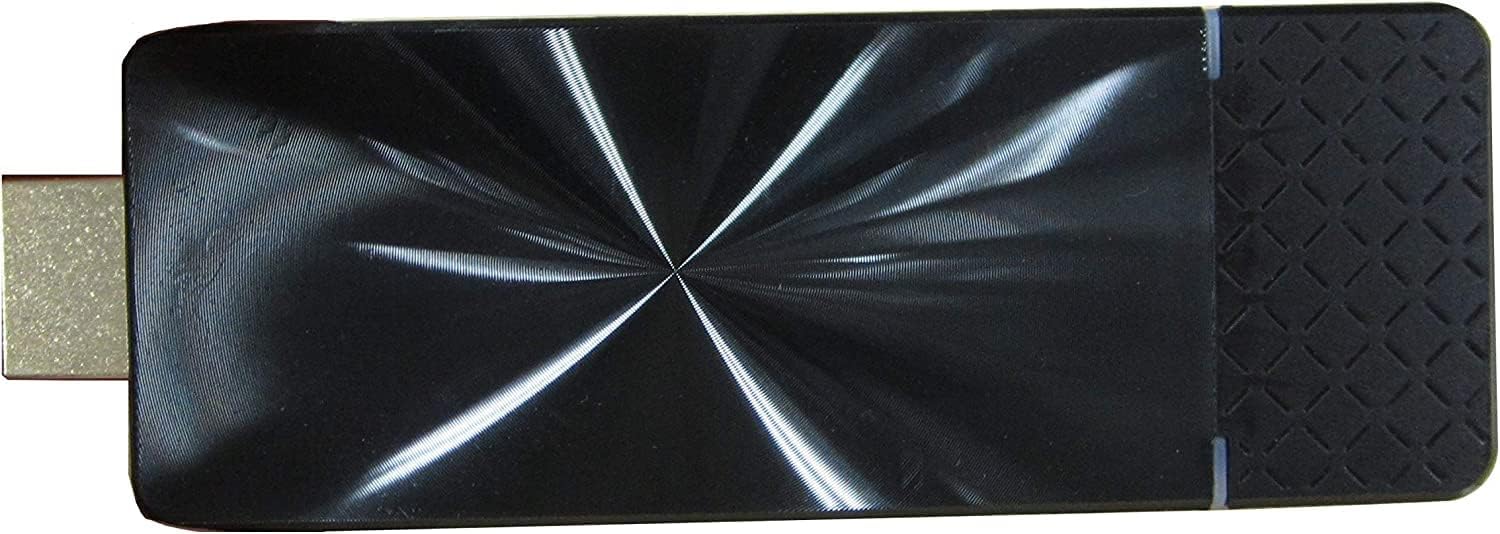
Сүрөт: жогорудан ылдыйга view of the Elmo Cast receiver, highlighting its sleek, reflective black surface and compact design.
Техникалык тейлөө
To ensure the longevity and optimal performance of your Elmo Cast receiver, follow these simple maintenance guidelines:
- Тазалоо: Gently wipe the device with a soft, dry, lint-free cloth. Do not use liquid cleaners, aerosols, or solvents.
- Сактагыч: Узак мөөнөткө колдонулбаганда, аспапты кургак, салкын жерде, тике күндүн нурунан жана өтө температурадан алыс сактаңыз.
- Вентиляция: Ensure the device has adequate ventilation during operation. Do not cover the ventilation holes.
- Колдонуу: Аппаратты этияттык менен колдонуңуз. Аны түшүрүүдөн же катуу таасирлерден сактаныңыз.
Проблемаларды чечүү
If you encounter issues with your Elmo Cast receiver, refer to the following common problems and solutions:
- Дисплей жок/Кара экран:
- Ensure the Elmo Cast is properly connected to the HDMI port and receiving power.
- Дисплейиңиз туура HDMI киргизүү булагына коюлганын текшериңиз.
- Try connecting the Elmo Cast to a different HDMI port or display.
- Cannot Connect/Device Not Found:
- Ensure both the Elmo Cast and your source device are powered on and within range (approx. 98 feet / 30m).
- Confirm that your source device's Wi-Fi is enabled and connected to the correct network (if applicable).
- Restart both the Elmo Cast (by unplugging and re-plugging power) and your source device.
- Check if your source device's operating system is compatible (Windows 8.1/10, Mac OS 10.11+, Android 4.4+, iOS 10+, Chrome OS).
- Lagging or Choppy Video/Audio:
- Reduce the distance between the Elmo Cast and your source device.
- Башка зымсыз түзмөктөрдүн кийлигишүүсүн азайтыңыз.
- Ensure your Wi-Fi network (if used) has sufficient bandwidth and signal strength.
- Lower the resolution of the content being streamed if possible.

Image: The Elmo Cast receiver being held in a hand, illustrating its compact and portable size.
Техникалык шарттар
| Өзгөчөлүк | Деталь |
|---|---|
| Бренд аты | Элмо |
| Элемент моделинин номери | Cast |
| Резолюцияны колдоо | 1280x720 (50/60P), 1920x1080 (24/50/60P), 3840x2160 (24/25/30P), 4096x2160 (24P); Progressive 60Hz supported for 720p/1080p |
| Image Output Terminal | HDMI 1.4 |
| Протокол | TCP / IP, SNMP |
| IP дарегин орнотуу | DHCP (Auto) / Manual IP address configuration |
| Wireless Band Used | 5GHz: W52 (36,40,44,48ch); 2.4 GHz |
| Байланыш диапазону | Болжол менен 98 фут (30 м) |
| Энергияны керектөө | 5V/1.5A |
| Шайкеш OS | Windows 8.1/10 (32-bit/64-bit), Mac OS 10.11+, Android 4.4~, iOS 10~, All Chrome OS |
| Иштөө температурасы | 0…40°C (32…104°F) |
| Өлчөмдөр | 3.82" x 1.26" x 0.43" |
| Салмагы | 4.23 унция (0.26 фунт) |
| RAM эстутум орнотулган өлчөмү | 1 ГБ |
| Байланыш технологиясы | HDMI |
| Туташтыргыч түрү | HDMI |
| Controller Type | Колдонмо башкаруу |
| Форма фактору | TV Stick |
| Түс | Chrome |
Кепилдик жана колдоо
For warranty information and technical support, please refer to the official Elmo webсайтка же кардарларды тейлөөгө кайрылыңыз. Сатып алуу квитанциясын кепилдик дооматтары үчүн сатып алуунун далили катары сактаңыз.
Онлайн колдоо: зыярат кылыңыз Elmo Official Webсайт for FAQs, software downloads, and support resources.
Кардарларды тейлөө: Продуктуңуздун таңгагына же расмий өкүлгө кайрылыңыз website for contact details for customer service inquiries.


