1. Киришүү
Сатып алганыңыз үчүн рахматasing the SHARP XL-B512 Stereo Sound System. This micro sound system offers a rich 45-watt sound experience with versatile connectivity options including Bluetooth, CD player, USB, and FM radio. Its elegant design with a wooden speaker housing and LED display complements any living space. This manual provides essential information for setting up, operating, and maintaining your device to ensure optimal performance and longevity.
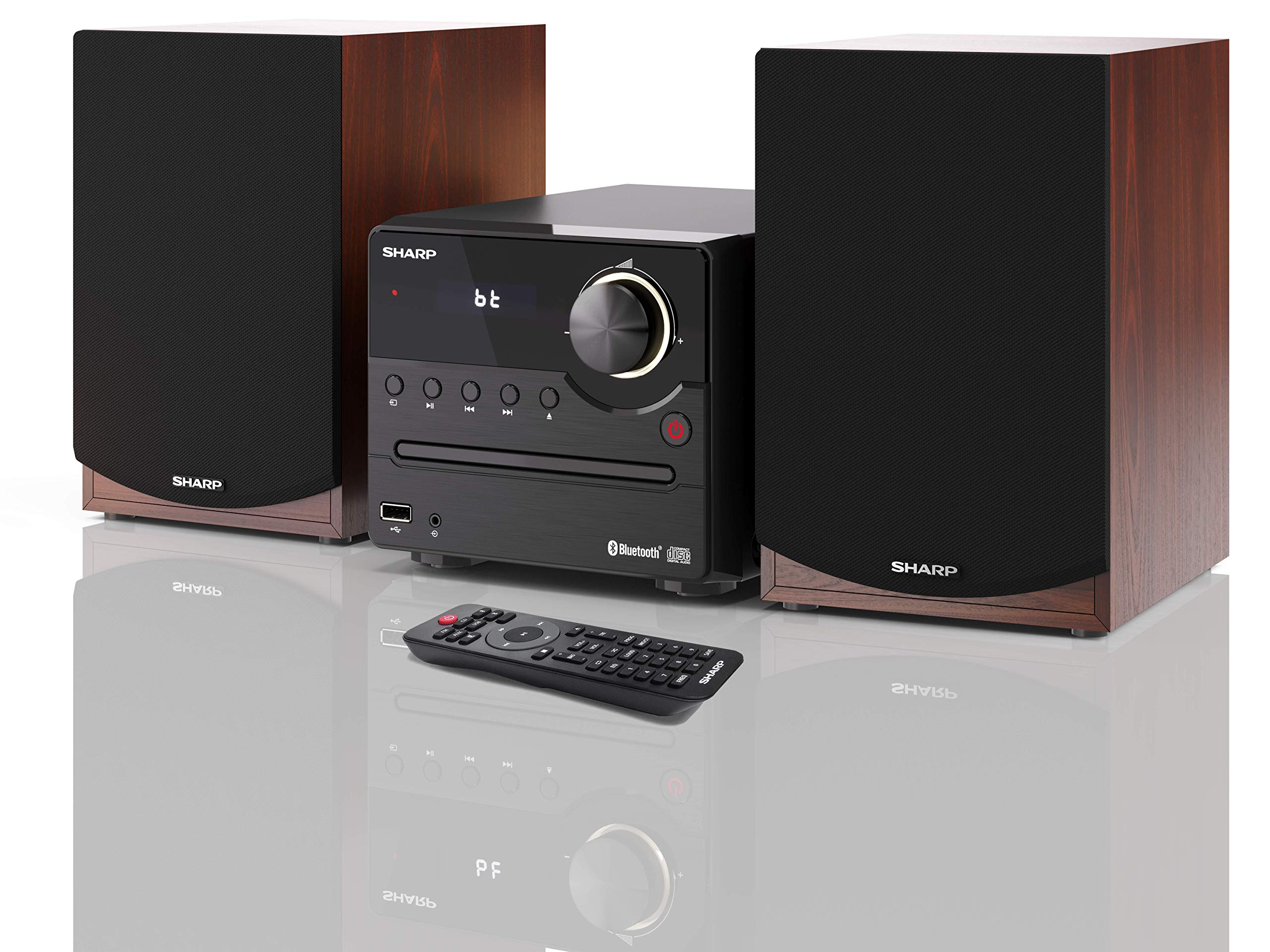
1-сүрөт: SHARP XL-B512 Stereo Sound System. This image shows the central unit flanked by two wooden-cased speakers, reflecting on a polished surface.
2. Коопсуздук маалыматы
Продукцияны колдонуудан мурун бардык коопсуздук нускамаларын кылдат окуп чыгыңыз. Бул колдонмону келечекте маалымат алуу үчүн сактаңыз.
- Кубат булагы: Көрсөтүлгөн кубат булагын гана колдонуңуз. Көлөмүн текшериңизtage сиздин жергиликтүү электр камсыздооңузга дал келет.
- Вентиляция: Желдетүү тешиктерин жаппаңыз. Аба агымынын жакшы болушу үчүн түзмөктүн айланасында жетиштүү орун калтырыңыз.
- Суу жана ным: Аппаратты жамгырдын, нымдуулуктун же тамчылаган/чачыраган суюктуктардын таасирине дуушар кылбаңыз. Аппараттын үстүнө вазалар сыяктуу суюктуктар толтурулган буюмдарды койбоңуз.
- Жылуулук: Аппаратты радиаторлор, жылуулук регистрлери, мештер же башка аппараттар (анын ичинде) сыяктуу жылуулук булактарынан алыс кармаңыз. ampкөтөргүчтөр) жылуулукту пайда кылуучу.
- Тазалоо: Тазалоодон мурун блокту розеткадан сууруп алыңыз. Кургак чүпүрөктү гана колдонуңуз.
- Тейлөө: Бул продуктту өзүңүз тейлөөгө аракет кылбаңыз. Бардык тейлөөнү квалификациялуу тейлөө кызматкерлерине тапшырыңыз.
3. Пакеттин мазмуну
Төмөндө тизмеленген нерселердин баары пакетиңизге камтылганын текшериңиз:
- SHARP XL-B512 Micro Sound System (Main Unit)
- Two Speakers (with wooden housing)
- Электр кабели
- Алыстан башкаруу (батареялар менен)
- Көрсөтмө (бул документ)
- Quick Start Guide
4. Орнотуу
4.1 Динамиктин туташуусу
Connect the two speakers to the main unit using the provided speaker cables. Ensure correct polarity (positive to positive, negative to negative) for optimal sound quality.
4.2 Кубат туташтыруу
Connect the power cable to the AC IN port on the rear of the main unit, then plug it into a wall outlet.

2-сүрөт: Rear panel connections. This image displays the back of the central unit with ports for speaker wires and the AC power input, alongside the rear of the two speakers.
4.3 Баштапкы күйгүзүү
Press the Power button on the main unit or the remote control to turn on the system. The LCD display will illuminate.
5. Иштөө нускамалары
5.1 Алдыңкы панелдин башкаруу элементтери

3-сүрөт: Front panel controls. This close-up shows the central unit's display, volume knob, and various control buttons for playback and source selection.
- Кубат баскычы: Агрегатты күйгүзөт же өчүрөт.
- Булак баскычы: Cycles through available input sources (CD, FM, Bluetooth, USB, AUX).
- Үн баскычы: Башкы үн деңгээлин тууралайт.
- Ойнотуу башкаруулары: Play/Pause, Stop, Skip Forward/Backward for CD and USB modes.
- USB порт: Музыка ойнотуу үчүн USB сактагыч түзмөктөрүн туташтыруу үчүн.
- AUX киргизүү: Тышкы аудио түзүлүштөрдү туташтыруу үчүн 3.5 мм уяча.
5.2 CD ойнотуу
- басыңыз Булак button to select 'CD' mode.
- Open the CD tray by pressing the Eject button.
- Place a CD (CD/CD-R/CD-RW/MP3 format) with the label side up into the tray.
- Close the CD tray. The system will read the disc and begin playback automatically or display track information.
- Use the playback controls (Play/Pause, Stop, Skip) to manage your music.
5.3 FM радиосу
- басыңыз Булак button to select 'FM' mode.
- The system will automatically search for available stations or you can manually tune.
- Станцияны алдын ала коюлган катары сактоо үчүн, каалаган станцияга күүлөп, андан кийин баскычын басып, кармап туруңуз Алдын ала коюлган button (if available on remote) or follow on-screen instructions. The system supports 40 preset memories.
- колдонуу Алдын ала орнотуу Өйдө/Төмөн Сакталган станцияларды аралап чыгуу үчүн баскычтар.
5.4 Bluetooth жупташтыруу
- басыңыз Булак button to select 'Bluetooth' mode. The display will show 'bt' and flash, indicating it's in pairing mode.
- Мобилдик түзмөгүңүздө Bluetooth иштетип, жеткиликтүү түзмөктөрдү издеңиз.
- Select 'SHARP XL-B512' from the list of devices.
- Once paired, the 'bt' indicator on the system's display will stop flashing. You can now stream audio from your device.
5.5 USB ойнотуу
- USB сактагычты алдыңкы панелдеги USB портуна кыстарыңыз.
- басыңыз Булак button to select 'USB' mode.
- The system will automatically detect and play compatible audio files (MP3).
- Тректерди башкаруу үчүн ойнотуу башкаруу элементтерин колдонуңуз.
5.6 AUX киргизүү
- Connect an external audio device (e.g., smartphone, MP3 player) to the AUX IN jack on the front panel using a 3.5mm audio cable (not supplied).
- басыңыз Булак button to select 'AUX' mode.
- Play audio from your connected device. The sound will be output through the SHARP XL-B512 system.
5.7 Эквалайзердин жөндөөлөрү
The system features 6 preset equalizers with independent treble and depth control. Use the EQ button on the remote control or main unit to cycle through the presets and adjust sound to your preference.
6. Техникалык тейлөө
6.1 Агрегатты тазалоо
Түзмөктү жумшак, кургак чүпүрөк менен сүртүңүз. Абразивдүү тазалоочу каражаттарды, момдорду же эриткичтерди колдонбоңуз, анткени алар капталына зыян келтириши мүмкүн. Тазалоодон мурун түзмөктүн розеткадан суурулганын текшериңиз.
6.2 CDге кам көрүү
CDлерди четтеринен кармаңыз. Аларды таза жана чийиксиз кармаңыз. Колдонулбаган учурда CDлерди кутучаларында сактаңыз.
6.3 Speaker Care
The wooden speaker housing can be cleaned with a soft, dry cloth. Avoid placing heavy objects on the speakers or exposing them to direct sunlight or extreme temperatures.
7. Кыйынчылыктарды
If you encounter any issues with your SHARP XL-B512 system, refer to the following table for common problems and solutions.
| Көйгөй | Мүмкүн себеп | Чечим |
|---|---|---|
| Күч жок | Power cable not connected securely; Power outlet not active. | Электр кабелинин туташуусун текшерүү; Башка электр розеткасын колдонуп көрүңүз. |
| Үн жок | Volume too low; Incorrect source selected; Speaker cables disconnected. | Increase volume; Select correct input source; Check speaker cable connections. |
| Bluetooth жупташкан жок | System not in pairing mode; Device too far; Bluetooth disabled on device. | Ensure system is in Bluetooth pairing mode; Move device closer; Enable Bluetooth on your device. |
| CD ойнобой жатат | CD inserted incorrectly; CD is dirty or scratched; Incorrect format. | Reinsert CD correctly; Clean CD; Ensure CD is a supported format (CD/CD-R/CD-RW/MP3). |
| Пульт иштебей жатат | Батареялар өлүп калган же туура эмес салынган; Алыстан жана аппараттын ортосундагы тоскоолдук. | Replace batteries; Ensure correct battery polarity; Remove any obstructions. |
Бул чечимдерди колдонуп көргөндөн кийин көйгөй чечилбесе, кардарларды колдоо менен байланышыңыз.
8. Техникалык шарттар
Below are the technical specifications for the SHARP XL-B512 Stereo Sound System:
- Модел: XL-B512
- Жалпы чыгаруу кубаттуулугу: 45 Ватт
- Аудио чыгаруу режими: Стерео
- Speaker Output Channel Quantity: 2
- Колдоого алынган аудио форматтары: MP3, CD, CD-R, CD-RW
- Тюнер технологиясы: FM PLL Tuner
- FM Frequency колому: 87.5 – 108 МГц
- FM Preset Memory: 40 станция
- Байланыш: Bluetooth, USB, Auxiliary (3.5mm)
- Өзгөчөлүктөр: 6 Preset Equalizers, LCD Display with white backlight
- Sound System Dimensions (W x H x D): 17 x 22 x 15 см
- Speaker Dimensions (W x H x D): 14.5 x 17.7 x 22.3 cm (each)
- Элемент Салмагы: 4 кг
- Кубат булагы: Электр зымдары
- Алыстан башкаруу: Ооба (батареялар камтылган)
9. Кепилдик жана колдоо
Your SHARP XL-B512 Stereo Sound System comes with a standard manufacturer's warranty. Please refer to the warranty card included in your package for specific terms and conditions, including the warranty period and coverage details.
For technical support, service inquiries, or further assistance, please contact your local SHARP customer service center. Contact information can typically be found on the manufacturer's webсайтында же кепилдик документтеринде.


