1. Киришүү
Thank you for choosing the HBN Smart Plug WiFi Socket. This smart plug allows you to control your home appliances remotely, set schedules, and use voice commands through compatible smart assistants. This manual provides detailed instructions for setting up, operating, and maintaining your smart plug to ensure optimal performance and a seamless smart home experience.

Image: The HBN Smart Plug, a compact white device with a UK 3-pin socket and a power button with a blue LED indicator.
Негизги өзгөчөлүктөрү:
- Алыстан башкаруу: Control appliances from anywhere using the HBN Smart app.
- Үн менен башкаруу: Amazon Alexa жана Google Home Assistant менен шайкеш келет.
- График жана таймер: Set daily ON/OFF schedules and countdown timers to automate your devices and save energy.
- Балдардын коопсуздугу дизайны: Features a sliding safety cover to prevent accidental contact.
- Мейкиндикти үнөмдөөчү дизайн: Compact size ensures it does not obstruct adjacent outlets.

Image: An illustration showing the key features of the HBN Smart Plug, including APP Control, Voice Control, ON/OFF Button, Schedule Timer, Group Control, and Device Share.

Image: A young child reaching for the HBN Smart Plug plugged into a wall socket, illustrating the child safety design with a protective shield graphic.

Image: The HBN Smart Plug plugged into a wall socket next to a light switch, demonstrating its compact size and how it does not interfere with the switch.
2. Техникалык шарттар
| Атрибут | Нарк |
|---|---|
| Модель номери | BNC-50/E78WT |
| Бренд | HBN |
| Түс | Ак |
| Материал | Акрилонитрил бутадиен стирол (ABS) |
| Тtage | 240 вольт (AC) |
| Ampөчүрүү | 13 Amps |
| Ватtage | 3120 ватт |
| Power Source | AC |
| Plug Type | Standard (UK 3-pin) |
| Орнотуу ыкмасы | Плагин |
| Которуу түрү | Алыстан |
| Колдонуу | Үй ичинде гана колдонуу |
| Байланыш | 2.4 ГГц WiFi гана |
| Сертификация | CE сертификаты |
| Элемент Салмагы | 100 г |
| Пакеттин өлчөмдөрү | 7.1 x 6.4 x 6.2 см |
3. Орнотуу колдонмосу
Follow these steps to set up your HBN Smart Plug and connect it to your home Wi-Fi network.
3.1. Колдонмону жүктөп алыңыз
жүктөп алыңыз HBN Smart app from the App Store (iOS) or Google Play Store (Android). Alternatively, you can use the Smart Life or Туя Смарт app, as they are compatible with this device.
Note: During app upgrades, some Android users might experience issues downloading the HBN APP. In such cases, please use Smart Life or Tuya Smart APP.
3.2. Register and Log In
Open the app and register a new account if you don't have one, then log in.
3.3. Prepare the Smart Plug
- Plug the HBN Smart Plug into a standard wall socket.
- Ensure your Wi-Fi router is powered on and broadcasting a 2.4 ГГц тармагы. The smart plug only works with 2.4GHz Wi-Fi. If your router broadcasts both 2.4GHz and 5GHz, ensure you connect your phone to the 2.4GHz network during setup.

Image: The HBN Smart Plug next to a Wi-Fi router, with text indicating that only a 2.4GHz network is supported.
3.4. Add Device in App
- In the app, tap the "Add Device" or "+" icon.
- Select "Socket (Wi-Fi)" from the device list.
- Confirm that the indicator light on the smart plug is rapidly flashing. If not, press and hold the power button on the smart plug for 5 seconds until it flashes rapidly. This puts the device into pairing mode (EZ Mode).
- Enter your 2.4GHz Wi-Fi network name and password in the app.
- The app will begin connecting to the smart plug. Once connected, the indicator light on the plug will stop flashing and remain solid.
- You can now rename your smart plug for easier identification (e.g., "Living Room Lamp").

Image: A smartphone screen showing the "Add Device" menu in the HBN Smart app, with "Socket (Wi-Fi)" highlighted.

Image: A smartphone screen showing instructions to reset the device by holding the button for 5 seconds, with an image of the smart plug.

Image: A smartphone screen showing the "Connecting Device" interface, indicating that the light should be flashing to connect to the phone.

Image: A smartphone screen showing the Wi-Fi network selection, emphasizing the choice of a 2.4GHz network.
4. Иштөө нускамалары
4.1. Колдонмо аркылуу алыстан башкаруу
Once connected, you can control your smart plug from anywhere using the HBN Smart app (or Smart Life/Tuya Smart app).
- Колдонмону ачып, башкаргыңыз келген акылдуу сайгычты тандаңыз.
- Tap the power icon to turn the connected appliance ON or OFF.

Сүрөт: антенна view of a house layout with green pins indicating smart devices, and a smartphone screen showing the HBN Smart Socket app interface for remote control.
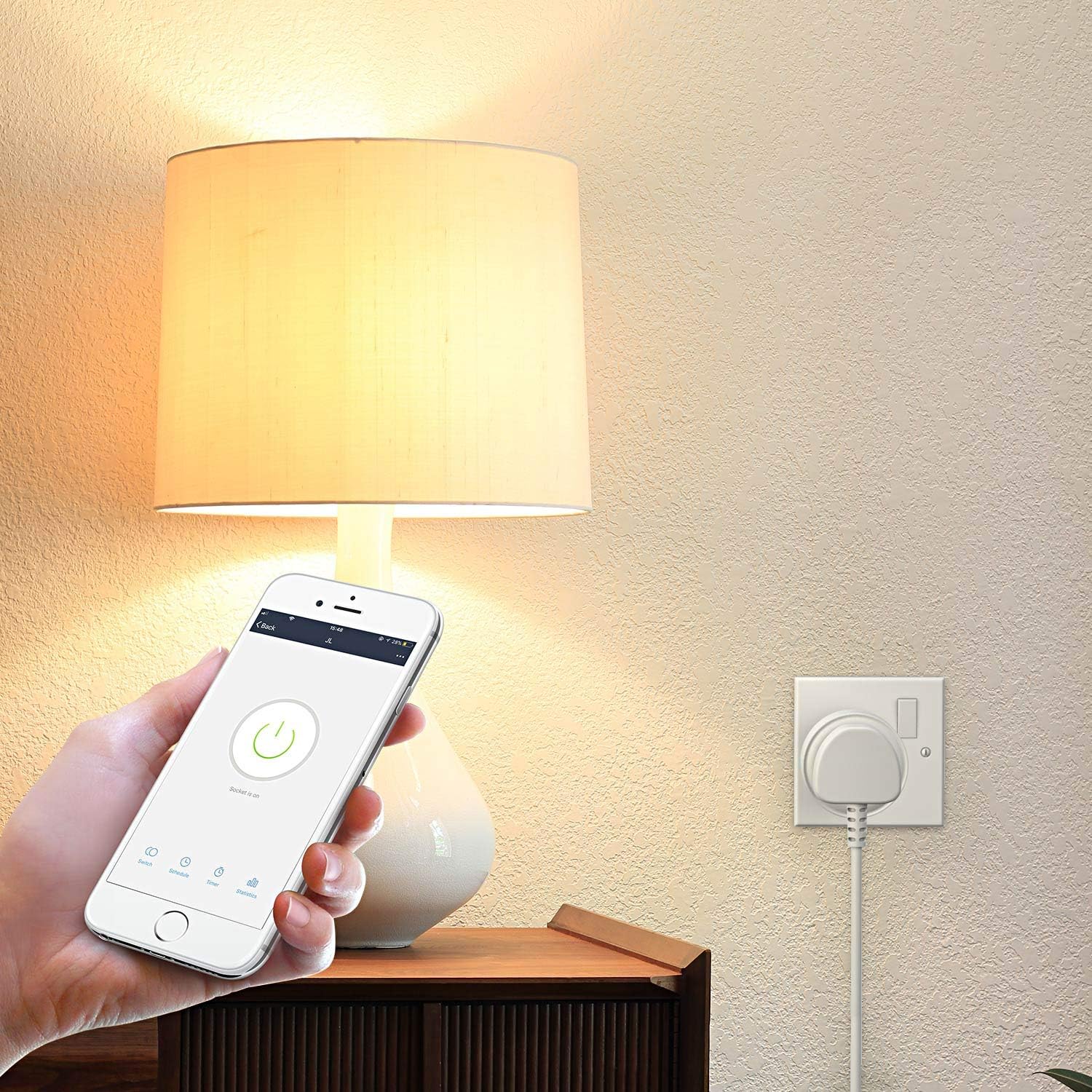
Image: A hand holding a smartphone displaying the HBN Smart app, with the power button on the screen, controlling a lamp plugged into the HBN Smart Plug.

Image: A split image showing a person controlling a smart pet feeder via their smartphone, demonstrating remote app control.
4.2. Үн менен башкаруу
Integrate your HBN Smart Plug with Amazon Alexa or Google Home Assistant for convenient voice control.
- Amazon Alexa үчүн:
- Open the Alexa app, go to "Skills & Games".
- Издөө "HBN Smart" (or "Smart Life"/"Tuya Smart") skill and enable it.
- Link your HBN Smart account with your Alexa account.
- Discover devices. Once discovered, you can say commands like: "Alexa, turn on [device name]".
- For Google Home Assistant:
- Open the Google Home app, tap "Add" > "Set up device" > "Works with Google".
- Издөө "HBN Smart" (or "Smart Life"/"Tuya Smart") and link your account.
- Once linked, you can say commands like: "Hey Google, turn off [device name]".

Image: A kitchen counter with an Amazon Echo and Google Home Mini, demonstrating voice control with speech bubbles showing "Alexa, turn on the light." and "okay!".

Image: A graphic showing the HBN Smart Plug and icons for various appliances, indicating compatibility with Amazon Alexa and Google Home assistant for voice control.
4.3. Set Schedules & Timers
Automate your appliances by setting schedules and countdown timers through the app.
- In the app, select your smart plug and navigate to the "Schedule" or "Timer" section.
- График: Create daily or weekly ON/OFF schedules for your devices. You can set up to 15 ON/OFF events per day.
- Артка саноо таймери: Set a countdown for the plug to turn ON or OFF after a specified duration.
- Кокус: Set the plug to turn on/off randomly within a time frame, useful for simulating occupancy.
- Айлануу: Set the plug to cycle on and off repeatedly.
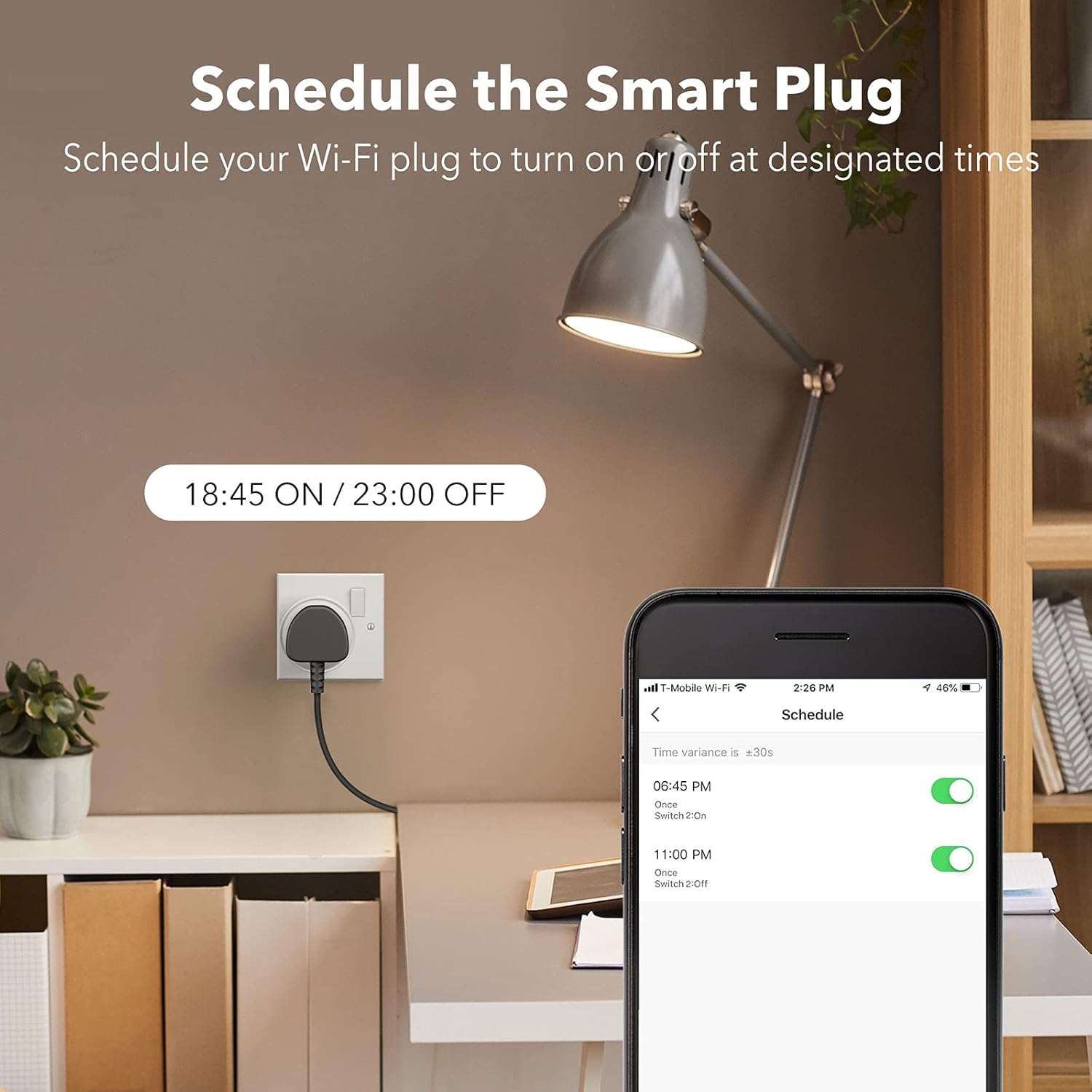
Image: A smart plug connected to a lamp, with a smartphone screen showing the scheduling interface set to turn on at 18:45 and off at 23:00.

Image: A graphic illustrating the scheduling and timer features (Schedule, Countdown, Random, Circulate) with a smartphone screen showing device connection and a smart plug connected to an aquarium light.
4.4. Кол менен башкаруу
The smart plug features a physical power button on its side. Press this button to manually turn the connected appliance ON or OFF.
5. Техникалык тейлөө
- The HBN Smart Plug is designed for үй ичинде гана колдонуу. Do not use it in wet environments or outdoors.
- To clean the smart plug, wipe it with a dry, soft cloth. Do not use liquid cleaners or sprays.
- Ensure the plug is disconnected from the power outlet before cleaning.
- Аппаратты экстремалдык температурага же тике күн нуруна кабылуудан сактаңыз.
6. Кыйынчылыктарды
6.1. Түзмөк Wi-Fi'га туташпай жатат
- Wi-Fi диапазонун текшерүү: Ensure your router is broadcasting a 2.4GHz Wi-Fi network and your phone is connected to it during setup. The smart plug does not support 5GHz Wi-Fi.
- Wi-Fi сырсөзү: Double-check that you have entered the correct Wi-Fi password in the app.
- Маршрутизатордун жакындыгы: Баштапкы орнотуу процессинде акылдуу сайгычты Wi-Fi роутериңизге жакындатыңыз.
- Түзмөктү баштапкы абалга келтирүү: Press and hold the power button on the smart plug for 5 seconds until the indicator light flashes rapidly to re-enter pairing mode.
- Маршрутизатор орнотуулары: If issues persist, check your router settings for any restrictions on new device connections or MAC address filtering.
6.2. Үн менен башкаруу иштебей жатат
- App Linkage: Ensure your HBN Smart (or Smart Life/Tuya Smart) account is correctly linked to your Amazon Alexa or Google Home account.
- Түзмөктү ачуу: Ask your voice assistant to "discover devices" after linking the skill/service.
- Түзмөктүн аты: Use the exact device name you set in the HBN Smart app when giving voice commands.
- Интернет байланышы: Verify that both your smart plug and voice assistant device have a stable internet connection.
6.3. Schedules Not Activating
- Убакыт алкагы: Ensure the time zone in your HBN Smart app is correctly set.
- Schedule Status: Verify that the schedules are enabled in the app.
- Интернет байланышы: While schedules are typically stored on the device, a stable internet connection is needed for initial setup and synchronization.
7. Кепилдик жана колдоо
The HBN Smart Plug is CE Certificated, ensuring it meets European safety, health, and environmental protection requirements. HBN is committed to customer satisfaction.
For any questions, technical support, or warranty inquiries, please contact the seller or refer to the support section within the HBN Smart app. Please retain your proof of purchase for warranty claims.


