1. Киришүү
The Celly FLIP1 True Wireless Bluetooth Earbuds provide a wireless audio experience with Bluetooth 5.0 connectivity. Designed for portability and convenience, these earbuds feature a compact charging case with a lanyard and support both stereo and mono audio modes. They are suitable for various activities, including sports, and offer integrated controls for music and call management.
This manual provides instructions for setting up, operating, and maintaining your Celly FLIP1 earbuds.
2. Пакеттин мазмуну
Пакетте бардык буюмдар бар экенин текшериңиз:
- Celly FLIP1 True Wireless Earbuds (Left and Right)
- Lanyard менен портативдик кубаттоочу куту
- MicroUSB заряддоо кабели
- Колдонуучунун Колдонмосу (бул документ)
3. Продукт бүтүп калдыview
The Celly FLIP1 earbuds and charging case are designed for ease of use and portability. The earbuds fit securely in the ear, and the charging case protects them while providing additional battery life.

Image 3.1: Celly FLIP1 earbuds removed from the open charging case. The earbuds are white with a small blue indicator light on one, and the charging case is white and silver with battery indicator icons.
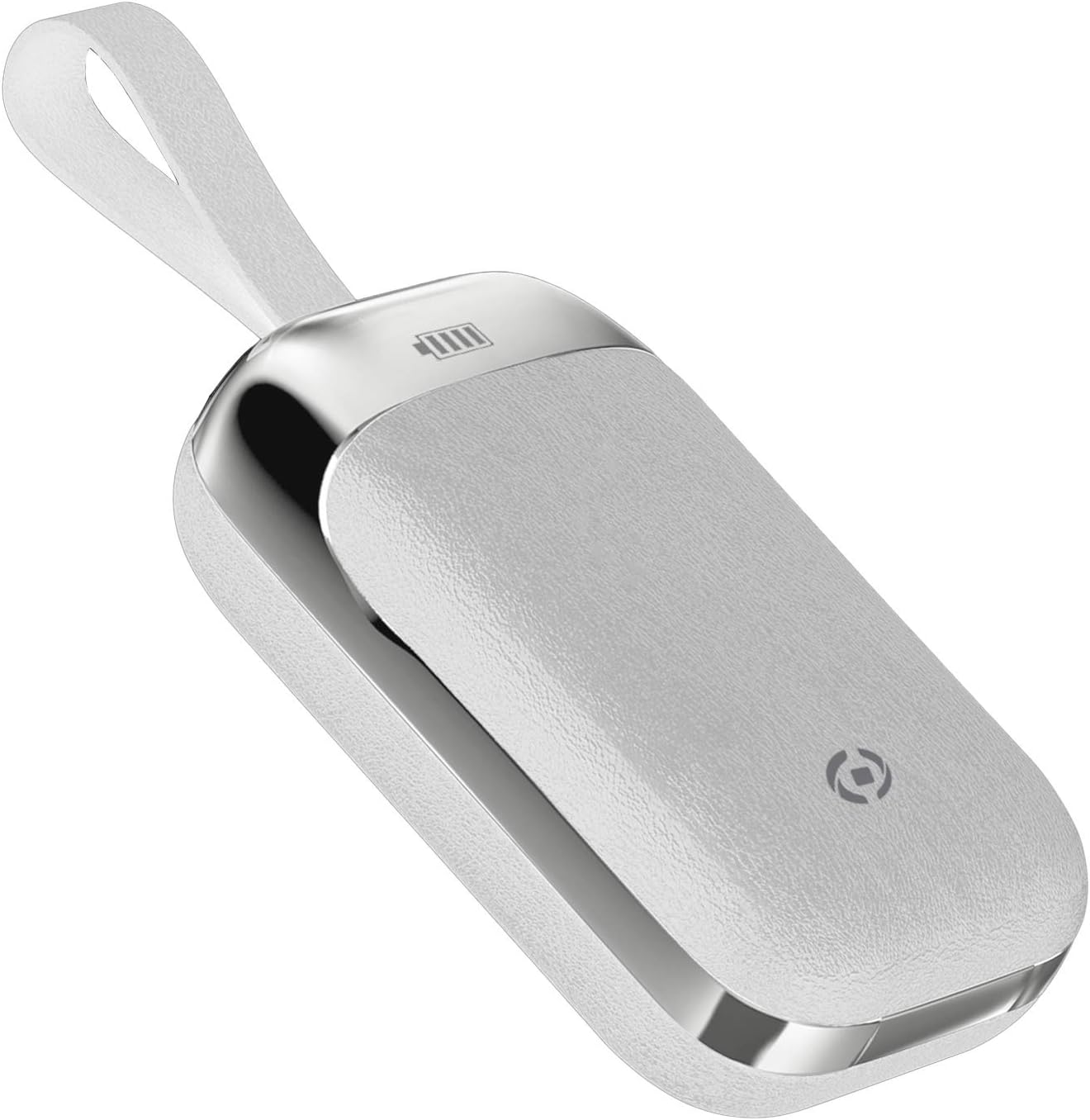
Image 3.2: The Celly FLIP1 charging case in a closed position, showing its compact design and integrated lanyard for easy carrying.

Сүрөт 3.3: Жарылып кеткен view illustrating the internal components of a Celly FLIP1 earbud, including the Bluetooth 5.0 chip, battery, and speaker driver.
4. Орнотуу
4.1 Кулакчындарды жана кутучаны заряддоо
Биринчи колдонуудан мурун, кулакчындарды жана заряддоо кутучасын толук заряддаңыз.
- Кулакчындарды заряддоо кутусуна салыңыз. Алардын тиешелүү уячаларына туура отурганын текшериңиз.
- Connect the MicroUSB charging cable to the charging port on the case and the other end to a USB power source (e.g., computer USB port, wall adapter).
- The indicator lights on the case and/or earbuds will show the charging status. Refer to the case for battery level indicators.
- A full charge typically takes approximately 1.5 hours. The charging case has a 400mAh capacity, and each earbud has a 50mAh battery.
Once fully charged, the earbuds provide approximately 4 hours of continuous music playback or talk time.
4.2 Bluetooth түзмөгү менен жупташтыруу
To connect your Celly FLIP1 earbuds to your smartphone or other Bluetooth-enabled device:
- Кулакчындардын кубатталганын текшериңиз.
- Open the charging case and remove both earbuds. They will automatically power on and enter pairing mode. You may hear an audio prompt indicating they are ready to pair.
- Түзмөгүңүздө Bluetooth жөндөөлөрүнө өтүңүз.
- Издөө new devices. Select "Celly FLIP1" (or similar name) from the list of available devices.
- Туташтырылгандан кийин, ырастоо сигналын угасыз жана кулакчындардын индикатор жарыктары өзгөрүшү мүмкүн.
- Эгер жупташтыруу ишке ашпай калса, кулакчындарды кутуга салып, жаап, кадамдарды кайталаңыз.
The earbuds have a wireless range of up to 10 meters (33 feet) from your connected device.
5. Иштөө нускамалары
The Celly FLIP1 earbuds feature multifunction keys for controlling audio playback and calls.
5.1 Күйгүзүү/өчүрүү
- Күйгүзүү: Remove earbuds from the charging case. They will power on automatically. Alternatively, press and hold the multifunction button on each earbud for a few seconds.
- Өчүрүү: Place earbuds back into the charging case. They will power off automatically. Alternatively, press and hold the multifunction button on each earbud for several seconds until the indicator light turns off.
5.2 Музыканы ойнотуу
- Ойнотуу/тындыруу: Press the multifunction button once on either earbud.
- Кийинки трек: Double-press the multifunction button on the right earbud.
- Мурунку трек: Double-press the multifunction button on the left earbud.
- Үндү көзөмөлдөө: Үн, адатта, туташкан түзмөгүңүз аркылуу башкарылат.
5.3 Чалууларды башкаруу
- Чалууга жооп берүү/аяктоо: Press the multifunction button once on either earbud.
- Чакырууну четке кагуу: Press and hold the multifunction button on either earbud for approximately 2 seconds.
- Үн жардамчысы: Triple-press the multifunction button on either earbud to activate your device's voice assistant (e.g., Siri, Google Assistant).
5.4 Mono/Stereo Mode
The Celly FLIP1 earbuds support both stereo (using both earbuds) and mono (using a single earbud) modes. Each earbud has an integrated microphone.
- To use in mono mode, simply remove one earbud from the case and leave the other in the case. The single earbud will connect to your device.
- To switch back to stereo, remove the second earbud from the case. It will automatically connect to the first earbud and your device.

Image 5.1: A user wearing Celly FLIP1 earbuds while interacting with a smartphone, demonstrating typical use.
6. Техникалык тейлөө
Туура тейлөө кулакчындарыңыздын узак иштөөсүн жана оптималдуу иштешин камсыз кылат.
- Тазалоо: Кулакчындарды жана кубаттоочу кутуну тазалоо үчүн жумшак, кургак, түксүз чүпүрөктү колдонуңуз. Абразивдүү тазалагычтарды, спиртти же химиялык эриткичтерди колдонбоңуз.
- Сактагыч: When not in use, always store the earbuds in their charging case to protect them from dust, scratches, and damage.
- Нымдуулуктан качыңыз: Do not expose the earbuds or charging case to water, rain, or excessive humidity.
- Температура: Avoid storing or using the device in extreme temperatures (hot or cold).
7. Кыйынчылыктарды
If you encounter issues with your Celly FLIP1 earbuds, refer to the following common solutions:
| Көйгөй | Чечим |
|---|---|
| Кулакчындар күйбөй жатат. | Ensure earbuds are charged. Place them in the charging case and connect the case to a power source. |
| Кулакчындар түзмөк менен жупташкан жок. | 1. Ensure Bluetooth is enabled on your device. 2. Place earbuds back in the case, close, then reopen and remove to re-enter pairing mode. 3. Forget/remove "Celly FLIP1" from your device's Bluetooth list and try pairing again. 4. Ensure earbuds are within 10 meters of your device. |
| Бир гана кулакчын иштеп жатат. | 1. Ensure both earbuds are charged. 2. Place both earbuds back in the charging case, close the lid, wait a few seconds, then open and remove both simultaneously. 3. Re-pair the earbuds with your device. |
| Көлөмү төмөн же үн сапаты начар. | 1. Adjust the volume on your connected device. 2. Ensure earbuds are clean and free of debris. 3. Check the fit of the earbuds in your ears. |
| Заряддоо куту заряддалбай жатат. | 1. Ensure the MicroUSB cable is securely connected to both the case and the power source. 2. Try a different MicroUSB cable or power adapter. |
8. Техникалык шарттар
| Өзгөчөлүк | Деталь |
|---|---|
| Модель аты | FLIP1 |
| Элемент моделинин номери | FLIP1WH |
| Байланыш технологиясы | Зымсыз (Bluetooth 5.0) |
| Зымсыз диапазон | 10 метрге чейин (33 фут) |
| Кулакчындын батареянын кубаттуулугу | 50 мАч (ар бири) |
| Заряддоо корпусунун батареясынын сыйымдуулугу | 400 мАч |
| Заряддоо убактысы | Болжол менен 1.5 саат (наушник жана корпус) |
| Music Playback / Talk Time | Болжол менен 4 саат |
| Материал | Пластик |
| Түс | Ак |
| Элемент Салмагы | 50 г |
| Продукциянын өлчөмдөрү (корпус) | 10 x 17 x 3.5 см |
| Камтылган компоненттер | Charging box, Headphones, MicroUSB Cable |
9. Коопсуздук маалыматы
Түзмөгүңүзгө зыян келтирбөө же өзүңүзгө жаракат келтирбөө үчүн төмөнкү коопсуздук көрсөтмөлөрүн окуп чыгып, аткарыңыз:
- Буюмду демонтаждабаңыз, оңдобоңуз же өзгөртпөңүз.
- Аппаратты экстремалдык температурадан, түз күндүн нурунан жана ачык оттон алыс кармаңыз.
- Аппаратты сууга же башка суюктуктарга тийгизүүдөн сактаңыз.
- Do not use the device at high volume for extended periods to prevent hearing damage.
- Балдар жана үй жаныбарлары жетпеген жерде сактаңыз.
- Продукцияны жана анын батарейкаларын жергиликтүү эрежелерге ылайык таштаңыз.
10. Кепилдик жана колдоо
Celly products are designed and manufactured to the highest quality standards. For information regarding warranty coverage, technical support, or service, please refer to the warranty card included with your purchase or visit the official Celly webсайт.
Сураныч, кепилдик дооматтар үчүн сатып алуу далилиңизди сактап коюңуз.


