1. Киришүү
This manual provides essential information for setting up, operating, maintaining, and troubleshooting your TECLAST M40 10.1-inch Android Tablet. Please read it thoroughly to ensure optimal performance and longevity of your device.
2. Кутуда эмне бар
Upon unboxing your TECLAST M40 tablet, you should find the following items:
- TECLAST M40 10.1-inch Android Tablet
- USB-Cден USB-Aга чейин кубаттоочу кабель
- USB-A Charging Adapter
- SIM/MicroSD Card Tray Ejector Tool
- Колдонуучунун Колдонмосу (бул документ)
- Кепилдик картасы
For a visual guide on unboxing and included accessories, please refer to the official unboxing video below:
Расмий продукт видео showcasing the TECLAST M40 Android Tablet, highlighting its design, performance, and key features like 10-inch display, 128GB storage, and 5G WiFi capabilities.
3. Продукт бүтүп калдыview
The TECLAST M40 is a 10.1-inch Android tablet designed for versatile use, featuring a powerful Octa-Core processor and a high-resolution display.

This image displays the TECLAST M40 tablet from both the front, showing its 10.1-inch display, and the back, highlighting the rear camera and port layout.
Негизги компоненттер:
- Дисплей: 10.1-inch Full HD (1920x1200) IPS screen.
- Процессор: 2.0GHz Octa-Core (UNISOC T618) with Mali G52 3EE GPU.
- Эстутум жана сактоо: 6GB RAM, 128GB internal storage, expandable via TF card.
- Камералар: 5MP Front Camera, 8MP Rear Camera.
- Байланыш: Dual-band 2.4G+5G WiFi, Bluetooth 5.0, BDS+GPS, 4G LTE support (via dual SIM slot).
- Батарея: 6000mAh, offering approximately 8 hours of usage.
- Операция системасы: Android 10.
- Порттор: USB-C for charging and data transfer, 3.5mm headphone jack.

This image details the tablet's connectivity options including BDS+GPS, Dual WiFi, Bluetooth 5.0, and its 6000mAh battery with Type-C charging, suggesting long usage and versatile navigation.
4. Орнотуу
4.1 Баштапкы күйгүзүү
- Press and hold the Power button (located on the side) until the TECLAST logo appears on the screen.
- Тилиңизди тандоо, Wi-Fi тармагына туташуу жана Google аккаунтуңузду орнотуу үчүн экрандагы көрсөтмөлөрдү аткарыңыз.
4.2 SIM/MicroSD картасын салуу
The TECLAST M40 supports dual SIM cards for 4G LTE connectivity and a MicroSD card for expandable storage.
- SIM/MicroSD карта лотогун планшеттин капталынан табыңыз.
- Берилген чыгаруучу куралды лотоктун жанындагы кичинекей тешикке салып, лоток чыгып кеткенче акырын басыңыз.
- Nano-SIM картаңызды жана/же MicroSD картаңызды лотоктогу атайын уячаларга салыңыз. Алардын туура багытта экенин текшериңиз.
- Лотокту планшеттин ичине акырындык менен кайра киргизип, ордуна чыкылдаган үн чыкканча басыңыз.
5. Планшетиңизди иштетүү
5.1 Негизги навигация
The tablet runs on Android 10, offering intuitive navigation. You can choose between gesture navigation or the traditional 3-button navigation in the system settings.
5.2 Байланыш
- Wi-Fi: Connect to 2.4G or 5G Wi-Fi networks for internet access. Go to Settings > Network & internet > Wi-Fi.
- Bluetooth: Pair with Bluetooth 5.0 devices like headphones or speakers. Go to Settings > Connected devices > Bluetooth.
- Мобилдик маалыматтар: If a SIM card is inserted, enable mobile data for internet access on the go. Go to Settings > Network & internet > Mobile network.
- GPS: The tablet supports BDS+GPS for location services and navigation.
5.3 Дисплей жана аудио
Enjoy a vibrant visual experience on the 10.1-inch 1920x1200 Full HD IPS display. The tablet also features dual speakers for audio output.
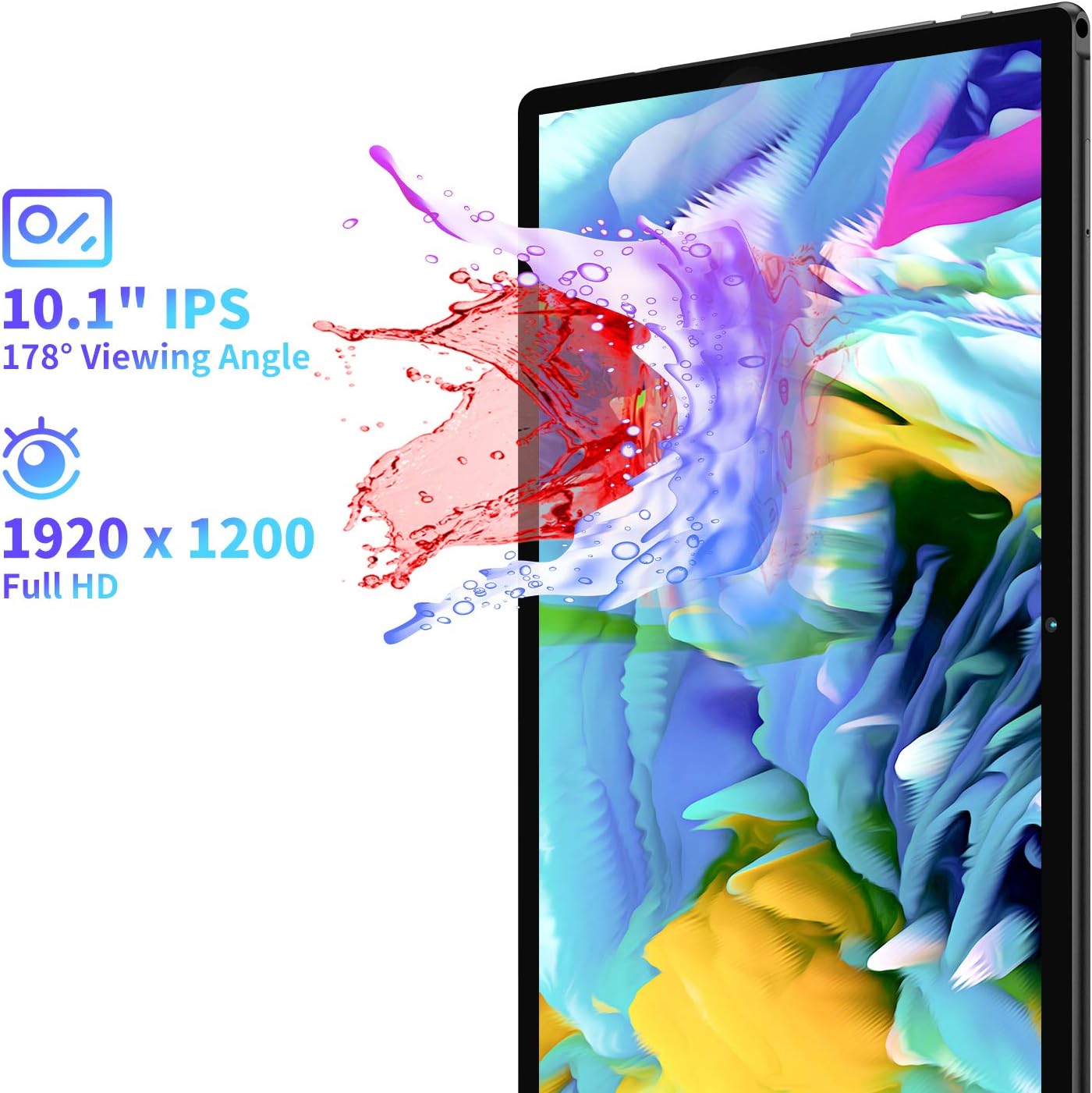
This image illustrates the tablet's 10.1-inch Full HD IPS display with a 1920x1200 resolution and a 178-degree viewing angle, emphasizing vibrant visuals.
5.4 Камераны колдонуу
The tablet is equipped with a 5MP front camera and an 8MP rear camera for photos and video calls.
- Үй экранынан же колдонмо суурмасынан Камера колдонмосун ачыңыз.
- Tap the shutter button to take a photo or switch to video mode.
- Use the front/rear camera toggle to switch between cameras.
For a detailed look at the tablet's cameras and their performance, you can watch the video below:
деталдуу реview and unboxing video by FishBee Productions, demonstrating the TECLAST M40 Gaming Android Tablet's features, performance, and user experience, including a look at its components and software.
6. Техникалык тейлөө
6.1 Батареяны заряддоо
The TECLAST M40 is equipped with a 6000mAh battery. Use the provided USB-C cable and charging adapter to charge the device. Connect the USB-C end to the tablet's port and the USB-A end to the adapter, then plug the adapter into a power outlet.
Note: Some USB Power Delivery (PD) chargers may not be compatible and could cause the tablet to attempt charging the charger instead of being charged itself. Use the provided charger or a standard 5V 2.4A charger for best results.
6.2 Программалык камсыздоо жаңыртуулары
Ensure your tablet's software is up-to-date for optimal performance and security. Go to Settings > System > Advanced > System update to check for and install any available updates.
6.3 Сактагычты башкаруу
The tablet comes with 128GB of internal storage, expandable via a TF (MicroSD) card. Regularly manage your storage to prevent performance issues:
- Керексиз жок кылуу fileлар жана колдонмолор.
- Чоң жылдырыңыз files (photos, videos) to a MicroSD card.
- Clear cache data for apps in Settings > Apps & notifications > See all apps > [App Name] > Storage & cache.
7. Кыйынчылыктарды
If you encounter any issues with your TECLAST M40 tablet, try the following solutions:
- Tablet is unresponsive/frozen: Кайра күйгүзүүгө мажбурлоо үчүн кубат баскычын 10-15 секунд басып туруңуз.
- Жай аткаруу: Close unused apps, clear app caches, free up storage space, or restart the tablet.
- Заряддоо маселелери: Ensure you are using the provided charger and cable. Check if the charging port is clean and free of debris. Avoid using incompatible USB PD chargers.
- Screen responsiveness: If the touchscreen is inconsistent, a restart may resolve the issue. If problems persist, a factory reset might be necessary (back up your data first).
- Wi-Fi/Bluetooth байланышындагы көйгөйлөр: Toggle Wi-Fi/Bluetooth off and on. Restart the tablet and your router/Bluetooth device.
- Колдонмолор бузулуп жатат: Ensure apps are updated to their latest versions. Clear app cache or reinstall the app.
If these steps do not resolve the issue, please contact TECLAST customer support.
8. Техникалык шарттар
| Өзгөчөлүк | Спецификация |
|---|---|
| Модель аты | M40 |
| Screen Size | 10.1 дюйм |
| Max Screen Resolution | 1920x1200 (FHD IPS) |
| Процессор | 2 GHz Octa-Core (UNISOC T618) |
| RAM | 6 ГБ |
| Катуу диск / сактагыч | 128 ГБ |
| Кеңейтүүчү сактагыч | TF Expansion (MicroSD) |
| Операция системасы | Android 10 |
| Арткы Webcam Resolution | 8 депутат |
| Фронт Webcam Resolution | 5 депутат |
| Байланыш | 2.4G+5G WiFi, Bluetooth 5.0, BDS+GPS, 4G LTE (Dual SIM) |
| Батареянын иштөө мөөнөтү (орточо) | 8 Hours (6000 mAh) |
| Элемент Салмагы | 2.05 фунт |
| Продукциянын өлчөмдөрү | 9.56 x 6.4 x 0.37 дюйм |
9. Кепилдик жана колдоо
For warranty information and customer support, please refer to the warranty card included in your product packaging. You can also visit the official TECLAST website for further assistance and contact options.
Note: Some users have reported difficulties in receiving responses from TECLAST support. It is recommended to keep all purchase records and contact information readily available.


