1. Киришүү
Thank you for choosing the BETOPPER LC003H LED Stage Light. This manual provides essential information for the safe and effective use of your new lighting fixture. Please read it thoroughly before installation and operation, and retain it for future reference.
The BETOPPER LC003H is a versatile LED par light designed for various applications, including stage performances, DJ events, parties, weddings, church events, and studio lighting. It features super bright LEDs, adjustable color temperatures, and DMX512 control capabilities.
2. Коопсуздук нускамалары
- Электр коопсуздугу: Ар дайым жабдууну жерге туташтырылган розеткага туташтырыңыз.tage matches the product's specifications (AC 100-240V, 50/60Hz). Disconnect power before any service or maintenance.
- Орнотуу: Install the fixture in a well-ventilated area, away from heat sources. Ensure secure mounting using appropriate hardware. Avoid direct exposure to rain or moisture.
- Операция: Do not look directly into the light source when the fixture is operating, as it can cause eye damage. Keep flammable materials away from the light.
- Колдонуу: Do not operate the fixture if the power cord is damaged. Do not attempt to repair the unit yourself; refer all servicing to qualified personnel.
- Температура: The fixture may become hot during operation. Allow sufficient cooling time before handling.
3. Пакеттин мазмуну
Төмөндө тизмеленген нерселердин баары пакетиңизге камтылганын текшериңиз:
- 1 x BETOPPER LC003H LED Stage Light
- 2 х Монтаждык кашаа
- 2 х бурамалар
- 1 x User Manual
4. Продукт бүтүп калдыview
The BETOPPER LC003H is a high-performance LED stage light designed for professional and event use. Key features include:
- Super Bright LED Source: Equipped with 54x2W LEDs, providing 5000 lumens of illumination with 0-100% brightness adjustment.
- Жөнгө салынуучу ак жарык: Offers cold white (5600K) and warm white (3200K) pure light sources, suitable for various ambiance requirements.
- Жогорку түстөрдү көрсөтүү индекси (CRI): With a CRI (RA) greater than 90, colors appear faithfully, making it ideal for studios and photostudios.
- Strobe эффекти: Supports 0-20Hz strobe effects in warm white, cold white, or mixed warm-cold white modes.
- Power & XLR COMBO Design: Integrated XLR and power cable design with an adapter for simplified connectivity.
- Туруктуу курулуш: Made from Acrylonitrile Butadiene Styrene (ABS) with a painted finish, ensuring longevity.
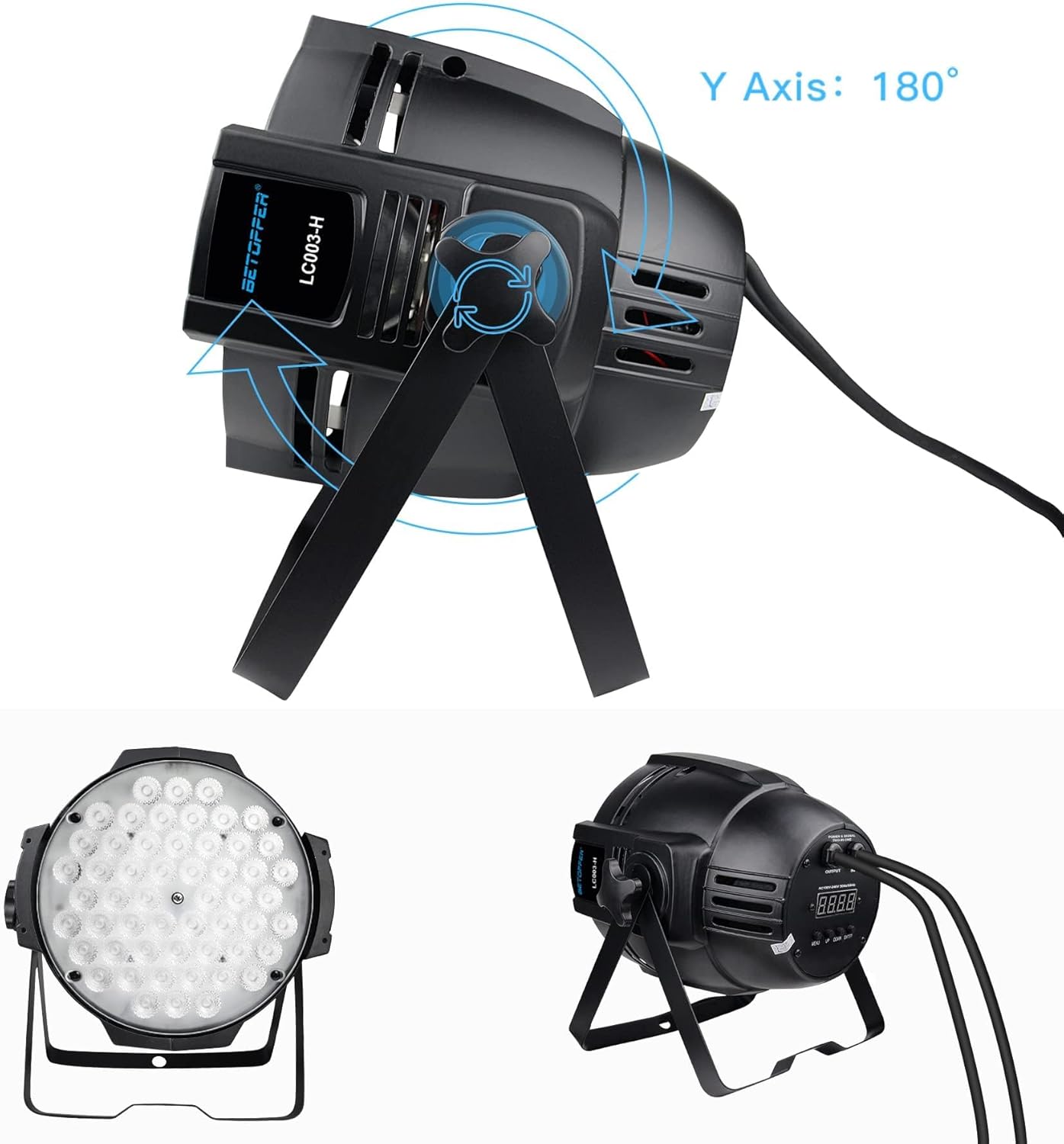
- ийкемдүү орнотуу: Includes brackets for floor mounting or truss attachment, with 180-degree Y-axis adjustment.
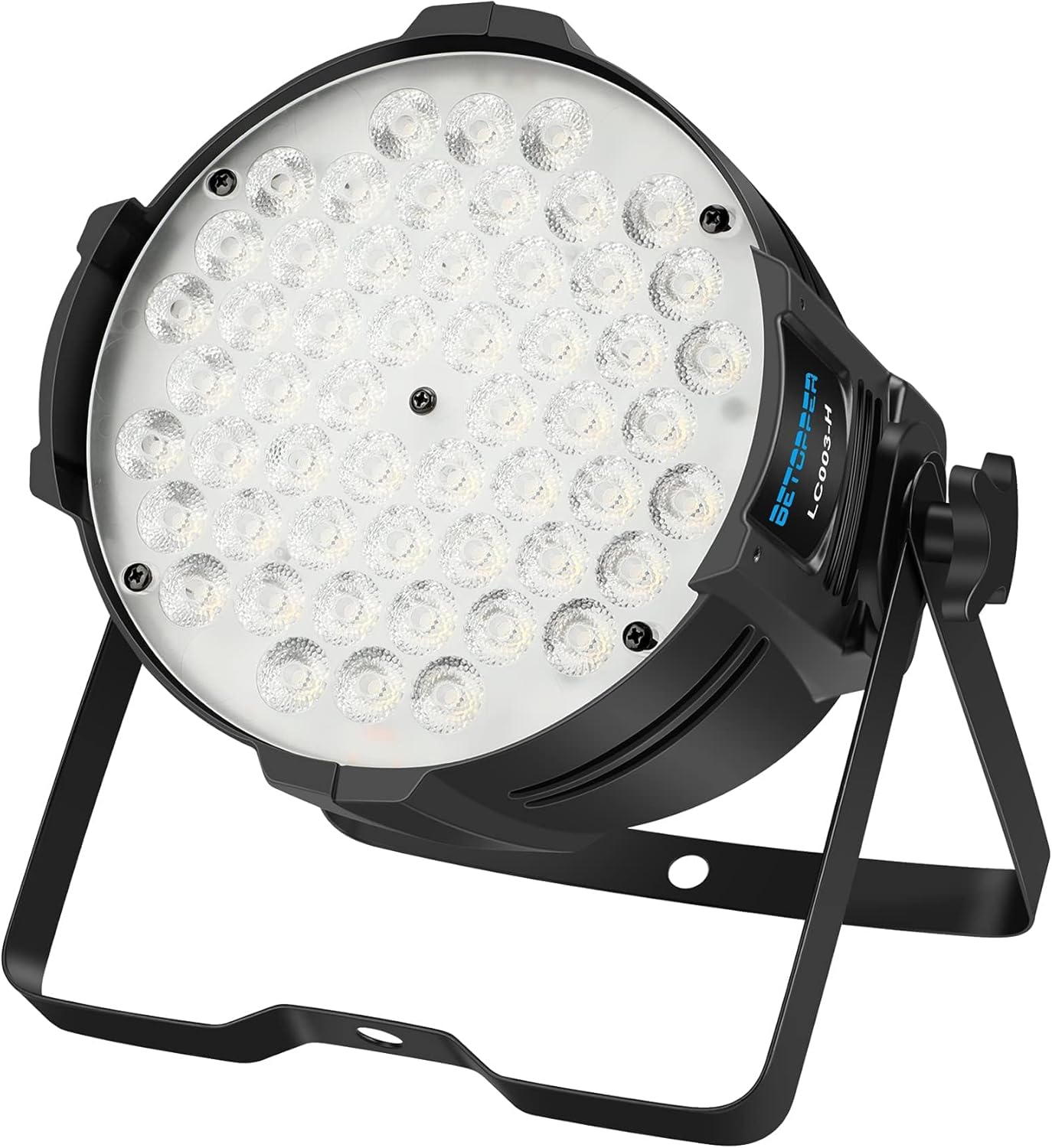
Сүрөт 1: Алдыңкы view of the BETOPPER LC003H LED Stage Light, showcasing its 54 LED array and adjustable bracket.
2-сүрөт: Детальдуу view of the BETOPPER LC003H LED Stage Light's rear panel, highlighting the input/output ports and control buttons (Menu, Up, Down, Enter).

Figure 3: Close-up of the Power & XLR COMBO design on the BETOPPER LC003H LED Stage Light, showing the integrated power and DMX connections.
5. Орнотуу нускамалары
5.1 Арматураны орнотуу
- Attach the included mounting brackets to the sides of the fixture using the provided screws.
- Choose a stable location for the light. It can be placed on a flat surface or mounted to a truss or ceiling using appropriate clampс (киргизилген эмес).
- Ensure the mounting point can support the weight of the fixture (approximately 5.39 lbs).
- Adjust the angle of the light using the bracket's knobs to achieve the desired illumination direction. The fixture allows for 180-degree rotation on the Y-axis.

Figure 4: The BETOPPER LC003H LED Stage Light with its adjustable bracket, demonstrating 180-degree rotation along the Y-axis.
5.2 Кубат туташтыруу
Connect the integrated power cable to a standard AC 100-240V, 50/60Hz grounded power outlet.
5.3 DMX туташуу (кошумча)
For DMX control, connect a DMX controller to the 'DMX IN' port on the fixture using a 3-pin XLR cable. If connecting multiple fixtures, link them in a daisy chain from 'DMX OUT' of the first fixture to 'DMX IN' of the next. Ensure the last fixture in the chain has a DMX terminator installed (not included) for optimal signal integrity.

Figure 5: Multiple BETOPPER LC003H LED Stage Lights connected in a daisy chain configuration for synchronized operation.
6. Иштөө нускамалары
6.1 Башкаруу панели
The fixture features a digital display and four control buttons on the rear panel:
- МЕНЮ: Негизги меню параметрлери аркылуу циклдик режимде иштейт.
- Өйдө: Increases values or navigates upwards through menu options.
- ТӨМӨН: Decreases values or navigates downwards through menu options.
- КИРҮҮ: Тандоолорду ырастайт же кошумча менюга кирет.
6.2 Иштөө режимдери
The BETOPPER LC003H supports several operating modes:
- DMX512 режими: Allows external control via a DMX controller. Set the DMX address using the control panel. Refer to the DMX channel chart (not provided in this manual, typically found in a separate DMX guide) for specific control functions.
- Master/Slave режими: Connect multiple fixtures via DMX cables. Set one fixture as 'Master' and others as 'Slave'. The slave units will mimic the master's settings.
- Үн иштетилген режим: The light reacts to ambient sound, creating dynamic lighting effects.
- Авто режим: Cycles through pre-programmed lighting sequences automatically.
- Статикалык түс режими: Select a fixed color temperature (cold white, warm white, or mixed) and adjust brightness.
- Strobe режими: Activate the strobe effect and adjust its speed (0-20Hz).

Figure 6: Demonstration of the BETOPPER LC003H LED Stage Light's warm white, cold white, and mixed white light output.

Figure 7: Diagram illustrating DMX512 and Master/Slave connectivity options for the BETOPPER LC003H LED Stage Жарык.
7. Техникалык тейлөө
7.1 Тазалоо
Regular cleaning helps maintain optimal light output and extends the fixture's lifespan.
- Тазалоодон мурун электрди өчүрүңүз.
- Use a soft, lint-free cloth to wipe the exterior. For stubborn dirt, a slightly damp кездеме колдонсо болот.
- Clean the lens periodically to ensure maximum brightness.
- Ашыкча ысып кетүүнүн алдын алуу үчүн бардык желдеткич тешиктердин чаңдан жана таштандылардан тазаланганын текшериңиз.

Figure 8: Diagram illustrating the internal cooling fan and airflow within the BETOPPER LC003H LED Stage Light, emphasizing the importance of clear vents.
7.2 Сактоо
When not in use, store the fixture in a dry, dust-free environment. If possible, use the original packaging for protection.
8. Кыйынчылыктарды
| Көйгөй | Мүмкүн себеп | Чечим |
|---|---|---|
| Күч жок | Power cable not connected; Outlet not active; Fuse blown | Check power connections; Test outlet; Replace fuse (if applicable and safe to do so) |
| Жарык иштебейт | Incorrect mode selected; DMX signal issue; Internal fault | Verify operating mode; Check DMX connections/address; Contact support |
| DMX башкаруу маселелери | Incorrect DMX address; Faulty DMX cable; No DMX terminator | Set correct DMX address; Test/replace DMX cables; Add DMX terminator to last fixture |
| Ашыкча ысып кетүү | Poor ventilation; Blocked vents | Ensure adequate airflow around fixture; Clean vents |
9. Техникалык шарттар
| Өзгөчөлүк | Деталь |
|---|---|
| Модель номери | LC003H |
| Жарык булагы | 54 х 2W LED |
| Жарыктык | 5000 Lumens |
| Түс температурасы | 5600K (Cold White), 3200K (Warm White) |
| Түстөрдү көрсөтүү индекси (CRI) | РА > 90 |
| Strobe Frequency | 0-20 Гц |
| Power Source | Электр зымдары |
| Тtage | AC 100-240V, 50/60Hz |
| Ватtage | 108 Ватт (макс) |
| Материал | Акрилонитрил бутадиен стирол (ABS) |
| Продукциянын өлчөмдөрү | Узундугу 11" x Туурасы 8" x Бийиктиги 8" (болжол менен) |
| Элемент Салмагы | 5.39 фунт |
| Монтаж түрү | Floor Mount |
| Сертификаттар | CE, EMC, LVD, PSE |

Figure 9: Beam angle and light intensity diagram for the BETOPPER LC003H LED Stage Light, showing light output at various distances.
10. Кепилдик жана колдоо
BETOPPER products are manufactured to high-quality standards. For warranty information, please refer to the terms and conditions provided at the time of purchase or contact BETOPPER customer support directly. If you encounter any issues or have questions regarding your LC003H LED Stage Light, please reach out to our support team for assistance.
Байланыш маалыматы: Please visit the official BETOPPER website or your retailer's support page for the most current contact details.


