1. Киришүү
Thank you for choosing the Anlapus 8-Channel H.265+ 1080P DVR Video Recorder. This manual provides detailed instructions for setting up, operating, and maintaining your DVR system. Please read this manual thoroughly before use to ensure proper installation and functionality.
2. Кутуда эмне бар
Пакетти ачкандан кийин, төмөнкү нерселердин бардыгы камтылганын текшериңиз:
- 1 x Anlapus 8-Channel 2MP DVR
- 1 x 12VDC 2A кубат адаптери
- 1 х USB чычкан
- 1 х Колдонуучунун колдонмосу (бул документ)

Image: Included components of the Anlapus DVR system.
3. Продукт бүтүп калдыview
The Anlapus DVR is designed for reliable video surveillance recording. Familiarize yourself with the front and rear panels of the device.
3.1 Алдыңкы жана арткы панелдер

Image: Front and rear panel layout of the Anlapus DVR.
3.2 Port Descriptions and Dimensions

Сүрөт: деталдуу view of DVR ports and dimensions.
- Video Input (1-8): BNC connectors for connecting analog cameras (TVI, AHD, CVI, CVBS).
- Аудио кириш/чыгыш: RCA connectors for audio input from cameras (if supported) and audio output to a speaker/monitor.
- VGA/HDMI: Video output ports for connecting to a monitor or TV.
- Тармак: RJ45 port for connecting to your local network/router for remote access.
- USB 2.0: Ports for connecting the included mouse or a USB flash drive for backup.
- DC 12V: Кубат киргизүү порту.
4. Орнотуу
4.1 Катуу дискти орнотуу (милдеттүү эмес)
The Anlapus DVR does not include a hard drive. A 2.5/3.5 inch SATA surveillance hard drive (up to 8TB) is required for video recording. PC hard drives are not recommended. Refer to the separate hard drive installation guide for detailed steps.
4.2 Камераларды туташтыруу
The DVR supports 800-3000TVL, 720P-1080P AHD, CVI, and TVI cameras. Thanks to self-adaptive technology, connected cameras are automatically recognized.

Image: Camera compatibility and connection diagram.
- Connect your analog cameras to the BNC video input ports (1-8) on the rear panel of the DVR.
- Ensure cameras are powered on.
4.3 Connecting to a Monitor/TV
- Connect a monitor or TV to the DVR using either the VGA or HDMI port.
- Connect the included USB mouse to one of the USB ports on the DVR.
4.4 Тармактык туташуу
Алыскы үчүн viewing and network features, connect the DVR to your router using an Ethernet cable.
4.5 Күйгүзүү
- Connect the 12VDC 2A power adapter to the DC 12V input port on the DVR.
- Plug the power adapter into a power outlet. The DVR will power on automatically.
5. DVRди иштетүү
5.1 Жазуу режимдери
The DVR supports various recording modes to suit your surveillance needs:
- Тынымсыз жаздыруу: Рекорддор 24/7.
- Пландаштырылган жаздыруу: Белгилүү бир убакыт аралыгындагы жазуулар.
- Кыймылды аныктоо жазуусу: Кыймыл аныкталганда гана жаздырат, бул сактагычтагы орунду үнөмдөйт.
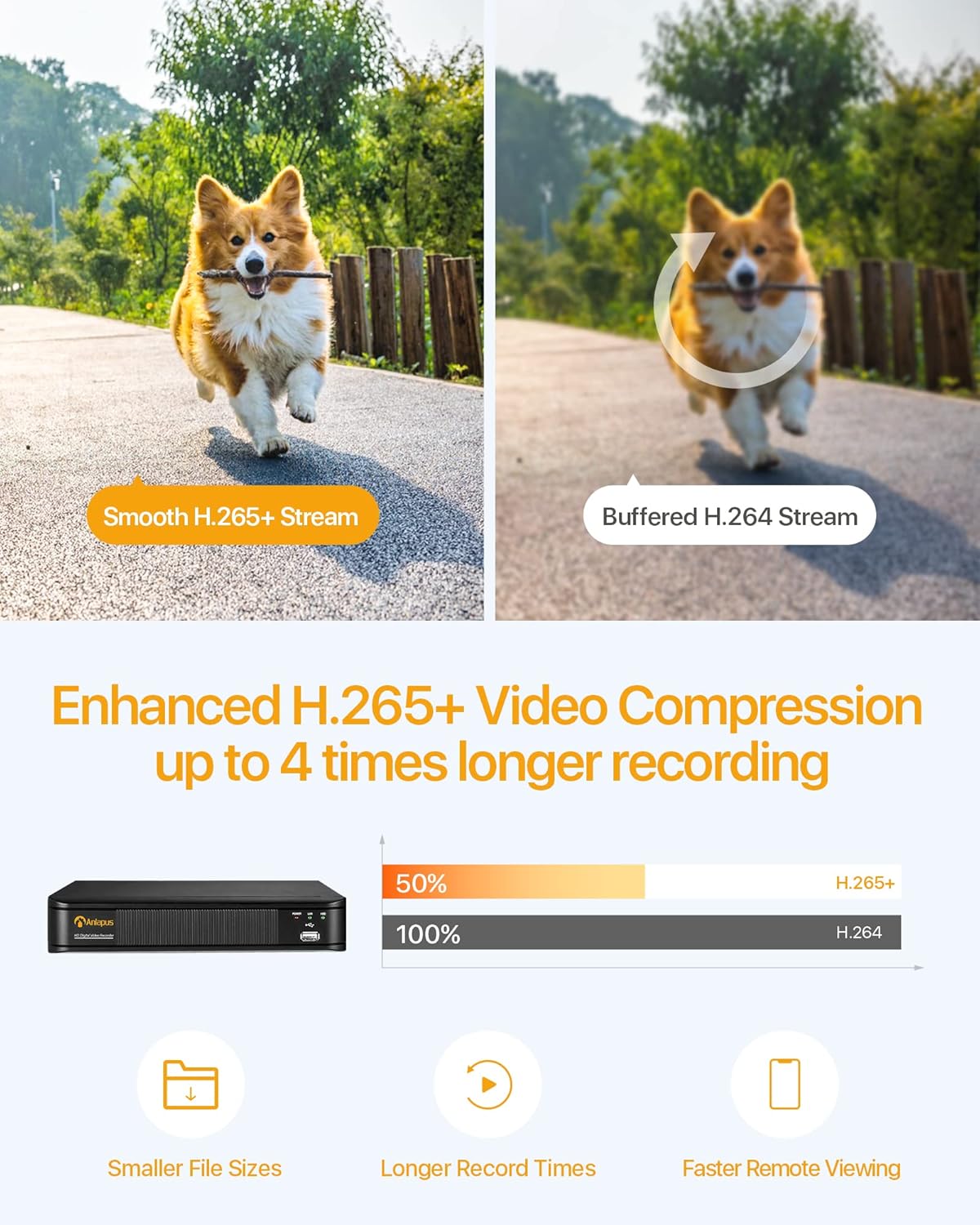
Image: Multiple recording modes supported by the DVR.
5.2 H.265+ видео кысуу
The DVR utilizes advanced H.265+ video compression technology, which efficiently encodes video streams. This results in smaller file sizes, longer recording times, and faster remote viewing, optimizing your storage and bandwidth usage.

Image: Benefits of H.265+ video compression.
5.3 Алыстан Viewing and Alerts
Access your DVR and view тирүү же жазылган footage from anywhere using the free Anlapus Cloud App on your smartphone, tablet, laptop, or PC. The app also provides push notifications for motion-triggered events, keeping you informed.

Image: Customized motion detection and alerts via the app.

Image: Live view on multiple devices.
5.4 Ойнотуу
Review foo жазылганtage directly from the DVR or remotely via the mobile application. The intuitive interface allows for easy navigation through timelines and events.

Image: Playback and remote viewинтерфейси.
6. Техникалык тейлөө
- Тазалоо: Use a soft, dry cloth to clean the DVR's exterior. Do not use liquid or aerosol cleaners.
- Вентиляция: Ысып кетүүдөн сактануу үчүн DVR жакшы желдетилген жерге коюлганын текшериңиз. Желдетүүчү тешиктерди жаппаңыз.
- Программалык камсыздоонун жаңыртуулары: Мезгил-мезгили менен Anlapus кызматкерин текшерип туруңуз webоптималдуу иштөөнү жана коопсуздукту камсыз кылуу үчүн жеткиликтүү болгон программалык камсыздоонун жаңыртуулары үчүн сайт.
- Маалыматтын камдык көчүрмөсү: Маанилүү видеолордун камдык көчүрмөсүн үзгүлтүксүз сактап туруңузtage to an external USB drive or cloud storage.
7. Кыйынчылыктарды
| Көйгөй | Мүмкүн себеп | Чечим |
|---|---|---|
| Монитордо видео чыгыш жок | Loose cable connection; Incorrect input source on monitor; DVR not powered on. | Check VGA/HDMI cable connections; Select correct input source on monitor; Verify DVR power indicator is on. |
| Жаздыруу жок | No hard drive installed or detected; Hard drive full; Incorrect recording schedule. | Install a compatible hard drive; Format/delete old recordings; Check recording settings and schedule. |
| DVRге алыстан кирүү мүмкүн эмес | No network connection; Incorrect network settings; Firewall blocking access. | Check Ethernet cable connection; Verify network settings (IP address, gateway); Configure router firewall/port forwarding if necessary. |
| Сүрөттүн сапаты начар | Camera resolution mismatch; Dirty camera lens; Poor lighting. | Ensure cameras are 1080P compatible; Clean camera lenses; Improve lighting conditions. |
8. Техникалык шарттар
| Өзгөчөлүк | Спецификация |
|---|---|
| Модель номери | 6973225210377 |
| Видеону кысуу | H.265 + |
| Видео киргизүү | 8 канал |
| Video Resolution | Up to 1080P (2.0MP) at 15fps |
| Шайкеш камералар | 800-3000TVL, 720P-1080P AHD, CVI, TVI (Analog) |
| Катуу дискти колдоо | 1x SATA Port, up to 8TB (Hard drive not included) |
| Video Output | VGA, HDMI |
| Аудио киргизүү/чыгаруу | RCA порттору |
| Тармак интерфейси | RJ45 Ethernet |
| USB интерфейси | 2 x USB 2.0 |
| Электр камсыздоо | DC 12V |
| Өлчөмдөрү (L x W x Y) | Болжол менен 230мм x 250мм x 43мм |
| Салмагы | 1.35 килограмм |
9. Кепилдик жана колдоо
Anlapus products are designed for reliability and performance. For warranty information, technical support, or any inquiries, please refer to the contact details provided in your product packaging or visit the official Anlapus webсайт. Кепилдик боюнча дооматтар үчүн сатып алуу квитанцияңызды сактап коюңуз.


