1. Киришүү
Сатып алганыңыз үчүн рахматasing the TOPTRO TR82 WiFi Projector. This manual provides essential information for setting up, operating, and maintaining your projector. Please read it thoroughly before use to ensure optimal performance and safety.
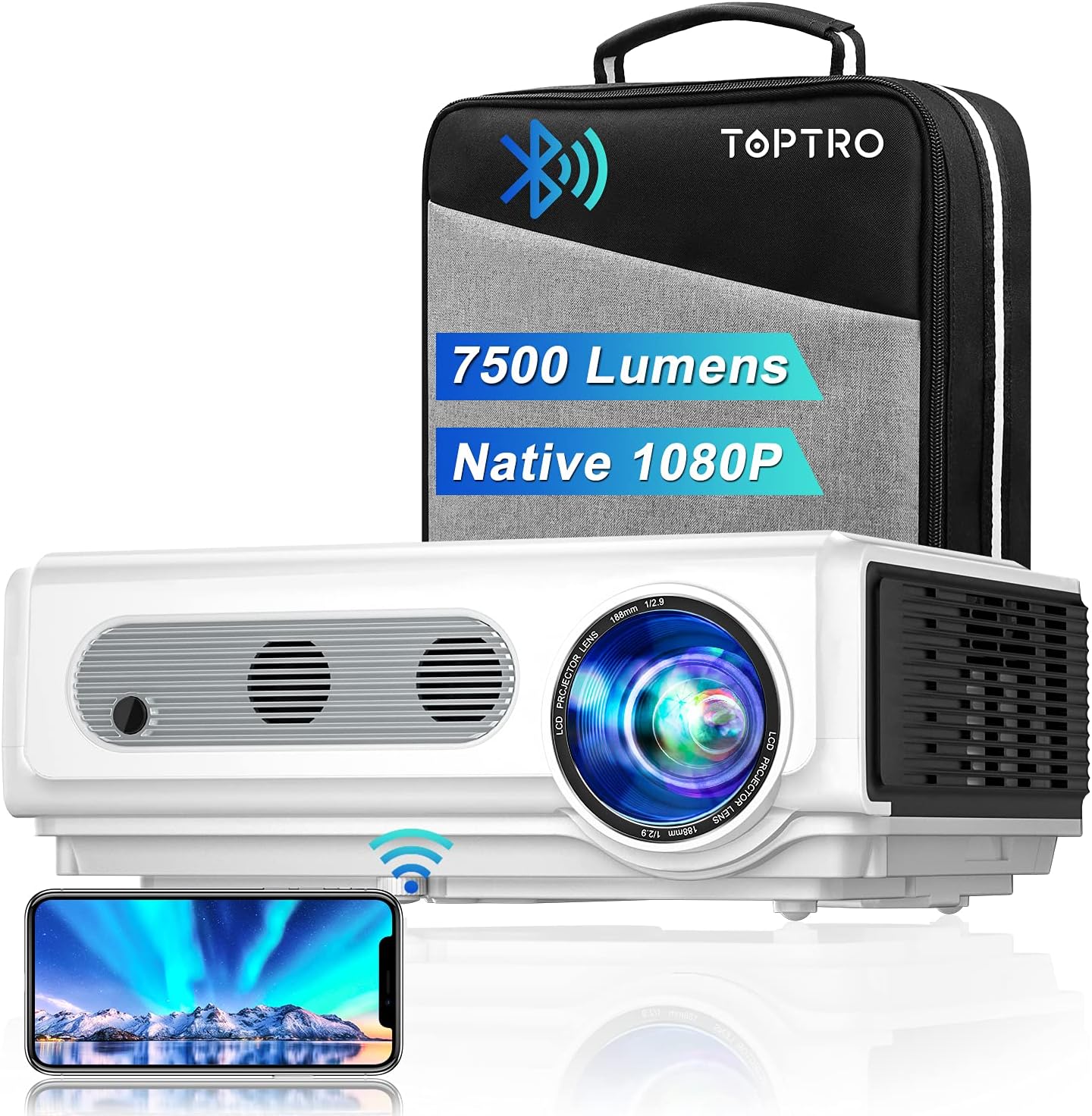
Image: The TOPTRO TR82 projector, its included carrying case, and a smartphone wirelessly connected, demonstrating screen mirroring capabilities. The image highlights the projector's 7500 lumens and Native 1080P resolution.
2. Коопсуздук маалыматы
To prevent fire or electric shock, do not expose this appliance to rain or moisture. Do not open the casing. Refer servicing to qualified personnel only.
- Желдетүүчү тешиктерди жаппаңыз.
- Өндүрүүчү белгилеген тиркемелерди/аксессуарларды гана колдонуңуз.
- Чагылган бороондордо же көпкө колдонулбаганда проекторду электр розеткасынан ажыратыңыз.
- l болгондо проектордун линзасына түздөн-түз көз тийбесинamp күйүк.
- Ашыкча ысып кетүүнүн алдын алуу үчүн туура желдетүүнү камсыз кылыңыз.
3. Пакеттин мазмуну
Таңгактан чыгарганда бардык буюмдардын бар экенин текшериңиз:
- TOPTRO TR82 проектор
- Электр кабели
- HDMI кабели
- AV Cable
- Алыстан башкаруу (Батареялар кошулган эмес)
- Объективдин капкагы
- User Manual
- Ташуу кутусу
4. Продукт бүтүп калдыview
Familiarize yourself with the various parts and interfaces of your TOPTRO TR82 projector.
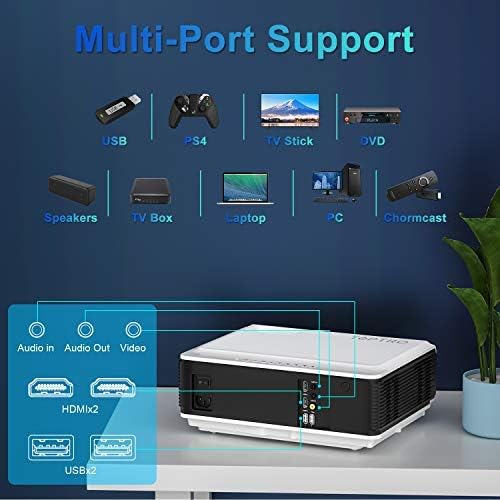
Image: An illustration of the TOPTRO TR82 projector's rear panel, highlighting its multi-port support including Audio In, Audio Out, Video, two HDMI ports, and two USB ports. Various compatible devices like USB drives, PS4, TV Stick, DVD players, speakers, TV boxes, laptops, PCs, and Chromecast are shown connected.
Фронт View:
- Объектив
- Фокус шакеги
- Keystone түзөтүү шакеги
Арткы View (Ports):
- HDMI 1 порту
- HDMI 2 порту
- USB 1 порту
- USB 2 порту
- AV порт
- Аудио чыгышы (3.5 мм)
- Power Input
Жогорку панель:
- Кубат баскычы
- Навигация баскычтары (Өйдө, Төмөн, Солго, Оңго, ОК)
- Меню баскычы
- Кайтуу баскычы
- Булак баскычы
5. Орнотуу
5.1 Орнотуу
Place the projector on a stable, flat surface or mount it to the ceiling. Ensure there is adequate space around the projector for ventilation. The projection distance and screen size can vary; refer to the specifications for recommended ranges.
5.2 Кубат туташтыруу
- Электр кабелин проектордун кубат киргизүү портуна туташтырыңыз.
- Электр кабелинин экинчи учун розеткага сайыңыз.
- Проектордогу кубат индикаторунун жарыгы күйөт.
5.3 Фокустоо жана Keystone коррекциясы
- Проекторду күйгүзүңүз.
- тууралаңыз Фокус шакеги until the projected image is clear and sharp.
- тууралаңыз Keystone түзөтүү шакеги to correct any trapezoidal distortion, ensuring the image is rectangular.
5.4 Түзмөктөрдү туташтыруу
The TOPTRO TR82 supports various input sources:
- HDMI: Connect Blu-ray players, game consoles (PS4), TV sticks, laptops, or other HDMI-enabled devices using an HDMI cable.
- USB: Insert USB flash drives to play media fileтүздөн-түз с.
- OF: DVD ойноткучтар сыяктуу эски түзмөктөрдү туташтыруу үчүн берилген AV кабелин колдонуңуз.
- Аудио чыгышы: Үндү жакшыртуу үчүн тышкы динамиктерди же кулакчындарды 3.5 мм аудио уяча аркылуу туташтырыңыз.
5.5 Wireless Connection (WiFi)
The TR82 projector supports wireless screen mirroring from your phone, tablet, or laptop.
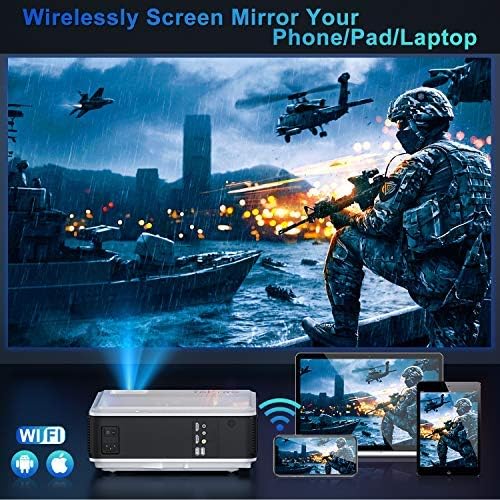
Image: A visual representation of wireless screen mirroring, showing a TOPTRO TR82 projector wirelessly connected to a smartphone, tablet, and laptop, projecting content onto a large screen. WiFi and Apple/Android logos are visible.
- Go to the projector's main menu and select the "WiFi" or "Screen Mirroring" option.
- Connect the projector to your home WiFi network.
- On your mobile device (iOS/Android) or laptop, enable screen mirroring (e.g., AirPlay for iOS, Miracast for Android/Windows).
- Жеткиликтүү түзмөктөрдүн тизмесинен проекторду тандаңыз.
- Note: Due to HDCP copyright protection, some streaming apps like Netflix or Prime Video may not allow direct screen mirroring. You can mirror photos, videos, and other non-HDCP content. For protected content, use a TV stick or other HDMI-connected device.
5.6 Bluetooth аудио туташуусу
Connect the projector to external Bluetooth speakers or headphones for a better audio experience.

Image: A TOPTRO TR82 projector projecting an image onto a large screen, with sound waves emanating towards two external Bluetooth speakers, illustrating how to achieve louder and better sound quality.
- Ensure your Bluetooth speaker/headphone is in pairing mode.
- On the projector, navigate to the Bluetooth settings.
- Scan for available Bluetooth devices.
- Жупташтыруу үчүн тизмеден түзмөгүңүздү тандаңыз.
- Note: This Bluetooth function is for audio output only and cannot connect to phones/pads as an input source.
6. Иштөө нускамалары
6.1 Күйгүзүү/өчүрүү
- To power on: Press the Power button on the projector or remote control.
- To power off: Press the Power button again. Confirm shutdown if prompted.
6.2 Меню Навигациясы
Use the navigation buttons (Up, Down, Left, Right) on the projector or remote to move through menu options. Press "OK" to confirm a selection. Press "Return" to go back to the previous menu.
6.3 Киргизүү булагын тандоо
Press the "Source" button on the projector or remote control to cycle through available input sources (HDMI1, HDMI2, USB1, USB2, AV, Screen Mirroring).
6.4 YouTube Integration
The TOPTRO TR82 features built-in YouTube access for direct video streaming.

Image: The TOPTRO TR82 projector displaying the YouTube interface on a large screen, indicating that users can watch videos directly after connecting to WiFi.
- Ensure the projector is connected to WiFi (refer to Section 5.5).
- From the main menu, select the "YouTube" application.
- Browse or search for videos directly on the projector.
6.5 X/Y Zoom Function
The zoom function allows you to adjust the screen size from 100% down to 75% without moving the projector, which is particularly useful for ceiling-mounted installations or when fine-tuning the image size.
- Access the "Picture Settings" or "Display Settings" menu.
- Locate the "Zoom" or "X/Y Zoom" option.
- Процентти тууралаңызtage to resize the image as needed.
7. Техникалык тейлөө
7.1 Линзаны тазалоо
Оптикалык линзалар үчүн атайын иштелип чыккан жумшак, мамыксыз чүпүрөктү колдонуңуз. Абразивдүү тазалоочу каражаттарды же линзаны чийип салуучу чүпүрөктөрдү колдонбоңуз.
7.2 Чаңды тазалоо
The TOPTRO TR82 features a convenient removable dust filter on the side and a removable cover on the bottom for easy cleaning.
- Locate the removable dust filter on the side of the projector. Gently pull it out.
- Clean the filter using a soft brush or compressed air.
- For internal dust, remove the bottom cover and use compressed air to blow away dust from the internal components, especially around the optical engine.
- Reinsert the filter and replace the cover securely.
- Regular cleaning helps maintain image quality and extends the projector's lifespan.
7.3 Сактоо
When not in use for extended periods, store the projector in its carrying case in a cool, dry, and dust-free environment.
8. Кыйынчылыктарды
| Көйгөй | Мүмкүн себеп | Чечим |
|---|---|---|
| Сүрөт көрсөтүлгөн жок | Power cable not connected; Incorrect input source; Device not powered on. | Электр кубатына туташууну текшериңиз; Туура киргизүү булагын тандаңыз; Туташтырылган түзмөктүн күйүк экенин текшериңиз. |
| Сүрөт бүдөмүк | Focus not adjusted; Keystone not adjusted. | Adjust the Focus Ring; Adjust the Keystone Correction Ring. |
| Үн жок | Volume too low; Muted; Incorrect audio output; Bluetooth not connected. | Increase volume; Unmute; Check audio output settings; Reconnect Bluetooth device. |
| WiFi/Bluetooth connection issues | Out of range; Interference; Incorrect password; Device not in pairing mode. | Move closer to router/device; Reduce interference; Re-enter password; Ensure device is in pairing mode. |
| Screen mirroring not working for certain apps | HDCP copyright protection. | Use an HDMI-connected device (e.g., TV stick) for protected content. |
9. Техникалык шарттар
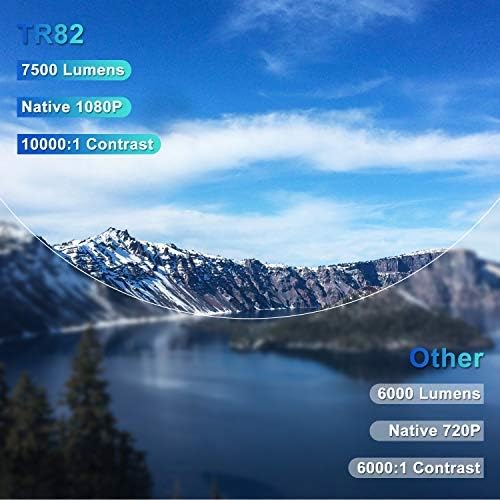
Image: A comparison graphic highlighting the TOPTRO TR82's superior specifications: 7500 Lumens, Native 1080P resolution, and 10000:1 Contrast Ratio, compared to typical "Other" projectors with lower specs.
| Өзгөчөлүк | Деталь |
|---|---|
| Бренд | TOPTRO |
| Модел | TR82 |
| Native Resolution | 1920 x 1080P |
| Колдоого алынган резолюция | 4K чейин |
| Жарыктык | 7500 Lumens |
| Контраст катышы | 10000:1 |
| Дисплей түрү | LCD |
| Байланыш технологиясы | USB, HDMI, AV, Bluetooth, Wi-Fi |
| Bluetooth версиясы | 5.0 (Output only) |
| Өзгөчөлүктөр | Built-In Speaker, Built-In Wi-Fi, X/Y Zoom Function, Removable Dust Filter, Integrated YouTube |
| Шайкеш түзмөктөр | Television, USB, Phone, TV Stick, PC, DVD, PS4 |
| Монтаж түрү | Ceiling Mount, Tabletop |
| Продукциянын өлчөмдөрү | 30.5 x 22.5 x 11.5 см |
| Элемент Салмагы | 3.98 кг |
| Модель жылы | 2021 |
10. Кепилдик жана колдоо
TOPTRO provides a standard warranty for the TR82 projector. Please refer to the warranty card included in your package for specific terms and conditions. For technical support, troubleshooting assistance, or warranty claims, please contact TOPTRO customer service through the following channels:
- Visit the official TOPTRO webКөп берилүүчү суроолор жана колдоо булактары үчүн сайт.
- Contact TOPTRO customer support via email or phone (contact details typically found on the warranty card or official webсайт).
- For purchases made on Amazon, you may also contact the seller directly through your Amazon order history.


