TASMOR 10M USB RGB LED тилкелүү жарыгы колдонуучусунун колдонмосу
Model: JYX-5050x18N
Бренд: Тасмор
Introduction
Thank you for choosing the TASMOR 10M USB RGB LED Strip Light. This product is designed to provide versatile and vibrant lighting for various indoor settings, including bedrooms, living rooms, kitchens, and for special occasions like parties and holidays. This manual provides essential information for safe installation, operation, and maintenance of your LED strip light.
Коопсуздук маалыматы
- Бул продукт үчүн иштелип чыккан үй ичинде гана колдонуу. Сууга же жогорку нымдуулукка дуушар кылбаңыз.
- Орнотуу бетинин туура жабышуусу үчүн таза, кургак жана жылмакай болушун камсыз кылыңыз.
- Do not connect the LED strip to power while it is still rolled up, as this may cause overheating.
- Берилген кубат адаптерин жана компоненттерин гана колдонуңуз.
- Do not attempt to repair or modify the product. Refer to qualified personnel for service.
- Балдар жетпеген жерде сактаңыз.
- The LED strip can be cut at designated marks (every 4 poles, 10mm wide). Ensure power is disconnected before cutting.
Продукт бүттүview
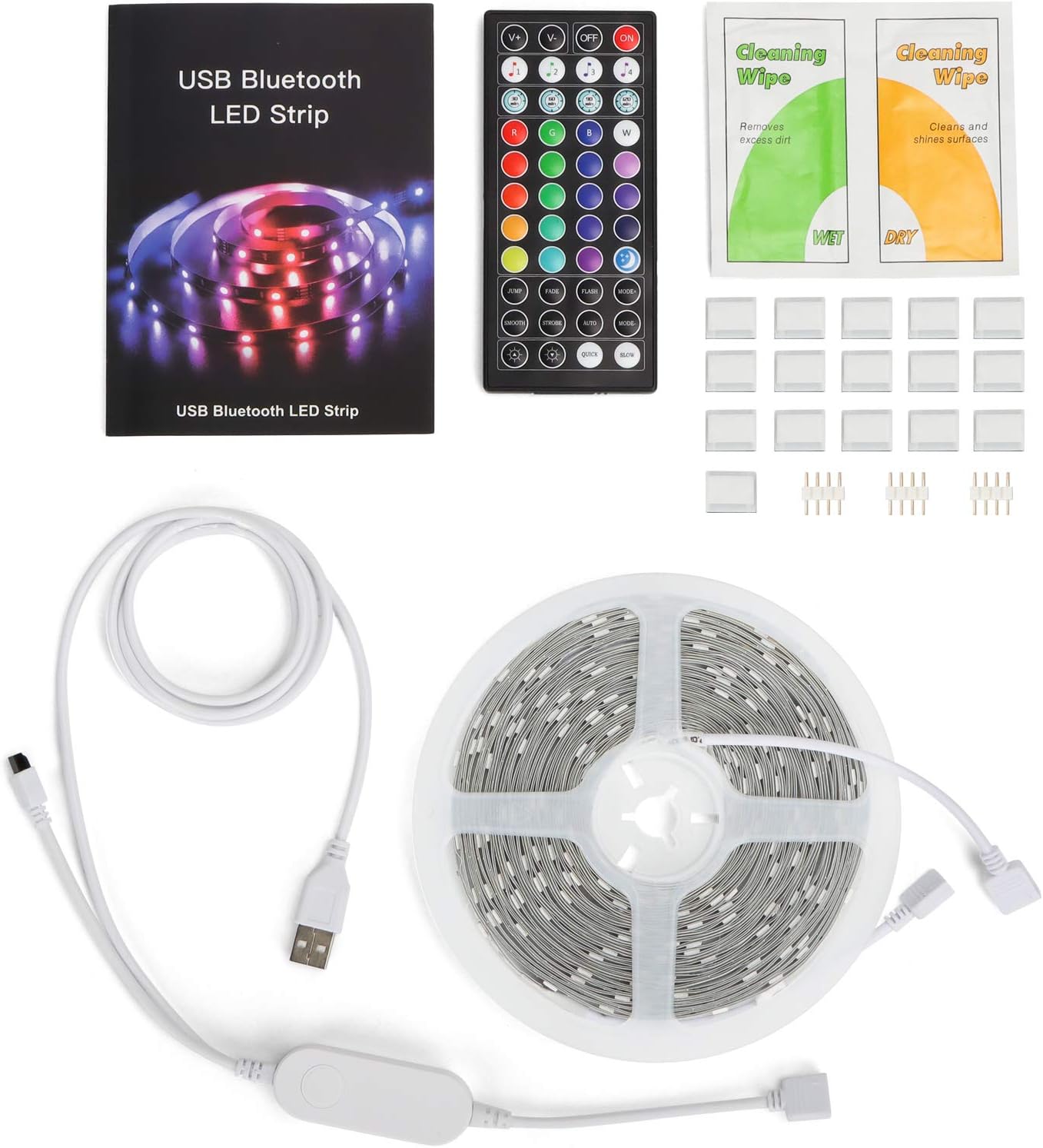
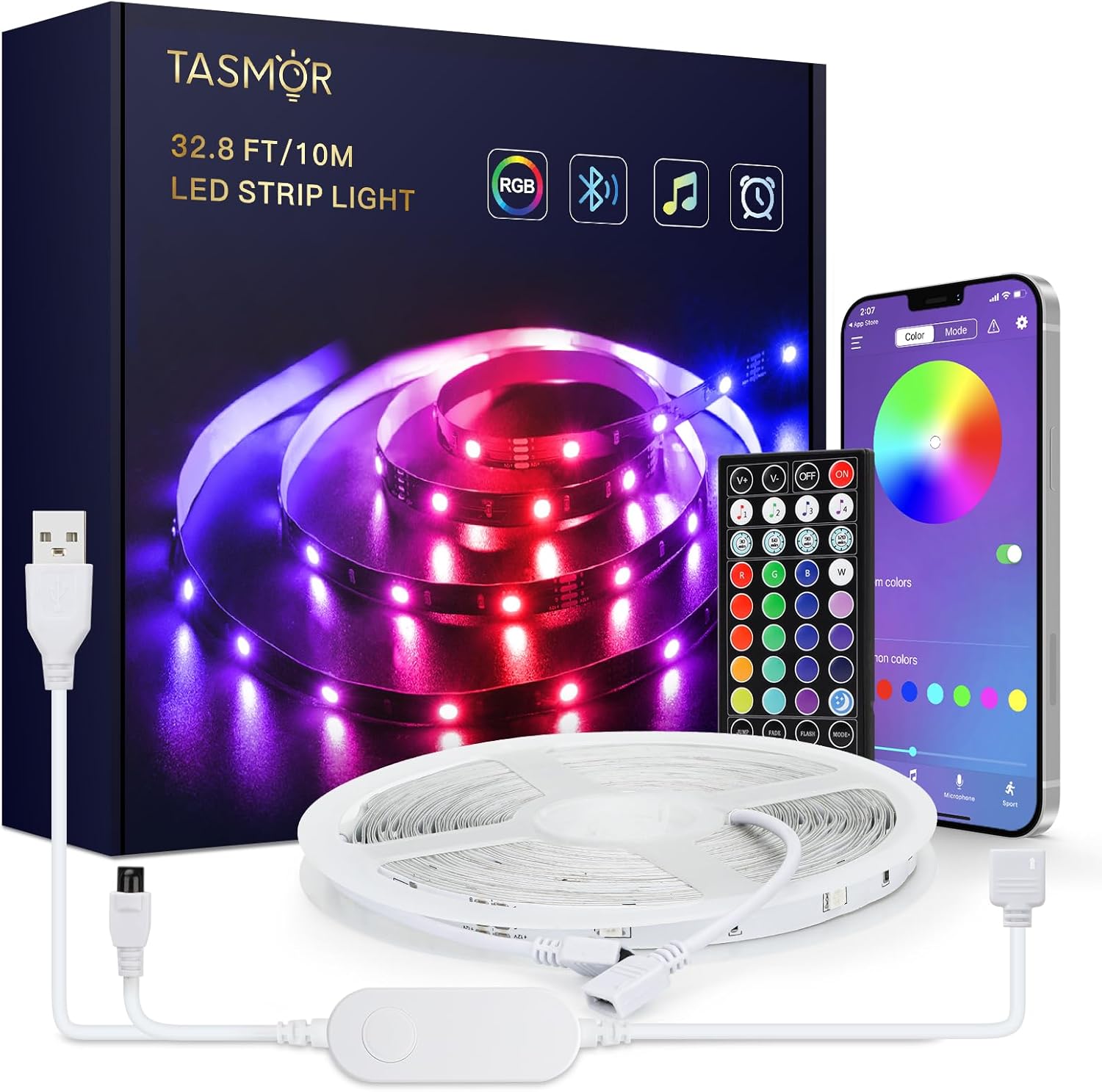
The TASMOR 10M USB RGB LED Strip Light system includes the following components:
- 10-meter RGB LED Strip Light
- 44-key IR Remote Control
- In-line Control Box with USB power cable
- User Manual
- Cleaning Wipes (may be included)
- Adhesive clips/mounts (may be included)
Орнотуу жана орнотуу
- Бетти даярдоо: Choose a clean, dry, and smooth surface for installation. Wipe the surface with the provided cleaning wipes (if applicable) and allow it to dry completely.
- Unroll the LED Strip: Fully unroll the LED strip before connecting it to power to prevent overheating.
- Туташуу компоненттери:
- Connect the LED strip to the in-line control box. Ensure the arrows on the connectors align.
- Connect the USB plug from the in-line control box to a 5V USB power source (e.g., USB wall adapter, power bank, computer USB port).

Figure 3: Connection Diagram. This diagram illustrates the correct way to connect the LED strip to its controller and power source. - Стопту жабыңыз: Peel off the self-adhesive backing from the LED strip gradually as you press it firmly onto the prepared surface.

Figure 4: Installation Features. This image demonstrates the strong 3M adhesive, the ability to cut the strip at marked intervals, and its flexibility for bending around corners. - Тилкени кесүү (милдеттүү эмес): If the strip is too long, you can cut it at the designated cutting marks (indicated by copper pads and a scissor icon) every 4 poles. Ensure power is disconnected before cutting.
Иштөө нускамалары
Your TASMOR LED Strip Light offers three convenient control methods:

1. In-line Control Box
The small button on the in-line control box allows for basic control:
- Press once to turn ON/OFF.
- Press repeatedly to cycle through basic colors and dynamic modes.
2. 44-Key IR Remote Control
The remote control provides comprehensive access to various functions:
- Кубат баскычы: КҮЙГҮЗҮҮ/ӨЧҮРҮҮ.
- Жарыктыкты жөндөө: Жарыктын интенсивдүүлүгүн жогорулатуу же азайтуу.
- Статикалык түстөр: 20 preset static colors.
- DIY Buttons: Customize and save your own colors.
- Динамикалык режимдер: 6 dynamic modes (e.g., Flash, Strobe, Fade, Smooth).
- Музыка режимдери: 4 music modes that react to sound.
3. MagicStrip APP (Bluetooth Control)
For advanced features and customization, download the "MagicStrip" app from the App Store or Google Play. Ensure Bluetooth is enabled on your smartphone.
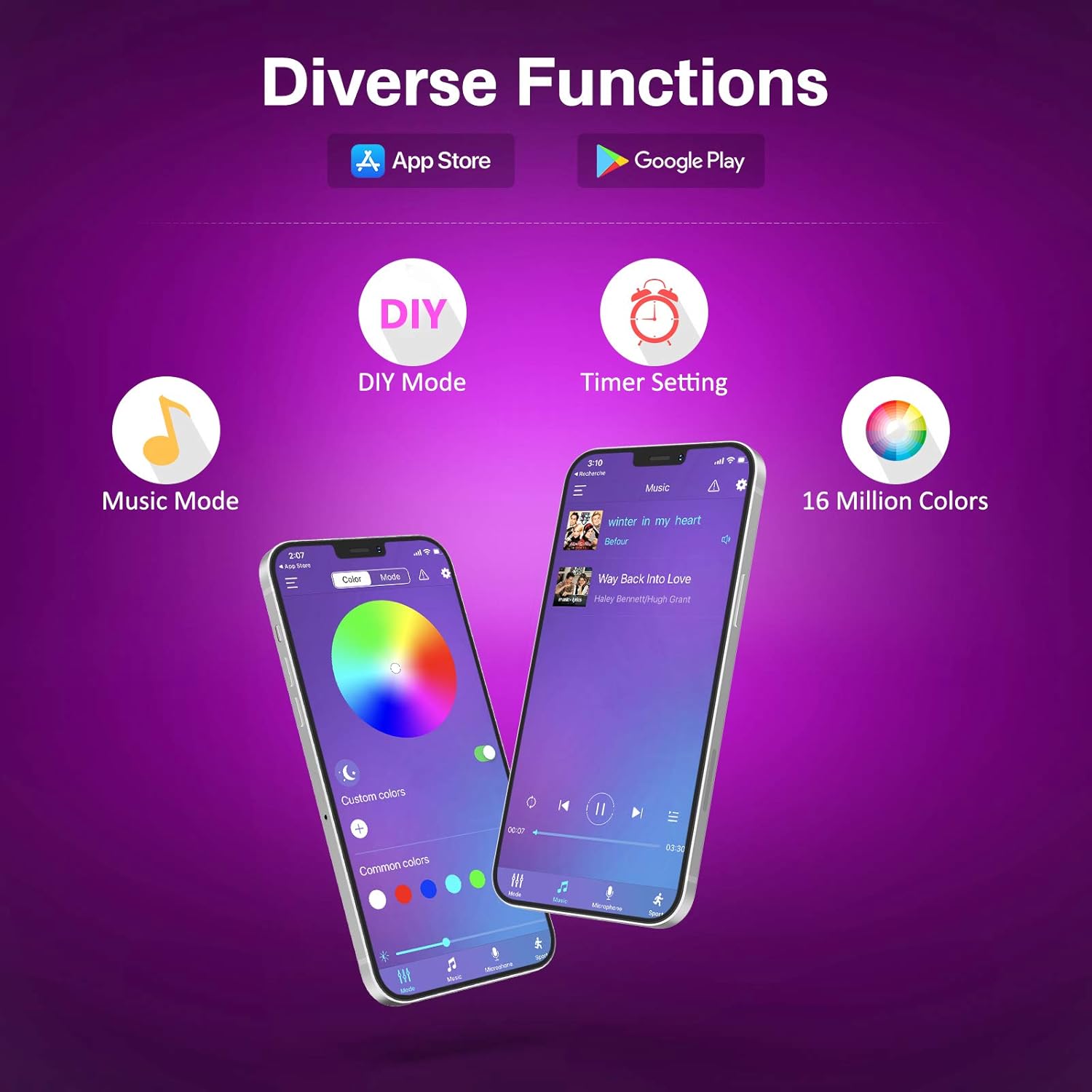
- Түс палитрасы: Access to 16 million colors for precise selection.
- Жарыктык жана каныккандык: Fine-tune light intensity and color vibrancy.
- DIY режимдери: Create and save custom lighting effects.
- Музыка синхрондоштуруу режими: The lights change color and speed in sync with music played through your phone's microphone. Adjust sensitivity and mode.
- Таймер функциясы: Schedule the lights to turn ON/OFF at specific times.
- Dynamic Scenes: Explore over 30 pre-programmed dynamic scenes and modes.


Техникалык тейлөө
- Тазалоо: Gently wipe the LED strip with a dry, soft cloth to remove dust. Do not use liquid cleaners or immerse the strip in water.
- Адгезия: If the strip begins to peel, reinforce it with additional adhesive clips or double-sided tape.
- Сактагыч: When not in use for extended periods, disconnect from power and store the strip in a cool, dry place.
Проблемаларды чечүү
| Көйгөй | Мүмкүн себеп | Чечим |
|---|---|---|
| Жарыктар күйбөйт. | Электр кубаты жок, байланыш үзүлүп калган, пульттун батареясы түгөнгөн. | Check USB power source. Ensure all connections are secure. Replace remote battery (2 x A batteries required for remote, not included). |
| Пульт иштебей жатат. | Remote battery dead, IR sensor blocked, remote too far. | Replace remote battery. Ensure no obstructions between remote and IR receiver on the control box. Operate within 5-8 meters of the receiver. |
| APP cannot connect to the strip. | Bluetooth not enabled, app not paired, interference. | Ensure Bluetooth is enabled on your phone. Restart the app and the LED strip (unplug/replug USB). Try pairing again. |
| Жарыктар күңүрт же бүлбүлдөп турат. | Insufficient power, damaged strip. | Ensure USB power source provides sufficient current (e.g., 5V/2A). If a section is damaged, it may need replacement. |
| Түстөр туура эмес. | Incorrect connection, app/remote setting. | Check that the arrows on the connectors are aligned. Reset the strip by unplugging and replugging. Try different color settings on the remote or app. |
Техникалык шарттар
| Бренд | Тасмор |
| Өндүрүүчү | Тасмор |
| Модель номери | JYX-5050x18N |
| Продукциянын өлчөмдөрү (L x W x Y) | 1000 x 10 x 0.1 cm (10 meters) |
| Элемент Салмагы | 240 грамм |
| Түс | USB-10m (RGB) |
| Материал | Пластик |
| Лампалар саны | 180 |
| Камтылган компоненттер | 10m RGB LED Strip Light, 44-key Remote Control, 1-button Control Box and App for control |
| Тtage | 5 вольт |
| Өзгөчө колдонуулар | Үй ичинде гана колдонуу |
| Өзгөчөлүктөр | Non-waterproof, No adapter included (USB powered) |
| Plug Type | Electrical Cable (USB) |
| Батарея(лар) кошулган | Жок |
| Батарея(лар) талап кылынат | Yes (2 x A for remote control) |
| Лампанын түрү | LED |
| Жарык агымы | 150 лм |
| Күч | 60 Ватт |
| IP рейтинги | IP20 |
Кепилдик жана колдоо
For warranty information and technical support, please refer to the seller's policy on the purchase platform or contact the manufacturer directly. Please retain your proof of purchase for any warranty claims.
Manufacturer: Tasmor


