1. Коопсуздук боюнча маанилүү маалымат
Please read this manual carefully before operating the 4DRC V9 drone. Failure to follow instructions may result in damage to the drone, property, or personal injury. Keep this manual for future reference.
- Ар бир учуудан мурун дрондун толук заряддалганын текшериңиз.
- Operate the drone in open areas, away from people, animals, buildings, and obstacles.
- Катуу шамалда же жагымсыз аба ырайында учпаңыз.
- Манжаларды жана чачты айлануучу пропеллерлерден алыс кармаңыз.
- Adult supervision is recommended for children operating the drone.
- Do not attempt to modify or disassemble the drone.
2. Пакеттин мазмуну
Пакетте бардык буюмдар бар экенин текшериңиз:

Image: The 4DRC V9 drone, remote controller, three batteries, and a storage case.
- 4DRC V9 Foldable Drone x 1
- Алыстан башкаруучу x 1
- Modular Batteries x 3
- USB кубаттоо кабели x 1
- Запастык пропеллерлер x 4
- Propeller Guards x 4
- X 1 бурагыч
- Сактоочу куту x 1
- Колдонуучунун колдонмосу x 1
3. Продукт бүтүп калдыview
The 4DRC V9 is a compact and lightweight foldable drone designed for ease of use and portability. It features a 720P HD dual camera for capturing clear aerial photos and videos, and offers various intelligent flight modes.

Image: Comparison of 720P and 480P camera quality, highlighting the drone's 720P HD camera.
Дрондун компоненттери:
- Бүктөлүүчү курал: Компакт сактоо жана көчүрүү үчүн.
- Пропеллер: Four main propellers for lift and movement.
- Пропеллер коргоочулар: Optional guards for added safety during flight.
- 720P HD Dual Camera: Front-facing camera for photo and video capture.
- Батарея бөлүмү: Located at the rear for modular battery insertion.
- Кубат баскычы: To turn the drone on/off.
Remote Controller Components:
- Сол джойстик: Бийиктикке (өйдө/төмөн) жана айланууну (солго/оңго) көзөмөлдөйт.
- Оң Джойстик: Алдыга/артка жана сол/оң кыймылды көзөмөлдөйт.
- Бир баскычтуу учуп-конуу баскычы: Автоматтык түрдө учууну же конууну баштайт.
- Башсыз режим баскычы: Activates headless flight mode.
- Ылдамдыкты которуштуруу баскычы: Toggles between different speed modes.
- 360° оодаруу баскычы: Performs a 360-degree flip.
- Телефон ээси: To mount your smartphone for FPV viewing.
4. Орнотуу
4.1 Батареяларды заряддоо
- Connect the modular battery to the USB charging cable.
- Plug the USB cable into a 5V/1A USB adapter (not included) or a computer USB port.
- The indicator light on the USB cable will show charging status (refer to cable instructions for specific light behavior).
- Charging time is approximately 60-90 minutes per battery.
4.2 Батареяларды орнотуу
Дрондун батареясын орнотуу:
- Дрондун өчүрүлгөнүн текшериңиз.
- Insert a fully charged modular battery into the battery compartment at the rear of the drone until it clicks into place.
Алыстан башкаруучу батареяны орнотуу:
- Алыстан башкаруунун артындагы батарея капкагын ачыңыз.
- Полярдуулук белгилерине ылайык 3 AAA батарейкасын (кошулмага кирбейт) салыңыз.
- Батареянын капкагын бекем жабыңыз.
4.3 Пропеллерди коргоону орнотуу
For beginner pilots or indoor flight, it is recommended to install the propeller guards. Align the guards with the drone's arms and snap them into place.
4.4 Дронду ачуу
Gently unfold the four arms of the drone until they lock into position. Ensure all arms are fully extended before flight.
4.5 Колдонмону орнотуу жана туташуу
Download the "4DRC PRO" app (or specified app in the manual) from your smartphone's app store (iOS/Android).
- Power on the drone. The drone's Wi-Fi signal will be broadcast.
- Go to your smartphone's Wi-Fi settings and connect to the Wi-Fi network named "4DRC-V9-XXXXXX" (or similar).
- Open the 4DRC PRO app. The live video feed from the drone's camera should appear, indicating a successful connection.
Note: Ensure mobile data is turned off on your smartphone to prevent interference with the Wi-Fi connection.
5. Иштөө нускамалары
5.1 Pairing the Drone and Remote Controller
- Дронду тегиз, тегиз жерге орнотуңуз.
- Power on the drone. The drone's indicator lights will flash.
- Алыстан башкаруучуну күйгүзүңүз.
- Сол жактагы джойстикти (дроссель) аягына чейин өйдө, анан аягына чейин ылдый басыңыз. Дрондун индикатор чырактары күйүп-өчүүнү токтотуп, туруктуу бойдон калат, бул ийгиликтүү жупташууну билдирет.
5.2 Gyro Calibration
After pairing, perform a gyro calibration for stable flight:
- With the drone on a flat surface, push both joysticks down and to the right simultaneously for 2-3 seconds.
- Дрондун жарыктары тез жаркылдап, андан кийин катуу болуп калат, бул ийгиликтүү калибрлөөнү билдирет.
5.3 Учуп-конуу

Image: Illustrations showing one-key take-off/landing, headless mode, and altitude hold features.
- Бир баскычтуу учуу: Press the One-Key Take-off/Landing button. The drone will automatically ascend and hover at a certain altitude.
- Кол менен учуу: Push both joysticks down and to the left simultaneously to unlock the motors. Then, slowly push the left joystick (throttle) up to take off.
- Бир ачкыч конуу: Press the One-Key Take-off/Landing button again. The drone will automatically descend and land.
- Шашылыш токтотуу: In case of emergency, press and hold the One-Key Take-off/Landing button for 3 seconds to stop the motors.
5.4 Учууну башкаруунун негизги каражаттары
| Control | Акция | Дрон кыймылы |
|---|---|---|
| Left Joystick Up/Down | Push up/down | Өтүү/Төмөн |
| Left Joystick Left/Right | Солго/оңго басыңыз | Солго/Оңго айлантуу |
| Right Joystick Up/Down | Push up/down | Алдыга/артка учуу |
| Right Joystick Left/Right | Солго/оңго басыңыз | Солго/Оңго учуу (каптал) |
5.5 Учуунун өркүндөтүлгөн өзгөчөлүктөрү
- Башсыз режим: Press the Headless Mode button. In this mode, the drone's orientation is relative to the pilot, regardless of the drone's actual front. Press again to exit.
- Бийиктикти кармоо: The drone automatically maintains its current altitude, allowing for stable hovering and easier control. This feature is active by default.
- 360° Tumbling (Flip):Fly the drone to a height of at least 2 meters. Press the 360° Flip button, then push the right joystick in the desired direction (forward, backward, left, or right) to perform a flip.

Image: Drone performing a 3D flip in the air.
- Track Flight (Trajectory Flight):In the app, select the Track Flight mode. Draw a flight path on your smartphone screen, and the drone will automatically follow the designated route.
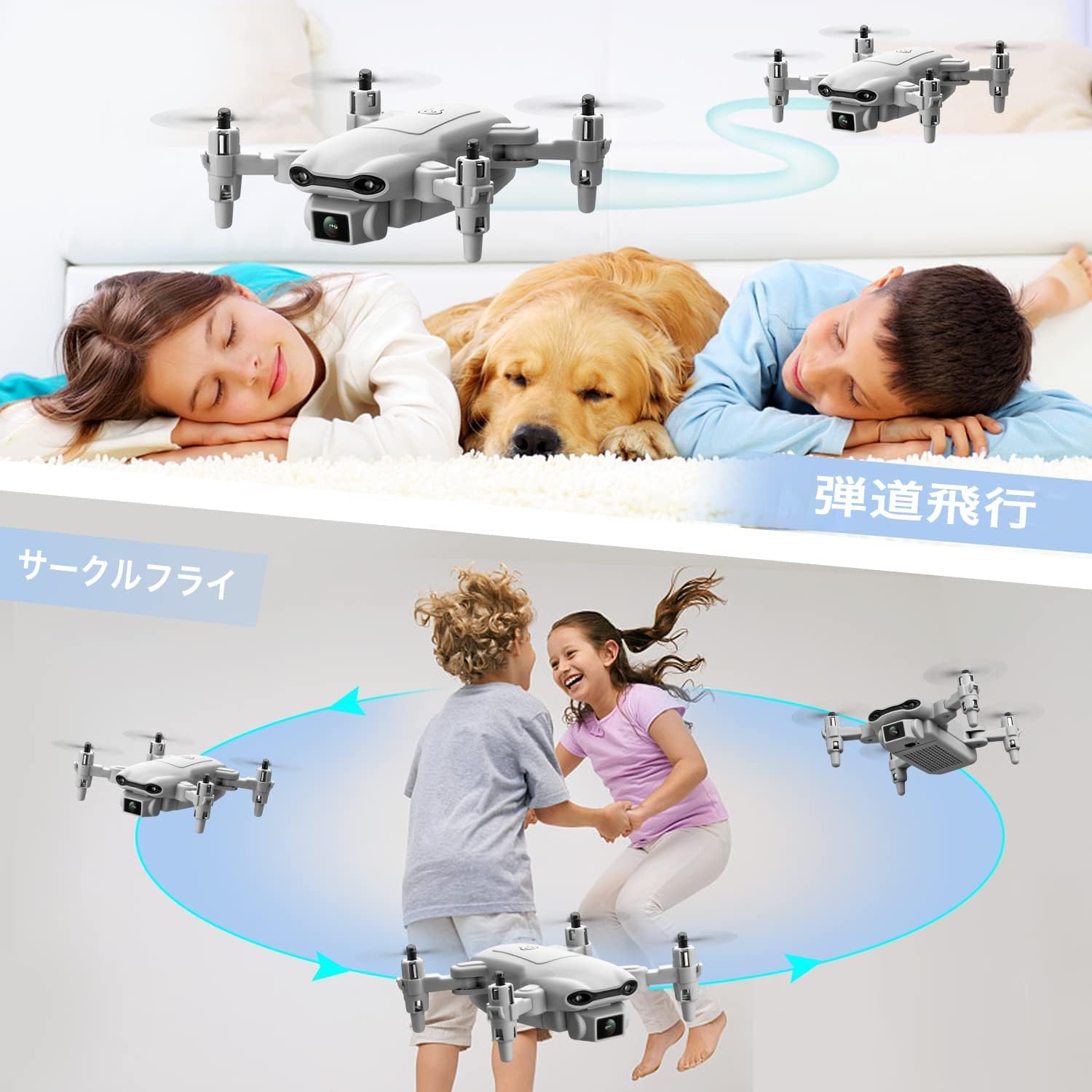
Image: Illustrations showing one-key take-off/landing, headless mode, and altitude hold features.
- Гравитацияны көзөмөлдөө:Activate Gravity Control in the app. Tilt your smartphone in the desired direction, and the drone will move accordingly.

Image: A person controlling the drone by tilting their smartphone, demonstrating gravity control.
- Үн менен башкаруу:Enable Voice Control in the app. Use specific voice commands (e.g., "Take off", "Land", "Forward", "Backward", "Left", "Right") to control the drone.

Image: A person on a beach using voice commands like "Left", "Take off", and "Landing" to control the drone.
- Ылдамдыкты жөндөө:Press the Speed Switch button on the remote controller to cycle through 3 different speed modes (low, medium, high) suitable for various skill levels and environments.

Image: Three drones flying at different speeds, illustrating the three-speed adjustment feature.
5.6 Камера менен иштөө (Сүрөт/Видео)
- Ensure the drone is connected to the app via Wi-Fi.
- In the app interface, locate the photo/video icons.
- Tap the photo icon to take a picture.
- Tap the video icon to start recording, and tap again to stop.
- Photos and videos will be saved directly to your smartphone's gallery.
6. Техникалык тейлөө
- Тазалоо: Use a soft, dry cloth to clean the drone and remote controller. Do not use liquid cleaners.
- Пропеллерди алмаштыруу: If propellers are damaged, use the provided screwdriver to remove the old propeller and install a new one. Ensure the correct propeller (A or B) is installed on the corresponding motor.
- Батареяга кам көрүү:
- Батареяларды салкын, кургак жерде сактаңыз.
- Батареяларды ашыкча заряддабаңыз же ашыкча разрядтабаңыз.
- If not used for a long period, charge batteries to about 50% capacity every 3 months.
- Сактагыч: Fold the drone arms and store all components in the provided storage case to prevent damage.
7. Кыйынчылыктарды
| Көйгөй | Мүмкүн себеп | Чечим |
|---|---|---|
| Дрон пультка жооп бербейт. | Жупташтырылган эмес же батареясы аз. | Ensure batteries are charged. Re-pair the drone and remote controller. |
| Дрон туруксуз учат же ылдый кулап түшөт. | Гироскоп калибрленген эмес же катуу шамал болгон эмес. | Perform gyro calibration on a flat surface. Avoid flying in windy conditions. Use trim adjustments on the remote if minor drifting occurs. |
| No FPV video feed in app. | Wi-Fi not connected or app issue. | Ensure smartphone is connected to the drone's Wi-Fi. Restart the app and drone. Turn off mobile data on your phone. |
| Drone motors do not spin. | Motors locked or low battery. | Ensure motors are unlocked (push both joysticks down and left). Check battery level. |
| Кыска учуу убактысы. | Батарея эски же толук заряддалган эмес. | Батареялар толук заряддалганын текшериңиз. Эски батареяларды алмаштырууну ойлонуп көрүңүз. |
8. Техникалык шарттар
- Бренд: 4DRC
- Модел: V9
- Продукциянын өлчөмдөрү: 13 x 13 x 3 см (бүктөлбөгөн)
- Продукт Салмагы: 420 г (батареяны кошкондо)
- Дрон Батарея: 3 x Lithium Ion (550 mAh each)
- Алыстан башкаруунун батареясы: 3 x AAA (киргизилген эмес)
- Башкаруу түрү: Алыстан башкаруу
- Max колому: 80 метр
- Материал: ABS
- Зымсыз байланыш технологиясы: Wi-Fi
- Камера: 720P HD Dual Camera
- Сунушталган жаш: Children (implied from "おもちゃ" - toy)

Image: A visual representation of the drone's 720P HD dual camera system.

Image: A detailed layout of all items included in the product package, including the drone, remote, batteries, and tools.
9. Кепилдик жана колдоо
Бул продукт стандарттуу өндүрүүчүнүн кепилдиги менен келет. Кепилдиктин конкреттүү шарттары жана эрежелери үчүн таңгагын караңыз же сатуучуга кайрылыңыз.
For technical support, troubleshooting assistance, or spare parts inquiries, please contact the 4DRC customer service team via the contact information provided on the product packaging or the official 4DRC webсайт.
Кепилдик дооматтары үчүн сатып алганыңыздын далилин сактап коюңуз.