Introduction
Welcome to the ProForm Pro 2000 Smart Treadmill. This manual provides essential information to help you assemble, operate, and maintain your new fitness equipment. The ProForm Pro 2000 is designed to offer a comprehensive and interactive workout experience, featuring a 10-inch HD interactive touchscreen, digital incline and speed controls, and seamless integration with iFIT workouts. Its SpaceSaver design allows for convenient storage, making it an ideal choice for home use.

Figure 1: ProForm Pro 2000 Smart Treadmill
Коопсуздук маалыматы
Before operating the ProForm Pro 2000 Treadmill, please read all instructions carefully. Adhere to all warnings and precautions to ensure safe operation and prevent injury.
- Кандайдыр бир көнүгүү программасын баштоодон мурун ар дайым дарыгер менен кеңешиңиз.
- Иш учурунда балдарды жана үй жаныбарларын чуркоо жолунан алыс кармаңыз.
- Place the treadmill on a level surface with adequate clearance around it (at least 6 feet behind and 2 feet on each side).
- ылайыктуу спорттук бут кийим жана кийим кийүү.
- Use the safety key clip at all times. In case of an emergency, pulling the safety key will immediately stop the treadmill.
- Do not operate the treadmill if it has a damaged cord or plug, or if it has been dropped or damaged.
- Ensure the treadmill is properly grounded.
Продукт бүттүview
The ProForm Pro 2000 Treadmill is equipped with advanced features for an optimal workout. Familiarize yourself with its main components:
- Console with 10" HD Touchscreen: Displays workout metrics, iFIT content, and allows control of settings.
- Running Deck: Features Rebound Pro Deck Cushioning for reduced impact.
- SpaceSaver Design: Allows the running deck to fold vertically for compact storage.
- Digital Incline/Decline Controls: Adjusts the deck from -3% to 12% incline.
- Digital QuickSpeed Controls: Adjusts speed from 0 to 12 MPH.
- CoolAire Workout Fan: Integrated fan for comfort during workouts.

Figure 2: Treadmill Console

3-сүрөт: Каптал View

Figure 4: ReBound Pro Deck Cushioning and SpaceSaver Design
Жайгашуу
The ProForm Pro 2000 Treadmill requires assembly. Please refer to the separate Assembly Guide included with your product for detailed, step-by-step instructions. Ensure all parts are present and undamaged before beginning assembly. It is recommended to have two people for assembly due to the size and weight of the components.

Figure 5: Treadmill Dimensions

Figure 6: Folded Dimensions for Storage
Иштөө нускамалары
Follow these steps to operate your ProForm Pro 2000 Treadmill:
- Күйгүзүү: Plug the power cord into a grounded outlet. Insert the safety key into the console.
- Машыгууну баштоо: Press the 'Start' button on the console. The running belt will begin to move at a low speed.
- Ылдамдыкты жөндөө: Use the 'Speed' buttons or the QuickSpeed controls (numbered buttons) on the console to increase or decrease the belt speed (0-12 MPH).
- Жантайыңкысын тууралоо: Use the 'Incline' buttons or the QuickIncline controls on the console to adjust the incline/decline of the running deck (-3% to 12%).
- iFIT интеграциясы: The 10" HD touchscreen allows you to stream live and on-demand iFIT workouts. With an iFIT Family Membership (30-day trial included), elite trainers can auto-adjust your treadmill's speed and incline during guided workouts.
- Шашылыш токтотуу: In case of an emergency, pull the safety key from the console or press the 'Stop' button.
- Машыгууну аяктоо: Press the 'Stop' button to gradually bring the treadmill to a halt. Remove the safety key when finished.
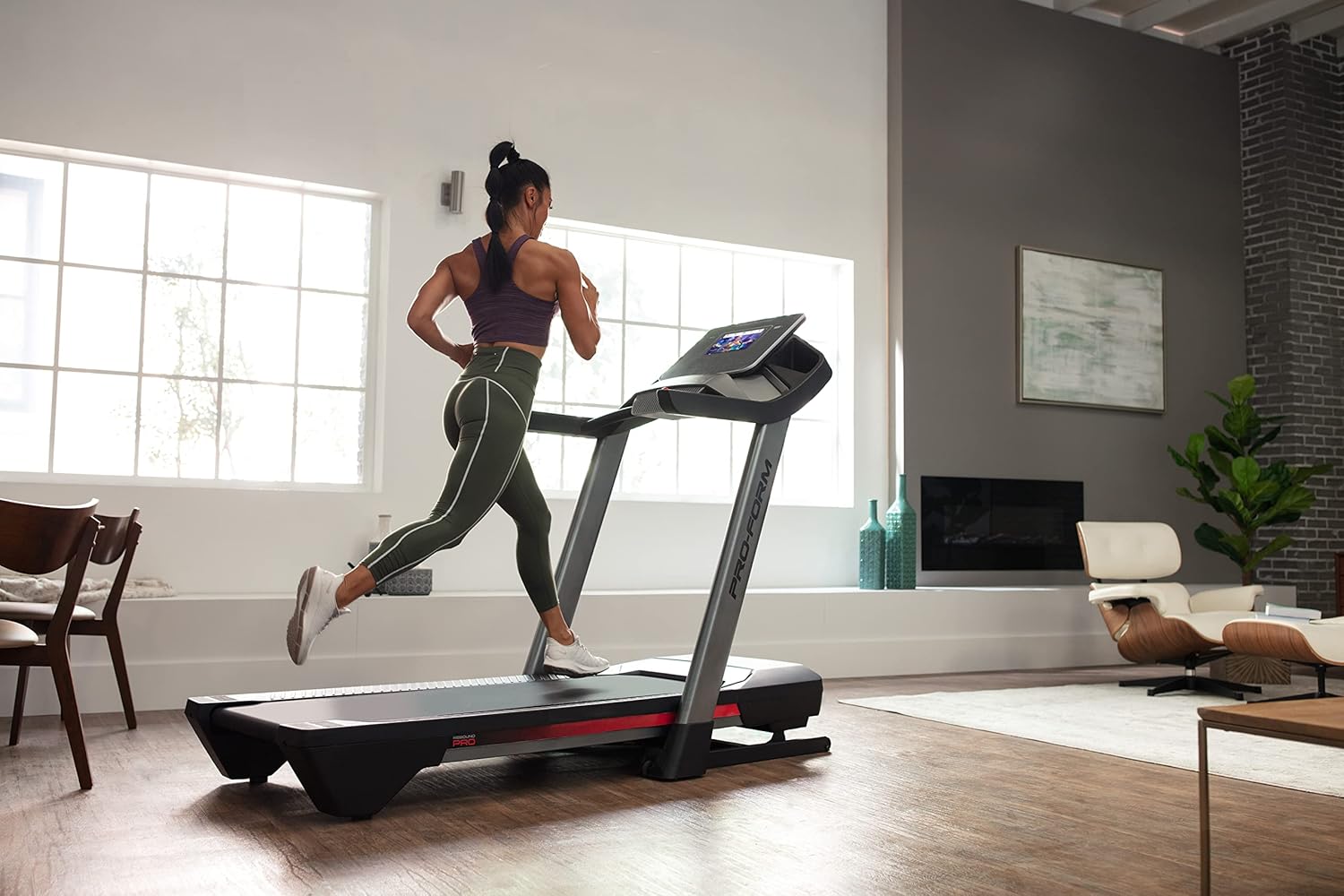
Figure 7: User in motion on the treadmill

Figure 8: iFIT Trainer Control

Figure 9: iFIT Pro Features
Техникалык тейлөө
Үзгүлтүксүз техникалык тейлөө чуркоо жолуңуздун узак мөөнөттүү иштешин жана оптималдуу иштешин камсыз кылат:
- Тазалоо: Чуркоо жолундагы беттерди жарнама менен сүртүңүзamp ар бир колдонуудан кийин кездеме. Абразивдүү тазалагычтардан алыс болуңуз.
- Белди майлоо: The running belt may require lubrication periodically. Refer to the Assembly Guide for specific instructions and recommended lubricants.
- Кур чыңдоо жана тегиздөө: Check the running belt tension and alignment regularly. If the belt slips or drifts to one side, adjust it according to the instructions in the Assembly Guide.
- Мотордун капкагы: Periodically remove the motor cover and vacuum any dust or debris from the motor area. Ensure the treadmill is unplugged before doing so.
Проблемаларды чечүү
Бул жерде сиз кабылышы мүмкүн болгон жалпы маселелерди чечүү жолдору бар:
| Көйгөй | Мүмкүн себеп | Чечим |
|---|---|---|
| Чуркоо тилкеси күйбөйт. | Электр шнуру сайылган эмес; автоматтык өчүргүч өчүп калган; коопсуздук ачкычы салынган эмес. | Ensure power cord is securely plugged in. Check household circuit breaker. Insert safety key fully. |
| Чуркап бара жаткан кур тайып кетет же олку-солку болот. | Кур чыңалуу өтө бош; кур майлоо керек. | Adjust belt tension as per Assembly Guide. Lubricate the belt if necessary. |
| Консоль дисплейи бош же жооп бербей жатат. | Loose cable connection; software issue. | Check all cable connections to the console. Try restarting the treadmill by unplugging it for 60 seconds and plugging it back in. |
| Иш учурунда адаттан тыш ызы-чуу. | Loose components; motor issue; belt friction. | Inspect for any loose bolts or screws and tighten them. Ensure the belt is properly lubricated. If noise persists, contact customer support. |
Техникалык шарттар
| Өзгөчөлүк | Деталь |
|---|---|
| Бренд | ProForm |
| Модель аты | ProForm Pro 2000 |
| Продукциянын өлчөмдөрү (жыйылган) | 77.3"D x 35.3"W x 59.6"H |
| Продукциянын өлчөмдөрү (бүктөлгөн) | 45"D x 35.5"W x 69.5"H |
| Элемент Салмагы | 260 фунт |
| Максималдуу Колдонуучу Салмагы | 300 фунт |
| Протектор курунун өлчөмү | 20" x 60" |
| Максималдуу ылдамдык | Саатына 12 миль |
| Эңкейүү диапазону | -3% to 12% Digital Incline |
| Дисплей түрү | 10 дюймдук HD интерактивдүү сенсордук экран |
| Мотор | Self-cooling Mach Z motor |
| жумшартуу | Rebound Pro Deck Cushioning |
| Өзгөчөлүктөр | SpaceSaver Design, iFIT Enabled, CoolAire Workout Fan |
| Ассамблея талап кылынат | Ооба |
| UPC | 043619363807 |
Кепилдик жана колдоо
Your ProForm Pro 2000 Smart Treadmill is backed by a comprehensive warranty:
- кадр: 10-year warranty from the initial date of purchase.
- Бөлүктөр: 2-year warranty from the initial date of purchase.
- Эмгек: 1-year warranty from the initial date of purchase.
For warranty claims, technical assistance, or any other support needs, please contact ProForm Customer Service. Keep your proof of purchase and model number readily available when contacting support.
ProForm Customer Support: Please refer to the contact information provided in your product packaging or visit the official ProForm webакыркы колдоо маалымат үчүн сайт.


