Introduction and Overview
The ANCEL FX4000 Pro is a professional automotive diagnostic scan tool designed for comprehensive vehicle system analysis. It provides full system diagnostics, including engine, ABS, SRS (Airbag), Transmission, EPB (Electronic Parking Brake), Oil Reset, TPMS (Tire Pressure Monitoring System), and SAS (Steering Angle Sensor). This manual will guide you through the setup, operation, and maintenance of your device.
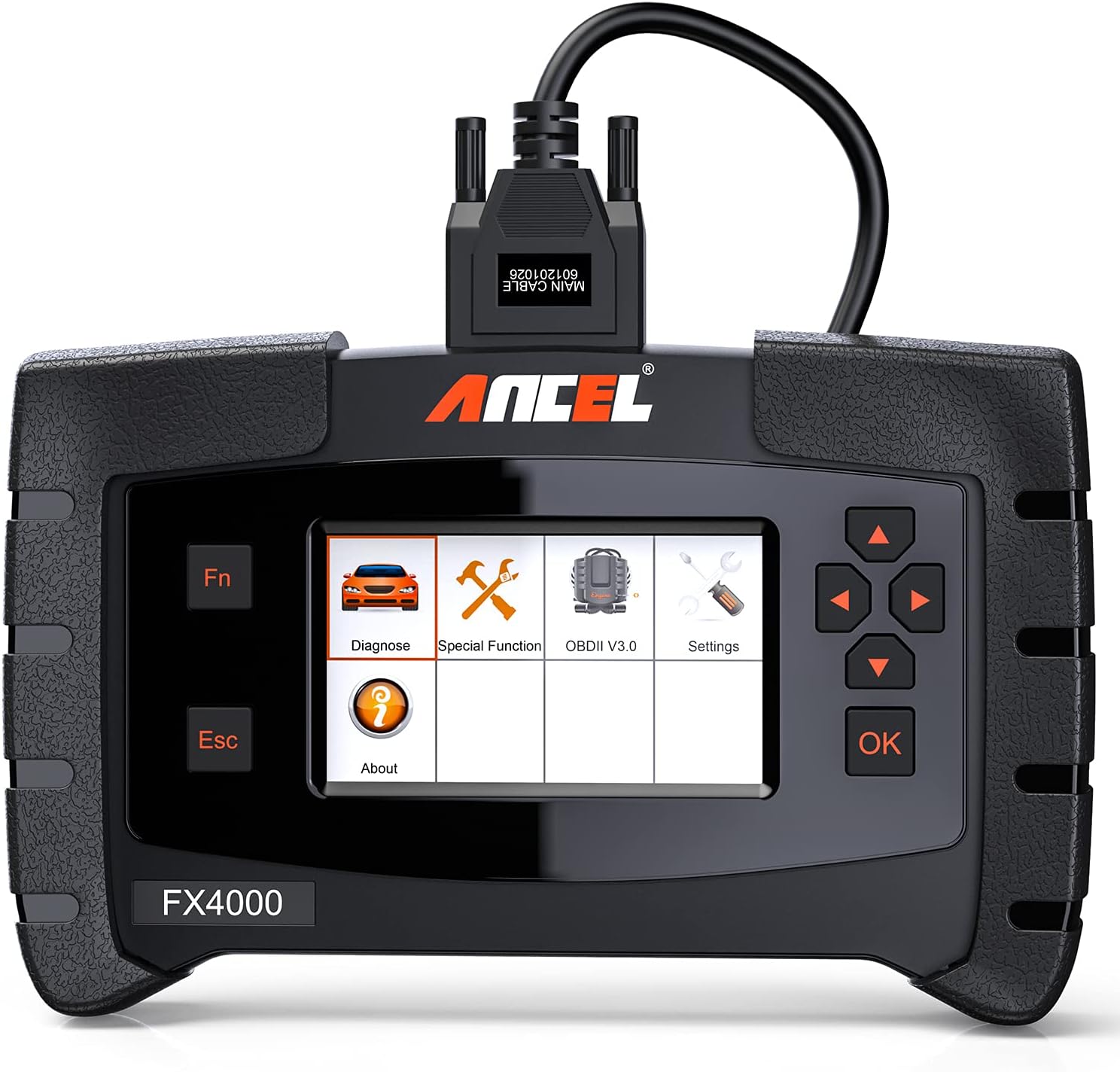
Figure 1: ANCEL FX4000 Pro main unit with connected diagnostic cable.
Жайгашуу
Before using your ANCEL FX4000 Pro, ensure all components are present and correctly connected. The device comes with various cables and adapters to support different vehicle diagnostic ports.
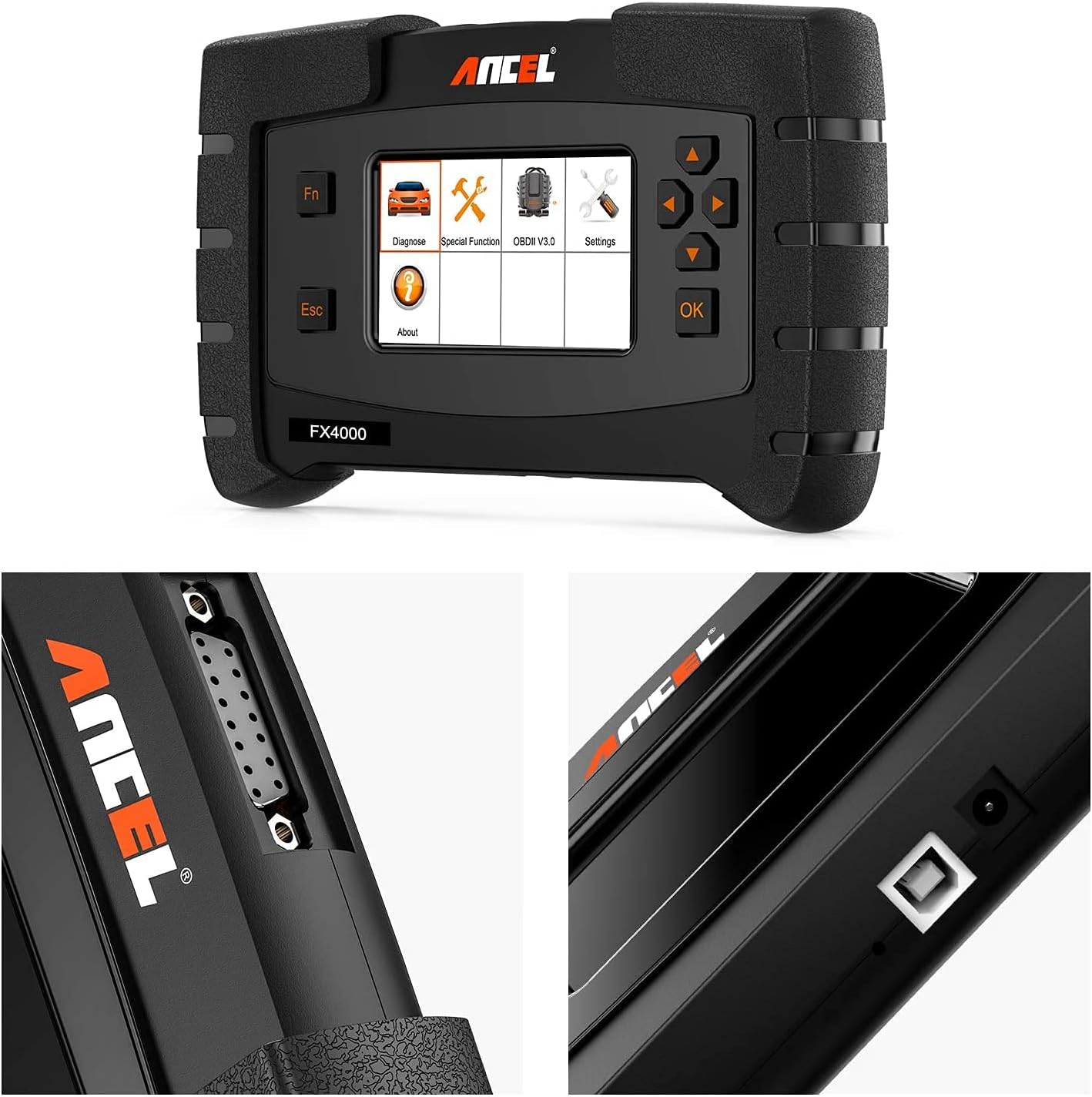
2-сүрөт: Детальдуу view of the ANCEL FX4000 Pro's connection ports and robust design.
To begin, connect the main diagnostic cable to the top port of the FX4000 Pro. Then, connect the appropriate OBDII connector to the other end of the main cable. For most modern vehicles, this will be the standard 16-pin OBDII connector. Plug the OBDII connector into your vehicle's diagnostic port, typically located under the dashboard on the driver's side.

Figure 3: Complete ANCEL FX4000 Pro package contents, showing the main unit, carrying case, user manual, and various diagnostic cables.
The device may power on automatically once connected to the vehicle's OBDII port. If not, press the power button to turn it on. Ensure the device's software is up to date for optimal performance and compatibility with the latest vehicle models.
Орнотуу жана кутудан чыгаруу Video
Video 1: This video provides an unboxing and initial setup overview of the ANCEL FX4000 All System OBDII Scan Tool, demonstrating the physical components and connections.
Иштөө нускамалары
The ANCEL FX4000 Pro offers a user-friendly interface for various diagnostic functions. Navigate through the menus using the directional buttons and the 'OK' button.
All System Diagnostics
This tool supports comprehensive diagnostics for all major vehicle systems, allowing you to read and clear fault codes, view live data streams, and retrieve ECU information.
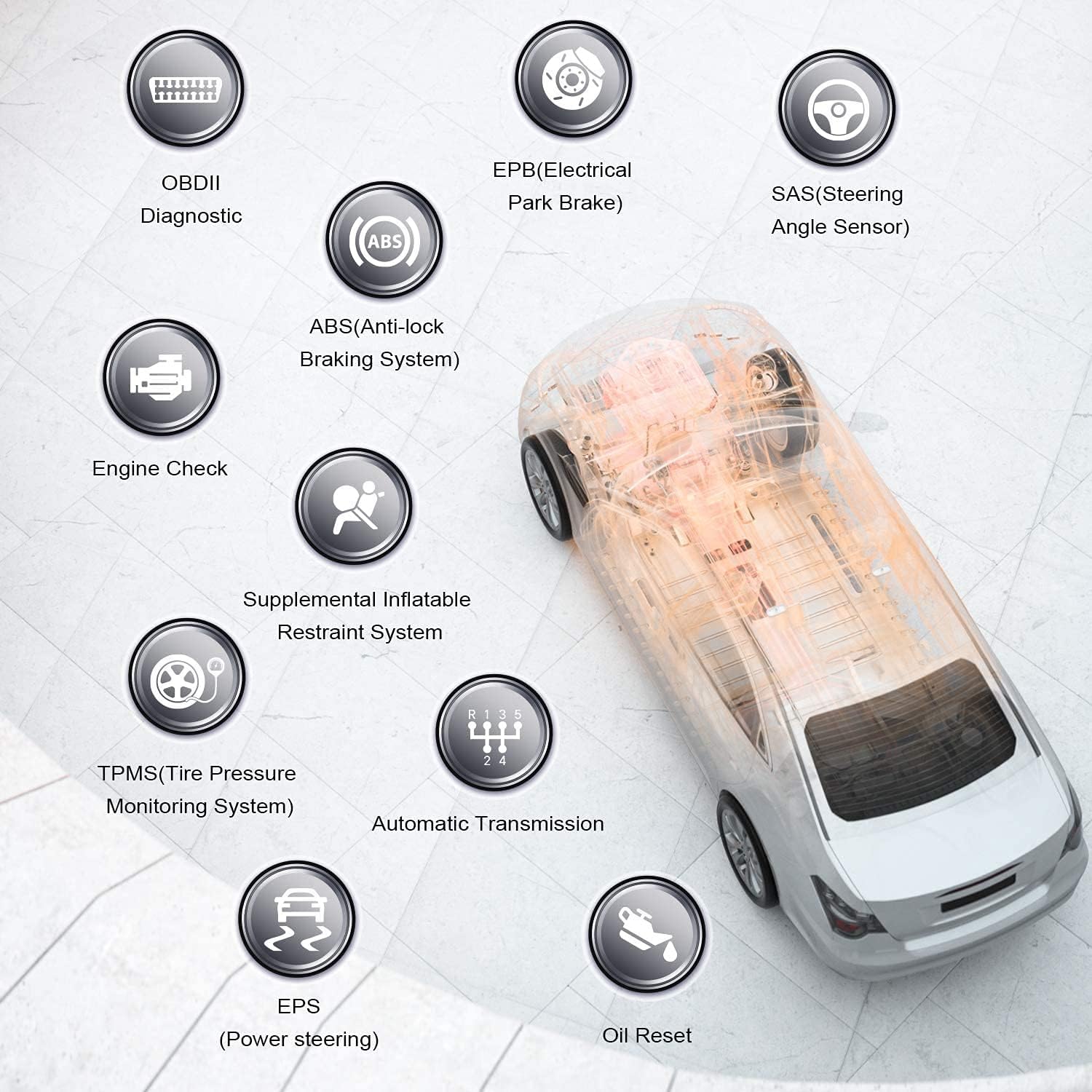
Figure 4: ашыкview of the extensive vehicle systems supported by the ANCEL FX4000 Pro for diagnostic purposes.
- Engine System Diagnostic: Read and clear engine fault codes, view live engine data.
- ABS (блокировкага каршы тормоз системасы): Diagnose ABS issues, perform ABS bleeding.
- SRS (Кошумча чектөө системасы/коопсуздук жаздыкчасы): Check airbag system status and clear crash data.
- Трансмиссия системасы: Diagnose automatic transmission problems.
- EPB (Electronic Parking Brake): Perform EPB service functions, such as brake pad replacement.
- Майды калыбына келтирүү: Май алмаштыргандан кийин майдын тейлөө жарыгын баштапкы абалга келтириңиз.
- TPMS (шина басымын көзөмөлдөө системасы): Diagnose TPMS issues.
- SAS (Steering Angle Sensor): Perform steering angle sensor calibration.
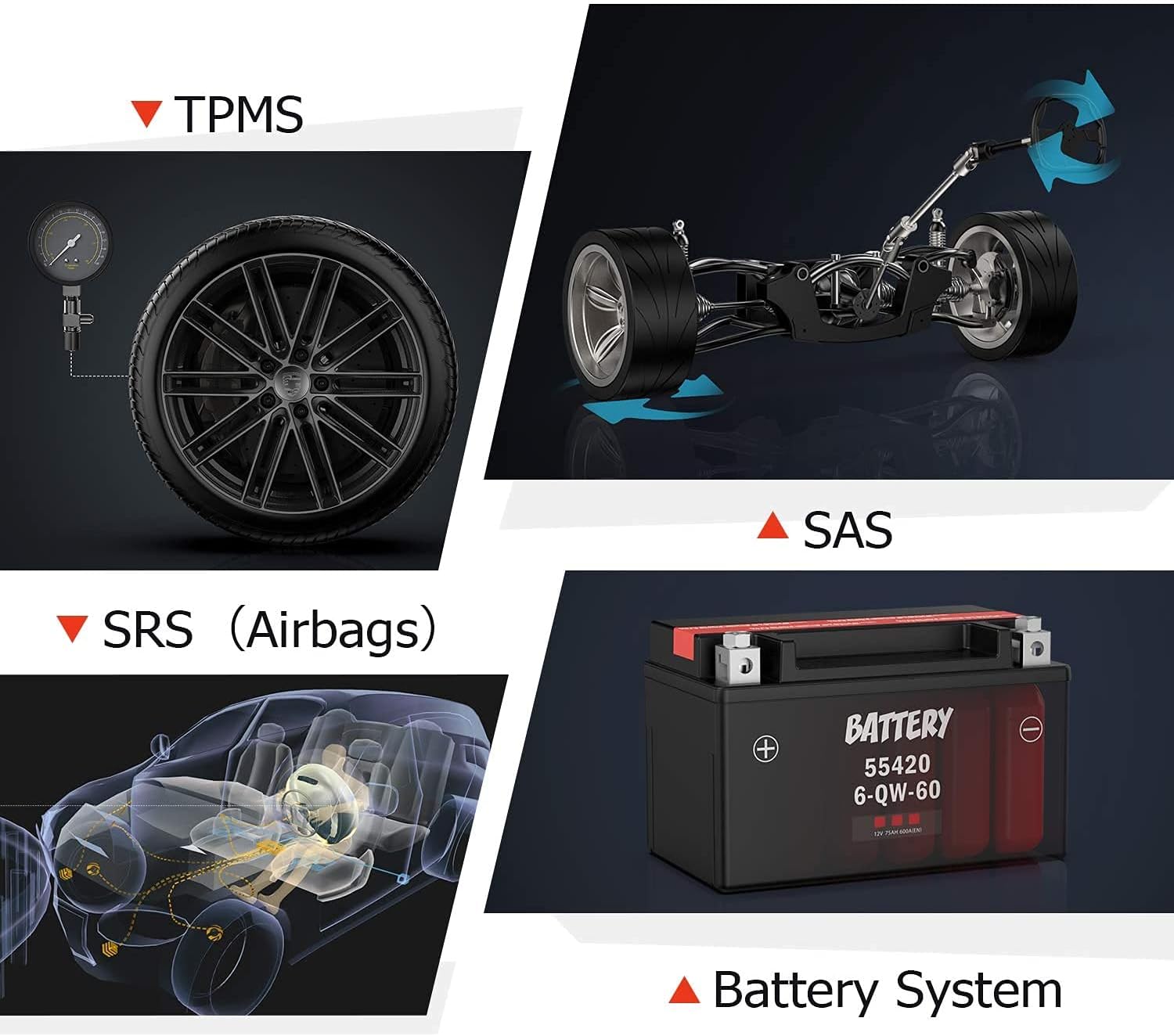
Figure 5: Visual representation of key diagnostic functions including engine, transmission, instrument cluster, and ABS systems.

Figure 6: Visual representation of additional diagnostic capabilities for TPMS, SAS, SRS (Airbags), and Battery Systems.
Атайын функциялар
The FX4000 Pro includes several special functions for common maintenance tasks:
- ABS кан агуу: Used to bleed air from the brake system after component replacement.
- Май лампасынын кызматын баштапкы абалга келтирүү: Resets the oil change reminder.
- EPB Electronic Parking Brake Service Perform: Essential for safely servicing electronic parking brake systems.

Figure 7: Illustrations of the special functions: ABS Bleeding, Oil Light Service Reset, and EPB Service.
Маалыматтарды башкаруу
The device allows for easy data management, including printing health reports and recording/playback of live data for detailed analysis.

Figure 8: The FX4000 Pro's interface showing data stream, code reading, and health report printing capabilities.
Техникалык тейлөө
To ensure the longevity and optimal performance of your ANCEL FX4000 Pro, follow these maintenance guidelines:
- Программалык камсыздоо жаңыртуулары: Regularly check for and install software updates. Connect the device to a computer using the provided USB cable and follow the instructions on the ANCEL webжаңыртуу процедуралары үчүн сайт.
- Тазалоо: Түзмөктү тазалоо үчүн жумшак, кургак чүпүрөктү колдонуңуз. Экранга же экранга зыян келтириши мүмкүн болгон абразивдүү тазалоочу каражаттарды же эриткичтерди колдонуудан алыс болуңуз.asing.
- Сактагыч: Store the device in its protective carrying case in a dry, cool environment when not in use to prevent damage from dust, moisture, or extreme temperatures.
Проблемаларды чечүү
If you encounter issues with your ANCEL FX4000 Pro, consider the following troubleshooting steps:
- Түзмөк күйбөй жатат:
- Ensure the diagnostic cable is securely connected to both the device and the vehicle's OBDII port.
- Унаанын аккумуляторунда жетиштүү заряд бар экенин текшериңиз.
- Check the vehicle's OBDII port fuse.
- Байланыш катасы:
- Confirm the vehicle's ignition is in the ON position (engine off or running, as required by the specific test).
- Ensure the correct vehicle make, model, and year are selected in the device's menu.
- Try connecting to a different vehicle to rule out a vehicle-specific issue.
- Check for any loose connections in the diagnostic cable.
- Микропрограмманы жаңыртуу маселелери:
- Ensure a stable internet connection during updates.
- Follow the update instructions precisely as provided on the ANCEL official webсайт.
- If an update fails, try restarting the device and your computer, then attempt the update again.
- Inaccurate Readings/Functions Not Available:
- Verify the device's software is fully updated.
- Some advanced functions may not be supported on all vehicle models or years. Consult the vehicle's service manual or ANCEL's compatibility list.
- Ensure the correct diagnostic adapter (if multiple are provided) is being used for the specific vehicle.
For persistent issues, refer to the detailed user manual (PDF) available on the ANCEL website or contact ANCEL customer support.
Техникалык шарттар
| Өзгөчөлүк | Деталь |
|---|---|
| Бренд | ANCEL |
| Модель номери | FX4000 PRO |
| Элемент Салмагы | 3.3 фунт |
| Продукциянын өлчөмдөрү | 9.45 x 6.69 x 1.97 дюйм |
| Display Resolution | 480x272 |
| Биринчи жеткиликтүү күн | 19-ноябрь, 2020-жыл |
Кепилдик жана колдоо
ANCEL is committed to providing professional, efficient, and high-quality automotive diagnostic products. They offer software development, maintenance, updates, and customer services related to automotive testing.
For detailed warranty information, technical support, or to download the full user manual, please visit the official ANCEL website or refer to the PDF user manual provided with your product. You can also find additional support and product information on the ANCEL Store on Amazon.
Толук колдонуучу колдонмосун PDF форматында жүктөп алууга болот: Колдонуучунун колдонмосу (PDF).
Тектеш документтер - FX4000 PRO
 |
ANCEL VOD700 колдонуучусунун колдонмосу - Volvo көп системалуу сканери ANCEL VOD700 көп системалуу сканери үчүн кеңири колдонуучу колдонмосу, анда Volvo унаалары үчүн диагностика, атайын функциялар, куралдарды орнотуу жана жаңыртуулар сыяктуу кеңири көрсөтмөлөр камтылган. |
 |
ANCEL FX2000 жаңыртуу боюнча колдонмо: Программалык камсыздоону этап-этабы менен жаңыртуу боюнча нускамалар ANCEL FX2000 автоунаа OBD2 диагностикалык сканерлөө куралын USB аркылуу жаңыртуу боюнча кеңири нускамалар. Кыймылдаткычты, ABS, SRS жана трансмиссия системаларын камтыган түзмөгүңүз үчүн программалык камсыздоонун жаңыртууларын жүктөп алууну, орнотууну, каттоону жана колдонууну үйрөнүңүз. |
 |
ANCEL BD300 колдонуучусунун колдонмосу жана тез баштоо боюнча колдонмо ANCEL BD300 Bluetooth OBD2 диагностикалык куралы үчүн BMW/Mini унааларын орнотуу, иштетүү жана функцияларын камтыган кеңири колдонуучу колдонмосу. Колдонмону туташтыруу, системаны диагностикалоо жана тейлөөнү баштапкы абалга келтирүү боюнча көрсөтмөлөрдү камтыйт. |
 |
ANCEL FD500 Колдонуучунун колдонмосу: Унаа диагностикасы боюнча комплекстүү колдонмо ANCEL FD500, Ford, Lincoln жана Mercury унаалары үчүн иштелип чыккан Gray түстөгү комплекстүү көп системалуу OBD2 сканерин табыңыз. Бул колдонуучу колдонмосу анын өзгөчөлүктөрү, коопсуздук чаралары жана диагностикалык функциялар, анын ичинде кыймылдаткыч, ABS, SRS, Трансмиссия, 4WD тутумдары, EPB, Майды кайра орнотуу жана Батареяны каттоо боюнча толук нускамаларды камтыйт. |
 |
ANCEL VD500 Колдонуучунун колдонмосу: OBD2 диагностикалык куралы ANCEL VD500 OBD2 диагностикалык сканер үчүн комплекстүү колдонуучу колдонмо. Унааңыздын диагностикалык куралы үчүн коопсуздук чаралары, өзгөчөлүктөрү, иштеши, спецификациялары жана кепилдик маалыматы жөнүндө билип алыңыз. |
 |
ANCEL BD300 OBD2 сканеринин колдонуучу колдонмосу ANCEL BD300 OBD2 сканери үчүн кеңири колдонуучу колдонмосу. ANCEL колдонмосун кантип жүктөп алууну, Bluetooth аркылуу туташууну, унааны диагностикалоону, программалык камсыздоону жаңыртууну жана EPB, CBS, ABS жана аба жаздыктарын баштапкы абалга келтирүү сыяктуу атайын функцияларды колдонууну үйрөнүңүз. BMW жана башка унаалар үчүн системаны толук диагностикалоону колдойт. |