1. Киришүү
This manual provides detailed instructions for the setup, operation, maintenance, and troubleshooting of your NEBULA Cosmos Max 4K UHD Home Theater Projector, Model D2150. Please read this manual thoroughly before using the product to ensure correct operation and to maximize its performance and lifespan.
2. Продукт бүтүп калдыview
The NEBULA Cosmos Max is a 4K UHD home theater projector designed to deliver an immersive viewing experience. It features Android TV 9.0, integrated 360-degree audio, and advanced image processing capabilities.
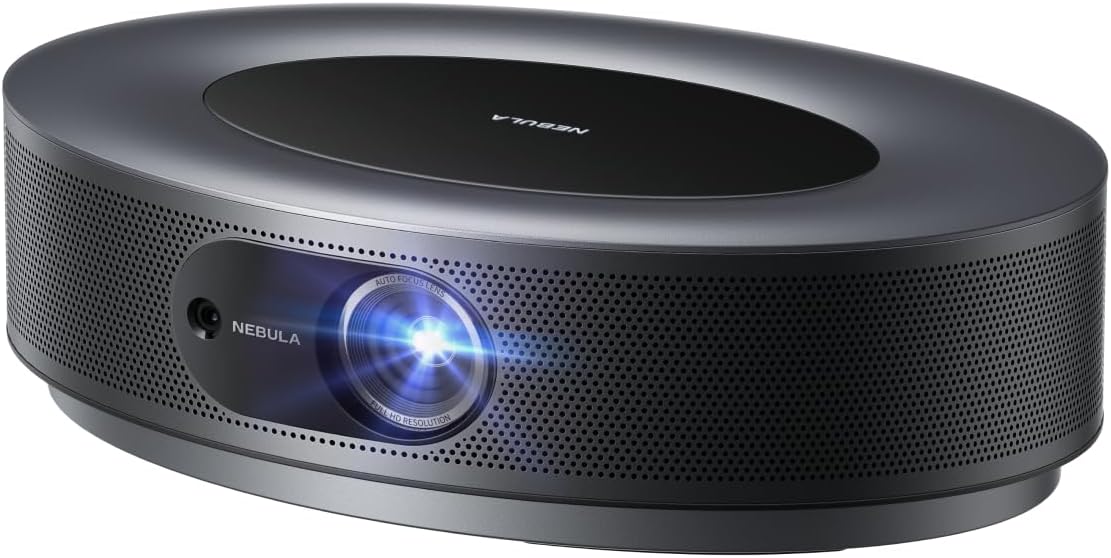
Сүрөт 2.1: Алдыңкы view of the NEBULA Cosmos Max projector, showcasing its sleek, oval design and lens.
Негизги өзгөчөлүктөрү:
- 4K UHD Image Quality: Experience movies, sports, and games with exceptional clarity and detail.
- 360° True 3D Audio: Optimized speakers with Dolby Digital Plus and Sound Dimension provide immersive sound.
- Adjustable Image Size: Project images from a smaller size up to 150 inches.
- HLG Upscaling: Automatically enhances non-HDR content to improve visual quality.
- Android TV 9.0: Access over 5000 applications for endless entertainment.

Сүрөт 2.2: деталдуу view demonstrating the 4K Ultra HD image quality, highlighting fine textures.
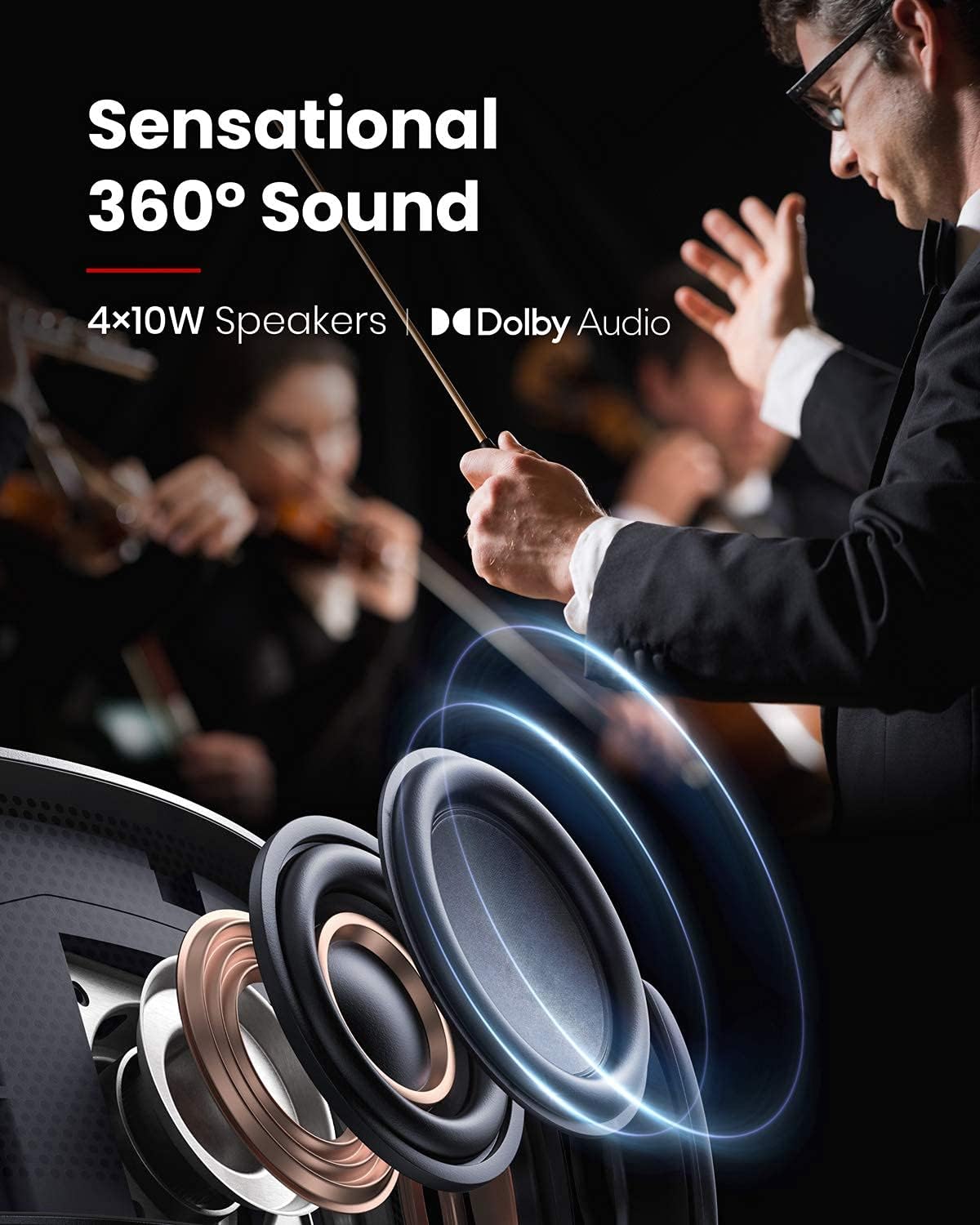
Image 2.3: An illustration depicting the 360-degree sound distribution from the projector's integrated speakers.

Image 2.4: A visual representation of the projector displaying a large image, up to 150 inches, in a living room setting.
3. Орнотуу
3.1 What's In The Box
- NEBULA Cosmos Max Projector
- Алыстан башкаруу
- Quick Start Guide
- Кубаттуу адаптер
3.2 Алгачкы жайгаштыруу
Проекторду туруктуу, тегиз бетке коюңуз. Түзмөктүн айланасында жетиштүү желдетүү бар экенин текшериңиз. Оптималдуу сүрөт сапаты үчүн, проекторду проекциялык бетке перпендикулярдуу жайгаштырыңыз.
3.3 Кубат туташтыруу
- Кубат адаптерин проектордун кубат киргизүү портуна туташтырыңыз.
- Кубат адаптерин ылайыктуу электр розеткасына сайыңыз.
- Аппаратты иштетүү үчүн проектордун же пульттун кубат баскычын басыңыз.
3.4 Тышкы түзмөктөрдү туташтыруу
The Cosmos Max features multiple ports for connecting external devices:
- HDMI (x2): Blu-ray ойноткучтарын, оюн консолдорун же башка HDMI иштетилген түзмөктөрдү туташтырыңыз.
- USB-A (x1): Медиа ойнотуу үчүн USB флэш-дисктерди туташтырыңыз.
- Optical (x1): Тышкы аудио системаларга туташыңыз.
4. Иштөө нускамалары
4.1 Android TV 9.0 интерфейси
The projector runs on Android TV 9.0, providing access to a wide range of applications and streaming services. Navigate the interface using the provided remote control.

Image 4.1: The Android TV home screen displaying available applications and content.
4.2 Колдонмону орнотуу
- Google Play дүкөнү: Access and install thousands of apps directly from the Google Play Store.
- Netflix: To install Netflix, first install the "Nebula Manager" app from the Google Play Store. Then, install Netflix through "Nebula Manager." For optimal control, use the "Nebula Connect" app on your smartphone in mouse mode.
4.3 Screen Mirroring (iOS Devices)
To connect with an iPhone, iPad, or MacBook:
- Install the "AirScreen" app from the Google Play Store on your projector.
- Ensure both your NEBULA Cosmos Max and your iOS device are connected to the same Wi-Fi network.
- Use the screen mirroring function on your iOS device to connect to the projector.
4.4 Media Playback from USB
To play movies or other media from a USB flash drive:
- Орнотуу а file management app (e.g., File Explorer, File Manager) from the Google Play Store.
- Install a video player app from the Google Play Store.
- Insert your USB flash drive into the USB-A port on the projector.
- колдонуу file management app to browse and play content from your USB drive.
4.5 Сүрөттү тууралоо
- Автофокус: The projector features 3-second autofocus. Slightly move the device or press the "focus" button on the remote control to trigger autofocus.
- Негизги ташты оңдоо: Supports Auto (vertical ±40°) and Manual (horizontal ±40°) keystone correction. If the projected image appears tilted, navigate to "Settings" > "Projector Settings" > "Keystone Correction" to adjust. You may need to turn off auto keystone correction for manual adjustments.
5. Техникалык тейлөө
5.1 Тазалоо
- Use a soft, dry cloth to clean the exterior of the projector.
- For the lens, use a lens cleaning cloth and specialized lens cleaning solution. Avoid harsh chemicals.
- Ашыкча ысып кетүүнүн алдын алуу үчүн желдетүү тешиктерин чаңдан жана таштандылардан тазалаңыз.
5.2 Микропрограмма жаңыртуулары
For optimal performance and access to the latest features, regularly check for and install firmware updates via the projector's settings menu.
6. Кыйынчылыктарды
Жалпы маселелер жана чечимдер:
- Netflix Not Installing: Install "Nebula Manager" from Google Play Store, then install Netflix through Nebula Manager. Use "Nebula Connect" app on your phone in mouse mode for control.
- Cannot Connect to iOS Device: Ensure "AirScreen" app is installed on the projector and both devices are on the same Wi-Fi network.
- USB Media Not Playing: Орнотуу а file management app and a video player app from Google Play Store.
- Tilted Image / Keystone Correction Issues: If auto keystone correction is not sufficient, turn it off via "Settings" > "Projector Settings" > "Keystone Correction" and manually adjust both vertical and horizontal keystone.
- Autofocus Not Triggering: Slightly move the projector or press the dedicated "focus" button on the remote control.
- Image Appears Dark: Brightness (light output) can diminish over time due to usage. Ensure the projector is in an environment with minimal ambient light for best results. Adjust picture settings (e.g., Brightness, Gamma, Picture Mode) in "Projector Settings" > "Picture Settings" for your viewчөйрө.
7. Техникалык шарттар
| Өзгөчөлүк | Деталь |
|---|---|
| Модель номери | D2150 |
| Дисплей технологиясы | 0.47DMD in 4K DLP |
| Резолюция | 3840x2160 (4K UHD) |
| Жарыктык | 1,500 ANSI люмен |
| LED Life | 30,000 саат |
| Ыргытуу катышы | 1.2 |
| Фокусту тууралоо | 3 секунддук автофокус |
| Keystone Correction | Автоматтык (вертикалдык ±40°), Кол менен башкаруу (горизонталдык ±40°) |
| HDMI порттору | x 2 |
| USB-A порттору | x 1 |
| Оптикалык аудио чыгаруу | x 1 |
| RAM | 2 ГБ DDR |
| ROM | 16 ГБ eMMC |
| Speaker Output | 40 Вт |
| Wi-Fi | Dual Frequency 2.4/5GHz |
| Bluetooth | BT4.2 |
| Fan Noise | <32дБ |
| Операция системасы | Android TV 9.0 |
| Chromecast | Колдоого алынган |
| App Store | Google Play |
| Аудио чечмелөө | Dolby колдоосу |
| Видеону чечмелөө | HDR10 |
| Продукциянын өлчөмдөрү | 13.78 x 9.84 x 3.94 дюйм |
| Элемент Салмагы | 13.18 фунт |
8. Кепилдик жана колдоо
For warranty information and technical support, please refer to the documentation included with your purchase or contact NEBULA customer service. You can also visit the official NEBULA support webКөп берилүүчү суроолор жана кошумча жардам алуу үчүн сайт.


