1. Киришүү
Thank you for choosing the Greadio Retro Bluetooth Speaker and FM Radio. This device combines vintage design with modern audio technology, offering versatile playback options including Bluetooth, FM radio, TF card, and AUX input. This manual provides essential information for safe and optimal use of your speaker.
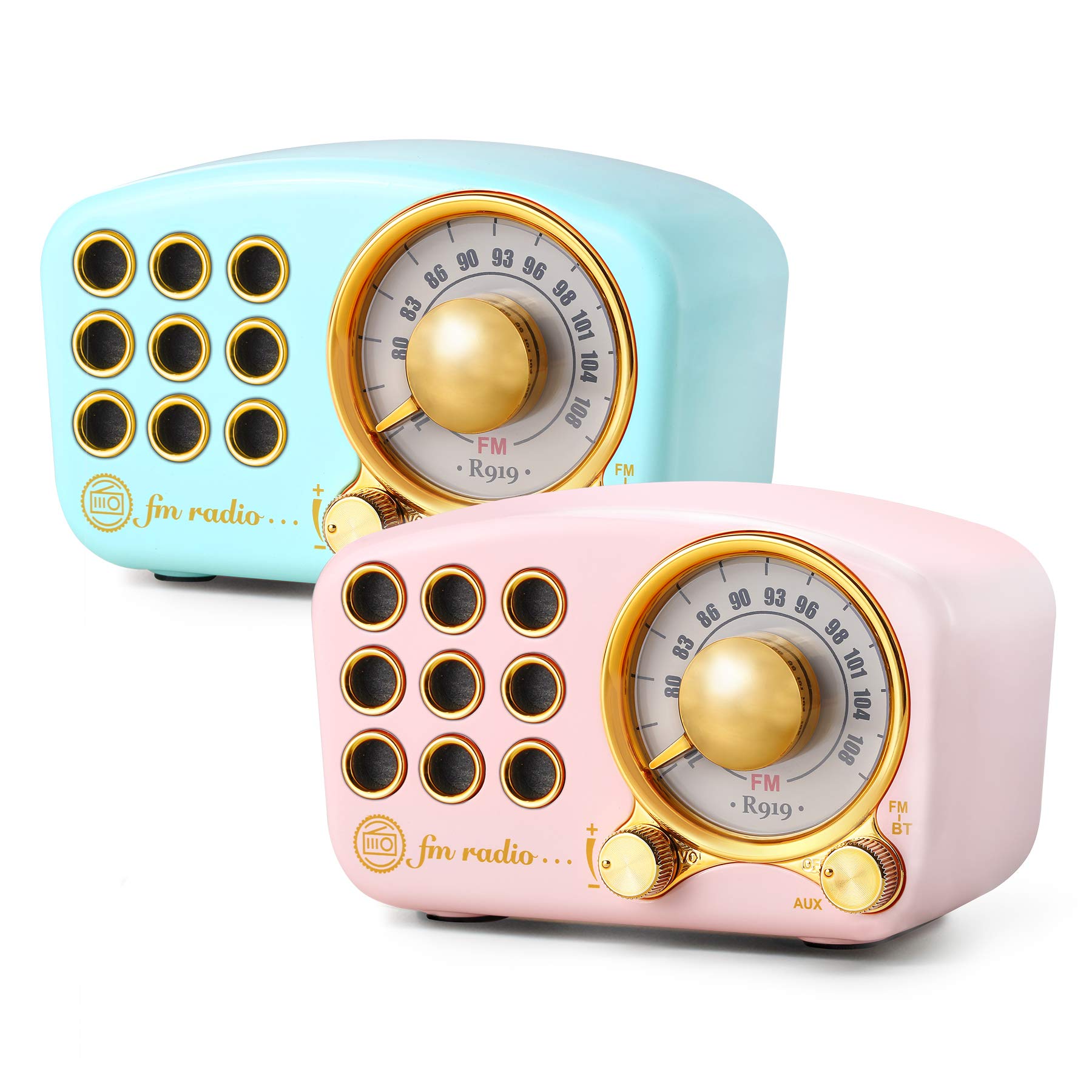
Image: The Greadio Retro Bluetooth Speaker, showcasing its compact size and retro design.
2. Пакеттин мазмуну
Сураныч, пакетте төмөнкү нерселерди текшериңиз:
- Greadio Retro Bluetooth Speaker (Main Unit)
- AUX кабели
- Колдонуучунун колдонмосу (бул документ)
3. Түзмөктүн жайгашуусу
Familiarize yourself with the buttons and ports on your speaker.

Image: Front panel of the speaker, highlighting the tuning dial, mode switch, and control buttons.
Note: Specific button functions are detailed in the "Operating Instructions" section.
4. Орнотуу
4.1 Динамикти заряддоо
The speaker is equipped with a built-in 1100mAh rechargeable battery. Before first use, fully charge the speaker.
- Connect the provided charging cable (not explicitly listed as included, but implied for rechargeable battery) to the speaker's charging port.
- Кубаттоочу кабелдин экинчи учун USB кубат адаптерине (кошулмада жок) же компьютердин USB портуна туташтырыңыз.
- Заряддоо индикаторунун жарыгы күйөт. Заряддоо аяктагандан кийин ал өчөт же түсүн өзгөртөт.
A full charge typically provides up to 9 hours of playback time, depending on volume and usage.
4.2 Күйгүзүү/өчүрүү
- To power on: Rotate the volume knob clockwise or press and hold the power button (refer to device layout for exact control).
- To power off: Rotate the volume knob counter-clockwise until it clicks, or press and hold the power button.
5. Иштөө нускамалары
5.1 Bluetooth режими
The speaker uses Bluetooth 4.2 for wireless connection.
- Динамикти күйгүзүңүз. Ал автоматтык түрдө Bluetooth жупташтыруу режимине кирет, жаркыраган LED жарыгы менен көрсөтүлөт.
- Мобилдик түзмөгүңүздө (смартфон, планшет ж.б.) Bluetooth иштетип, жеткиликтүү түзмөктөрдү издеңиз.
- Select "Greadio Speaker" (or similar name) from the list of devices.
- Once connected, the LED indicator will stop flashing and remain solid. You can now play audio from your device through the speaker.

Image: Speaker connected via Bluetooth to a smartphone, demonstrating wireless audio playback.
5.2 FM радио режими
Enjoy FM radio broadcasts with the built-in tuner.
- Динамикти иштетүү.
- Switch the mode selector to "FM" (or press the Mode button until FM is selected).
- Use the tuning dial to scan for radio stations. Rotate the dial slowly to find clear signals.
- Үн баскычын колдонуу менен үндү тууралаңыз.
Tip: For better FM reception, extend the antenna if available, or reposition the speaker.
5.3 TF картасын ойнотуу
MP3 аудиону ойнотуу files directly from a TF (MicroSD) card.
- Insert a TF card (up to 32GB, formatted to FAT32) with MP3 fileTF карта уячасына.
- Power on the speaker. The speaker should automatically switch to TF card mode or you may need to select it using the Mode button.
- Playback will begin automatically. Use the control buttons (e.g., Play/Pause, Next/Previous) to manage playback.
5.4 AUX киргизүү режими
Connect external audio devices using the provided AUX cord.
- Connect one end of the AUX cord to the speaker's AUX input port.
- Connect the other end of the AUX cord to the headphone jack or audio output of your external device (e.g., MP3 player, computer).
- Switch the speaker's mode selector to "AUX" (or press the Mode button until AUX is selected).
- Play audio from your external device. Adjust volume on both the speaker and the external device.
6. Техникалык тейлөө
- Тазалоо: Use a soft, dry cloth to clean the speaker's surface. Do not use abrasive cleaners, alcohol, or solvents.
- Сактагыч: Динамикти түз күн нурунан жана өтө температурадан алыс салкын, кургак жерде сактаңыз.
- Батареяга кам көрүү: Батареянын иштөө мөөнөтүн узартуу үчүн, бат-баттан батарейканы толук зарядсыздандырбаңыз. Узак убакыт колдонулбаса да, динамикти үзгүлтүксүз заряддап туруңуз.
- Суу таасири: Бул динамик суу өткөрбөйт. Суунун же жогорку нымдуулуктун таасиринен алыс болуңуз.
7. Кыйынчылыктарды
| Көйгөй | Мүмкүн себеп | Чечим |
|---|---|---|
| Динамик күйбөйт. | Батарея түгөнүп калды. | Динамикти толук заряддаңыз. |
| Үн жок. | Үн өтө төмөн; туура эмес режим тандалган; аппарат туура туташкан эмес. | Increase volume; ensure correct mode (Bluetooth, FM, TF, AUX) is selected; re-pair Bluetooth or re-connect AUX cable. |
| Bluetooth байланышы ишке ашпай калды. | Speaker is too far from device; speaker not in pairing mode; interference. | Ensure speaker is within 10 meters of device; restart speaker and device; try pairing again. |
| FM радиосун кабыл алуу начар. | Алсыз сигнал; экологиялык кийлигишүү. | Reposition the speaker; extend the antenna if applicable. |
8. Техникалык шарттар
- Модель номери: 5acc8bb8-96b8-41bc-9445-b84cbdcaadb7
- Бренд: Greadio
- Өлчөмдөрү (L x W x Y): 4.4" x 2.7" x 2"
- Байланыш: Bluetooth 4.2, Auxiliary (AUX)
- Өзгөчө өзгөчөлүгү: Зарядкалуу
- Тюнер технологиясы: FM
- Кубат булагы: Battery Powered (Built-in 1100mAh rechargeable battery)
- Колдоого алынган радио топтору: FM
- Аудио чыгаруу: 5 ватт ampөмүрлүү
- Ойнотуу убактысы: Up to 9 hours (varies with volume and usage)
- Камтылган компоненттер: AUX кабели
9. Кепилдик жана колдоо
The Greadio Retro Bluetooth Speaker comes with a 1-year money-back warranty. Greadio also provides lifetime customer service for this product (excluding wear and tear).
For technical support, warranty claims, or any inquiries, please contact Greadio customer service through the retailer's platform or the official Greadio webсайт.


