1. Продукт бүтүп калдыview
The EZVIZ C6W Mini PT IP 4MP Wi-Fi Camera (Model 303101768) is designed for indoor security monitoring, offering advanced features such as pan and tilt functionality, 4-megapixel resolution, human detection, two-way audio, and local storage options. This manual provides instructions for setting up, operating, and maintaining your camera.

1.1-сүрөт: EZVIZ C6W Pan & Tilt Wi-Fi Camera. This image displays the camera's sleek dome design and highlights its primary features, including 4-megapixel resolution for clear imaging, person detection capabilities, a 360-degree panoramic view, automatic zoom tracking, and efficient H.265 video compression technology.
2. Пакеттин мазмуну
Сиздин пакетте бардык компоненттер бар экенин текшериңиз:
- EZVIZ C6W Camera
- Кубаттуу адаптер
- Бургулоочу комплект
- Ыкчам баштоо колдонмосу (деталдуу нускамалар үчүн бул колдонмону караңыз)
3. Орнотуу нускамалары
3.1. Камераны күйгүзүү
- Кубат адаптерин камеранын кубат портуна туташтырыңыз.
- Кубат адаптерин розеткага сайыңыз.
- Wait for the camera's indicator light to flash blue, indicating it is ready for setup.
3.2. EZVIZ тиркемесин орнотуу
The EZVIZ app is required for camera setup and operation.
- EZVIZ тиркемесин App Store (iOS) же Google Play Store (Android) дүкөндөрүнөн жүктөп алыңыз.
- Register for an EZVIZ account if you do not have one, or log in with your existing account.
3.3. Колдонмого камераны кошуу
- Open the EZVIZ app.
- Түзмөк кошуу үчүн башкы экрандагы "+" сүрөтчөсүн таптаңыз.
- Scan the QR code located on the bottom of your camera or on the quick start guide.
- Follow the in-app prompts to connect the camera to your Wi-Fi network. Ensure your Wi-Fi network is 2.4 GHz.
- Туташкандан кийин индикатор жарыгы катуу көк түскө айланат.
3.4. Камераны орнотуу (кошумча)
The camera can be placed on a flat surface or mounted to a ceiling or wall using the provided screw kit.
- Choose a suitable location for optimal coverage.
- Use the mounting template (if provided) to mark screw positions.
- Тешиктерди бургулап, дубал анкерлерин киргизиңиз.
- Secure the mounting plate (if applicable) with screws.
- Камераны монтаждоо пластинасына бекитиңиз.
4. Камераны иштетүү
4.1. Түз эфир View жана панорамалоо/кыйшайтуу башкаруусу
Access the live feed and control the camera's movement through the EZVIZ app.
- Open the EZVIZ app and select your camera.
- Use the on-screen joystick or swipe gestures to pan (horizontal) and tilt (vertical) the camera lens.
- The camera offers a 360° Field-of-View ар тараптуу камтуу үчүн.
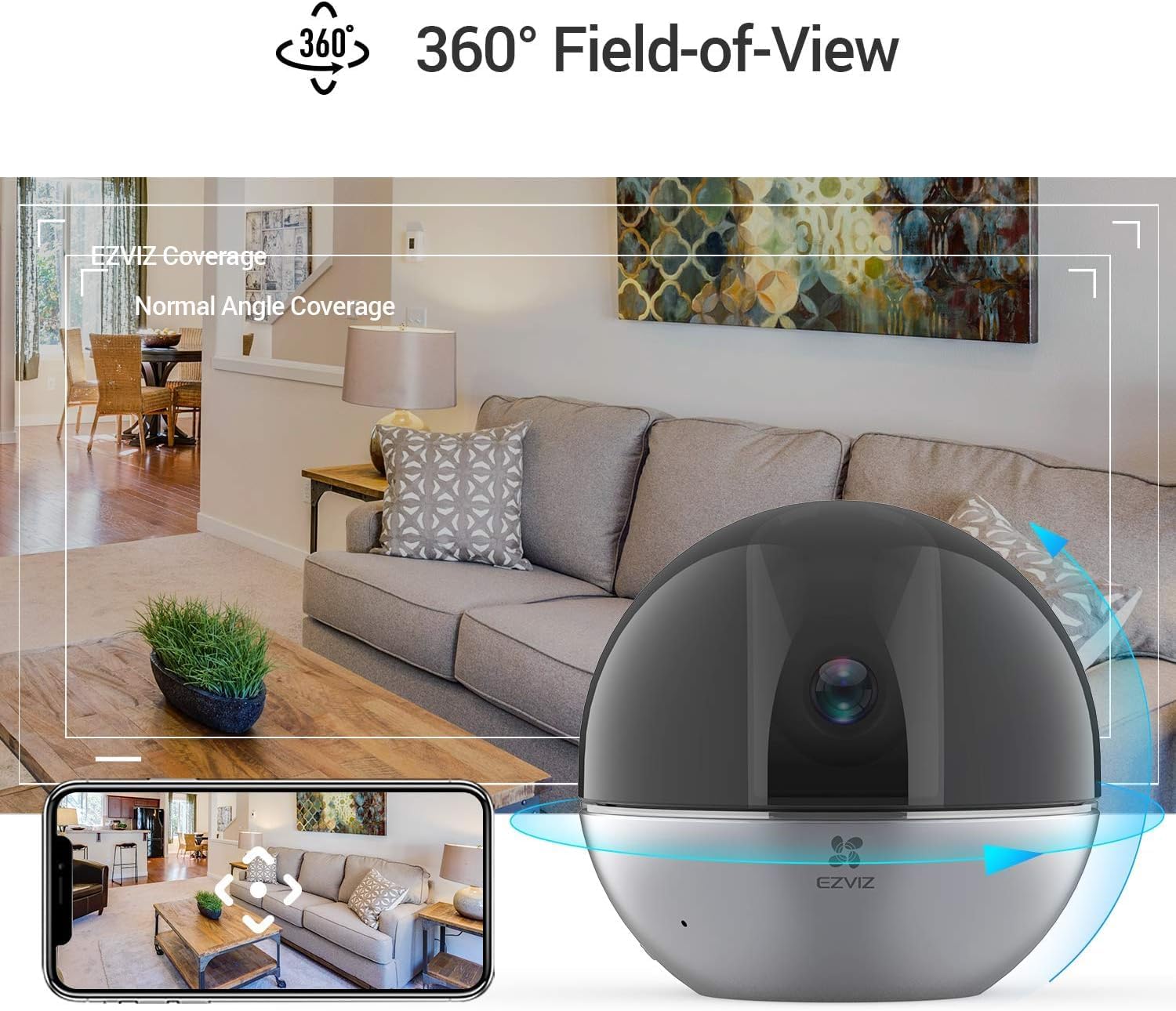
4.1-сүрөт: 360° Field-of-View. This image illustrates the camera's ability to provide a full panoramic view of a room, with an accompanying smartphone screen showing how users can navigate this wide field of view within the EZVIZ app.
4.2. Эки тараптуу аудио
Эки тараптуу аудио функциясын колдонуп, камеранын жанындагы адамдар менен байланышыңыз.
- Түз эфирде view, сүйлөө үчүн микрофон сүрөтчөсүн таптаңыз.
- Tap it again to end speaking.
- The camera's speaker will transmit your voice, and its microphone will capture audio from the camera's location.

4.2-сүрөт: Two-Way Audio Functionality. This image shows the EZVIZ app on a smartphone, highlighting the 'Speak' button, and illustrating how users can engage in two-way communication with the camera's location, with example speech bubbles.
4.3. Кыймылды аныктоо жана көзөмөлдөө
The camera can detect human motion and automatically track subjects.
- Иштетүү Адамды аныктоо in the app settings to receive alerts when human figures are detected.
- Иштетүү Автоматтык масштабга көз салуу for the camera to automatically zoom in and follow detected motion.
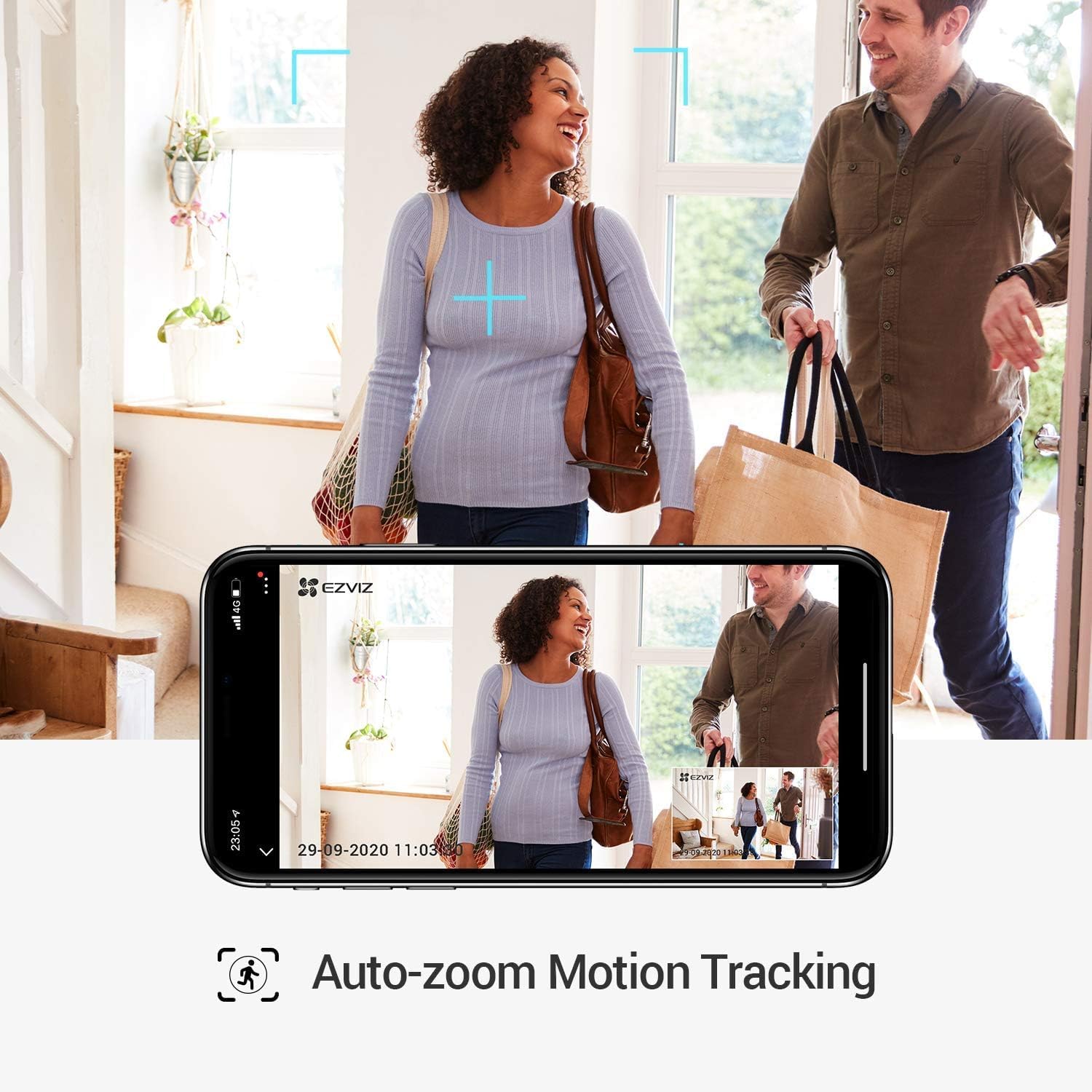
4.3-сүрөт: Auto-Zoom Motion Tracking. This image illustrates the camera's capability to automatically zoom and track moving subjects, showing a couple entering a home and the camera's view on a smartphone screen following their movement.

4.4-сүрөт: Person Detection. This image shows the camera's person detection feature in action, with blue focus squares highlighting a child playing, indicating that a human figure has been identified.

4.5-сүрөт: Automatic Tracking Mechanism. This image provides a close-up of the camera lens, with blue light rays emanating from it, visually representing the camera's internal mechanism for automatic tracking and movement.
4.4. Купуялык режими
Activate Privacy Mode to physically retract the camera lens, ensuring privacy when needed.
- In the EZVIZ app, locate and tap the Купуялык режими баскычы.
- The camera lens will retract into its housing, stopping all recording and live viewing.
- Tap the button again to resume normal operation.

4.6-сүрөт: One-Touch Privacy Shutter. This image shows the camera's privacy feature, where the lens retracts into the dome, visually indicating that the camera is no longer recording or viewing, ensuring user privacy.
4.5. Жергиликтүү сактагыч
The camera supports local storage via a microSD card (sold separately) for continuous recording or event-triggered recordings.
- Insert a microSD card (up to 256GB recommended) into the designated slot on the camera.
- Format the microSD card through the EZVIZ app settings.
- Configure recording schedules and event recording preferences in the app.
5. Техникалык тейлөө
5.1. Камераны тазалоо
- Тазалоодон мурун камеранын өчүк экенин текшериңиз.
- Камеранын корпусун сүртүү үчүн жумшак, кургак чүпүрөктү колдонуңуз.
- For the lens, use a lens cleaning cloth specifically designed for optics to avoid scratches.
- Катуу химиялык заттарды же абразивдүү тазалоочу каражаттарды колдонбоңуз.
5.2. Микропрограмманы жаңыртуу
Оптималдуу иштөөнү жана коопсуздукту камсыз кылуу үчүн EZVIZ колдонмосу аркылуу микропрограмма жаңыртууларын үзгүлтүксүз текшерип жана орнотуп туруңуз.
- Open the EZVIZ app.
- Камераңыздын жөндөөлөрүнө өтүңүз.
- Look for a "Firmware Version" or "Update" option and follow the prompts.
6. Кыйынчылыктарды
6.1. Камера оффлайн
- Күчтү текшерүү: Камера кубат булагына туура туташтырылганын жана адаптер иштеп жатканын текшериңиз.
- Wi-Fi текшерүү: Verify your Wi-Fi router is on and broadcasting a 2.4 GHz network. Ensure the camera is within range.
- Кайра баштоо: Unplug the camera, wait 30 seconds, and plug it back in. Restart your Wi-Fi router.
- Re-add Camera: If issues persist, try removing the camera from the app and adding it again.
6.2. Видеонун сапаты начар
- Тармак ылдамдыгы: Ensure your internet connection meets the requirements for streaming high-resolution video.
- Wi-Fi сигналы: Камераны Wi-Fi роутериңизге жакыныраак жылдырыңыз же Wi-Fi кеңейткичин карап көрүңүз.
- Линзанын тазалыгы: Камера линзасын "Техникалык тейлөө" бөлүмүндө сүрөттөлгөндөй тазалаңыз.
- WDR Feature: The camera features Wide Dynamic Range (WDR) to improve image clarity in scenes with both very bright and very dark areas. Ensure this feature is enabled in the app settings if needed.

6.1-сүрөт: WDR Comparison. This image demonstrates the difference between EZVIZ C6W's True-WDR and standard Digital WDR, showing how True-WDR enhances image quality by balancing exposure in challenging lighting conditions, revealing more detail in both bright and dark regions of a scene.
6.3. Кыймылды аныктоо иштебей жатат
- Аныктоого уруксат берүү: Verify that "Person Detection" and "Motion Detection" are enabled in the app settings.
- Сезимталдуулук: Adjust the motion detection sensitivity level in the app.
- аныктоо зонасы: Ensure the area you want to monitor is within the camera's detection zone.
- График: Check if motion detection is scheduled to be active during the desired times.
7. Техникалык шарттар
| Өзгөчөлүк | Спецификация |
|---|---|
| Модель аты | C6W |
| Продукт моделинин номери | 303101768 |
| Натыйжалуу Video Resolution | 4 Megapixels (2K Resolution) |
| Видео тартуунун резолюциясы | 3K |
| Frame Rate | секундасына 25 кадр |
| Байланыш технологиясы | Зымсыз (Wi-Fi) |
| Зымсыз байланыш технологиясы | Wi-Fi |
| Өзгөчөлүктөр | Two-way audio, Motion detector, Local recording, Person Detection, Auto-Zoom Tracking, Privacy Mode |
| Ички/тышкы колдонуу | Indoor |
| Түнкү көрүү диапазону | 10 метр |
| Power Source | Corded Electric (5 Volts, 8 Watt-hours) |
| Материал | Пластик |
| Түс | Кара |
| Элементтин өлчөмдөрү (L x W x Y) | 9.6 x 9.6 x 9.1 см |
| Продукциянын өлчөмдөрү | 9.58 x 9.58 x 9.06 см; 252 г |
| Сууга туруктуулук деңгээли | Сууга чыдамдуу эмес |
| Шайкеш түзмөктөр | Smartphone (via EZVIZ App), Amazon Alexa |
| Камтылган компоненттер | Camera, mounting screws, power adapter |
8. Кепилдик маалыматы
EZVIZ products typically come with a limited warranty. For detailed warranty terms and conditions, including coverage period and service procedures, please refer to the warranty card included with your product or visit the official EZVIZ webсайт.
Маанилүү: Сатып алуу квитанциясын кепилдик дооматтары үчүн сатып алуунун далили катары сактаңыз.
9. Колдоо
For technical assistance, frequently asked questions, or further support, please visit the official EZVIZ support page or contact their customer service.
- Онлайн колдоо: Visit www.ezviz.com/support (or your regional EZVIZ webсайт).
- EZVIZ колдонмосу: The app often contains a "Help" or "FAQ" section.


