Introduction
This manual provides essential information for the proper use and care of your Philips USB-C Wired Earbuds, Model TAE5008/38. Please read these instructions carefully before using the product to ensure optimal performance and longevity. This document covers setup, operating instructions, maintenance, troubleshooting, and product specifications.
Пакеттин мазмуну
Төмөндө саналып өткөн нерселердин баары сиздин продукт таңгагыңызда камтылганын текшериңиз:
- Philips USB-C Wired Earbuds (Model TAE5008/38)
- Interchangeable Rubber Ear Tips (3 sizes: Small, Medium, Large)
- Көрсөтмө (бул документ)
Продукт бүттүview
The Philips USB-C Wired Earbuds are designed for clear audio and convenient communication. They feature a USB-C connector for direct compatibility with modern devices, an in-line remote for control, and a built-in microphone.

1-сүрөт: Philips USB-C Wired Earbuds, displaying the earbuds, in-line remote, USB-C connector, and product packaging.
Компоненттер
- Кулакчындар: In-ear design with 10mm drivers for audio output.
- In-line Remote: Integrated control unit on the cable for media and call management.
- Микрофон: Built into the in-line remote for hands-free calls.
- USB-C туташтыргычы: For connecting to compatible devices.
- Кабель: 1.2 meters in length, connecting the earbuds to the USB-C connector.

2-сүрөт: Жакын план view of the in-line remote control, indicating the '+' button for volume up, the '-' button for volume down, and the central button for track control and call handling.
Жайгашуу
Кулакчындарды туташтыруу
Follow these steps to connect your earbuds to a compatible device:
- Identify the USB-C port on your device (smartphone, tablet, laptop, etc.).
- Insert the USB-C connector of the earbuds firmly into the device's USB-C port.
- Ensure the connection is secure. Your device should automatically recognize the earbuds.

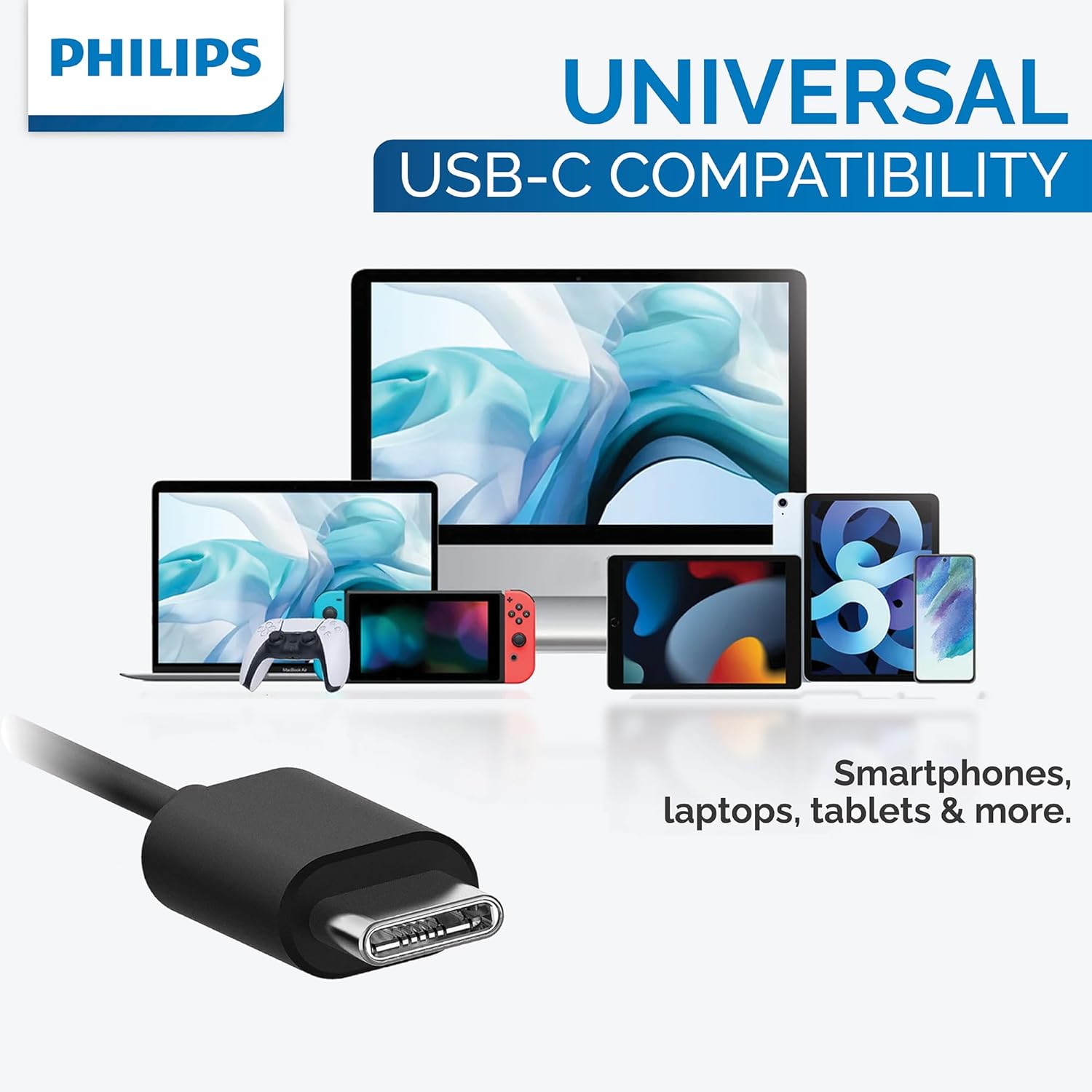
3-сүрөт: The USB-C connector provides universal compatibility with a range of devices including smartphones, laptops, and tablets.
Кулак кеңештерин тандоо
For optimal sound quality, noise isolation, and comfort, choose the ear tip size that best fits your ears. Three sizes (Small, Medium, Large) are provided to ensure a secure and comfortable seal.
4-сүрөт: This image illustrates the three different sizes of interchangeable rubber ear tips provided with the earbuds, designed to ensure a comfortable and secure fit for various ear canal sizes.
Иштөө нускамалары
Аудио ойнотуу
Use the in-line remote to control your music:
- Ойнотуу/тындыруу: Борбордук баскычты бир жолу басыңыз.
- Кийинки трек: Ортодогу баскычты эки жолу тез басыңыз.
- Мурунку трек: Ортодогу баскычты үч жолу тез басыңыз.
- Көлөмү: '+' баскычын басыңыз.
- Үнүн азайтуу: '-' баскычын басыңыз.
Чалууларды башкаруу
Use the in-line remote to manage phone calls:
- Чалууга жооп берүү/аяктоо: Press the center button once during an incoming call or an active call.
- Чакырууну четке кагуу: Press and hold the center button for approximately 2 seconds during an incoming call.
Үн жардамчысы
To activate your device's voice assistant (e.g., Google Assistant, Siri), press and hold the center button for approximately 2 seconds when not on a call.
Техникалык тейлөө
Туура тейлөө кулакчыныңыздын узак иштөөсүн жана иштешин камсыздайт:
- Тазалоо: Gently wipe the earbuds and cable with a soft, dry cloth. Do not use abrasive cleaners or immerse the earbuds in water.
- Сактагыч: Store the earbuds in a clean, dry place when not in use to prevent tangling and damage. Avoid extreme temperatures.
- Кулак кеңештери: Remove and clean ear tips periodically with mild soap and water. Rinse thoroughly and ensure they are completely dry before reattaching them to the earbuds.
Проблемаларды чечүү
If you encounter issues with your earbuds, refer to the following table for common problems and solutions:
| Көйгөй | Мүмкүн себеп | Чечим |
|---|---|---|
| Кулакчындардан үн чыкпайт. | Earbuds not properly connected. | Ensure the USB-C connector is fully inserted into the device's port. |
| Кулакчындардан үн чыкпайт. | Түзмөктүн үнү өтө төмөн же үнү басылган. | Increase the volume on your device or using the in-line remote. |
| Микрофон иштебей жатат. | Earbuds not selected as input device. | Check your device's audio settings to ensure the earbuds are selected for microphone input. |
| Үн сапаты начар. | Ear tips are not providing a good seal. | Try different sizes of ear tips to find the best fit for your ears. |
Техникалык шарттар
Detailed technical specifications for the Philips USB-C Wired Earbuds (Model TAE5008/38):
| Өзгөчөлүк | Нарк |
|---|---|
| Модель аты | TAE5008/38 |
| Байланыш технологиясы | Зымдуу (USB-C) |
| Аудио драйверинин өлчөмү | 10 мм |
| Импеданс | 16 Ом |
| Сезимталдуулук | 101 дБ |
| Кабелдин узундугу | 1.2 метр |
| Микрофон | Камтылган |
| Башкаруу түрү | 3-button in-line remote (Media Control) |
| Шайкеш түзмөктөр | Laptops, Tablets, Smartphones with USB-C port |
| Элемент Салмагы | 0.517 унция (болжол менен 14.66 грамм) |
| Түс | Кара |
| Сууга туруктуулук деңгээли | Сууга чыдамдуу эмес |
Кепилдик жана колдоо
For detailed warranty information and customer support, please refer to the documentation included with your original purchase. You may also visit the official Philips website for further assistance and product registration. Please retain your proof of purchase for any warranty claims.


