1. Киришүү
The Netgate XG-7100 1U is a state-of-the-art Security Gateway appliance designed for robust network security. Featuring the 4 Core Intel Atom C-3558 processor, it provides high I/O throughput and optimal performance for various network applications. This appliance, powered by pfSense software, can function as a firewall, LAN/WAN router, VPN appliance, DHCP Server, DNS Server, and includes IDS/IPS capabilities with optional packages.
Built for performance, versatility, and low total cost of ownership, Netgate systems with pfSense software are suitable for organizations of all sizes.
Негизги өзгөчөлүктөрү:
- Official Netgate pfSense 1U rack mount security gateway, with 8GB RAM and 32GB eMMC Storage.
- Intel Denverton C3558 4 cores 2.2 GHz processor.
- Networking includes 2x 10GbE Intel x553 SFP+ Ports and an 8-port 1Gbps Marvell 88E6190 switch.
- Ideal for medium to large sized networks, branch offices, Managed Service Providers (MSP) / Managed Security Service Provider (MSSP) On Premises Appliance; Anyone with High-Speed 10 Gigabit and/or 1 Gigabit Connections; Anyone with many VPN Connections; Anyone with high speed connections who wish to configure IDS/IPS features.
- pfSense is a free, open-source firewall and router platform based on FreeBSD, offering competitive features to proprietary commercial firewalls.
- Low total cost of ownership due to low power requirements, long deployment lifetime, and no artificial limits or add-ons for full functionality.
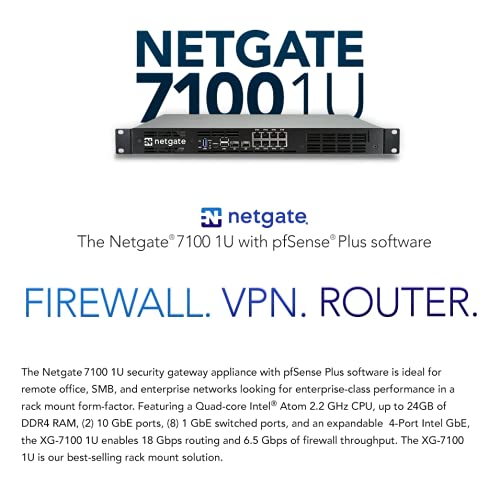
Figure 1: Netgate XG-7100 1U Security Gateway highlighting its core functions.
2. Орнотуу колдонмосу
This section provides instructions for the initial setup of your Netgate XG-7100 1U Security Gateway.
2.1 Таңгактан чыгаруу жана текшерүү
Carefully remove the XG-7100 1U appliance from its packaging. Inspect the unit for any signs of physical damage that may have occurred during shipping. Ensure all components listed in the packing slip are present.
2.2 Физикалык орнотуу
The XG-7100 1U is designed for rack mounting. Secure the unit in a standard 19-inch server rack using appropriate rack rails or mounting hardware (not included unless specified).

Сүрөт 2: Алдыңкы view of the Netgate XG-7100 1U, showing network ports, USB ports, and console port.
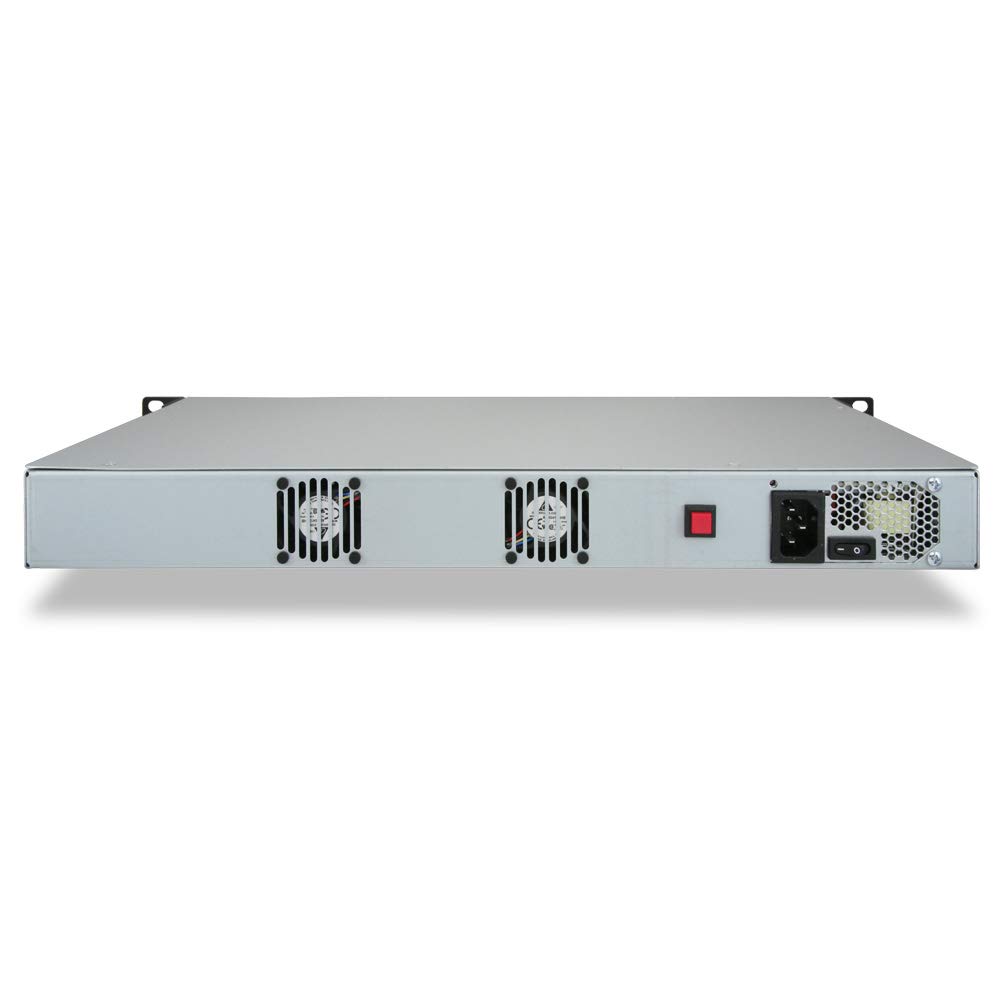
3-сүрөт: Арткы view of the Netgate XG-7100 1U, showing the power input and cooling fan exhausts.
2.3 Кубатты туташтыруу
- Ensure the power switch on the rear of the unit is in the OFF position.
- Connect the provided power cord to the IEC320-C14 inlet on the rear of the appliance.
- Электр шнурунун экинчи учун жерге туташтырылган электр розеткасына сайыңыз.
- Flip the power switch to the ON position. The power LED on the front panel should illuminate.
2.4 Тармактык байланыштар
Identify the appropriate network ports for your configuration. The XG-7100 1U features 2x 10GbE SFP+ ports and 8x 1Gbps Ethernet ports.
- WAN туташуу: Connect your internet service provider's modem or router to one of the designated WAN ports (typically the first Ethernet port or an SFP+ port, depending on your pfSense configuration).
- LAN туташуу: Connect your internal network devices (switches, computers) to the LAN Ethernet ports.
- SFP+ порттору: Use these for high-speed fiber optic connections to other network devices or for high-bandwidth WAN connections. Note that copper SFP/SFP+ modules are not supported.
2.5 Баштапкы конфигурацияга кирүү
To access the pfSense web interface for initial configuration:
- Connect a computer directly to one of the LAN ports of the XG-7100 1U.
- Ensure your computer is configured to obtain an IP address automatically via DHCP. The XG-7100 1U typically acts as a DHCP server on its LAN interface by default.
- ачуу а web browser and navigate to the default pfSense web interface IP address (commonly http://192.168.1.1).
- Log in using the default credentials (refer to pfSense documentation for default username and password, typically 'admin' and 'pfsense').
- Follow the pfSense setup wizard to configure your network settings, including WAN and LAN interfaces, DNS, and administrator password.
For detailed software configuration, refer to the official pfSense documentation available online.
3. Операция
The Netgate XG-7100 1U, running pfSense software, offers a wide range of functionalities for network management and security.
3.1 Web GUI башкаруу
All management of the pfSense Plus software settings is performed through its intuitive web-based Graphical User Interface (GUI). This allows for easy configuration without the need for command-line interaction.
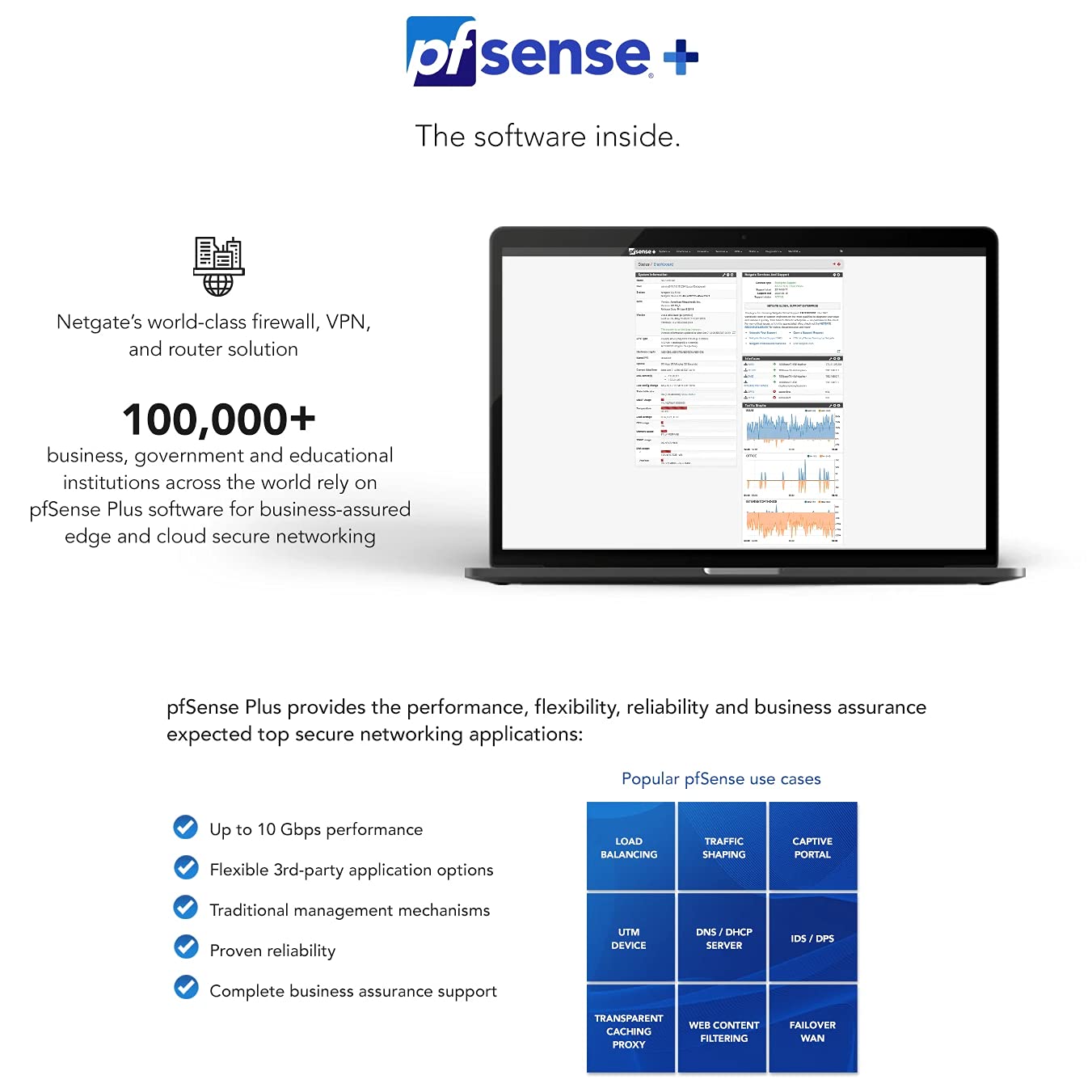
Figure 4: ашыкview of the pfSense Plus software interface.
3.2 Негизги функциялар
The XG-7100 1U can be configured to perform various critical network roles:
- Firewall: Stateful packet filtering to control network traffic.
- Маршрутизатор: LAN and WAN routing capabilities.
- VPN Appliance: Supports IPsec and OpenVPN for secure remote access and site-to-site connections.
- DHCP сервери: Automatically assigns IP addresses to devices on your network.
- DNS сервери: Resolves domain names to IP addresses.
- IDS/IPS: Intrusion Detection/Prevention System for enhanced security (with optional packages like Snort or Suricata).
- Load Balancer: Distributes network traffic across multiple servers for improved performance and reliability.
- Traffic Shaping: Prioritizes certain types of network traffic.
- Туткун порталы: For guest network access control.
- Web Мазмунду чыпкалоо: Through proxies like SquidGuard.

Figure 5: Comprehensive list of pfSense Plus software features.
3.3 Performance Capabilities
The XG-7100 1U is engineered for high performance, capable of handling demanding network loads.

Figure 6: Performance benchmarks of the Netgate XG-7100 1U.
- Router Throughput: Up to 18.6 Gbps.
- Firewall Throughput: Up to 6.81 Gbps.
- IPsec VPN Throughput: Up to 1.28 Gbps.
- Supports up to 14 independent and switched ports, delivering up to 6.2 Gbps / 2.1 Mpps of enterprise-grade IMIX traffic throughput.
- Intel AES-NI compatibility ensures data encryption without compromising throughput.
4. Техникалык тейлөө
Regular maintenance ensures the optimal performance and longevity of your Netgate XG-7100 1U.
4.1 Программалык камсыздоо жаңыртуулары
It is highly recommended to keep your pfSense Plus software updated to the latest stable version. Updates often include security patches, bug fixes, and new features.
- Access the pfSense web GUI.
- багыттоо System > Update.
- Check for available updates and follow the on-screen instructions to apply them.
- Always back up your configuration before performing major updates.
4.2 Аппараттык камсыздоону тейлөө
- Тазалоо: Periodically clean the exterior of the unit with a soft, dry cloth. Ensure ventilation openings are free from dust and obstructions to maintain proper airflow.
- Fan Check: The unit features low-noise active control chassis fans. Ensure they are operating correctly and not obstructed.
- Экологиялык шарттар: Operate the device within the specified environmental conditions (0°C to 60°C operating temperature; 8% to 90% operating relative humidity non-condensing) to prevent overheating or damage.
4.3 Конфигурациянын камдык көчүрмөсү
Regularly back up your pfSense configuration. This allows for quick restoration in case of data loss or system issues.
- In the pfSense web GUI, navigate to Diagnostics > Backup/Restore.
- Download a copy of your configuration file коопсуз жерге.
5. Кыйынчылыктарды
This section provides solutions to common issues you might encounter with your Netgate XG-7100 1U.
5.1 Күч жок
- Ensure the power cord is securely connected to both the appliance and the electrical outlet.
- Verify the power switch on the rear of the unit is in the ON position.
- Электр розеткасынын иштеп жатканын башка түзмөккө сайып текшериңиз.
- If the power LED does not illuminate, contact Netgate support.
5.2 Кирүү мүмкүн эмес Web GUI
- Ensure your computer is connected to a LAN port of the XG-7100 1U and is obtaining an IP address via DHCP.
- Verify you are using the correct IP address for the pfSense web GUI (default is http://192.168.1.1).
- Check your computer's network settings to ensure there are no conflicting static IP addresses or firewall rules blocking access.
- Try accessing the GUI from a different web browser or computer.
- If you have changed the default LAN IP address and forgotten it, you may need to connect via the console port for recovery.
5.3 Интернет байланышы жок
- Check the physical connection of the WAN cable to the XG-7100 1U and your modem/router.
- Verify the WAN interface status in the pfSense web GUI. Ensure it has obtained an IP address from your ISP.
- Check your ISP's modem/router for internet connectivity.
- Review your pfSense firewall rules to ensure they are not blocking outbound internet traffic.
- Restart the XG-7100 1U and your modem/router.
5.4 Системанын иштешинин маселелери
- Monitor CPU and memory usage in the pfSense dashboard. High utilization may indicate a bottleneck.
- Ensure the unit has adequate ventilation and is not overheating.
- Review your firewall rules and installed packages. Complex rulesets or resource-intensive packages (e.g., IDS/IPS with many rules) can impact performance.
- Consider upgrading RAM if consistently experiencing high memory usage (expandable to 24GB).
6. Техникалык шарттар
Detailed specifications for the Netgate XG-7100 1U pfSense Security Gateway:
| Компонент | Спецификация |
|---|---|
| CPU | Intel Denverton C3558, 2.2 GHz, 4 Cores with Intel QuickAssist and AES-NI |
| Networking | 2x 10GbE Intel x553 SFP+ Ports; 8-port 1Gbps Marvell 88E6190 switch (uplinked at 5 Gbps to Intel SoC); Virtual Machine Device Queues. Note: Copper SFP/SFP+ are not supported. |
| Сактагыч | 32GB eMMC onboard, Additional storage via M.2 SSD or SATA3 |
| Эс | 8 GB DDR4 (expandable to 24GB via SODIMM) |
| Кеңейтүү | 1x PCI-E 3.0 4x slot; 1x M.2 M-Key 2280 supported; 4x SATA3 |
| Консол порту | 1x mini-USB Console |
| USB порттору | 1x USB 3.0 port, 2x USB 2.0 ports |
| LED көрсөткүчтөрү | Power/Status/SATA Activity |
| Корпу | 19" 1U Rack Mount |
| Форма фактору | 1U 1.75" x 19" x 8.5" Rack Mount |
| Муздатуу | 2x Low-noise active control chassis fans |
| Электр камсыздоо | 100-240V, 50-60Hz, 1.5-3A Internal Power Supply; AC Inlet: IEC320-C14 (3 PIN); Power Cord: NEMA 5-15P to IEC320-C13 |
| Экологиялык | 0°C to 60°C Operating Temp; 8% to 90% Operating Relative Humidity (non-condensing) |
| Сертификаттар | FCC, CE, RoHS, REACH, IEC 60950, EN55022, EN 61000-3-3, EN 610000-3-2, EN55024, CISPR 22 |
| Элемент Салмагы | 3 кг 760 г |
| Операция системасы | pfSense |

Figure 7: Hardware specifications of the Netgate XG-7100 1U.
7. Кепилдик жана колдоо
For detailed warranty information and technical support, please refer to the official Netgate webсайтка же түздөн-түз кардарларды тейлөөгө кайрылыңыз.
- Официалдуу Webсайт: Visit www.netgate.com for the latest documentation, FAQs, and support resources.
- Техникалык колдоо: Contact Netgate support for assistance with hardware issues, software configuration, or troubleshooting beyond the scope of this manual.
- Коомчулук форумдары: The pfSense community forums are an excellent resource for peer-to-peer support and general inquiries.


