Introduction
This manual provides detailed instructions for the setup, operation, maintenance, and troubleshooting of your CHJ_Tech T16S Full HD 1080P Webкамера. Оптималдуу иштешин жана узак мөөнөттүү кызмат кылуусун камсыз кылуу үчүн, продуктуну колдонуудан мурун ушул колдонмону кылдат окуп чыгыңыз.
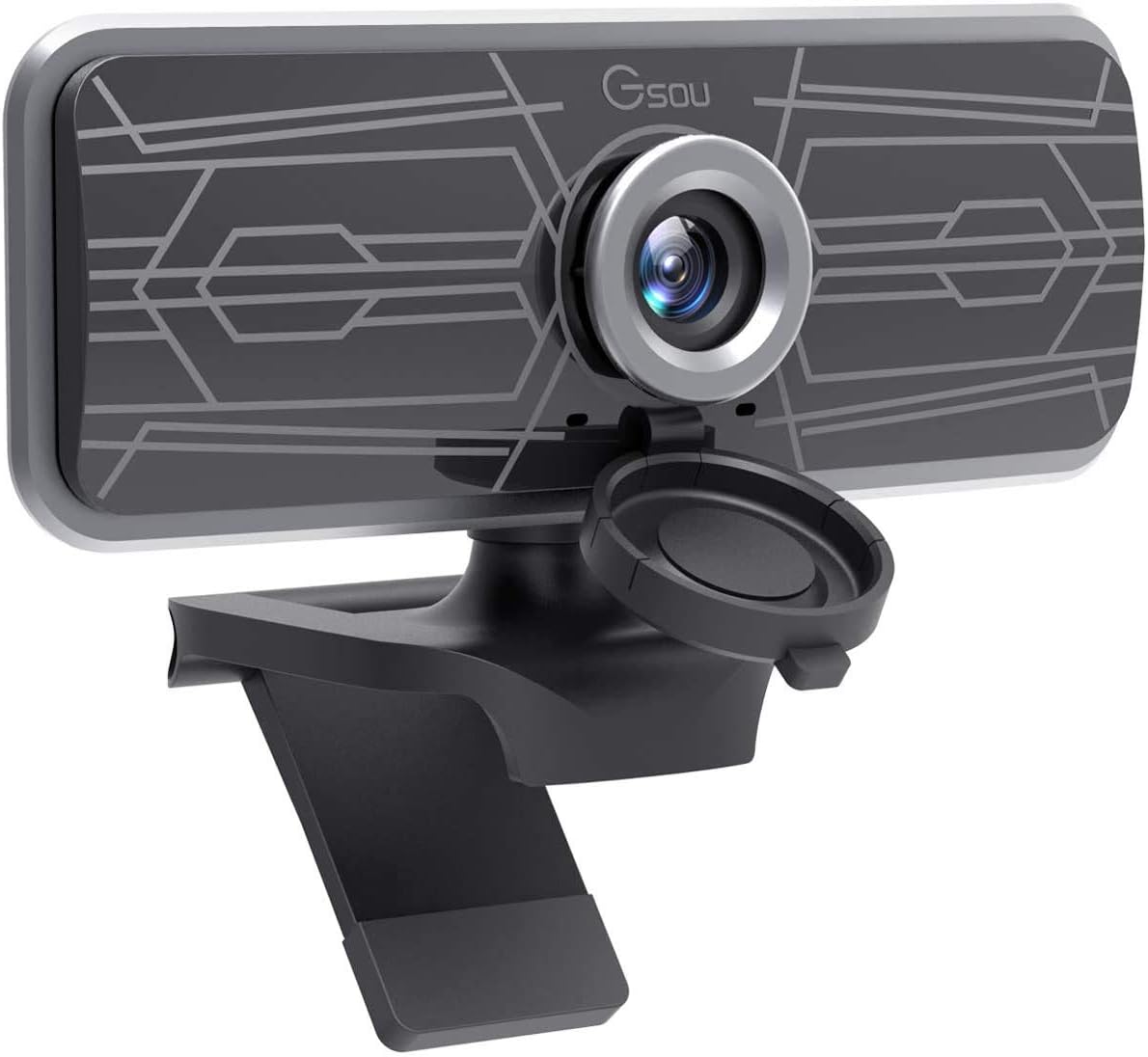
Image: The CHJ_Tech T16S Full HD 1080P Webcam, featuring a sleek black design with a silver lens ring and an integrated privacy cover, mounted on its adjustable stand.
1. Орнотуу жана орнотуу
The CHJ_Tech T16S Webcam is designed for easy plug-and-play installation, requiring no additional drivers or software for most operating systems.
1.1 Туташтыруу Webcam
- Пакеттен чыгаруу Webкамера: Кылдаттык менен алып салуу webтаңгагынан чыккан камера.
- жайгаштырыңыз Webкамера: кой webcam on top of your monitor, laptop screen, or a flat surface. The adjustable clip allows for secure mounting.
- USB портуна туташуу: Plug the USB 2.0 cable from the webcam into an available USB port on your computer (PC, Mac, or Laptop). The webcam will light up upon successful connection.

Image: A hand plugging the webcam's USB cable into a laptop, illustrating the simple plug-and-play setup process without the need for drivers.
1.2 Системанын шайкештиги
The T16S webcam is widely compatible with various operating systems and communication platforms:
- Операциялык системалар: Windows XP (SP3), Windows 7, Windows 8, Windows 10, macOS, Android, Linux.
- Колдоого алынган платформалар: Skype, Facetime, OBS, XBOX, Hangouts, Facebook, Twitter, YouTube, Twitch, WhatsApp, and more.
2. иштетүү Webcam
Once connected, your T16S webcam is ready for use with your preferred video conferencing or streaming application.
2.1 Видео жана аудио функциялары
- Full HD 1080P видео: The webcam captures clear, high-definition video at 1080p resolution and 30 frames per second (FPS), ideal for video calls, conferencing, and live streaming.

Image: A comparison showing the superior clarity of 1080P Full HD video compared to 720P, highlighting the webcam's high-resolution capability.
- Кең бурч View: Enjoy a 77-degree wide viewing angle, allowing more participants or a broader background to be included in your video feed.

Image: An illustration demonstrating the 77-degree wide viewбурчу webcam, suitable for group meetings or capturing a wider scene.
- Камтылган микрофон: The integrated digital microphone features noise reduction and echo-cancellation technology, ensuring clear audio capture within 3 meters, even in noisy environments.
- Fixed-Focus Lens: The fixed-focus lens keeps subjects in clear focus without manual adjustment, providing consistent image clarity.
2.2 Жөнгө салынуучу дизайн
- 360° айлануу: The webcam features a 360-degree horizontal rotation, allowing you to easily adjust the camera's direction without moving your device.
- Вертикалдуу тууралоо: The flexible shaft allows for 30-degree up and down vertical adjustment, helping you find the perfect angle.
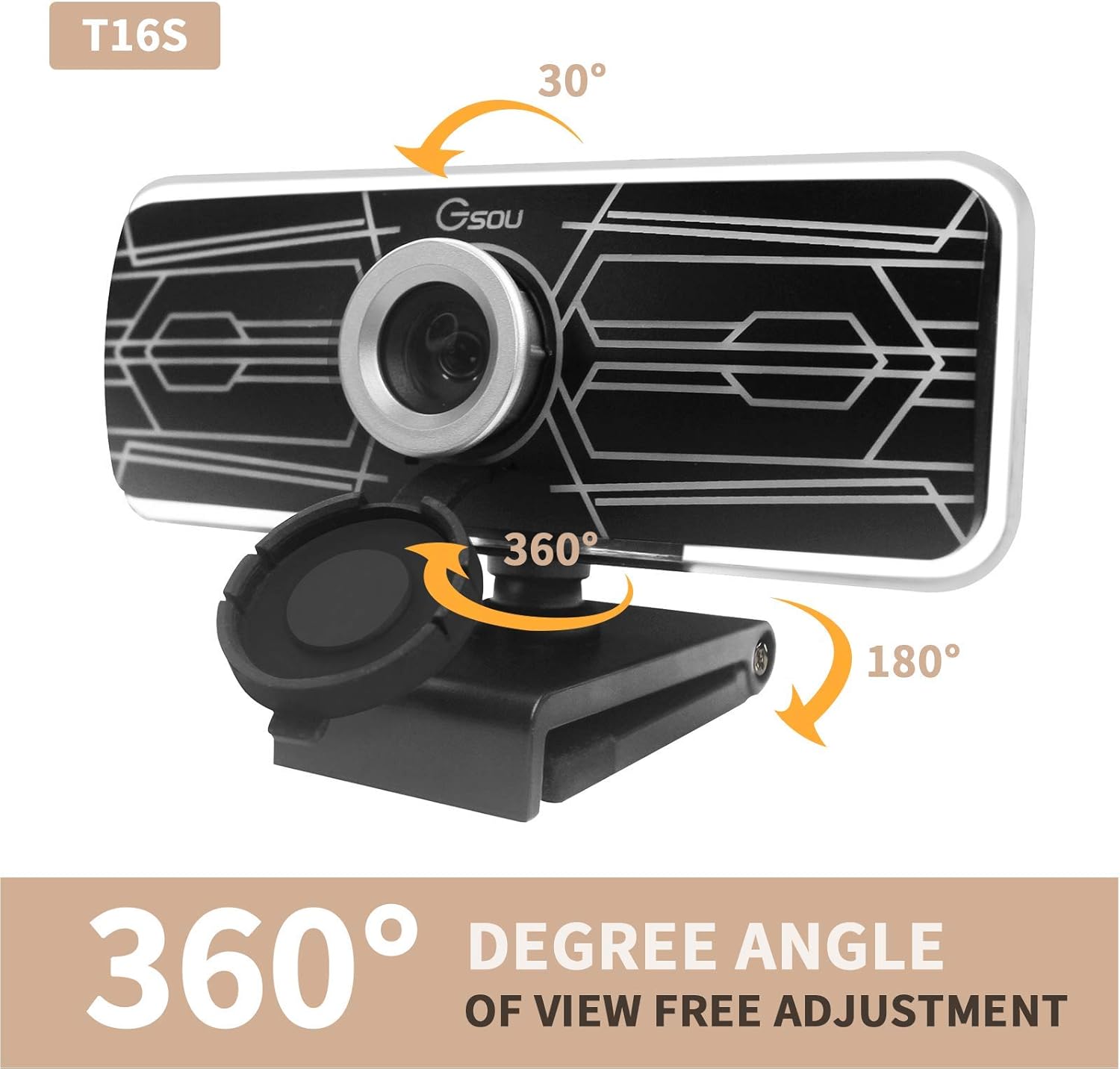
Image: Diagrams illustrating the webcam's 360-degree horizontal rotation and 30-degree vertical tilt capabilities for flexible positioning.
2.3 Купуялыкты коргоо
The webcam includes a fully anti-peeping cover to protect your privacy and security when the camera is not in use. Simply slide the cover over the lens to block the view.

Image: A visual representation of the built-in noise reduction microphone and the privacy cover, showing both open and closed states for enhanced security.
2.4 Колдонуу сценарийлери
The T16S webcam is versatile and suitable for a variety of applications:
- Online Learning & Teaching: Facilitate clear communication for virtual classrooms.
- Video Calling & Conferencing: Conduct professional meetings or personal calls with high-quality video and audio.
- Түз агым: Provide crisp video for your streaming content.
- Оюн: Enhance your gaming experience with clear video communication.

Image: A collage of images demonstrating various uses for the T16S webcam, including online teaching, video conferencing, personal video calls, and game streaming.
3. Техникалык тейлөө жана кам көрүү
Proper care will ensure the longevity and optimal performance of your webкамера
- Линзаны тазалоо: Линзаны акырын сүртүү үчүн оптика үчүн атайын жасалган жумшак, мамыксыз чүпүрөктү колдонуңуз. Абразивдүү материалдарды же катуу химиялык заттарды колдонбоңуз.
- Денени тазалоо: сүртүңүз webжумшак, d менен камералуу корпусamp кездеме. Суюк тазалоочу каражаттарды түз эле түзмөккө колдонбоңуз.
- Сактагыч: Колдонулбаган учурда, дүкөндү сактаңыз webcam in a cool, dry place, away from direct sunlight and extreme temperatures.
- Тамчылардан качуу: Колдонуу webкокусунан кулап түшүүдөн же кагылышуудан улам зыян келтирбөө үчүн камераны этияттык менен басыңыз.
4. Кыйынчылыктарды
Эгер сиз менен көйгөйлөр пайда болсо webcam, төмөнкү кеңири таралган чечимдерди караңыз:
| Көйгөй | Мүмкүн себеп | Чечим |
|---|---|---|
| No image/video output. |
|
|
| No audio from microphone. |
|
|
| Сүрөт бүдөмүк же караңгы. |
|
|
5. Продукттун спецификациялары
| Өзгөчөлүк | Деталь |
|---|---|
| Модел | T16S |
| Бренд | CJ TECH |
| Видео тартуунун резолюциясы | 1080p толук HD |
| Frame Rate | 30 FPS |
| Viewбурч | 77 градус кең бурч |
| Микрофон | Built-in Digital Microphone with Noise Reduction and Echo-Cancellation |
| Фокус түрү | Fixed-Focus |
| Байланыш | USB 2.0 (Plug & Play) |
| Айлануу | 360° Horizontal, 30° Vertical Adjustment |
| Элемент Салмагы | 3.2 унция (болжол менен 90.7 грамм) |
| Продукциянын өлчөмдөрү | 4.17 x 1.85 x 2.3 дюйм (болжол менен 10.6 x 4.7 x 5.8 см) |
| Шайкештик | Windows XP (SP3), 7, 8, 10; macOS; Android; Linux |
6. Кепилдик маалыматы
Өнүмдүн таңгагын же чекене сатуучуга кайрылыңыз website for specific warranty details. Typically, electronic products come with a limited manufacturer's warranty covering defects in materials and workmanship for a specified period from the date of purchase.
Ар кандай кепилдик дооматтары үчүн сатып алуунун далили катары сатып алуу дүмүрчөгүңүздү сактаңыз.
7. Кардарларды колдоо кызматы
For technical assistance, troubleshooting beyond this manual, or warranty inquiries, please contact CJ TECH customer support through the contact information provided on the product packaging or their official webсайт.
When contacting support, please have your product model (T16S) and purchase details ready.


