Introduction
Сатып алганыңыз үчүн рахматasing the IPEGA Wireless Switch Controller. This manual provides detailed instructions on how to set up, operate, and maintain your new gamepad. Please read this manual thoroughly before use to ensure optimal performance and longevity of your device.

Figure 1: IPEGA Wireless Switch Controller in use with a tablet device, showcasing its telescopic design.
Продукт өзгөчөлүктөрү
- Көп платформа шайкештиги: Designed for N-Switch, P3, Android devices, and PC (Win 7/8/10). Note: Does not support MediaTek chips.
- Жакшыртылган оюн тажрыйбасы: Features six-axis gyroscope function for precise motion control and dual motor vibration for immersive feedback.
- Эргономикалык дизайн: Full ergonomic structure provides a comfortable hand feeling during extended gaming sessions.
- Телескопиялык кронштейн: Integrated lever telescopic bracket with a super long telescopic function, adjustable from 130mm to 280mm (approximately 5.1 to 11 inches), suitable for various devices including N-Switch host and tablets.
- Батареянын узак иштөө мөөнөтү: Built-in 300mAh high-performance lithium battery offers over 10 hours of continuous use and up to 30 days of standby time on a full charge.
- Ыңгайлуу башкаруу каражаттары: Equipped with a screen capture button and multimedia buttons (volume+, -, last, next, Play/Pause) for Android devices.

Figure 2: The controller's telescopic design, suitable for various devices.
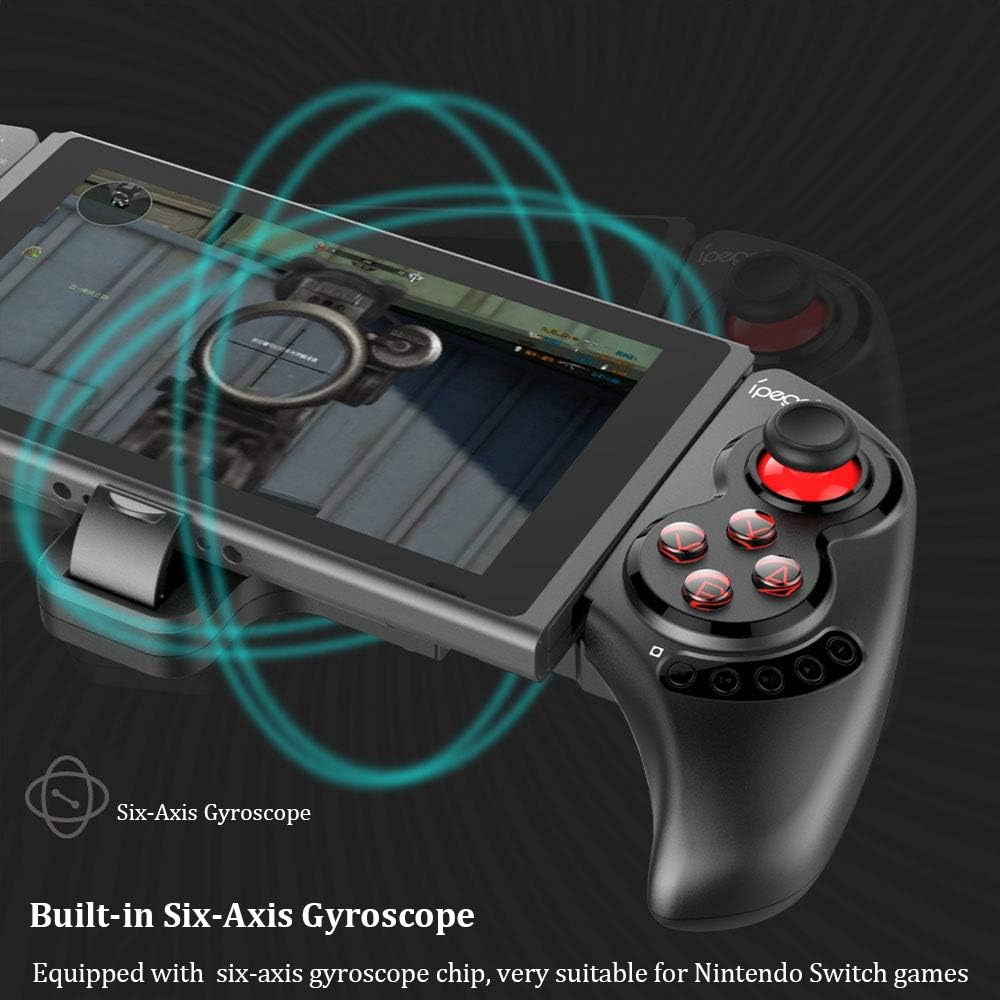
Figure 3: Illustration highlighting the built-in six-axis gyroscope for motion control.

Figure 4: Illustration demonstrating the dual motor vibration feature for haptic feedback.

Figure 5: The telescopic rod's adjustable range (130-280mm) and compatibility with Switch Mobile Device, Android Phone, and PC Tablet.

Figure 6: Detail of the controller's ergonomic structure designed for comfortable hand feeling.
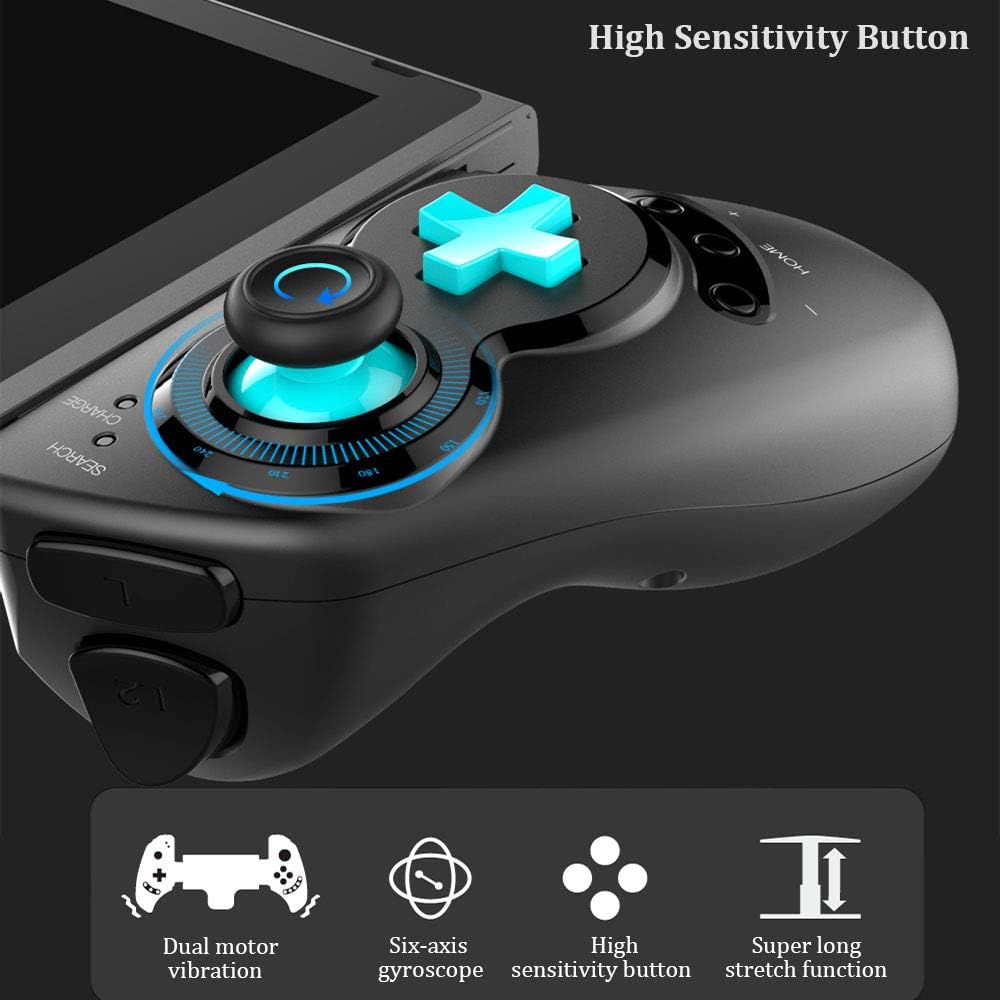
Figure 7: Highlighting the high sensitivity buttons and other key features like dual motor vibration, six-axis gyroscope, and super long stretch function.
Жайгашуу
Before using your IPEGA Wireless Switch Controller, ensure it is adequately charged. Connect the included USB cable to the controller's charging port and to a USB power source (e.g., computer, USB wall adapter). The charge indicator will show charging status.
Иштөө режимдери
N-Switch Connection Mode
- Биринчи жолу жупташтыруу:
- Turn on your Nintendo Switch Console.
- БАШКЫ БЕТ менюсунан төмөнкүгө өтүңүз Контроллер, андан кийин тандаңыз Кармоо жана Тартипти өзгөртүү.
- On the IPEGA controller, press and hold down the "B" + "HOME" buttons simultaneously for 2 seconds. The SEARCH indicators on the controller will flash quickly.
- Once successfully paired, the indicators will turn on solid. Press "А" on the controller when prompted to confirm.
- Кайра жупташтыруу:
- баскычын басып, кармап туруңуз "HOME" button for 2 seconds to turn on the controller.
- The SEARCH indicator will flash slowly, indicating it's in re-pair mode. The controller will automatically attempt to connect to the previously paired console.
- Туташкандан кийин басыңыз "А" when you're ready to play.
- Ойготуу контроллери:
- If the controller is in sleep mode, press the "HOME" аны ойготуу үчүн баскычты басыңыз.
- It will automatically connect to the console.
- Басыңыз "А" when you're ready.
Android режими
- баскычын басып, кармап туруңуз "Y" + "HOME" buttons simultaneously for 2 seconds to turn on the controller. The SEARCH indicators will flash quickly.
- On your Android device, enable Bluetooth and search for available devices. Select "PG-SW029" жупташтыруу.
- Once successfully paired, the SEARCH indicator on the controller will turn on solid, indicating it has entered Android Mode.
- The controller supports standard Android HID games.
P3 Mode (PlayStation 3)
- баскычын басып, кармап туруңуз "A" + "HOME" buttons simultaneously for 2 seconds to turn on the controller. The SEARCH indicators will flash quickly.
- Connect the controller to your P3 console using the provided USB cable. Press the "HOME" жупташтыруу үчүн баскычты басыңыз.
- Once paired successfully, the corresponding SEARCH indicator will turn on solid, indicating the gamepad has entered P3 mode.
- You can then unplug the USB cable, and the controller will operate in wireless connection mode.
Техникалык тейлөө
- Keep the controller away from extreme temperatures, direct sunlight, and humid environments.
- Көзөмөлдөгүчтү кулап же катуу таасирлерге дуушар кылуудан качыңыз.
- Clean the controller with a soft, dry cloth. Do not use chemical solvents or abrasive cleaners.
- When not in use for extended periods, store the controller in a cool, dry place.
- Контроллерди ажыратууга же өзгөртүүгө аракет кылбаңыз, анткени бул кепилдикти жокко чыгарат жана зыян келтириши мүмкүн.
Проблемаларды чечүү
| Көйгөй | Мүмкүн чечим |
|---|---|
| Контроллер күйбөйт. | Ensure the controller is fully charged. Connect it to a power source using the USB cable. |
| Controller fails to pair with device. |
|
| Input lag or disconnection during gameplay. |
|
| Баскычтар же джойстиктер жооп бербейт. |
|
Техникалык шарттар
| Өзгөчөлүк | Деталь |
|---|---|
| Модель номери | PG-SW029 |
| Бренд | ipega |
| Байланыш | Зымсыз (Bluetooth) |
| Өткөрмө аралык | ≤ 26ft (8 meters) |
| Батарея сыйымдуулугу | 300mAh литий батареясы |
| Үзгүлтүксүз колдонуу убактысы | > 10 саат |
| Күтүү убактысы | 30 күнгө чейин |
| Телескопиялык диапазон | 130mm - 280mm (approx. 5.1 - 11 inches) |
| Продукциянын өлчөмдөрү | 23.7 x 12.5 x 5.99 см (9.33 x 4.92 x 2.36 дюйм) |
| Шайкештик | Nintendo Switch, PlayStation 3, Android Phones/Tablets, PC (Win 7/8/10) |

Figure 8: Detailed dimensions of the controller and its retail packaging.
Пакет тизмеси
Төмөнкү нерселер сиздин өнүм пакетиңизге кирет:
- Wireless Gamepad x1
- Колдонуучунун колдонмосу x1 (Бул документ)
- USB кабели x1
Кепилдик жана колдоо
For warranty information and technical support, please refer to the contact details provided by your retailer or visit the official IPEGA webсайт. Сатып алуу квитанциясын кепилдик дооматтары үчүн сатып алуунун далили катары сактаңыз.
Эгерде сиз бул колдонмодо камтылбаган кандайдыр бир көйгөйлөргө туш болсоңуз, жардам алуу үчүн кардарларды колдоо кызматына кайрылыңыз.