Introduction
This manual provides essential instructions for the safe and effective use of your Welch Allyn Contact-Free Clinical-Grade Forehead Thermometer. Please read this manual thoroughly before initial use and retain it for future reference. This device is designed for accurate, non-contact temperature measurement of the forehead.
Коопсуздук маалыматы
- Термометрди адамдын денесинин температурасын өлчөөдөн башка максаттарда колдонбоңуз.
- Аппаратты балдар жетпеген жерде сактаңыз.
- Термометрди түшүрүүдөн же катуу соккулардан сактаныңыз.
- Термометрди түз күн нуруна, өтө жогорку нымдуулукка же өтө жогорку температурага дуушар кылбаңыз.
- Consult a physician if you have concerns about temperature readings or your health.
- Аппаратты өз алдынча бөлүүгө же оңдоого аракет кылбаңыз.
Кутуда эмне бар
Таңгактан чыгаргандан кийин, бардык буюмдардын бар экенин жана бузулбаганын текшериңиз:
- (1) Welch Allyn Contact-Free Clinical-Grade Forehead Thermometer
- (2) AAA батареялары
Продукт өзгөчөлүктөрү
The Welch Allyn Contact-Free Thermometer offers several key features for efficient and accurate temperature measurement:
- Contact-Free Measurement: Eliminates the need for disposable probe covers and disinfection between readings, promoting hygiene.
- Clinical-Grade Accuracy: Designed for reliable temperature readings.
- Measurement Feedback System: Detects the proper operating distance to ensure consistent accuracy.
- Батареянын узак иштөө мөөнөтү: Capable of approximately 3,000 readings on two "AAA" batteries.
- Жарык жарык дисплей: Ар кандай жарык шарттарында окуулардын так көрүнүүсүн камсыздайт.
- Атайын функция баскычтары: Includes buttons for pulse timer, Celsius/Fahrenheit conversion, and memory recall.

Сүрөт 1: Алдыңкы view of the Welch Allyn Contact-Free Forehead Thermometer, showing the display, measurement button, memory button, C/F button, and pulse timer button.
Жайгашуу
1. Батареяны орнотуу
- Locate the battery compartment cover on the back or bottom of the thermometer.
- Бөлүктү ачуу үчүн капкакты акырын жылдырыңыз же ачыңыз.
- Insert the two "AAA" batteries, ensuring correct polarity (+ and -) as indicated inside the compartment.
- Батарея бөлүкчөсүнүн капкагын бекем орнотуңуз.
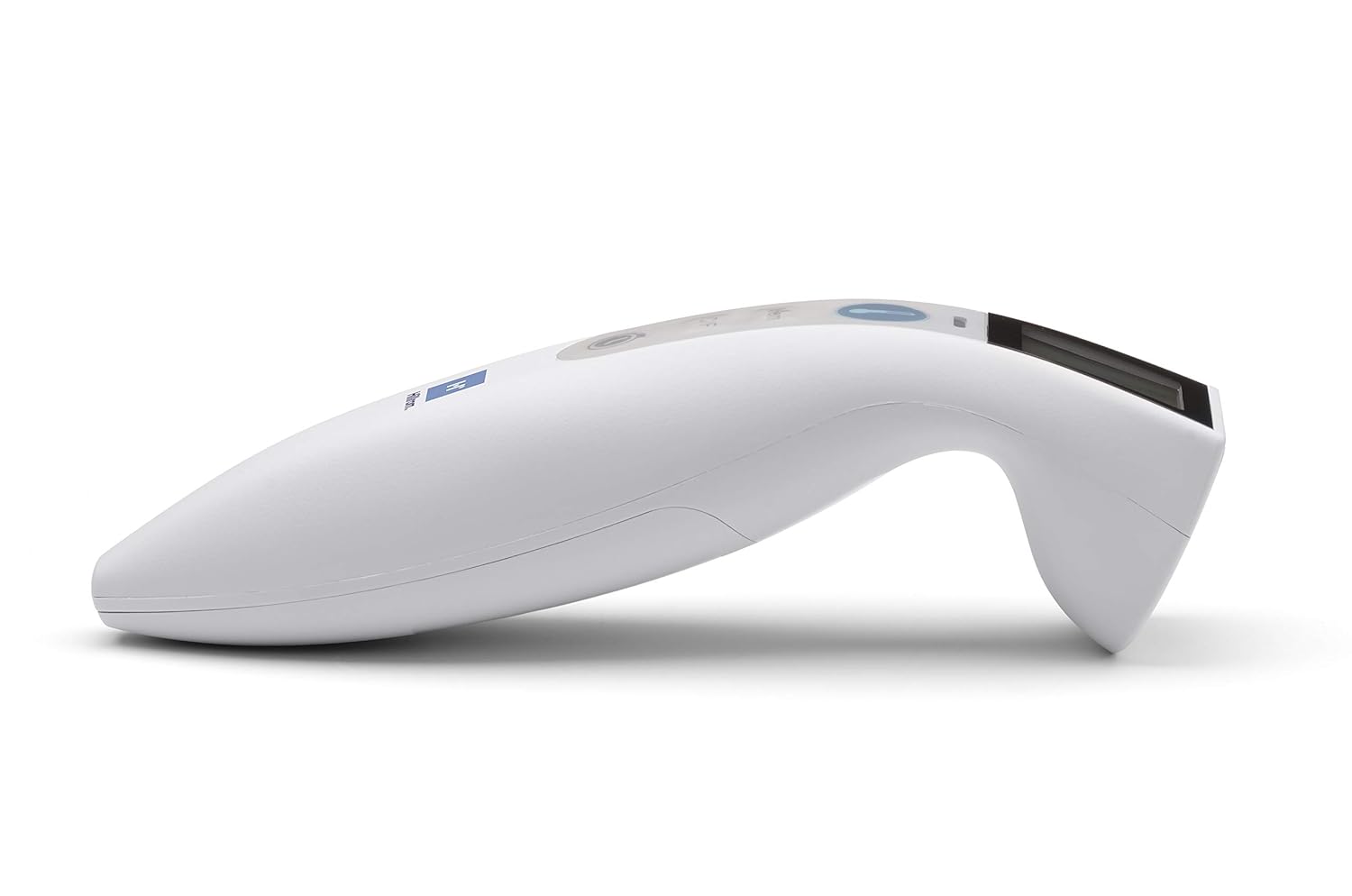
Сүрөт 2: Каптал view of the Welch Allyn Contact-Free Forehead Thermometer, illustrating its ergonomic design. The battery compartment is typically located on the underside or rear of the device.
2. Баштапкы күйгүзүү
After installing batteries, press the power/measurement button once to turn on the device. The display will illuminate, and the thermometer will perform a brief self-check before entering standby mode, ready for measurement.
Иштөө нускамалары
1. Температураны өлчөө
- Ensure the thermometer is clean and free of obstructions.
- Position the thermometer approximately 1-2 inches (2.5-5 cm) from the center of the patient's forehead. The device features a measurement feedback system to guide you to the correct distance.
- Press and release the measurement button (often indicated by a thermometer icon).
- Hold the thermometer steady until a beep sounds and the temperature reading appears on the display.
- Record the reading if necessary. The thermometer will automatically turn off after a period of inactivity or can be manually turned off by pressing and holding the power button.

Сүрөт 3: View of the Welch Allyn Contact-Free Forehead Thermometer, highlighting the infrared sensor area at the front, which should be aimed at the forehead for accurate readings.
2. Switching Between Celsius and Fahrenheit
To change the temperature unit, press the "C/F" button. The display will toggle between Celsius (°C) and Fahrenheit (°F). The selected unit will be indicated on the screen.
3. Эстутумду кайра чакыруу
The thermometer stores previous temperature readings. To access these, press the "Mem" button. Repeated presses will cycle through stored readings. The number of stored readings may vary by model.
4. Pulse Timer Function
To use the pulse timer, press the dedicated pulse timer button (often indicated by a clock icon). Follow the on-screen prompts or refer to the specific timing sequence for accurate pulse measurement. This feature assists in manually counting pulse rates over a set period.
Техникалык тейлөө
Термометрди тазалоо
- Wipe the thermometer body with a soft cloth dampened with isopropyl alcohol (70% concentration) or a mild disinfectant.
- Pay special attention to the sensor lens. Use a cotton swab lightly moistened with alcohol to gently clean the lens. Avoid excessive pressure or abrasive materials, as this can damage the sensor.
- Термометрди сууга же башка тазалоочу эритмеге салбаңыз.
- Сактоодон же кийинки колдонуудан мурун термометрди толугу менен абада кургатууга уруксат бериңиз.
Сактагыч
- Термометрди салкын, кургак жерде, тике күндүн нурунан жана экстремалдык температурадан алыс сактаңыз.
- If the thermometer will not be used for an extended period, remove the batteries to prevent leakage and potential damage to the device.
Проблемаларды чечүү
Эгерде термометриңиз менен көйгөйлөргө туш болсоңуз, төмөнкү кеңири таралган көйгөйлөрдү жана чечимдерди караңыз:
| Көйгөй | Мүмкүн болгон себеп / Чечим |
|---|---|
| "Err" билдирүүсү көрсөтүлүүдө |
|
| Туура эмес же дал келбеген окуулар |
|
| Термометр күйбөйт |
|
| Дисплей күңүрт же бүлбүлдөп турат |
|
Техникалык шарттар
- Модел: B08T5TLHMF
- Өлчөө ыкмасы: Байланышсыз инфракызыл
- Кубат булагы: 2 x "AAA" batteries
- Батареянын иштөө мөөнөтү: Болжол менен 3,000 окуу
- Дисплей: Арткы жарыктуу LCD
- Бирдиктер: Цельсий (°C) / Фаренгейт (°F)
- Эстутум: Stores previous readings (specific capacity may vary)
- Өндүрүүчү: Hillrom (Welch Allyn is a Hillrom brand)
- Пакеттин өлчөмдөрү: 10.24 x 6.42 x 2.24 дюйм
- Салмагы: 8.78 унция (батареяларды кошкондо)
Кепилдик жана колдоо
For warranty information, technical support, or service inquiries, please contact the manufacturer directly.
Өндүрүүчүнүн Байланыш маалыматы:
- Бренд: Welch Allyn (a Hillrom brand)
- Телефон: 800-535-6663
- Webсайт: www.welchalyn.com (or relevant Hillrom support site)
Please have your product model number (B08T5TLHMF) and date of purchase available when contacting support.


