1. Киришүү
This user manual provides comprehensive instructions for the LVWIT Smart Light Bulb, Model LV-5.3WB10-E12-ZF. This smart candelabra LED bulb features color changing capabilities, dimmable functions, and seamless integration with voice assistants like Alexa and Google Home. It operates on a 2.4 GHz Wi-Fi network and requires no additional hub.
Please read this manual thoroughly before installation and operation to ensure proper use and to maximize the product's features.
2. Коопсуздук маалыматы
- Электр коопсуздугу: Ensure power is turned off at the switch before installing or removing the bulb.
- Үй ичинде гана колдонуу: This bulb is designed for indoor use in dry locations.
- Тtage Шайкештик: Use only with 100-120V, 60Hz power supply.
- Диммер которгучтары: Do not use with traditional dimmer switches. The bulb is dimmable via the app or voice control.
- Вентиляция: Ensure adequate ventilation around the bulb. Do not enclose in fixtures that restrict airflow.
- Жоюу: Электрондук таштандыларды жергиликтүү эрежелерге ылайык жоопкерчилик менен жок кылыңыз.
3. Пакеттин мазмуну
The package for the LVWIT Smart Light Bulb (Model LV-5.3WB10-E12-ZF) typically includes:
- LVWIT Smart Light Bulb(s) (B11-4.9w, 2 Count)
- Колдонуучунун Колдонмосу (бул документ)

Figure 3.1: LVWIT Smart Light Bulbs (2-pack).
4. Орнотуу колдонмосу
4.1 Физикалык орнотуу
- Ensure the power to the light fixture is turned off at the wall switch before installation.
- Carefully screw the LVWIT Smart Light Bulb into a standard E12 candelabra base socket.
- Turn on the power to the light fixture. The bulb should flash rapidly, indicating it is in pairing mode. If not, turn the bulb off and on 3 times until it flashes.
4.2 Колдонмону орнотуу жана Wi-Fi туташуусу
The LVWIT Smart Light Bulb works with the Tuya Smart or Smart Life app.
- Download the "Tuya Smart" or "Smart Life" app from the Apple App Store or Google Play Store.
- Каттоо же өз эсебиңизге кирүү.
- Ensure your mobile device is connected to a 2.4 ГГц Wi-Fi тармагы. The bulb does not support 5 GHz Wi-Fi.
- Колдонмодо түзмөк кошуу үчүн жогорку оң бурчтагы "+" сүрөтчөсүн таптаңыз.
- Select "Lighting" > "Light Source (Wi-Fi)".
- Confirm that the bulb is flashing rapidly. If it is not, turn the bulb off and on 3 times until it flashes rapidly.
- Enter your 2.4 GHz Wi-Fi network password and confirm.
- The app will begin connecting to the bulb. Once connected, you can rename the bulb for easier control.
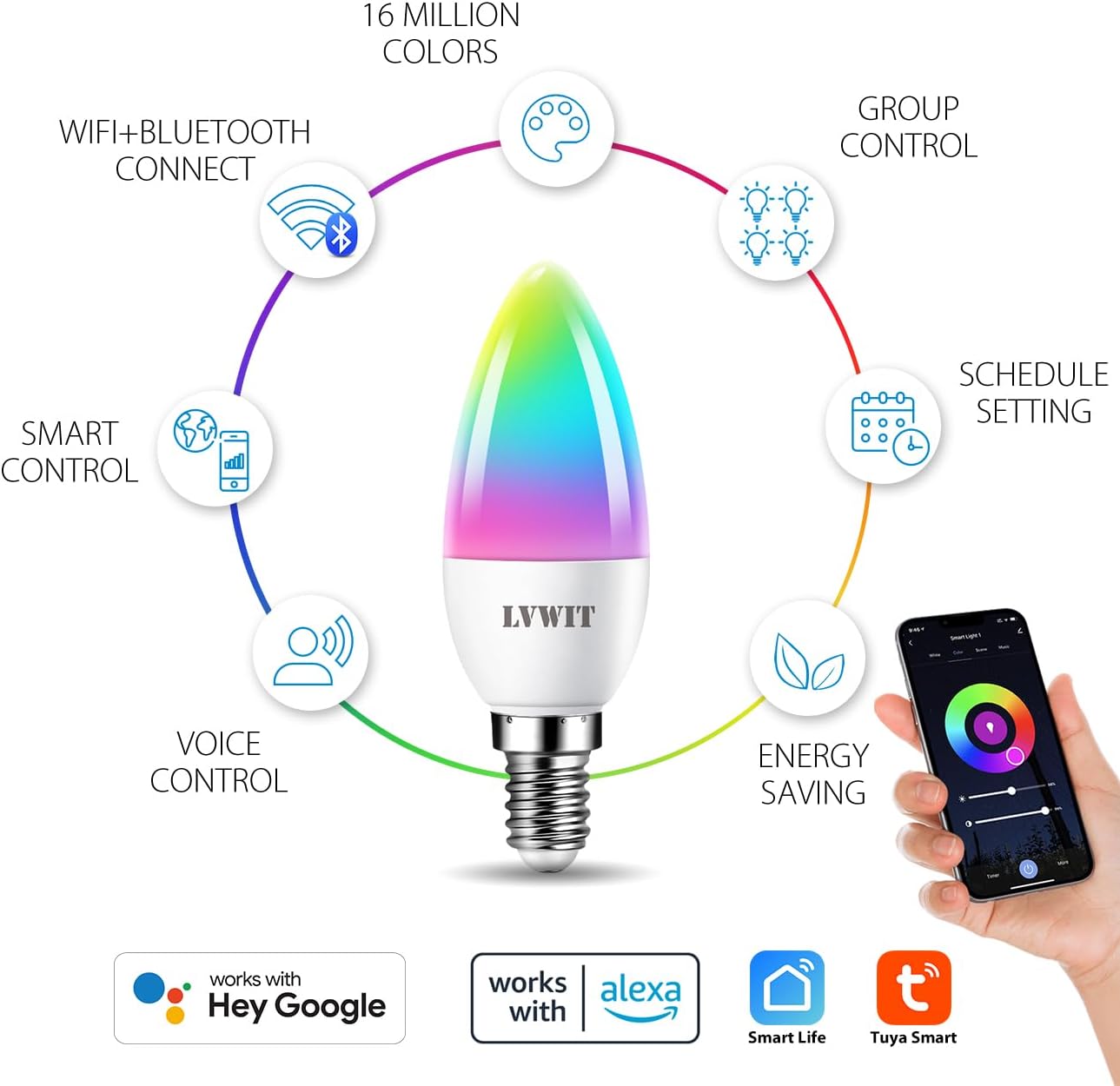
Figure 4.1: ашыкview of smart bulb features and app compatibility.
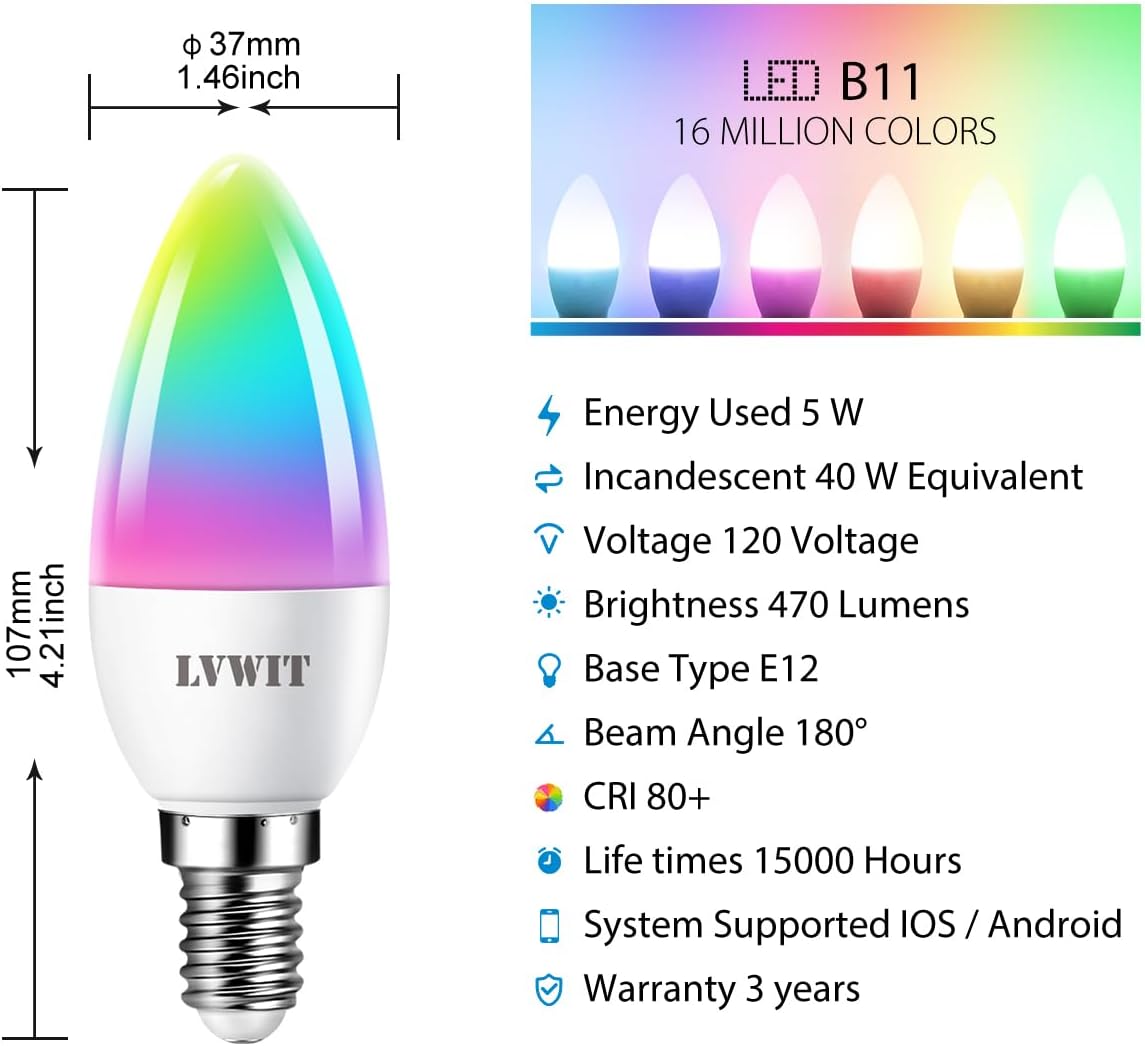
Figure 4.2: Detailed specifications and dimensions of the smart bulb.
4.3 Үн жардамчысын интеграциялоо (Alexa/Google Home)
To control your LVWIT Smart Light Bulb with voice commands, link your Smart Life/Tuya Smart account to your Amazon Alexa or Google Home app.
Amazon Alexa үчүн:
- Alexa колдонмосун ачыңыз.
- Tap "More" (hamburger menu) > "Skills & Games".
- Издөө "Акылдуу жашоо".
- Select "Smart Life" and tap "ENABLE TO USE".
- Enter your Smart Life account credentials (email/phone and password) and select your region. Tap "Link Now".
- Once linked, tap "DISCOVER DEVICES". Alexa will find your smart bulb(s).
- You can now control your bulb(s) with voice commands (e.g., "Alexa, turn on [Bulb Name]", "Alexa, set [Bulb Name] to pink").
Google Home үчүн:
- Google Home колдонмосун ачыңыз.
- Tap "+" > "Set up device" > "Works with Google".
- Издөө "Акылдуу жашоо".
- Select "Smart Life" and link your account using your Smart Life credentials.
- Assign your bulb(s) to a room for easier control.
- You can now control your bulb(s) with voice commands (e.g., "Hey Google, turn on [Bulb Name]", "Hey Google, change [Bulb Name] to blue").

Figure 4.3: Voice control with smart home hubs.
Video 4.1: Demonstration of voice control for the smart light bulb, showing how to change light color and brightness using voice commands.
5. Иштөө нускамалары
5.1 Basic Control (On/Off, Brightness, Color Temperature)
Once connected, you can control your smart bulb directly from the Tuya Smart or Smart Life app:
- Күйгүзүү/өчүрүү: Лампаны күйгүзүү же өчүрүү үчүн колдонмодогу кубат сүрөтчөсүн таптаңыз.
- Жарыктык: Жарыкты күңүрт же ачык кылуу үчүн жарыктык жылдыргычын тууралаңыз.
- Түс температурасы: Change the color temperature from 2700K (warm white) to 6500K (daylight white) using the dedicated slider or preset options.
5.2 Color Changing (RGB)
The bulb offers 16 million colors. In the app, navigate to the "Color" tab to select your desired hue from the color wheel or choose from predefined color scenes.
5.3 Топтук контроль
If you have multiple LVWIT Smart Light Bulbs, you can group them together in the app to control them simultaneously.
- In the app, select one of the bulbs you wish to group.
- Tap the "..." or "Settings" icon (usually top right).
- Look for "Create Group" or "Group Management".
- Select the bulbs you want to include in the group and confirm.
- You can now control the entire group (e.g., turn on/off, change color, adjust brightness) with a single command.

Figure 5.1: Grouping smart bulbs for unified control across different areas.
5.4 Пландаштыруу жана таймерлер
Set schedules for your bulbs to turn on/off or change settings automatically at specific times.
- In the app, select the bulb or group you want to schedule.
- Look for the "Schedule" or "Timer" option.
- Set the desired time, action (on/off, color, brightness), and repetition (daily, specific days).
- Save the schedule.

Figure 5.2: Setting automated schedules for your smart light bulbs.
5.5 Сахна режими
The app provides various preset scene modes (e.g., Working, Leisure, Soft, Colorful, Dazzling) to instantly change the ambiance of your room. You can also create custom scenes.

Figure 5.3: Exploring and applying multi-access scene modes.
6. Техникалык тейлөө
- Тазалоо: Тазалоодон мурун лампочка өчүрүлүп, муздаганын текшериңиз. Жумшак, кургак чүпүрөк менен сүртүңүз. Суюк тазалоочу каражаттарды же абразивдүү материалдарды колдонбоңуз.
- Сактагыч: Эгерде лампочканы узак убакытка сактасаңыз, аны күн тийбеген, салкын, кургак жерде сактаңыз.
- Программалык камсыздоонун жаңыртуулары: Periodically check the Smart Life/Tuya Smart app for firmware updates to ensure optimal performance and security.
7. Кыйынчылыктарды
| Көйгөй | Мүмкүн себеп | Чечим |
|---|---|---|
| Bulb not connecting to Wi-Fi / App cannot find bulb. |
|
|
| Bulb is unresponsive to voice commands (Alexa/Google Home). |
|
|
| Bulb does not dim or change color. |
|
|
8. Продукттун спецификациялары
| Өзгөчөлүк | Деталь |
|---|---|
| Бренд | LVWIT |
| Модель номери | LV-5.3WB10-E12-ZF |
| Жарык түрү | LED |
| Лампанын формасынын өлчөмү | B11 (шам) |
| Лампанын базасы | E12 |
| Ватtage | 4.9W (5 watts) |
| Кызытма эквиваленти | 40 Ватт |
| Жарыктык | 470 Lumens |
| Түс температурасы | 2700K - 6500K (Warm White to Daylight) |
| Түс параметрлери | 16 миллион түстөр (RGB) |
| Тtage | 100-120 вольт, 60 герц |
| Байланыш технологиясы | Wi-Fi (2.4 ГГц гана) |
| Controller Type | App (Tuya Smart/Smart Life), Google Assistant, Amazon Alexa |
| Өзгөчөлүктөр | Dimmable, Color Changing, Group Control, Scheduling |
| Орточо жашоо | 15,000 саат |
| Материал | Пластик |
| Продукциянын өлчөмдөрү | 0.01"W x 4.41"H |
| Элемент Салмагы | 3.2 унция (0.09 килограмм) |
9. Кепилдик жана колдоо
9.1 Кепилдик маалыматы
The LVWIT Smart Light Bulb (Model LV-5.3WB10-E12-ZF) comes with a 3 жылдык кепилдик from the date of purchase. This warranty covers defects in materials and workmanship under normal use. It does not cover damage caused by misuse, accidents, unauthorized modifications, or improper installation.
Кепилдик дооматтары үчүн сатып алганыңыздын далилин сактап коюңуз.
9.2 Кардарларды колдоо
For technical assistance, troubleshooting, or warranty inquiries, please contact LVWIT customer support. You can typically find contact information on the product packaging, the official LVWIT webсайтында же продукт сатып алынган чекене сатуучу аркылуу.
LVWIT aims to provide outstanding products and services. For technical or service support, they typically reply within 24 hours.
For more information, visit the official LVWIT store: LVWIT Store on Amazon


