Introduction
The Sharkoon Skiller SGK30 is a mechanical gaming keyboard designed for performance and durability. It features customizable RGB lighting, N-Key rollover, and a 1000Hz polling rate for responsive gameplay and typing. This manual provides essential information for setting up, operating, and maintaining your keyboard.

Image: Sharkoon Skiller SGK30 Mechanical Gaming Keyboard banner displaying the product name and type.
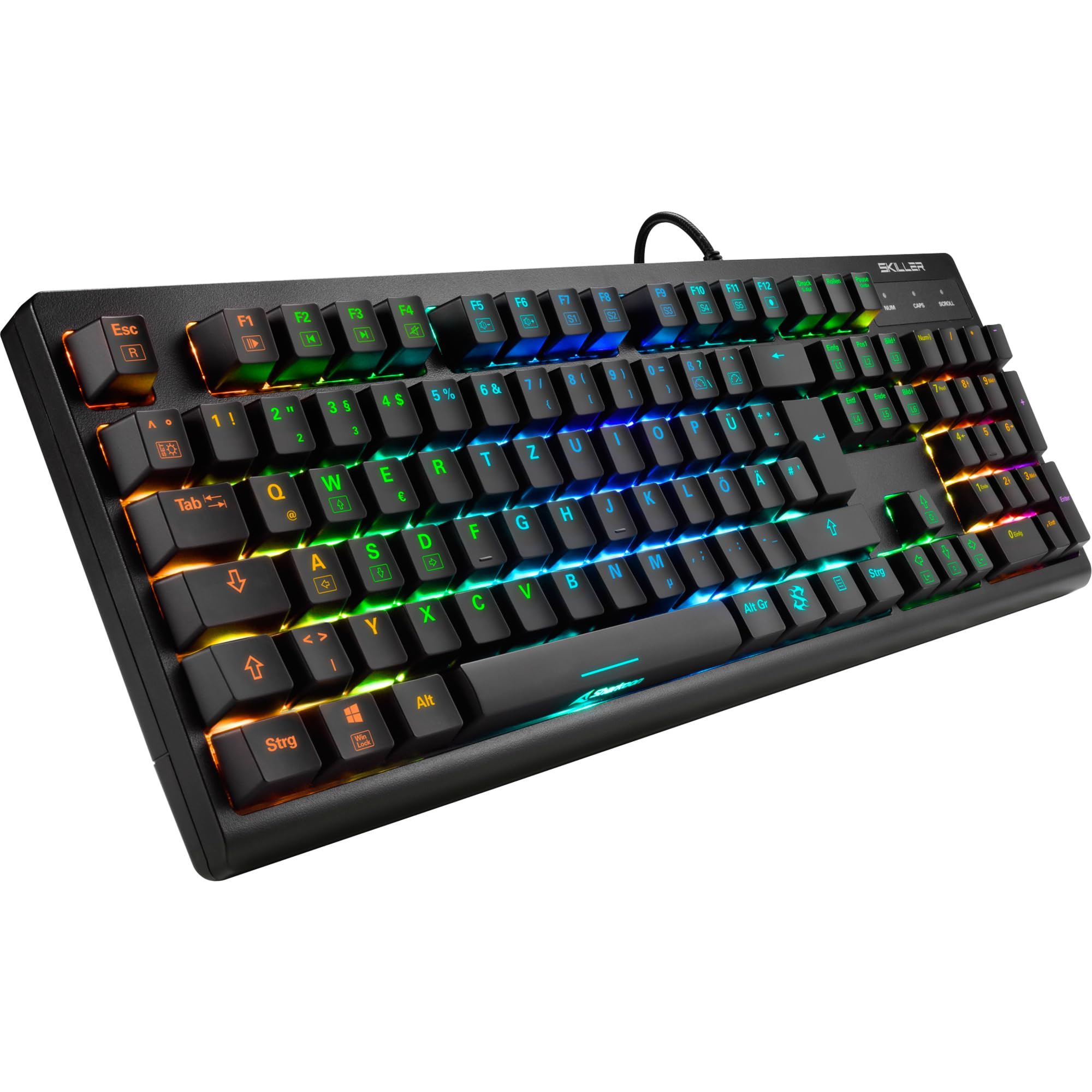
Сүрөт: жогорудан ылдыйга view of the Sharkoon Skiller SGK30 mechanical gaming keyboard, showcasing анын толук схемасы жана жандуу RGB арткы жарыгы.
Продукт бүттүview Video
Видео: расмий продукт бүттүview of the Sharkoon Skiller SGK30 Mechanical Gaming Keyboard, demonstrating its features, RGB lighting effects, and mechanical switches.
Жайгашуу
Follow these steps to set up your Sharkoon Skiller SGK30 keyboard:
- Баскычтопту таңгактан чыгаруу: Carefully remove the keyboard and the included USB cable from its packaging.
- Компьютерге туташуу: Plug the Micro USB end of the cable into the keyboard's port and the standard USB-A end into an available USB port on your computer.
- Драйверди орнотуу: The keyboard is plug-and-play. Your operating system (Windows 10 or later recommended) should automatically detect and install the necessary drivers.
- Программалык камсыздоону орнотуу (кошумча): For advanced customization of RGB lighting and key assignments, download the official Sharkoon software from the manufacturer's webсайт.

Image: The Sharkoon Skiller SGK30 keyboard positioned on a desk, ready for connection.
Иштөө нускамалары
Негизги ачкыч функциялары
The Sharkoon Skiller SGK30 features a standard layout with additional function keys accessible via the FN ачкыч.
- FN + F1-F12: Access multimedia controls (e.g., play/pause, volume up/down, mute).
- FN + Windows ачкычы: Оюн учурунда кокусунан басылып калбашы үчүн Windows баскычын кулпулаңыз/ачыңыз.
- N-Key Rollover: All keys are registered simultaneously, ensuring every keystroke is detected, even during rapid input.
RGB жарык көзөмөлдөө
The keyboard offers extensive RGB lighting customization. Use the following combinations to adjust lighting effects:
- FN + Insert/Home/Page Up/Delete/End/Page Down: Cycle through various pre-programmed lighting effects.
- FN + жебе баскычтары (өйдө/ылдый): Adjust brightness levels of the lighting.
- FN + жебе баскычтары (Сол/Оң): Динамикалык жарыктандыруу эффекттеринин ылдамдыгын тууралаңыз.
- Custom Illumination: Use the dedicated software for advanced per-key lighting customization.

Сүрөт: жакын план view of the keyboard keys highlighting the adjustable RGB illumination capabilities.
Программалык камсыздоону ыңгайлаштыруу
For advanced settings, macro programming, and detailed RGB customization, download and install the Sharkoon Skiller SGK30 software from the official Sharkoon webсайт. Программа сизге мүмкүнчүлүк берет:
- Create and save custom lighting profiles.
- Program macros for specific keys.
- Негизги функцияларды кайра картага түшүрүү.

Image: A screenshot showing the graphical user interface of the Sharkoon Skiller SGK30 customization software, illustrating various options for lighting and key remapping.
Техникалык тейлөө
Туура тейлөө сиздин клавиатураңыздын узак иштөөсүн жана иштешин камсыз кылат:
- Тазалоо: Use a soft, dry cloth to wipe the surface of the keyboard. For deeper cleaning, use compressed air to remove dust and debris from between the keycaps.
- Клавиатураны алып салуу: If necessary, keycaps can be carefully removed using a keycap puller (not included) for thorough cleaning of the switches. Reinstall keycaps by pressing them firmly onto the switch stems.
- Суюктуктардан алыс болуңуз: Клавиатураны суюктуктарга тийгизбеңиз. Төгүлүп кетсе, клавиатураны дароо сууруп, кайра туташтыруудан мурун толугу менен кургатыңыз.
- Сактагыч: Клавиатураны күн нурунан жана экстремалдык температурадан алыс, салкын, кургак жерде сактаңыз.

Сүрөт: жакын план view of the mechanical switches on the Sharkoon Skiller SGK30 keyboard, illustrating their design for durability and ease of maintenance. Note: This model is available with Red switches, while the image shows Blue switches.
Проблемаларды чечүү
If you encounter issues with your Sharkoon Skiller SGK30 keyboard, refer to the following common solutions:
| Көйгөй | Мүмкүн себеп | Чечим |
|---|---|---|
| Баскычтоп жооп бербей жатат | Бош USB туташуу, туура эмес USB порт, драйвер маселеси. |
|
| RGB жарыгы иштебейт же туура эмес | Lighting settings incorrect, software conflict. |
|
| Ачкычтар катталбайт | Баскычтоптун капкагынын астындагы чаң/таштандылар, өчүргүч бузук. |
|
Техникалык шарттар
| Өзгөчөлүк | Деталь |
|---|---|
| Бренд | Шаркун |
| Модель номери | 4044951030026 |
| Баскычтоптун түрү | Механикалык оюн баскычтобу |
| Которуу түрү | Red Switch (Blue switches are also available for this model series) |
| Байланыш | Микро USB |
| Добуш берүү көрсөткүчү | 1000Hz |
| N-Key Rollover | Колдоого алынган |
| RGB жарыктандыруу | Ыңгайлаштырылуучу RGB |
| Операция системасы | Windows 10 (жана башка Windows версиялары менен шайкеш келет) |
| Өлчөмдөрү (LxWxH) | 44 x 14.4 x 3.5 см |
| Салмагы | 867 г |
Кутуда эмне бар
The Sharkoon Skiller SGK30 package includes:
- Sharkoon Skiller SGK30 Mechanical Gaming Keyboard
- USB кабели
Кепилдик жана колдоо
Кепилдик жөнүндө маалымат жана техникалык колдоо алуу үчүн, расмий Sharkoon компаниясына кайрылыңыз webсайтына кириңиз же жергиликтүү сатуучуңузга кайрылыңыз. Кепилдик талаптары үчүн сатып алганыңызды тастыктаган документти сактап коюңуз.
Эскертүү: Продукциянын мүнөздөмөлөрү жана функциялары алдын ала эскертүүсүз өзгөртүлүшү мүмкүн.