Introduction
The VTech VM923 Digital Video Baby Monitor provides a secure and reliable way to monitor your baby. Featuring a 2.8-inch LCD screen, pan-tilt-zoom camera, night vision, two-way audio, temperature sensor, and lullabies, this system is designed for comprehensive baby monitoring without Wi-Fi dependency. This manual provides essential information for setting up, operating, and maintaining your baby monitor.

Image: The VTech VM923 Baby Monitor system, showing the parent unit with a 2.8-inch LCD screen and the pan-tilt-zoom baby unit camera.
Продукттун негизги өзгөчөлүктөрү
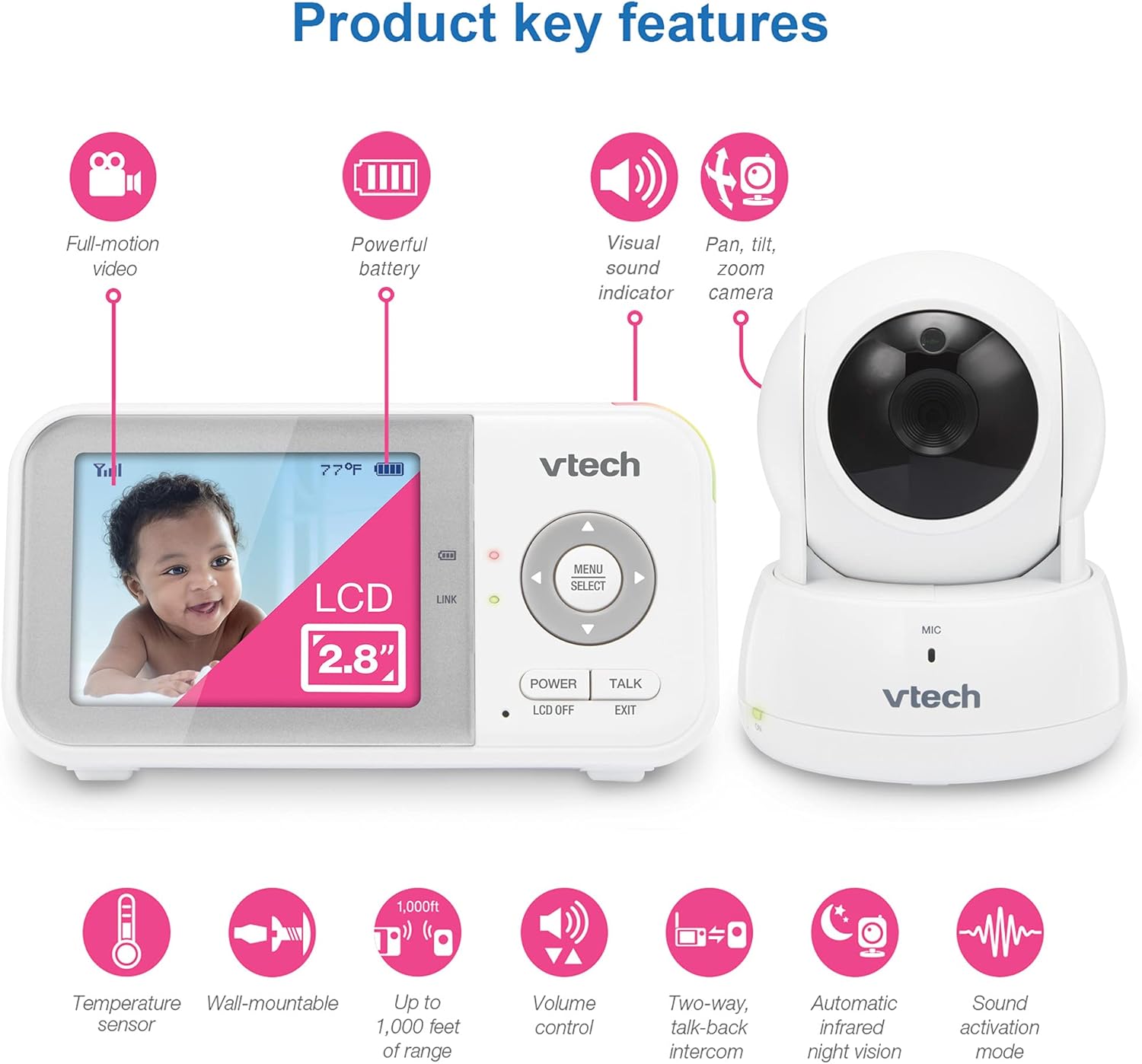
Сүрөт: Визуалдык көрүнүшview of the VTech VM923's main features, highlighting its video capabilities, battery life, sound indicators, camera movement, and environmental sensors.
- 2.8 дюймдук LCD экран: Тактык үчүн жогорку чечилиштеги дисплей viewкүнү-түнү иштейт.
- Панорамалоо, эңкейтүү жана масштабдоо камерасы: Remotely adjust the camera view (270 degrees side-to-side, 105 degrees up and down, 2x zoom).
- Жакшыртылган түнкү көрүнүш: Infrared LEDs provide clear greyscale images in low light conditions.
- Эки тараптуу сүйлөшүү: Ата-эне бөлүмүнөн балаңыз менен байланышыңыз.
- Температура сенсору: Бала бөлмөсүнүн температурасын көзөмөлдөп, аны ата-эне блогунда көрсөтөт.
- Soothing Lullabies and Sounds: Play 2 calming melodies and 2 ambient sounds directly from the baby unit.
- Sound Activation Mode (VOX): Screen automatically turns on when sound is detected above a set level.
- Узак аралык: Up to 1,000 feet of operating range.
- Батареянын узак иштөө мөөнөтү: Бир заряд менен 19 саатка чейин видео агым.
Эмне камтылган
Your VTech VM923 Baby Monitor package includes the following components:
- Baby Camera Unit
- Ата-эне бирдиги
- Power Adapters for both units
- Wall Mount Bracket (for baby camera)
- Quick Start Guide

Image: The VTech VM923 Baby Monitor components laid out, showing the parent unit, baby unit, and their respective power adapters.
Жайгашуу
1. Ата-эне блогун заряддоо
Before initial use, charge the parent unit battery for at least 12 hours. The battery icon on the screen will indicate charging status. A full charge provides up to 19 hours of video streaming or 29 hours in audio-only mode.

Image: The parent unit displaying battery life and usage times for video and audio-only modes.
2. Ымыркай бөлүгүн (камера) жайгаштыруу
Наристе бөлүгүн тунук болгон жерге кой view of your baby. Ensure it is at least 3 feet (1 meter) away from your baby to avoid strangulation hazards from the power cord. The camera can be placed on a flat surface or wall-mounted using the included bracket.
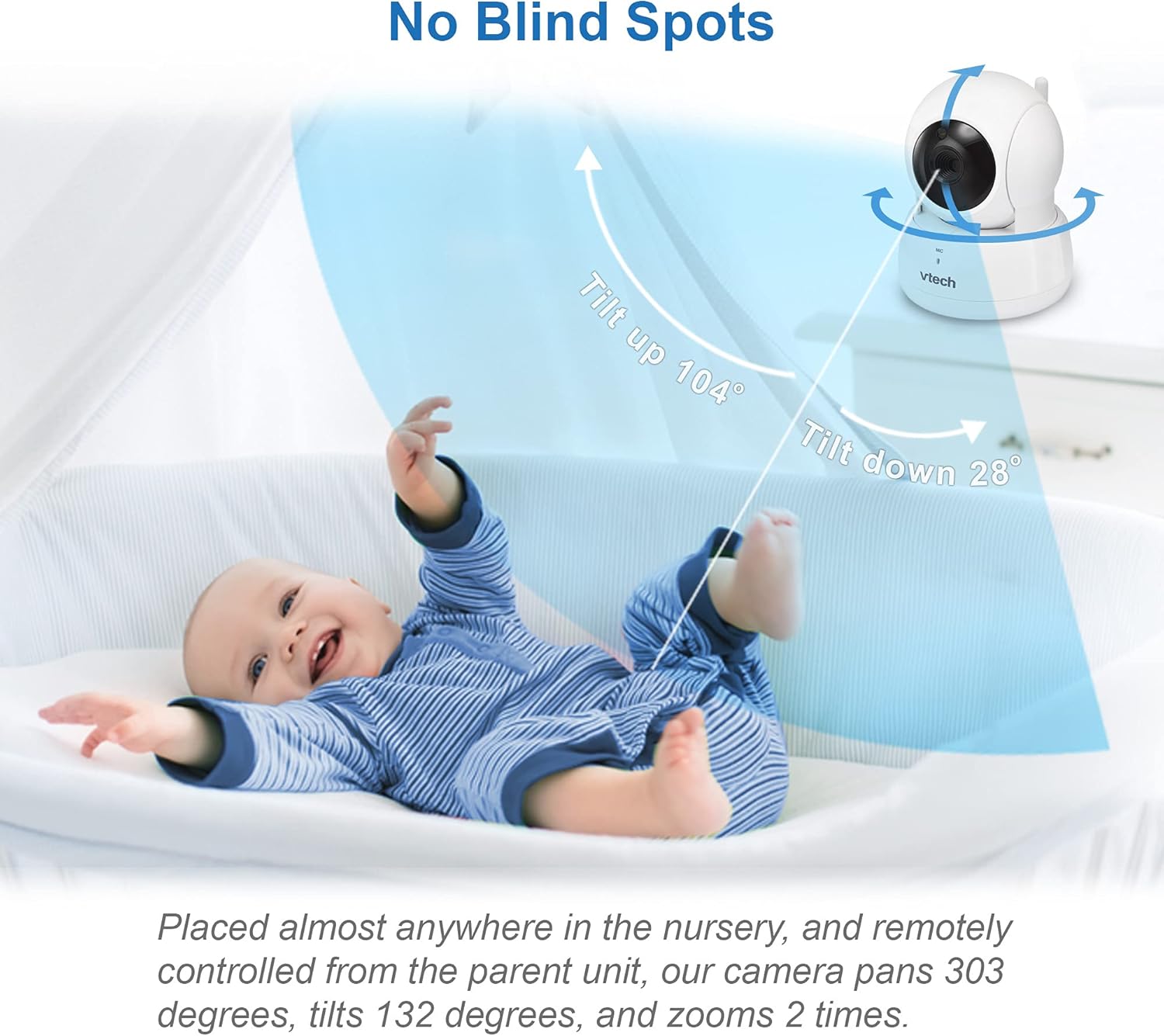
Image: The baby unit camera demonstrating its pan and tilt capabilities to cover the nursery without blind spots.
3. Кубатты туташтыруу
Connect the power adapters to both the baby unit and the parent unit, then plug them into a power outlet. The units will automatically link once powered on.
Иштөө нускамалары
ViewБалаңызды багып алуу
The 2.8-inch LCD screen on the parent unit provides a live video feed from the baby unit. The screen offers full color during the day and automatically switches to greyscale infrared night vision in low light conditions.
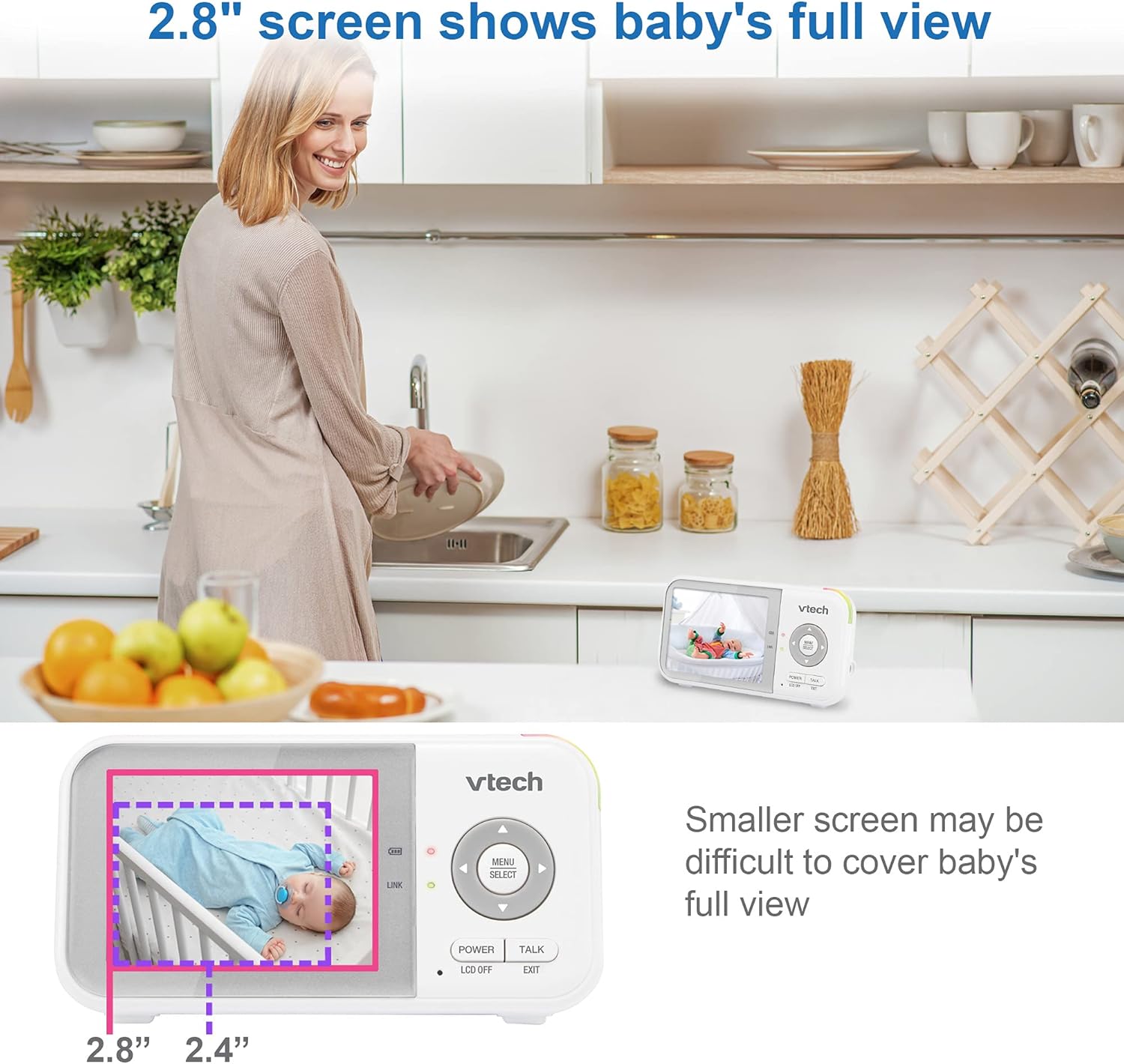
Image: The parent unit's 2.8-inch screen showing a full view of a baby, emphasizing its larger display compared to smaller monitors.

Image: A side-by-side comparison illustrating the clarity of the VTech VM923's night vision compared to standard night vision.
Камераны башкаруу (панорамалоо, эңкейтүү, масштабдоо)
Use the directional buttons on the parent unit to remotely pan (move horizontally), tilt (move vertically), and zoom (magnify) the baby unit camera. This allows you to adjust the viewing angle without disturbing your baby.
Video: Demonstration of the pan, tilt, and zoom functions of the VTech baby monitor camera, showing how to adjust the view ата-эне блогунан.
Эки тараптуу сүйлөшүү
Press and hold the 'TALK' button on the parent unit to speak to your baby through the baby unit's speaker. Release the button to hear your baby's sounds.

Image: The two-way talk feature in action, allowing parents to comfort their baby remotely.
Soothing Lullabies and Sounds
Access the menu on the parent unit to select and play from 2 pre-programmed lullabies and 2 ambient sounds (white noise, trickling stream) to help soothe your baby to sleep.

Image: The baby unit playing lullabies to a sleeping infant.
Температура мониторинги
The baby unit includes a temperature sensor that continuously monitors the nursery's ambient temperature. This reading is displayed on the parent unit's screen, allowing you to ensure a comfortable environment for your baby.

Image: The parent unit displaying the nursery temperature, indicating when adjustments might be needed.
Үндү активдештирүү режими (VOX)
The monitor features a sound activation mode. When enabled, the parent unit screen will automatically turn off to save power and reduce light disturbance. It will reactivate and display video when sounds above a preset sensitivity level are detected in the nursery.
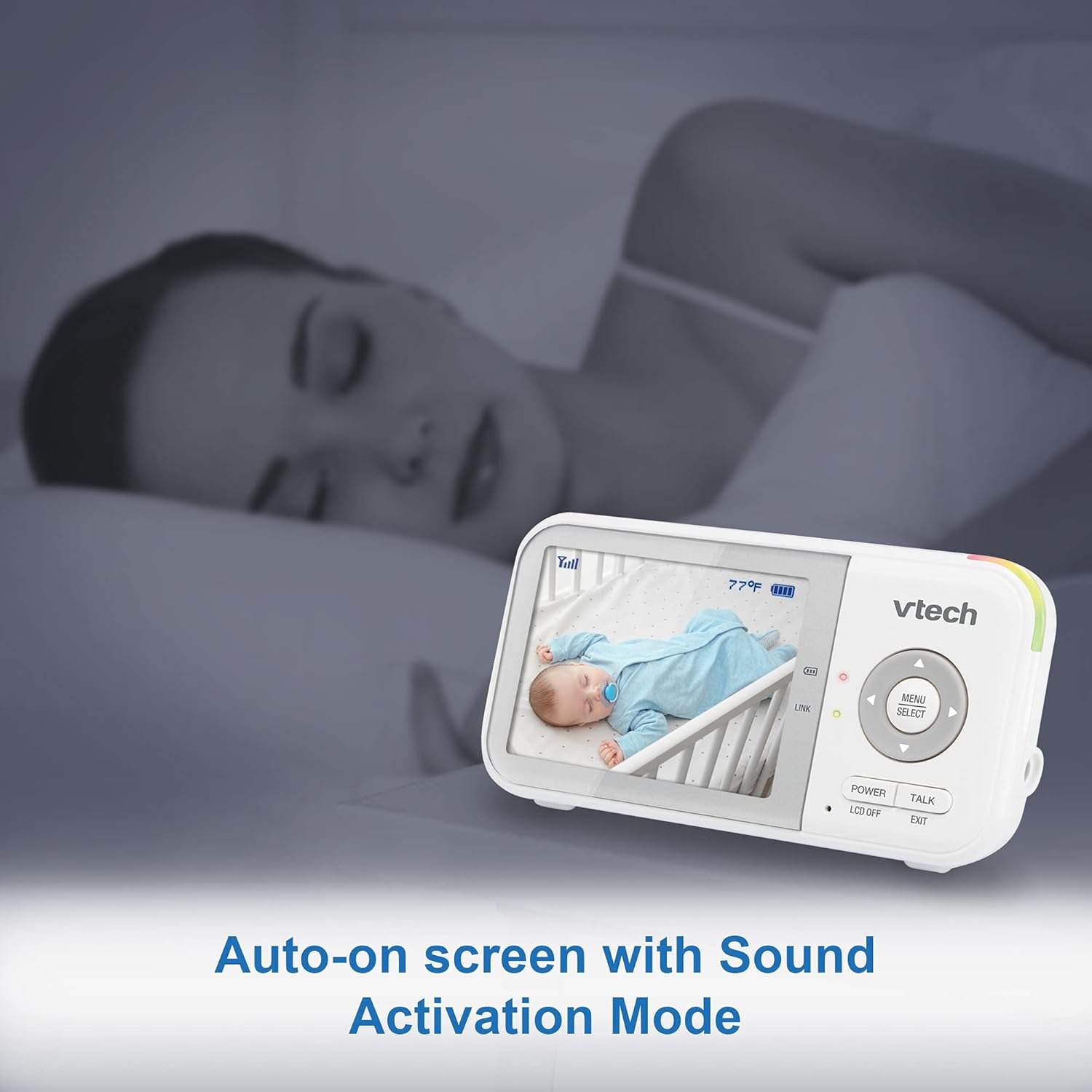
Image: The parent unit in sound activation mode, showing the screen activating upon detecting sound.
Range and Portability
The VM923 offers a long operating range of up to 1,000 feet, allowing you to move freely around your home while staying connected to your baby. The compact parent unit is designed for easy portability.

Image: The monitor's long range capability, allowing monitoring from various parts of a home.

Image: The compact design of the parent unit, making it easy to carry.
Техникалык тейлөө
To ensure optimal performance and longevity of your VTech VM923 Baby Monitor, follow these maintenance guidelines:
- Тазалоо: Монитор блокторун жумшак, d менен тазалаңызamp кездеме. Тазалоочу спрейлерди же суюк тазалоочу каражаттарды колдонбоңуз.
- Батареяга кам көрүү: Fully charge the parent unit battery before first use. Avoid extreme temperatures and prolonged exposure to direct sunlight.
- Сактагыч: Эгерде продуктту узак убакытка сактап жатсаңыз, батареяны ата-эне бөлүгүнөн чыгарып, салкын, кургак жерде сактаңыз.
- шнур коопсуздугу: Always keep power cords out of reach of children (more than 3 feet/1 meter away) to prevent strangulation hazards.
Проблемаларды чечүү
If you encounter any issues with your VTech VM923 Baby Monitor, refer to the following common troubleshooting tips:
- Байланыш жок/Сигнал начар: Ensure both units are powered on and within range. Move the parent unit closer to the baby unit. Avoid placing units near large metal objects or other electronic devices that may cause interference.
- Сүрөт/үн жок: Check if both units are properly connected to power and turned on. Adjust the volume level on the parent unit. Ensure the screen is not in sleep mode (VOX).
- Статикалык же интерференция: Move the units away from other electronic devices (e.g., cell phones, Wi-Fi routers, microwaves). Try repositioning the units to find a clearer signal path.
- Батарея зарядды кармабайт: Ensure the parent unit is charging correctly. If the battery life has significantly decreased over time, it may need replacement. Contact customer support for assistance.
Техникалык шарттар
| Өзгөчөлүк | Спецификация |
|---|---|
| Screen Size | 2.8 дюйм |
| Байланыш технологиясы | Зымсыз (2.4 ГГц FHSS) |
| Ички/тышкы колдонуу | Indoor |
| Power Source | Батарея менен иштейт |
| Видео тартуунун резолюциясы | 480p |
| Pan / Tilt / Zoom | Pan 270°, Tilt 105°, Digital Zoom 2x |
| Өзгөчөлүктөр | 2-Way Audio, Cry Detection, Night Vision, PTZ Technology, Temperature Sensor |
| Батарея түрү | 1 литий-иондук батарейка (кошулган) |
| Элемент Салмагы | 1.41 фунт |
| Продукциянын өлчөмдөрү | 2.5 x 1.32 x 4.72 дюйм |
Кепилдик жана колдоо
For warranty information, technical support, or to register your product, please visit the official VTech Baby Care webсайт же кардарларды колдоо менен байланышуу:
- Webсайт: www.vtechbabycare.com
- Электрондук почта: support@vtechbabycare.com
Видео: Кайраview highlighting the ease of use and features of the VTech baby monitor, including its simple setup and reliable performance.


