1. Киришүү
Thank you for choosing the Lenco SCD-720 Boombox. This versatile audio system offers a wide range of playback options, including DAB+ and FM radio, Bluetooth 5.0 connectivity, a CD/MP3 player, a cassette player, and a USB port for digital audio files. It features 2 x 6W RMS audio output with Bass Reflex for enhanced sound and comes with a remote control for convenient operation. This manual provides essential information for setting up, operating, and maintaining your device.
2. Коопсуздук боюнча маанилүү маалымат
- Аппаратты колдонуудан мурун бардык нускамаларды кылдат окуп чыгыңыз.
- Бул колдонмону келечекте маалымат алуу үчүн сактаңыз.
- Өрт же электр тогуна урунуп калбаш үчүн аппаратты жамгырга же нымга тийгизбеңиз.
- Туура желдетүүнү камсыз кылыңыз. Эч кандай желдетүүчү тешиктерди жаап албаңыз.
- Аппаратты радиаторлор, жылуулук регистрлери, мештер же башка аппараттар (анын ичинде) сыяктуу жылуулук булактарынын жанына койбоңуз. ampкөтөргүчтөр) жылуулукту пайда кылуучу.
- Электр шнурунун басылып кетүүсүнөн же кысып калуудан сактаңыз, өзгөчө сайгычтарда, розеткаларда жана алар аппараттан чыга турган жеринде.
- Өндүрүүчү тарабынан көрсөтүлгөн тиркемелерди/аксессуарларды гана колдонуңуз.
- Чагылган бороондо же көпкө колдонулбаганда бул аппаратты электр розеткасынан ажыратыңыз.
- Бардык тейлөөлөрдү квалификациялуу тейлөө кызматкерлерине тапшырыңыз. Аппарат кандайдыр бир зыянга учураганда, мисалы, кубат берүүчү шнур же сайгыч бузулганда, суюктук төгүлгөндө же аппараттын ичине нерселер түшкөндө, аппарат жамгырга же нымдуулукка дуушар болгондо, нормалдуу иштебей калганда тейлөө талап кылынат. , же түшүрүлгөн.
3. Продукт бүтүп калдыview
Familiarize yourself with the main components and controls of your Lenco SCD-720 Boombox.
Фронт View USB порту менен

This image shows the front of the Lenco SCD-720 Boombox, highlighting the main control panel, speakers, and a USB stick inserted into the USB port on the top left.
Фронт View with CD Compartment Open

This image displays the Lenco SCD-720 Boombox from the front, with the top-loading CD compartment lid open, ready for CD insertion.
Арткы View
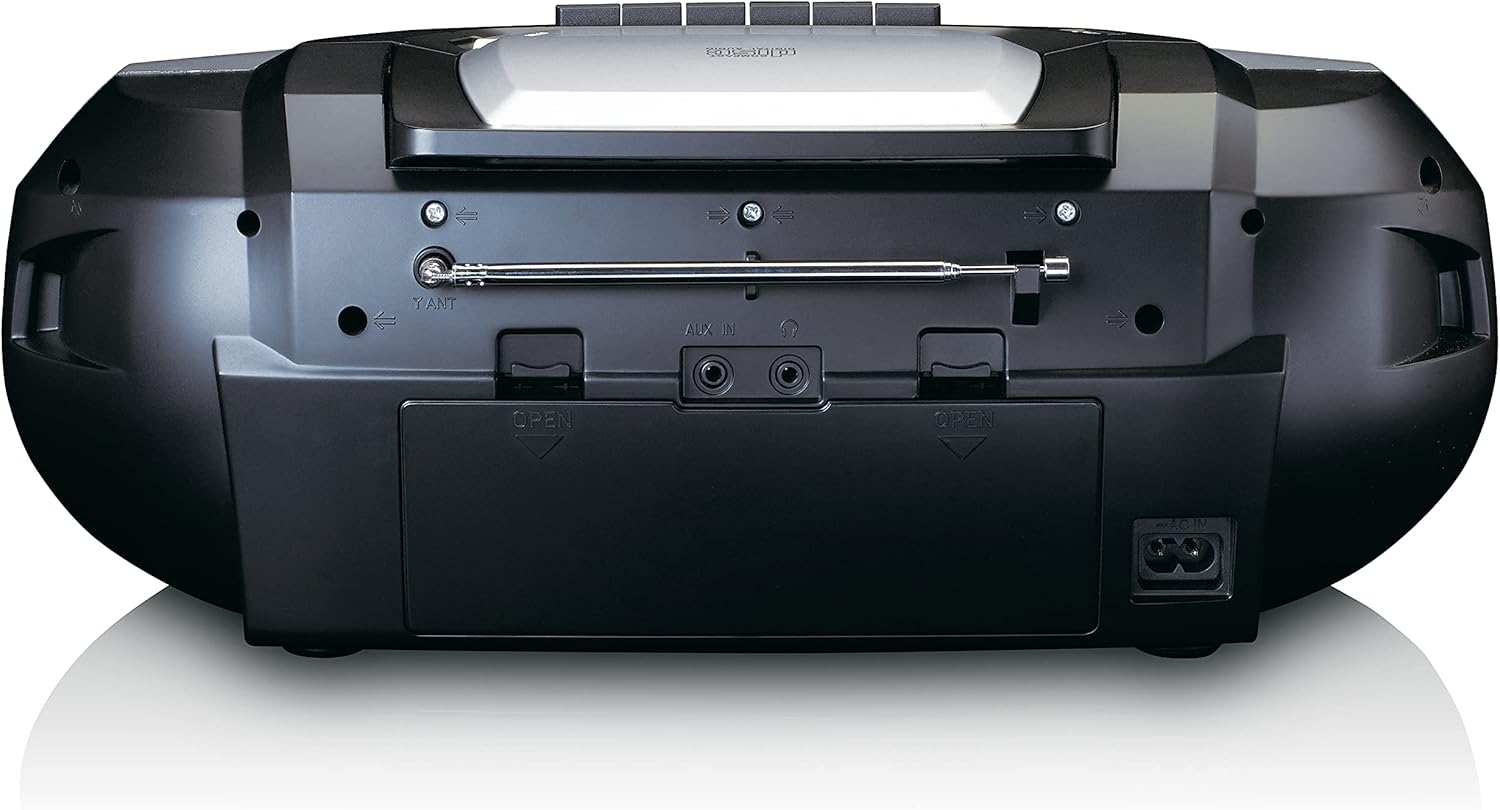
This image shows the back of the Lenco SCD-720 Boombox, featuring the telescopic antenna, AUX input, headphone jack, and the AC power input socket.
Control Panel Close-up

А деталдуу view of the Lenco SCD-720 Boombox's central control panel, including the digital display, source selection buttons, tuning/navigation buttons, and the illuminated volume knob.
Boombox with Remote Control
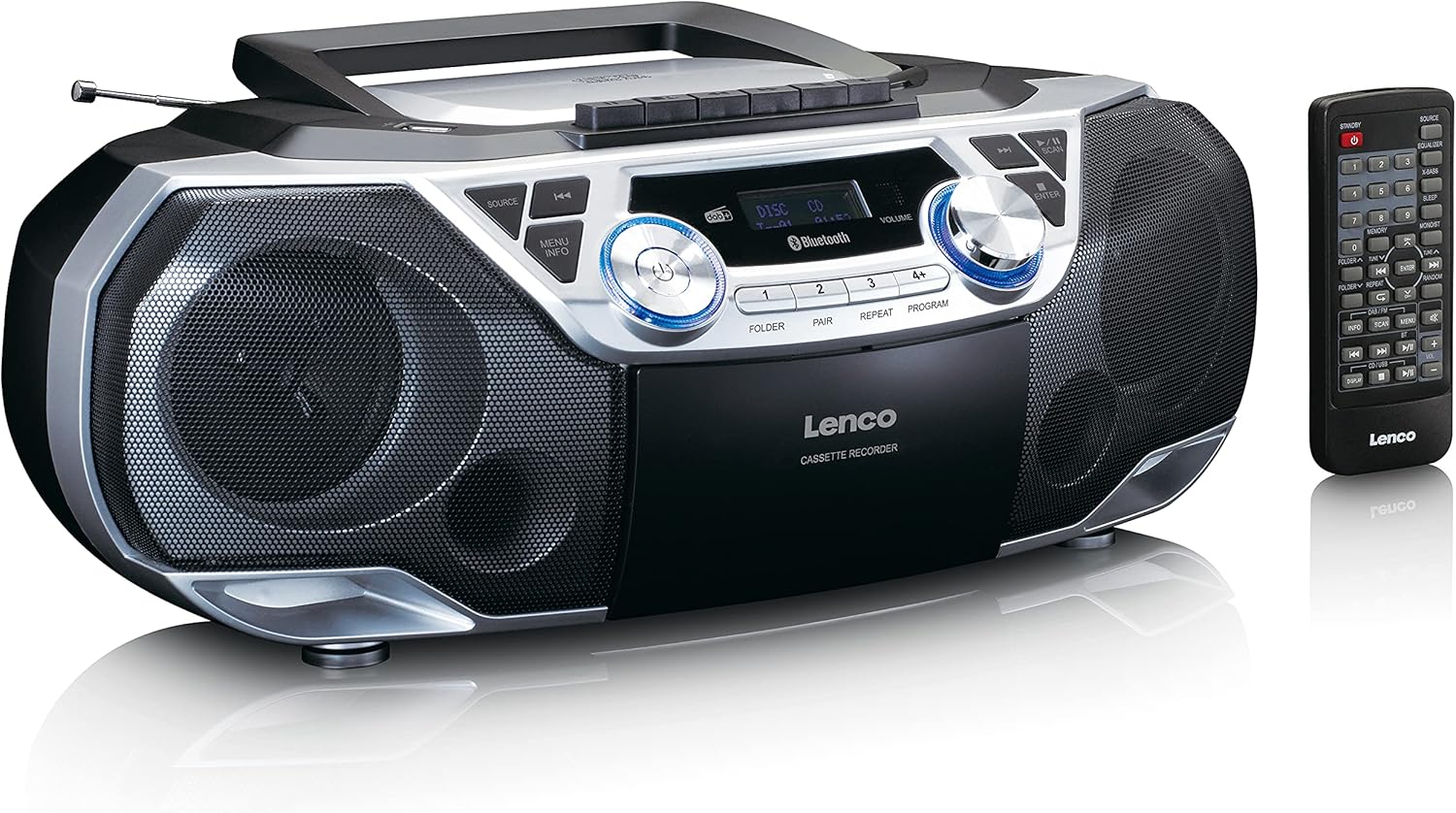
The Lenco SCD-720 Boombox is displayed next to its included remote control, illustrating the complete package.
Remote Control Layout

A close-up image of the remote control for the Lenco SCD-720 Boombox, showing all buttons for power, source selection, playback, tuning, and other functions.
4. Орнотуу
4.1 Кубат туташтыруу
The Lenco SCD-720 Boombox can be powered by AC mains or batteries.
- AC кубаттуулугу: Connect the supplied AC power cord to the AC IN socket on the rear of the unit and then to a standard wall outlet.
- Батареянын иштеши: For portable use, open the battery compartment on the rear of the unit and insert 8 x 'C' type batteries (not included), ensuring correct polarity. Close the compartment securely.
4.2 Антеннаны тууралоо
For optimal radio reception, extend the telescopic antenna fully. Adjust its position and angle to achieve the best signal quality for both DAB+ and FM broadcasts.
4.3 Баштапкы күйгүзүү
басыңыз КҮЧ button on the unit or remote control to turn on the boombox. The display will light up, and the unit will typically start in the last used mode.
5. Иштөө нускамалары
5.1 Жалпы көзөмөл
- Күйгүзүү/өчүрүү: басыңыз КҮЧ баскычы.
- Үндү көзөмөлдөө: айлантыңыз VOLUME аппараттын баскычын басыңыз же колдонуңуз VOL + / - алыстан башкаруудагы баскычтар.
- Булак тандоо: басыңыз БУЛАК button on the unit or the dedicated source buttons (DAB/FM, CD/USB, BT) on the remote to switch between modes (DAB+, FM, CD, USB, Bluetooth, AUX).
5.2 Радио аркылуу иштөө (DAB+/FM)
- Режимди тандоо: басыңыз БУЛАК button until DAB+ or FM mode is selected.
- Авто сканерлөө: DAB+ же FM режиминде баскычын басыңыз SCAN Жеткиликтүү станцияларды автоматтык түрдө издөө жана сактоо үчүн баскычты басыңыз.
- Кол менен жөндөө: колдонуу TUNE < / > жыштыкты кол менен жөндөө үчүн баскычтар.
- Алдын ала коюлган станциялар: The unit allows you to save your favorite stations. Press and hold one of the numbered preset buttons (1-4) to store the current station. Briefly press a preset button to recall a stored station.
- DAB+ Information: DAB+ режиминде, басыңыз INFO button to cycle through various information such as program type, signal strength, time, and date.
5.3 CD/MP3 ойнотуу
- Load CD: Open the CD compartment lid by pressing the АЧУУ button. Place a CD or MP3 CD with the label side facing up. Close the lid securely.
- Ойнотуу: The CD will start playing automatically. If not, press the ОЙНОО/ТЫНЫТТЫРУ баскычы.
- Башкаруу каражаттары: Колдонуу SKIP << / >> buttons to skip tracks. Press and hold to fast forward/rewind.
- Кайталоо: Басыңыз КАЙТАЛОО учурдагы тректи же бардык тректерди кайталоо үчүн.
- Программа: Басыңыз ПРОГРАММА to create a custom playback order for tracks.
5.4 Кассетаны ойнотуу жана жазуу
- Load Cassette: Open the cassette compartment. Insert a cassette tape.
- Ойнотуу: басыңыз ОЙНОО баскычы.
- Жаздыруу: To record from Radio, CD, USB, or AUX, select the desired source. Insert a blank cassette. Press the ЖАЗУУ button (usually red) along with the ОЙНОО баскычын бир эле учурда.
- Башкаруу каражаттары: Колдонуу ТЕЗ АЛГА жана КАЙРА АЙРУУ баскычтар. Басыңыз ТОКТОТУУ/ЧЫГАРУУ to stop playback and open the compartment.
5.5 Bluetooth 5.0 Байланыш
- Bluetooth режимине кириңиз: басыңыз БУЛАК Дисплейде "BT" же "Bluetooth" пайда болгонго чейин баскычын басыңыз. Түзмөк жупташтыруу режимине өтөт, бул Bluetooth сүрөтчөсүнүн жаркылдап күйүшү менен көрсөтүлөт.
- Жупташтыруу: On your smartphone or tablet, enable Bluetooth and search for available devices. Select 'Lenco SCD-720' from the list. Once paired, the Bluetooth icon will stop flashing.
- Ойнотуу: Start playing audio on your connected device. The sound will be streamed to the boombox.
5.6 USB ойнотуу
- USB'ни салыңыз: MP3 камтыган USB флэш-дискти салыңыз fileUSB портуна киргизиңиз.
- USB режимин тандаңыз: басыңыз БУЛАК button until 'USB' appears. The unit will automatically scan and begin playing MP3 files.
- Башкаруу каражаттары: Ойнотууну башкаруу баскычтарын колдонуңуз (PLAY/PAUSE, SKIP << / >>) to manage your music.
5.7 AUX киргизүү
Connect external audio devices (e.g., MP3 players, smartphones without Bluetooth) to the AUX IN jack on the rear of the unit using a 3.5mm audio cable (not included). Select AUX mode via the БУЛАК баскычы.
5.8 Гарнитуранын чыгышы
For private listening, connect headphones to the НАУШНИК jack on the rear of the unit. The main speakers will be muted automatically.
5.9 Алыстан башкаруу
The included remote control provides full functionality for the boombox, allowing you to control power, source, volume, playback, tuning, and other settings from a distance. Ensure the remote has working batteries and is pointed towards the front of the boombox.
6. Техникалык тейлөө
6.1 Агрегатты тазалоо
Wipe the exterior of the boombox with a soft, dry cloth. Do not use abrasive cleaners, waxes, or solvents as they may damage the finish. For stubborn stains, a slightly damp кездеме, андан кийин кургак чүпүрөк колдонсо болот.
6.2 CD объективине кам көрүү
If CD playback becomes erratic, the CD lens may need cleaning. Use a commercially available CD lens cleaner disc. Do not touch the lens directly.
6.3 Кассета башын тазалоо
Regularly clean the cassette heads, pinch rollers, and capstans with a cotton swab lightly moistened with isopropyl alcohol to ensure optimal sound quality and prevent tape damage.
6.4 Батареяны алмаштыруу
If the unit is powered by batteries and performance degrades, replace all 8 'C' type batteries with new ones, ensuring correct polarity. Do not mix old and new batteries or different types of batteries.
7. Кыйынчылыктарды
| Көйгөй | Мүмкүн себеп | Чечим |
|---|---|---|
| Күч жок | Электр зымы туташкан эмес; Батареялар түгөнүп калган же туура эмес салынган. | Check AC cord connection; Replace batteries, ensuring correct polarity. |
| Үн жок | Үнү өтө төмөн; Туура эмес булак тандалды; Кулакчындар туташтырылган. | Үндү катуулатуу; Туура булактан тандоо; Кулакчындарды ажыратуу. |
| Радио кабыл алуу начар | Антенна туура эмес узартылган же жайгаштырылган; Сигнал начар. | Extend and adjust the telescopic antenna; Try moving the unit to a different location. |
| CD/USB ойнотулбай жатат | Disc dirty/scratched; USB format not supported; Incorrect mode. | Clean or replace disc; Ensure USB contains MP3 files; Select CD or USB mode. |
| Bluetooth жупташтырылган жок | Boombox not in pairing mode; Device too far; Bluetooth off on device. | Ensure boombox is in BT pairing mode; Move device closer; Enable Bluetooth on your device. |
| Cassette recording issues | Incorrect source selected; Cassette write-protect tab engaged. | Select the desired recording source; Ensure the write-protect tab on the cassette is not broken off. |
8. Техникалык шарттар
- Модел: SCD-720SI
- Бренд: Lenco
- Байланыш: DAB+, FM Radio, Bluetooth 5.0, CD/MP3 Player, Cassette Player, USB Playback, AUX Input, Headphone Output
- Аудио чыгаруу: 2 x 6W RMS
- Кубат булагы: AC 230V ~ 50Hz or 8 x 'C' type batteries (DC 12V)
- Колдоого алынган аудио форматтары: CD, CD-R/RW, MP3 (from CD/USB)
- Өзгөчөлүктөр: Bass Reflex, Remote Control
- Өлчөмдөрү (L x W x Y): Болжол менен 38.5 см х 23.5 см х 14.5 см
- Түсү: Silver
- Өндүрүүчү: Ленко ЖЧКсы
- Келип чыккан өлкө: Кытай
9. Кепилдик жана колдоо
Lenco products are covered by a warranty in accordance with European law. For specific warranty terms and conditions, please refer to the warranty card included with your product or visit the official Lenco website. For technical support, service, or spare parts information, please contact Lenco customer service or your local dealer. Please have your model number (SCD-720SI) and purchase details ready when contacting support.
Information regarding software updates and spare parts availability is not provided at this time.


