1. Киришүү
Thank you for choosing the Inalsa MyRobo Robot Vacuum Cleaner. This device is designed to provide efficient and convenient cleaning for your home, offering 4-in-1 functionality: vacuuming, mopping, sweeping, and scrubbing. Please read this manual thoroughly before operating the appliance to ensure safe and optimal performance. Keep this manual for future reference.
2. Маанилүү коопсуздук нускамалары
- Бул шайманды колдонуудан мурун бардык нускамаларды окуп чыгыңыз.
- This appliance is for indoor household use only. Do not use outdoors or on commercial surfaces.
- Do not allow children to operate the robot. Supervise children and pets when the robot is operating.
- Do not handle the charging dock or robot with wet hands.
- Чачты, кенен кийимдерди, манжаларды жана дененин бардык бөлүктөрүн тешиктерден жана кыймылдуу бөлүктөрдөн алыс кармаңыз.
- Тамеки, ширеңке, ысык күл сыяктуу күйүп жаткан же чылым чеккен нерселерди албаңыз.
- Бензин сыяктуу күйүүчү же күйүүчү суюктуктарды алуу үчүн колдонбоңуз же алар болушу мүмкүн болгон жерлерде колдонбоңуз.
- Do not use the robot without the dustbin and filters properly installed.
- Ensure the charging dock is placed against a wall on a level surface, free from obstacles.
- Turn off the power switch and remove the battery before cleaning or performing maintenance.
- Use only the original adapter and charging dock provided by the manufacturer.
- Электр зымы бузулган болсо, коркунучту болтурбоо үчүн аны өндүрүүчү же анын тейлөө агенти алмаштырышы керек.
3. Пакеттин мазмуну
Бардык компоненттердин бар экендигин жана жакшы абалда экендигин текшериңиз:
- 1 x Inalsa MyRobo Robot Vacuum Cleaner Unit
- 1 x тазалоочу щетка
- 1 x Side Brush Set (2 brushes)
- 1 х суу бак
- 1 x Mop Cloth
- 1 x заряддоо док
- 1 х кубат адаптери
- 1 x Dust Collector (Dustbin)
- 1 x Алыстан башкаруу
- 1 x Instruction Manual cum Warranty Card

This image displays the Inalsa MyRobo Robot Vacuum Cleaner, a circular device with a black and gold finish, alongside its rectangular remote control. The robot features a power button and the 'Inalsa MyRobo' logo on its top surface. The remote control has a digital display and various control buttons.
4. Продукт бүтүп калдыview
4.1 Robot Components
- Жогорку мукабасы: Access to dustbin.
- Кубат баскычы: Start/Pause cleaning, power on/off.
- Сенсорлор: Proximity, anti-shock, and anti-fall sensors for navigation.
- Каптал щеткалар: Сорох жолго таштандыларды шыпыруу.
- Айдоо дөңгөлөктөрү: Ар кандай беттерде кыймылга уруксат бериңиз.
- Заряддоо байланыштары: Кубаттоочу докко туташтырыңыз.
- контейнери: Collects dry debris.
- Суу багы: Holds water for mopping/scrubbing.
- Швабра кездемеси: Attaches to the water tank for wet cleaning.
4.2 Алыстан башкаруу
The remote control allows you to manage all functions of the robot vacuum cleaner.

This image shows a hand holding the black remote control for the Inalsa MyRobo. The remote has a small digital display at the top, directional buttons, and various function buttons for controlling the robot's cleaning modes and scheduling.
- Кубат баскычы: Turns the robot on/off or starts/pauses cleaning.
- Багыт баскычтары: Manually control the robot's movement.
- Үй баскычы: Sends the robot back to the charging dock.
- Режим баскычы: Cycles through cleaning modes.
- Schedule Button: Sets the weekly cleaning schedule.
- Тактарды тазалоо баскычы: Initiates spiral cleaning in a specific area.
5. Орнотуу
5.1 Таңгактан чыгаруу жана даярдоо
- Remove all packaging materials from the robot and its accessories.
- Remove any protective films from the robot's body and sensors.
- Clear the cleaning area of any loose cables, small objects, or fragile items that could obstruct the robot or be damaged.
5.2 Каптал щеткаларды орнотуу
Press the side brushes onto the square posts at the bottom of the robot until they click into place. Ensure they are securely attached.
5.3 Заряддоо докунун жайгашуусу
- Place the charging dock against a wall in an open, uncluttered area.
- Ensure there is at least 1 meter (3 feet) of clear space on both sides of the dock and 2 meters (6 feet) in front of it.
- Connect the power adapter to the charging dock and plug it into a wall outlet. Ensure the indicator light on the dock illuminates.
5.4 Алгачкы заряддоо
Before first use, fully charge the robot. You can place the robot directly onto the charging dock, aligning its charging contacts with those on the dock. The robot will automatically begin charging. A full charge typically takes several hours.
6. Иштөө нускамалары
6.1 Күйгүзүү/өчүрүү
- Күйгүзүү үчүн: Press and hold the power button on the robot for a few seconds until the indicator light illuminates.
- Өчүрүү үчүн: Press and hold the power button on the robot for a few seconds until the indicator light turns off.
6.2 Тазалоо циклин баштоо
Press the power button on the robot or the remote control to start cleaning. The robot will automatically begin cleaning in Auto mode.
6.3 Тазалоо режимдери
Use the "Mode" button on the remote control to select from the following cleaning modes:
- Автоматтык тазалоо: The robot intelligently navigates and cleans the entire floor area.
- Кокус тазалоо: The robot cleans in a random pattern, suitable for open spaces.
- Четтерин тазалоо: Робот дубалдарды жана эмеректердин четтерин тазалайт.
- Spiral Cleaning (Spot Cleaning): The robot cleans a concentrated area in a spiral pattern. Activate via the remote.
- Кол менен башкаруу: Use the directional buttons on the remote to guide the robot.
- Үй тазалоо: Sends the robot back to the charging dock.

This image shows the Inalsa MyRobo robot vacuum cleaner moving along the edge of a wooden floor, demonstrating its edge cleaning capability. The side brushes are visible, designed to sweep debris from corners and edges into the robot's path.
6.4 Тазалоону пландаштыруу
Use the "Schedule" button on the remote control to set a weekly cleaning program. Refer to the remote control section in this manual for detailed instructions on setting the time and schedule.
6.5 Шыпыргы функциясын колдонуу
- Open the water tank and fill it with clean water. Do not use cleaning solutions that may clog the nozzle.
- Attach the mop cloth securely to the bottom of the water tank.
- Remove the dustbin and insert the filled water tank into the robot.
- Start a cleaning cycle. The robot will now vacuum and mop simultaneously.
- After mopping, remove the water tank, empty any remaining water, and clean the mop cloth.
6.6 Auto-Charging
When the battery level is low, or a cleaning cycle is complete, the robot will automatically return to its charging dock. Ensure the charging dock is accessible and powered on.

This image shows the Inalsa MyRobo robot vacuum cleaner positioned under a bed, demonstrating its ability to clean in low-clearance areas. The robot's slim profile allows it to access spaces that are typically difficult to reach with traditional vacuum cleaners.
7. Техникалык тейлөө
Regular maintenance ensures optimal performance and extends the lifespan of your Inalsa MyRobo.
7.1 Emptying the Dustbin (After each use)
- Таштанды урнасын чыгаруу баскычын басып, таштанды челектерин чыгарыңыз.
- Таштанды челектин капкагын ачып, анын ичиндегисин таштанды челекке төгүңүз.
7.2 Cleaning Filters (Weekly or as needed)
- Remove the filters (EPA, sponge, anti-bacteria) from the dustbin.
- Tap the filters gently to remove dust. Do not wash EPA filters with water.
- The sponge and anti-bacteria filters can be rinsed with water. Ensure they are completely dry before reinserting.
- Replace filters every 3-6 months, depending on usage.
7.3 Cleaning Side Brushes (Monthly or as needed)
Remove the side brushes by pulling them upwards. Remove any hair or debris wrapped around them. Reinstall them securely.
7.4 Cleaning Sensors (Monthly)
Wipe the anti-drop sensors (located on the bottom of the robot) and the anti-collision sensors (located on the bumper) with a clean, dry cloth. Keep them free of dust for proper navigation.
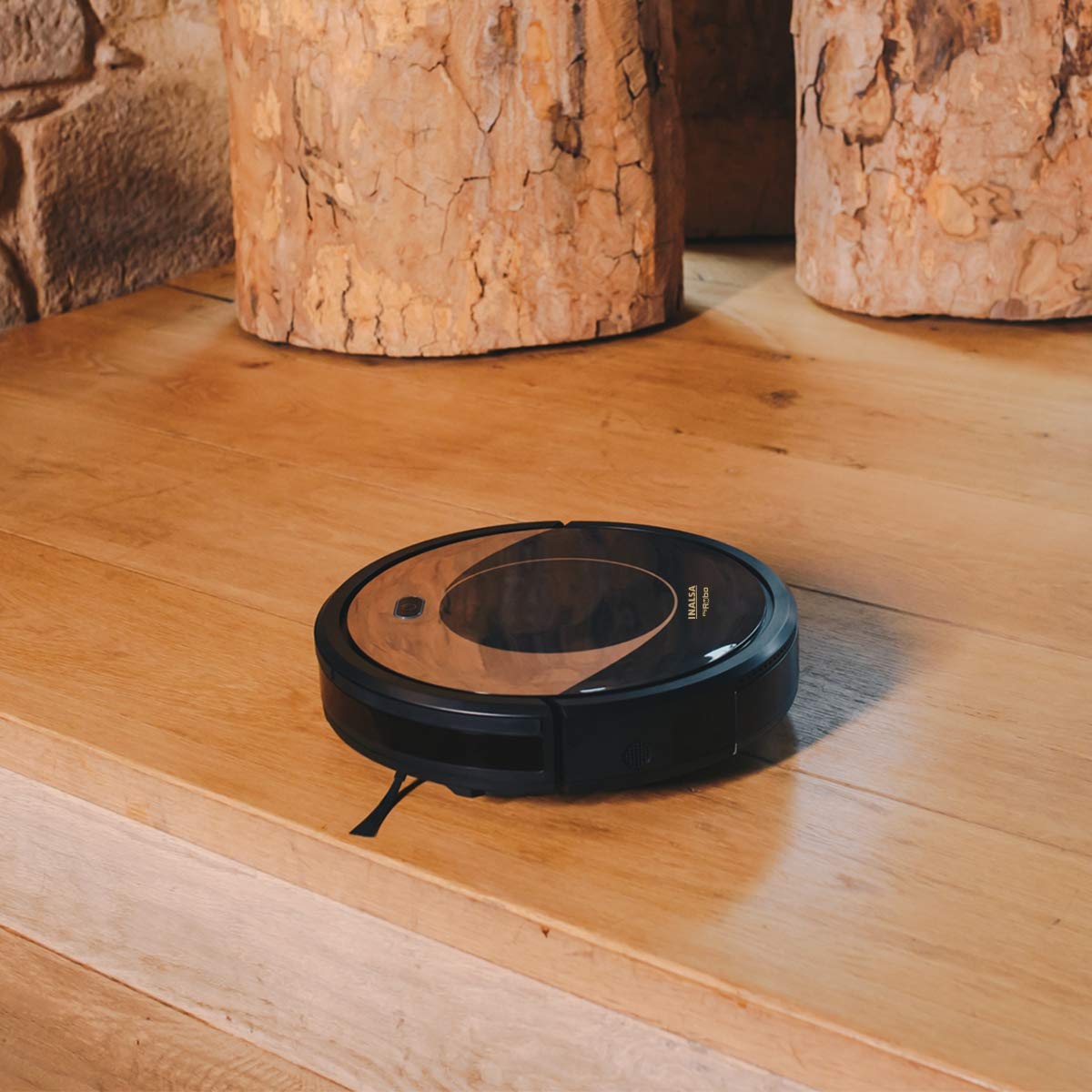
This image shows the Inalsa MyRobo robot vacuum cleaner positioned close to the edge of a raised wooden platform. This illustrates the function of its anti-fall sensors, which prevent the robot from falling off ledges or stairs by detecting drops.
7.5 Cleaning the Water Tank and Mop Cloth (After each mopping use)
Empty any remaining water from the tank. Rinse the water tank and mop cloth with clean water. Allow them to air dry completely before storing or re-using.
8. Кыйынчылыктарды
| Көйгөй | Мүмкүн себеп | Чечим |
|---|---|---|
| Робот күйбөйт. | Батареянын аздыгы; Кубат өчүрүү. | Роботту кубаттаңыз; Негизги кубат которгучу күйүк экенин текшериңиз. |
| Робот заряддалбайт. | Charging contacts dirty; Charging dock not powered. | Clean charging contacts on robot and dock; Ensure dock is plugged in and powered. |
| Робот бат-баттан тыгылып калат. | Obstacles (cables, rugs); Sensors dirty. | Clear the cleaning area; Clean all sensors. |
| Начар тазалоо көрсөткүчү. | Dustbin full; Filters clogged; Side brushes worn. | Empty dustbin; Clean/replace filters; Clean/replace side brushes. |
| Робот заряддоочу жайга кайтып келбейт. | Dock obstructed; Robot too far from dock. | Ensure clear space around dock; Manually place robot near dock. |
9. Техникалык шарттар
| Өзгөчөлүк | Деталь |
|---|---|
| Бренд | Inalsa |
| Модель аты | MyRobo |
| Функциялар | 4-in-1: Vacuum, Mop, Sweep, Scrub |
| Тазалоо режимдери | Auto, Random, Edge, Spiral, Manual, Home |
| Чыпка түрү | Anti-bacteria, HEPA, Sponge |
| Таштанды кутусунун сыйымдуулугу | 450 мл |
| Суу резервуарынын сыйымдуулугу | 300 ml (water), 250 ml (solid) |
| Батареянын иштөө мөөнөтү | 90 мүнөткө чейин |
| Башкаруу ыкмасы | Алыстан башкаруу |
| Өлчөмдөрү (LxWxH) | 32 x 32 x 8 сантиметр |
| Элемент Салмагы | 2 кг 500 г |
| Өзгөчөлүктөр | Hepa Filter, Week Program, Auto Charging, Proximity/Anti-shock/Anti-fall Sensors |
10. Кепилдик жана колдоо
The Inalsa MyRobo Robot Vacuum Cleaner comes with a 1 жылдык кепилдик сатып алынган күндөн тартып. Сураныч, толук шарттар жана шарттар үчүн камтылган Кепилдик картасын караңыз.
For technical support, service, or warranty claims, please contact Inalsa customer service. Contact details can typically be found on the Inalsa official webсайтында же кепилдик картаңызда.


