1. Киришүү
This manual provides essential instructions for the safe and efficient operation of your Itel TV A3210IE 80cm (32-inch) HD Ready Smart TV. Please read this manual thoroughly before using your television and retain it for future reference.
2. Коопсуздук маалыматы
Коопсуз иштөөнү камсыз кылуу жана зыян келтирбөө үчүн төмөнкү сактык чараларын аткарыңыз:
- Өрт же электр тогуна урунбоо үчүн сыналгыга жамгырга же нымдуулукка жол бербеңиз.
- Вентиляция тешиктерин жаап албаңыз. Тийиштүү аба агымы үчүн сыналгынын айланасында жетиштүү мейкиндикти камсыз кылыңыз.
- Телевизор кулап калбашы үчүн аны туруктуу, түз жерге коюңуз.
- Электр шнурын басуудан же кысып калуудан сактаңыз.
- Чагылган бороондо же көпкө чейин пайдаланылбай турганда сыналгыны розеткадан ажыратыңыз.
- Бардык тейлөөлөрдү квалификациялуу тейлөө кызматкерлерине тапшырыңыз.
3. Пакеттин мазмуну
Пакетте бардык буюмдар бар экенин текшериңиз:
- Itel TV A3210IE 80cm (32-inch) HD Ready Smart TV
- Алыстан башкаруу
- TV Stand (if applicable for desktop placement)
- Электр кабели
- Колдонуучунун Колдонмосу (бул документ)
- Screws for stand assembly (if applicable)
4. Орнотуу
4.1 Физикалык орнотуу
Your Itel TV A3210IE can be placed on a stand or wall-mounted. Ensure the TV is placed on a stable surface or securely mounted to a wall.
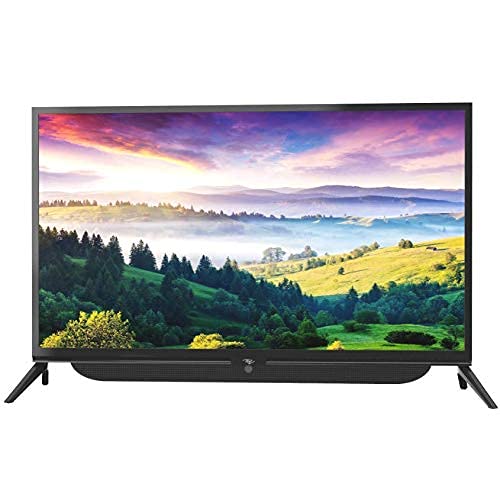
Сүрөт 4.1: Алдыңкы view of the Itel TV A3210IE with its stand. The television features a slim bezel design and a central stand for stable placement on a flat surface.
For wall mounting, use a compatible VESA mount (not included) and follow the instructions provided with the mount. The TV's sleek design with slim bezels allows for a modern aesthetic in any room.
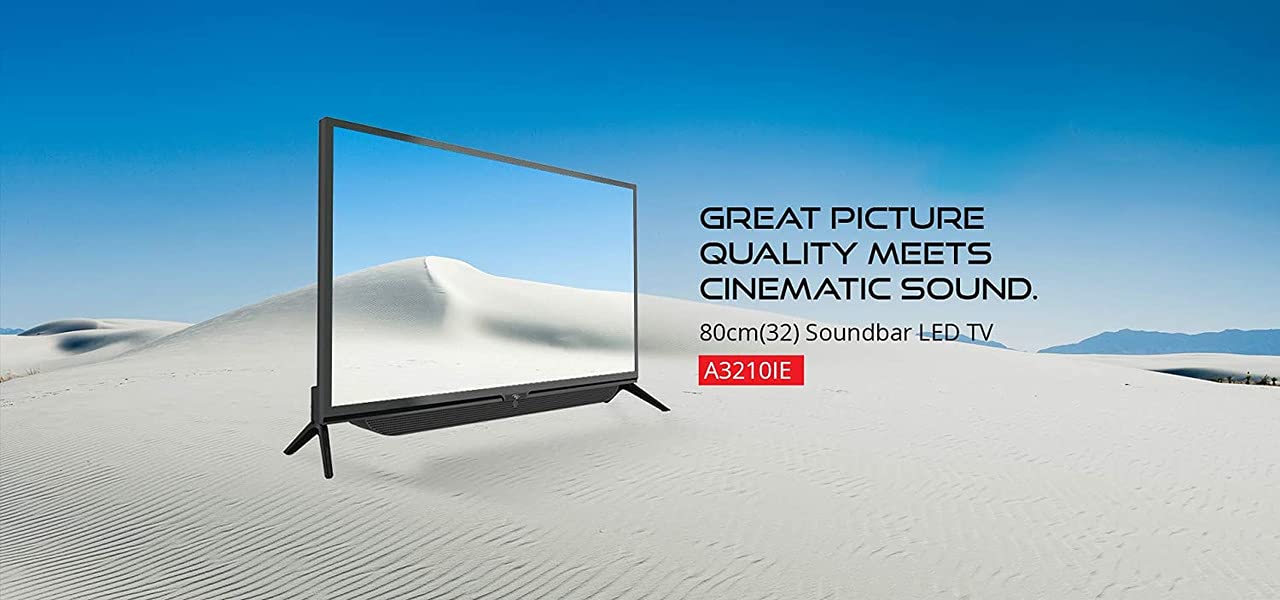
4.2-сүрөт: Каптал view of the Itel TV A3210IE, highlighting its slim profile. Бул view demonstrates the television's compact design, suitable for various living spaces.
4.2 Баштапкы күйгүзүү
- Электр шнурду сыналгыга, андан кийин розеткага туташтырыңыз.
- Пульттагы же сыналгынын өзүндөгү кубат баскычын басыңыз.
- Баштапкы орнотууну аяктоо үчүн экрандагы көрсөтмөлөрдү, анын ичинде тилди жана убакыт алкагын тандаңыз.
4.3 Тармактык туташуу
Smart TV функцияларына кирүү үчүн, телевизоруңузду интернетке туташтырыңыз:
- Navigate to the "Settings" menu on your TV.
- "Тармак" же "Wi-Fi жөндөөлөрүн" тандаңыз.
- Choose your Wi-Fi network from the list and enter the password.
- Once connected, the TV will indicate a successful internet connection.
5. Телевизорду иштетүү
5.1 Негизги функциялар
- Күйгүзүү/өчүрүү: Пульттагы же телевизордогу кубат баскычын колдонуңуз.
- Үндү көзөмөлдөө: Пульттагы үндү жогорулатуу/төмөндөө баскычтарын колдонуңуз.
- Киргизүү булагы: Press the "Source" or "Input" button on the remote to switch between HDMI, USB, and other connected devices.
- Навигация: Use the arrow keys and "OK" button on the remote to navigate menus.
5.2 Smart TV өзгөчөлүктөрү
The Itel TV A3210IE runs on Android OS, providing access to a range of smart features:
- Агым кызматтары: Access popular streaming applications directly from the TV's home screen.
- Web Браузер: Use the built-in browser to surf the internet.
- App Store: Download and install additional applications from the integrated app store.
- Экранды чагылдыруу: Share content from compatible smartphones or tablets to the TV screen.
5.3 Тышкы түзмөктөрдү туташтыруу
Телевизор бир нече байланыш опцияларын сунуштайт:
- HDMI порттору: Connect gaming consoles, Blu-ray players, set-top boxes, or laptops.
- USB порттору: Connect USB drives to play media fileс (сүрөттөр, видеолор, музыка).
- VGA порту: Эски компьютерлерди же ноутбуктарды туташтырыңыз.

Figure 5.1: A user engaged in gaming on the Itel TV A3210IE. This illustrates the TV's capability to connect with gaming consoles for an immersive entertainment experience.
6. Техникалык тейлөө
Proper maintenance ensures the longevity of your TV:
- Экранды тазалоо: Экранды жумшак, кургак, түксүз чүпүрөк менен акырын сүртүңүз. өжөр белгилери үчүн, бир аз гampкездемени суу же телевизорлор үчүн атайын жасалган экран тазалагыч менен сүртүңүз. Суюктукту түз экранга чачпаңыз.
- Кабинетти тазалоо: Телевизордун шкафын тазалоо үчүн жумшак, кургак чүпүрөктү колдонуңуз. Абразивдүү тазалагычтарды же эриткичтерди колдонуудан алыс болуңуз.
- Вентиляция: Вентиляция тешиктери чаңдан жана тоскоолдуктардан таза болушун текшериңиз.
- Электр кабели: Электр шнурунун бузулушу бар-жоктугун дайыма текшерип туруңуз.
7. Кыйынчылыктарды
Жалпы маселелер жана аларды чечүү үчүн бул бөлүмдү караңыз:
| Көйгөй | Мүмкүн себеп | Чечим |
|---|---|---|
| Күч жок | Power cord disconnected; Power outlet not working | Электр шнурунун туташуусун текшериңиз; Розетканы башка түзмөк менен текшериңиз |
| Сүрөт жок, бирок үн бар | Incorrect input source selected; Backlight issue | Press "Source" button to select correct input; Contact support if backlight is faulty |
| Үн жок, бирок сүрөт бар | Үнү өчүрүлгөн же өтө төмөн; Тышкы аудио түзмөгүндө көйгөй бар | Үнүн чыгаруу же катуулатуу; Тышкы аудио түзмөктөргө туташууларды текшерүү |
| Пульт иштебей жатат | Батареялар түгөнгөн; Пульт менен телевизордун ортосундагы тоскоолдук | Replace batteries; Remove obstructions; Ensure remote is pointed at TV sensor |
| Wi-Fi'га туташпай жатат | Туура эмес сырсөз; Роутердеги көйгөй; Телевизор роутерден өтө алыс | Verify password; Restart router; Move TV closer to router or use a Wi-Fi extender |
8. Техникалык шарттар
Key technical specifications for the Itel TV A3210IE:
- Бренд: Itel
- Модель аты: A3210IE
- Экрандын өлчөмү: 80cm (32-inch)
- Чечим: HD даяр (1366 x 768 пиксел)
- Операция системасы: Android
- Өзгөчөлүктөр: Smart TV, Android OS
- Байланыш технологиясы: HDMI, USB, VGA
- Аппараттык интерфейс: USB, USB Type C
- Аудио чыгаруу режими: Стерео
- Ватtage: 16 Ватт
- Viewбурч: 178 градус
- Аспект катышы: 16:9
- Монтаж түрү: Дубалга орнотуу
- Элемент Салмагы: 6 кг 500 г
- Пакеттин өлчөмдөрү: 74.2 x 56.5 x 34.5 см
9. Кепилдик жана колдоо
For warranty information and technical support, please refer to the warranty card included with your product or visit the official Itel customer support webсайт. Сатып алуу квитанциясын кепилдик дооматтары үчүн сатып алуунун далили катары сактаңыз.


