
Сүрөт: EARISE D51 speaker banner highlighting its compact size and powerful sound.
Introduction
Сатып алганыңыз үчүн рахматasing the EARISE D51 Portable Wireless Bluetooth Speaker. This manual provides essential information for setting up, operating, and maintaining your speaker. Please read it thoroughly before use to ensure optimal performance and longevity of your device.
Пакеттин мазмуну
Пакетте бардык буюмдар бар экенин текшериңиз:
- EARISE D51 Bluetooth Speaker
- Заряддоо кабели
- User Manual
- (Optional: Microphone, if included with your specific purchase)
Продукт бүттүview
Спикердин компоненттери жана башкаруу элементтери менен таанышыңыз.

Сүрөт: Жогорку view of the EARISE D51 speaker showing the control panel with numbered buttons.
- Режим/Жарык баскычы: Press to switch between input modes (Bluetooth, FM Radio, TF Card, USB, AUX). Long press to change or turn off LED light modes.
- Мурунку трек/үндүн үнүн төмөндөтүү баскычы: Мурунку трекке кыска басыңыз. Үнүн азайтуу үчүн көпкө басыңыз.
- Ойнотуу/тындыруу/TWS баскычы: Press to play or pause audio. Long press to initiate TWS (True Wireless Stereo) pairing.
- Кийинки трек/үндү жогорулатуу баскычы: Кийинки трекке кыска басыңыз. Үнүн жогорулатуу үчүн көпкө басыңыз.

Сүрөт: Фронт view of the EARISE D51 speaker with icons highlighting its features: TF Card slot, TWS Function, Bluetooth 5.0, USB port, FM Radio, and Microphone input.

Сүрөт: A hand holding the EARISE D51 speaker, illustrating its portable size and dimensions (5.9 in x 4.3 in x 7 in).
Жайгашуу
1. Динамикти кубаттоо
Before first use, fully charge the speaker. Connect the provided charging cable to the speaker's charging port and a compatible USB power adapter (not included). The charging indicator will illuminate during charging and turn off when fully charged.
2. Күйгүзүү/өчүрүү
To power on the speaker, press and hold the Power button (usually integrated with the Mode/Light button or a separate switch). Repeat to power off.
3. Bluetooth Жупташтыруу
- Turn on the EARISE D51 speaker. It will automatically enter Bluetooth pairing mode, indicated by a flashing LED light.
- Түзмөгүңүздө (смартфон, планшет ж.б.) Bluetooth иштетиңиз жана жеткиликтүү түзмөктөрдү издеңиз.
- Select "D51" from the list of devices.
- Once connected, the speaker will emit an audible confirmation, and the LED light will stop flashing.
Видео: This video demonstrates the EARISE D51 Portable Bluetooth Speaker with RGB Lights, showcasing its various light modes and sound. It provides a visual guide to the speaker's appearance and functionality.
4. Чыныгы зымсыз стерео (TWS) жупташтыруу (милдеттүү эмес)
To achieve a stereo sound experience, you can pair two EARISE D51 speakers together:
- Ensure both D51 speakers are powered on and not connected to any Bluetooth device.
- On one speaker (this will be the primary speaker), long press the Ойнотуу/Пауза/TWS button until you hear a confirmation tone.
- Эки динамик автоматтык түрдө бири-бирине туташат. Туташтырылгандан кийин, сиз дагы бир ырастоо сигналын угасыз.
- Now, connect your device to the primary speaker via Bluetooth as described in "Bluetooth Pairing" above. The audio will play in stereo through both speakers.
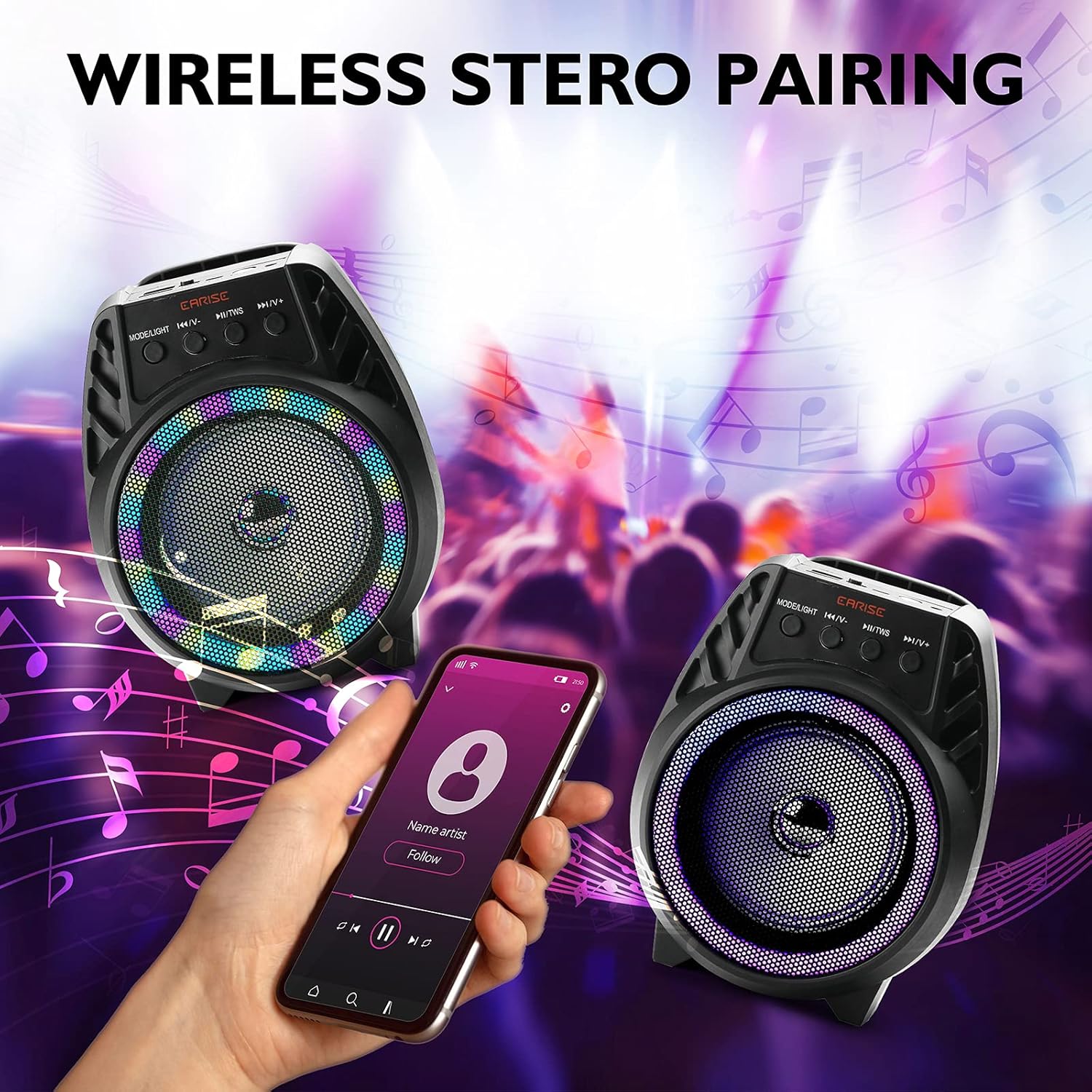
Сүрөт: Two EARISE D51 speakers positioned for wireless stereo pairing, with a smartphone displaying music playback, illustrating the TWS feature.
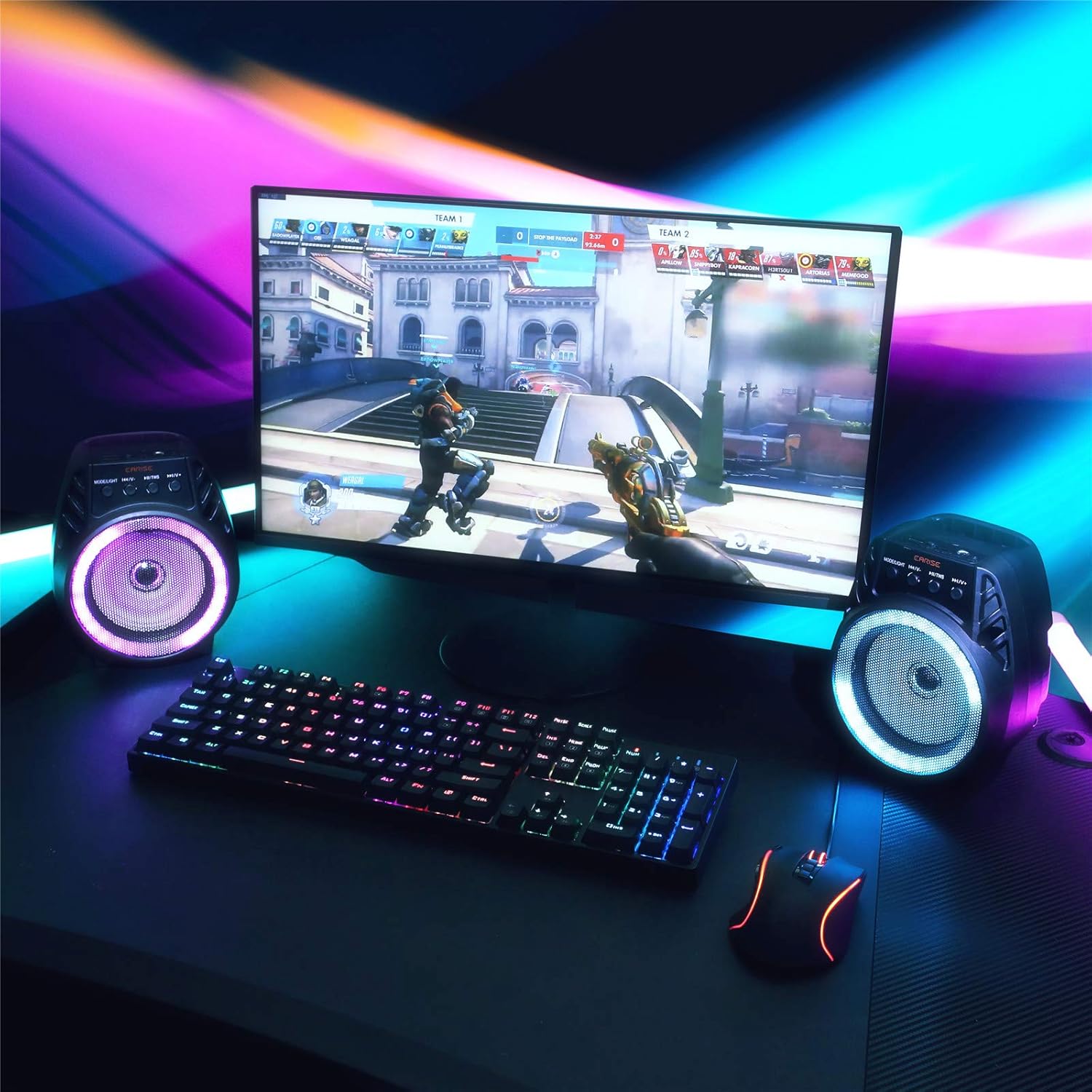
Сүрөт: Two EARISE D51 speakers set up on a desk next to a laptop, demonstrating the True Wireless Stereo (TWS) pairing for an enhanced audio experience.
Иштөө нускамалары
1. Changing Playback Modes
басыңыз Режим/Жарык button (1) repeatedly to cycle through available input modes: Bluetooth, FM Radio, TF Card, USB, and AUX.
2. Adjusting Volume and Tracks
- Көлөмү: көпкө басыңыз Кийинки Track / Көлөмү баскычы (4).
- Үнүн азайтуу: көпкө басыңыз Мурунку Track / Көлөмү түшүп баскычы (2).
- Кийинки трек: баскычын кыска басыңыз Кийинки Track / Көлөмү баскычы (4).
- Мурунку трек: баскычын кыска басыңыз Мурунку Track / Көлөмү түшүп баскычы (2).
- Ойнотуу/тындыруу: баскычын кыска басыңыз Ойнотуу/Пауза/TWS баскычы (3).
3. Using FM Radio
In FM Radio mode, short press the Ойнотуу/Пауза/TWS button (3) to auto-scan and save available radio stations. Use the Мурунку Track / Көлөмү түшүп (2) жана Кийинки Track / Көлөмү (4) сакталган станциялардын ортосунда багыт алуу үчүн баскычтар.
4. TF Card and USB Playback
MP3 аудиосу бар TF картасын же USB дискти салыңыз files into the respective slot. The speaker will automatically switch to the corresponding mode and begin playback.
5. AUX киргизүү
Connect an external audio device using a 3.5mm AUX cable (not included) to the AUX port. Switch the speaker to AUX mode using the Режим/Жарык баскычы (1).
6. LED жарык режимдери
The EARISE D51 features multiple RGB light modes. Long press the Режим/Жарык button (1) to cycle through different light patterns or to turn the lights off.

Сүрөт: The EARISE D51 speaker emitting a bright purple RGB light, highlighting its visual effects.
Видео: This video showcases the EARISE D51 Bluetooth Speaker's various RGB light modes and how they synchronize with music, providing a dynamic visual experience.
Техникалык тейлөө
- Динамикти жумшак, кургак чүпүрөк менен тазалаңыз. Абразивдүү тазалагычтарды же эриткичтерди колдонбоңуз.
- Динамикти суудан, нымдан жана экстремалдык температурадан алыс кармаңыз.
- Колдонулбаганда динамикти салкын, кургак жерде сактаңыз.
- Спикерди түшүрүүдөн же катуу таасирлерге дуушар кылуудан качыңыз.
Проблемаларды чечүү
| Көйгөй | Мүмкүн себеп | Чечим |
|---|---|---|
| Динамик күйбөйт. | Батарея аз. | Динамикти толук заряддаңыз. |
| Bluetooth аркылуу жупташтыруу мүмкүн эмес. | Bluetooth not enabled on device; speaker too far; speaker already connected to another device. | Ensure Bluetooth is on and the speaker is in pairing mode. Move speaker closer to device. Disconnect from other devices. |
| Үн жок. | Үнү өтө төмөн; туура эмес режим тандалды; түзмөк ойнотулбай жатат. | Increase volume on both speaker and device. Ensure correct input mode is selected. Check if the audio source is playing. |
| TWS жупташтыруу ишке ашпай калды. | Башка түзмөктөргө туташкан динамиктер; туура эмес жупташтыруу процедурасы. | TWS жупташтырууну баштоодон мурун, эки динамик тең бардык түзмөктөрдөн ажыратылганын текшериңиз. TWS жупташтыруу кадамдарын кылдаттык менен аткарыңыз. |
Техникалык шарттар
| Модель аты: | D51 |
| Бренд: | ERISE |
| Динамик түрү: | Surround Sound |
| Өзгөчө өзгөчөлүгү: | Portable |
| Байланыш технологиясы: | Көмөкчү, Bluetooth, USB |
| Зымсыз байланыш: | Bluetooth |
| Динамик өлчөмү: | 4 дюйм |
| Динамиктин максималдуу чыгаруу күчү: | 5 Ватт |
| Кубат булагы: | Батарея менен иштейт |
| Аудио чыгаруу режими: | Стерео |
| Продукциянын өлчөмдөрү: | 6 x 4 x 5 дюйм |
| Элемент Салмагы: | 1.3 фунт |
| Камтылган компоненттер: | LED жарыктары |
| Суу өткөрбөйт: | False |
| Башкаруу ыкмасы: | Колдонмо |
Коопсуздук маалыматы
Сураныч, төмөнкү коопсуздук көрсөтмөлөрүн окуп чыгып, аткарыңыз:
- Динамикти экстремалдык температурага, түз күндүн нуруна же жогорку нымдуулукка дуушар кылбаңыз.
- Avoid using the speaker near water or in wet conditions, as it is not waterproof.
- Do not disassemble, repair, or modify the speaker yourself. Contact qualified service personnel for any repairs.
- Динамикти балдардан жана үй жаныбарларынан алыс кармаңыз.
- Берилген заряддоо кабелин же тастыкталган эквивалентти гана колдонуңуз.
- Динамикти жана анын батарейкасын жергиликтүү эрежелерге ылайык жоопкерчилик менен жок кылыңыз.
Кепилдик жана колдоо
The EARISE D51 Bluetooth Speaker comes with a limited warranty. Please refer to the warranty card included in your package for specific terms and conditions. For technical support or customer service, please contact EARISE customer support through their official webсайт же сатып алуу менен камсыз болгон байланыш маалыматы.
For more information, visit the official EARISE webсайт: www.earise.com


