1. Киришүү
Thank you for choosing the JAMJAKE Stylus Pen K11. This high-quality stylus is designed to enhance your digital experience on compatible iPad models, offering precise control, palm rejection, and a comfortable writing and drawing experience. Please read this manual carefully to ensure proper setup and optimal performance.
2. Шайкештик
The JAMJAKE Stylus Pen K11 is compatible with a wide range of iPad models released in 2018 and later. Please verify your iPad model before use.
2.1 Шайкеш келген моделдер:
- iPad 10th/9th/8th/7th/6th Generation
- iPad Pro (12.9-inch) 3rd/4th/5th/6th Generation
- iPad Pro (11-inch) 1st/2nd/3rd/4th Generation
- iPad Air 3rd/4th/5th Generation
- iPad mini 5th/6th Generation
2.2 Non-Applicable Models:
This stylus pen is туура келбейт with iPad versions released prior to 2018, including:
- iPad 1st to 5th Generation
- iPad mini 1st to 4th Generation
- iPad Air 1st/2nd Generation
- iPad Pro (12.9-inch) 1st/2nd Generation
- iPad Pro (9.7/10.5-inch)

Figure 1: Compatible and Non-Compatible iPad Models
3. Орнотуу колдонмосу
3.1 Charging the Stylus Pen:
The JAMJAKE Stylus Pen features fast charging capabilities. A 15-20 minute charge can provide 8-10 hours of continuous work. Use the provided USB-C cable to charge the pen. The indicator light will show charging status (e.g., red for charging, green for full charge).

Figure 2: Fast Charging Feature
3.2 Күйгүзүү/өчүрүү:
To turn on the stylus pen, simply touch the cap button. No Bluetooth or APP connection is required for basic functionality. To turn off, touch the cap button again.
3.3 iPad Settings Adjustment:
For optimal performance, especially regarding palm rejection, ensure the "Only draw with Apple Pencil" option is turned өчүрүү in your iPad settings. Navigate to Settings > Apple Pencil and disable this option.
4. Иштөө нускамалары
4.1 Palm Rejection:
The stylus features palm rejection technology, allowing you to rest your hand comfortably on the iPad screen while writing or drawing without unintended marks. This eliminates the need for special gloves.
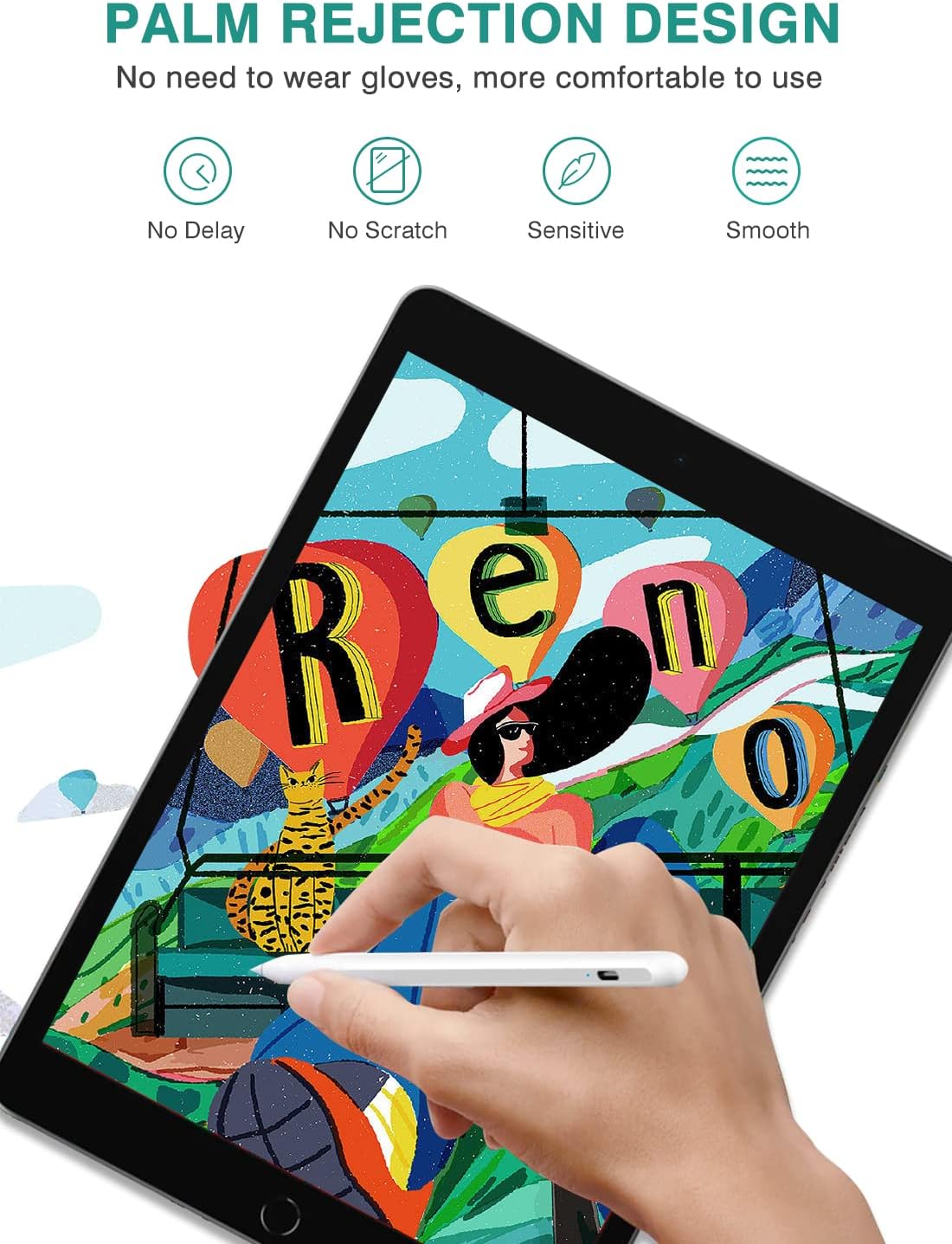
Figure 3: Palm Rejection in Use
4.2 Tilt Function and Precision:
The stylus supports tilt functionality, enabling you to draw lines of varying thickness and depth by simply tilting the pen. It offers precise point control with no lag, offset, or breaks, ensuring a smooth and sensitive writing/drawing experience.

Figure 4: Tilt Function and Precision
4.3 Magnetic Adsorption:
The stylus features a magnetic design, allowing it to attach conveniently to the side of compatible iPad Pro 3rd Generation models. This prevents rolling and loss, making it easier to carry and organize. Note that this feature does not include wireless charging.

Figure 5: Magnetic Adsorption
4.4 Wide Application:
The JAMJAKE Stylus Pen is versatile and suitable for various tasks, including:
- Чийүү
- Сүрөт тартуу
- Note-taking
- Digital Design

6-сүрөт: Ар тараптуу колдонмолор
5. Техникалык тейлөө
To ensure the longevity and optimal performance of your JAMJAKE Stylus Pen, follow these maintenance guidelines:
- Тазалоо: Gently wipe the pen with a soft, dry cloth to remove dust or smudges. Avoid using harsh chemicals or abrasive materials.
- Сактагыч: When not in use, store the stylus in a safe place to prevent damage. Utilize its magnetic adsorption feature with compatible iPads for secure storage.
- Кеңешти алмаштыруу: The stylus comes with extra nibs. If the tip becomes worn or damaged, carefully twist it off and replace it with a new one.
6. Кыйынчылыктарды
If you encounter any issues with your JAMJAKE Stylus Pen, please refer to the following common solutions:
- Калем жооп бербейт:
- Ensure the pen is powered on by touching the cap button.
- Check if the pen has sufficient charge. Recharge if necessary.
- Verify that the "Only draw with Apple Pencil" option is disabled in your iPad's settings (Settings > Apple Pencil).
- Lag or Inaccurate Input:
- Ensure your iPad's screen is clean and free of debris.
- iPad'иңизди өчүрүп күйгүзүңүз.
- Check if the stylus tip is securely attached and not damaged. Replace if needed.
- кубаттоо маселелери:
- Ensure the USB-C charging cable is properly connected to both the pen and a power source.
- Башка USB-C кабелин же кубат адаптерин колдонуп көрүңүз.
Бул кадамдарды жасагандан кийин маселе чечилбесе, кардарларды колдоо менен байланышыңыз.
7. Техникалык шарттар
| Өзгөчөлүк | Деталь |
|---|---|
| Модель номери | K11 |
| Бренд | ЖАМЖАКЕ |
| Түс | Ак |
| Продукциянын өлчөмдөрү | 8.4 x 2.4 x 0.6 дюйм |
| Элемент Салмагы | 0.593 унция (16.8 грамм) |
| Материал | Пластик |
| Батарея түрү | 1 литий-иондук батарейка (талап кылынат) |
| Заряддоо убактысы | Толук заряддоо үчүн 15-20 мүнөт |
| Жумуш убактысы | 8-10 hours (after 15-20 min charge) |
| Автоматтык уйку | Yes (after 5 minutes idle) |
| Өндүрүүчү | Shenzhen Ruidian Technology Co., Ltd. |
| Келип чыккан өлкө | Кытай |
8. Кепилдик жана колдоо
JAMJAKE offers an 18-month warranty period for this product. For any inquiries, technical assistance, or warranty claims, please contact our customer support team:
Электрондук почта: support@jamjake.com
Our team is available 7 days a week, 24 hours a day to provide professional service and support.


