Introduction
This manual provides comprehensive instructions for the Brydge 10.2 MAX+ Wireless iPad Keyboard Case. It covers setup, operation, maintenance, and troubleshooting to ensure optimal performance and longevity of your device. The Brydge 10.2 MAX+ is designed for iPad 9th, 8th & 7th Generation, offering a multi-touch trackpad, MIL-STD-810G 4-foot drop protection, and a durable polycarbonate/rubber construction.
Кутуда эмне бар
Upon opening your Brydge 10.2 MAX+ package, please verify that all the following components are included:
- 1 x Brydge 10.2 MAX+ Keyboard
- 1 x Protective Case with Apple Pencil holder
- 1 х USB-C кубаттоо кабели
- 1 х Колдонуучунун колдонмосу (бул документ)
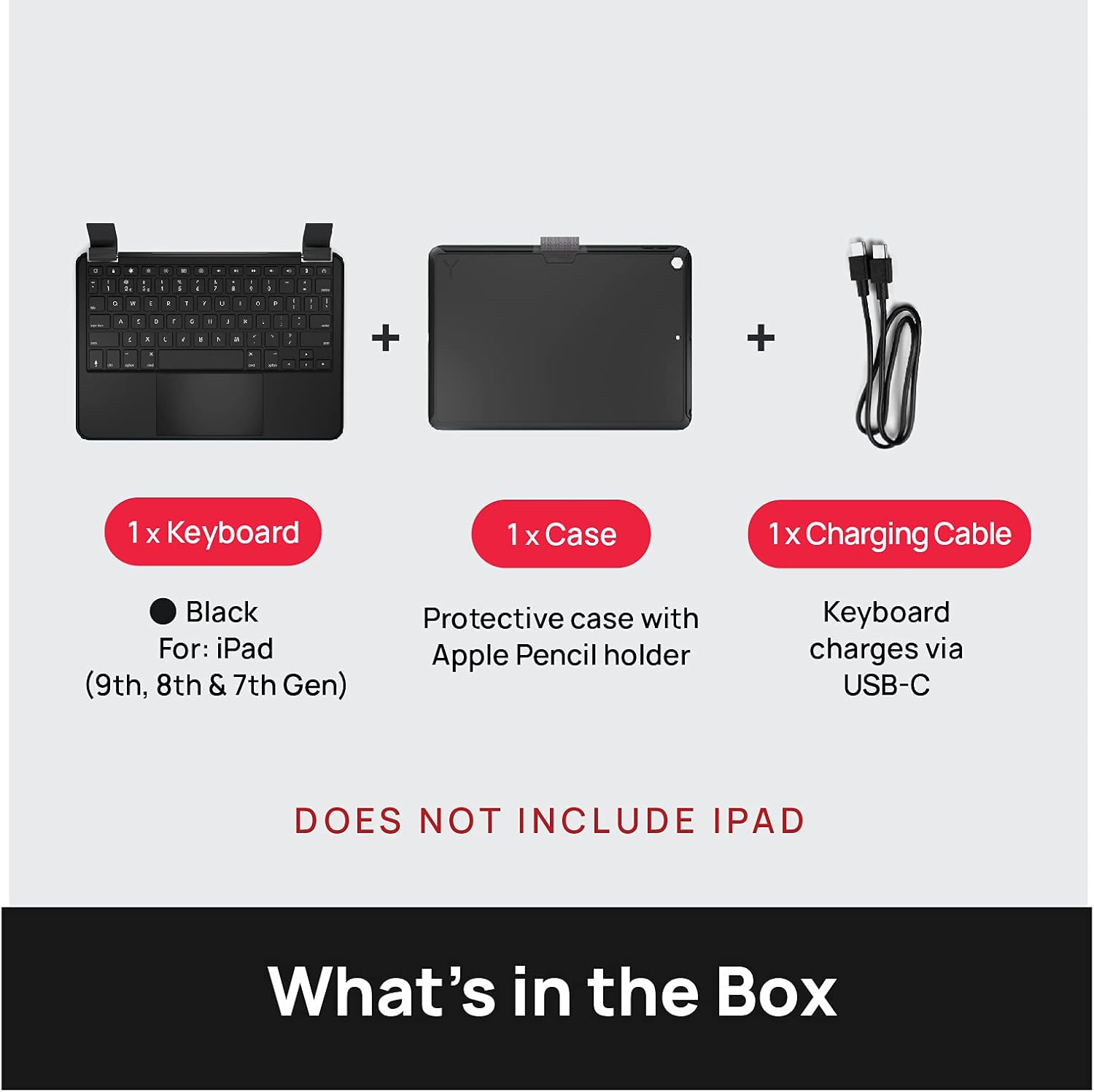
Image: The Brydge 10.2 MAX+ package contents, including the keyboard, protective case with Apple Pencil holder, and a USB-C charging cable. The iPad is not included.
Продукт өзгөчөлүктөрү
The Brydge 10.2 MAX+ combines a full-featured keyboard with a robust protective case, enhancing your iPad's functionality and durability.
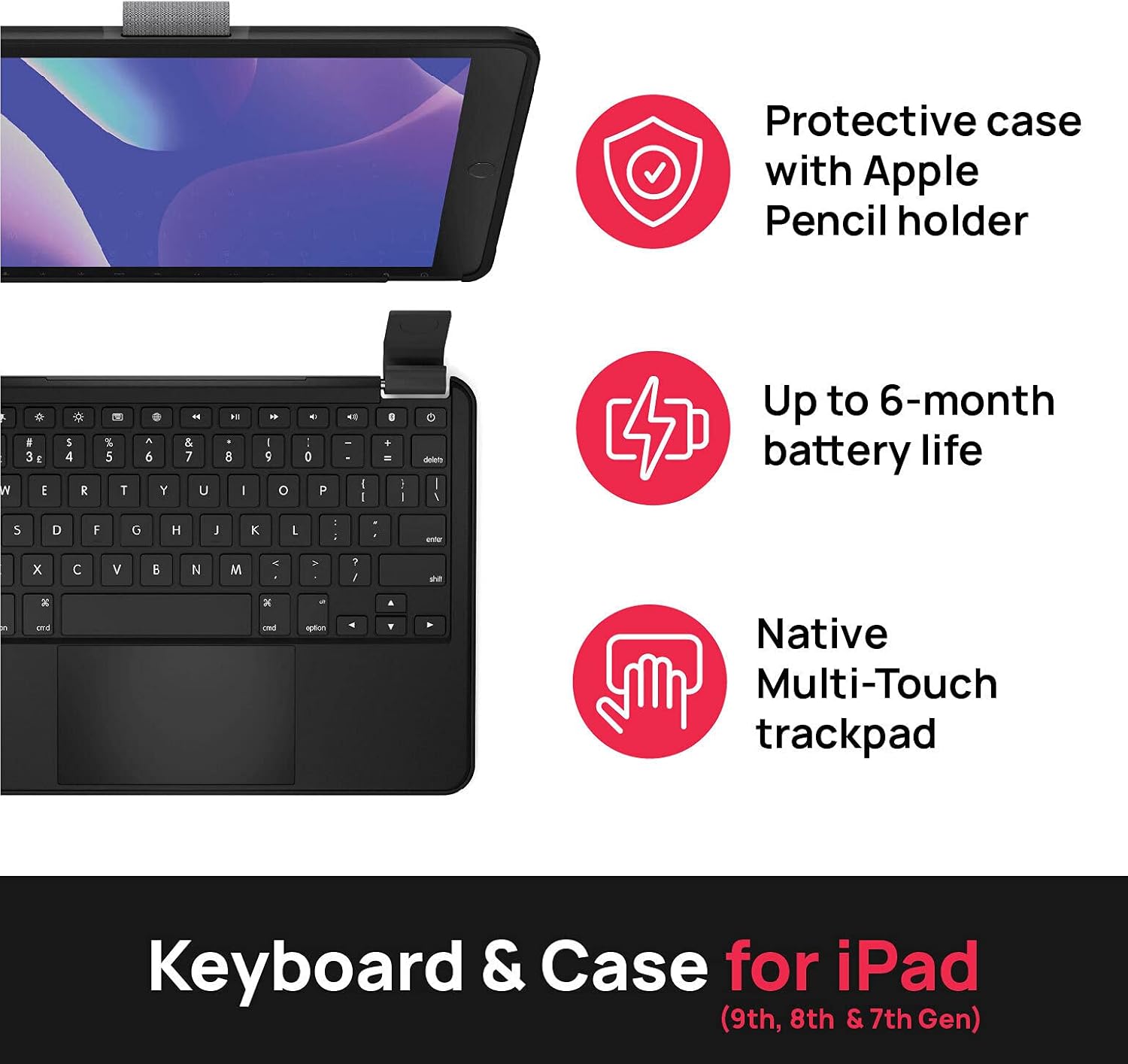
Image: Visual representation of key features: a protective case with Apple Pencil holder, up to 6-month battery life, and a native Multi-Touch trackpad.
- Integrated Protective Case: Designed to fit iPad 9th, 8th, and 7th Generation 10.2-inch models. Features MIL-STD-810G 4-foot drop protection.
- Чоң мультисенсордук сенсордук панель: камсыз кылат ample space and functionality for precise navigation and gesture control.
- Батареянын узак иштөө мөөнөтү: Equipped with a large battery for extended use, reducing the need for frequent charging.
- Magnetic SnapFit Clamps: Securely holds your iPad in place while allowing for easy attachment and detachment.
- Арткы жарык клавиатура: Жарык аз шарттарда көрүнүүнү жакшыртат.

Сүрөт: деталдуу view of the magnetic SnapFit Clamps, highlighting the secure attachment mechanism for the iPad and the overall robust design of the case.
Орнотуу нускамалары
1. Сиздин iPad тиркелет
- iPad'ыңызды коргоочу куту менен тегиздеңиз.
- Gently press the iPad into the case until it snaps securely into place. Ensure all edges are properly seated.
- To attach the keyboard, align the iPad (in its case) with the magnetic SnapFit Clamps on the keyboard. The magnets will guide the iPad into the correct position.
- Ensure the iPad is firmly seated in the clampс колдонуудан мурун.

Сүрөт: үстүнкү view showing the Brydge 10.2 MAX+ keyboard and the separate iPad case, illustrating how the iPad is placed into the case and then attached to the keyboard.
2. Баскычтопту заряддоо
Before first use, fully charge your Brydge keyboard. Use the provided USB-C cable to connect the keyboard to a power source.
- Connect the small end of the USB-C cable to the charging port on the keyboard.
- Connect the large end of the USB-C cable to a USB power adapter (not included) or a computer's USB port.
- Заряддоо индикатору кубаттоо абалын көрсөтөт.
3. Bluetooth Жупташтыруу
- Brydge клавиатураңыздын кубатталганын текшериңиз.
- Кубат баскычын басуу менен клавиатураны күйгүзүңүз.
- iPad'иңизден төмөнкүгө өтүңүз Орнотуулар > Bluetooth.
- Make sure Bluetooth is turned On.
- The Brydge keyboard should appear in the "Other Devices" list. Tap on its name to connect.
- If prompted, enter the pairing code displayed on your iPad using the Brydge keyboard, then press Кириңиз.
- Once connected, the keyboard will appear under "My Devices" as "Connected".
4. Микропрограмманы жаңыртуу
For optimal performance and to experience full multi-touch functionality, it is important to update your iPadOS and Brydge firmware.
- жүктөп алыңыз Brydge Connect App from the App Store on your iPad.
- Follow the in-app instructions to update your keyboard's firmware.
- Ensure your iPad's operating system (iPadOS) is updated to the latest version via Орнотуулар > Генерал > Программалык камсыздоону жаңыртуу.

Image: A visual reminder emphasizing the importance of updating both iPadOS and Brydge firmware for full multi-touch trackpad functionality.
Иштөө нускамалары
Баскычтоптун функциялары
The Brydge 10.2 MAX+ keyboard features a standard QWERTY layout along with dedicated iPadOS function keys.
| Ачкыч/Функция | Description |
|---|---|
| Кубат баскычы | Баскычтопту күйгүзөт/өчүрөт. |
| Жарыктык баскычтары | iPad экранынын жарыктыгын тууралайт. |
| Keyboard Backlight Key | Cycles through backlight brightness levels or turns it off. |
| Search Key | Activates iPad's Spotlight Search. |
| Үй ачкычы | Returns to the iPad Home screen. |
| Медиа башкаруу ачкычтары | Play/Pause, Next/Previous Track, Volume Up/Down/Mute. |
| Кулпу ачкычы | iPad экранын кулпулайт. |
Trackpad жаңсоолор
The integrated multi-touch trackpad supports various iPadOS gestures for intuitive navigation.
- Бир манжа менен таптоо: Select an item or click.
- Эки манжа менен жылдыруу: Өйдө же ылдый сыдырыңыз web барактар жана документтер.
- Two-Finger Pinch: Мазмунду чоңойтуу же кичирейтүү.
- Үч манжа менен өйдө сүрүү: Башкы экранга өтүңүз.
- Үч манжа менен солго/оңго серпүү: Ачык колдонмолордун ортосунда которулуңуз.
- Three-Finger Pinch In: Колдонмо алмаштыргычты ачыңыз.

Image: The Brydge 10.2 MAX+ with an iPad, illustrating its compatibility with 10.2-inch iPad models (9th, 8th, and 7th Generation).
Техникалык тейлөө
To maintain the performance and appearance of your Brydge keyboard case, follow these guidelines:
- Тазалоо: Бир аз жумшак, түксүз кездемени колдонуңуз dampened with water to clean the exterior surfaces. Avoid harsh chemicals or abrasive materials.
- Сактагыч: When not in use for extended periods, store the keyboard in a cool, dry place. Ensure it is fully charged before storing to preserve battery health.
- Колдонуу: While the case offers drop protection, avoid unnecessary drops or impacts. Do not force the iPad into or out of the clamps.
Проблемаларды чечүү
If you encounter issues with your Brydge 10.2 MAX+ keyboard case, refer to the common solutions below:
| Көйгөй | Чечим |
|---|---|
| Bluetooth аркылуу клавиатура туташпай жатат |
|
| Trackpad lag or unresponsiveness |
|
| Ачкычтар жооп бербейт |
|
| Hinges feel loose or break |
|
Техникалык шарттар
| Атрибут | Деталь |
|---|---|
| Продукциянын өлчөмдөрү | 10.09 x 7.13 x 0.34 дюйм |
| Элемент Салмагы | 1.4 фунт |
| Өндүрүүчү | Бридж |
| Элемент моделинин номери | 10.2 MAX+ |
| Келип чыккан өлкө | Кытай |
| Шайкеш түзмөктөр | iPad (9th, 8th & 7th Generation) |
| Байланыш технологиясы | Bluetooth |
| Keyboard Description | Өз алдынча |
| Түс | Кара |
| Ачкычтардын саны | 78 |
| Баскычтоптун арткы жарыгы | Single Color |
| Материал | Алюминий, поликарбонат |
| Камтылган компоненттер | User Manual, Keyboard, Case, USB-C Cable |
| Батареялардын саны | 1 |
Расмий продукт Video
Үчүн расмий продукт видеосун көрүңүзview of the Brydge 10.2 MAX+ features and functionality.
Video: This video showcases the Brydge 10.2 MAX+ keyboard case, highlighting its compatibility with iPad 9th Generation, magnetic snap-fit hinge design, large multi-touch trackpad, long-lasting battery, and 4-foot drop protection.
Кепилдик жана колдоо
Brydge products are designed for durability and performance. For warranty information, technical support, or service inquiries, please visit the official Brydge website or contact their customer support directly. Details regarding specific warranty periods and terms are typically provided with your product documentation or on the manufacturer's webсайт.
Көбүрөөк жардам алуу үчүн, сиз төмөнкүгө кайрылсаңыз болот Amazon'догу Brydge дүкөнү.


