1. Киришүү
Thank you for choosing the LIECTROUX C30B Hybrid Robot Vacuum and Mop. This intelligent cleaning device is designed to simplify your home maintenance with its advanced features, including dynamic navigation, powerful 4KPA suction, and versatile 2-in-1 vacuuming and mopping capabilities. It integrates seamlessly with smart home systems like Amazon Alexa and Google Assistant for convenient control. Please read this manual thoroughly before operating the device to ensure proper use and maintenance.

Figure 1.1: LIECTROUX C30B Robot Vacuum and Mop with its accompanying mobile application interface and the interchangeable dustbin/water tank.
2. Маанилүү коопсуздук нускамалары
To reduce the risk of injury or damage, read these safety instructions carefully and keep them handy for future reference. This appliance is for household use only.
- Do not operate the robot in environments with open flames or fragile objects.
- Ensure all power cords, small objects, and loose items are cleared from the floor before operation to prevent entanglement.
- Do not allow children or pets to play with the robot. Supervise children when the robot is in use.
- Use only the original charging dock and power adapter provided by the manufacturer.
- Роботту чоң таштандыларды, суюктуктарды же күйүүчү/тамеки тартуучу материалдарды алуу үчүн колдонбоңуз.
- Оптималдуу иштеши үчүн щеткаларды жана сенсорлорду дайыма тазалаңыз.
- Роботту же анын электрондук компоненттерин сууга салбаңыз.
- If the robot is not used for a long period, fully charge it and store it in a cool, dry place.
3. Пакеттин мазмуну
Таңгактан чыгарганда бардык компоненттер бар экенин жана жакшы абалда экендигин текшериңиз.
- Robot Host (Main Unit)
- Кубаттоочу станция
- Алыстан башкаруу (батареялар камтылган эмес)
- Кубаттуу адаптер
- Суу танкы
- контейнери
- Тазалоо куралы
- HEPA чыпкалары (2x)
- Каптал щеткалар (4x)
- Mopping Pads (2x)
- Instruction Manual
- Колдонмону орнотуу боюнча көрсөтмө
4. Продукт бүтүп калдыview
Familiarize yourself with the main components of your LIECTROUX C30B robot vacuum.
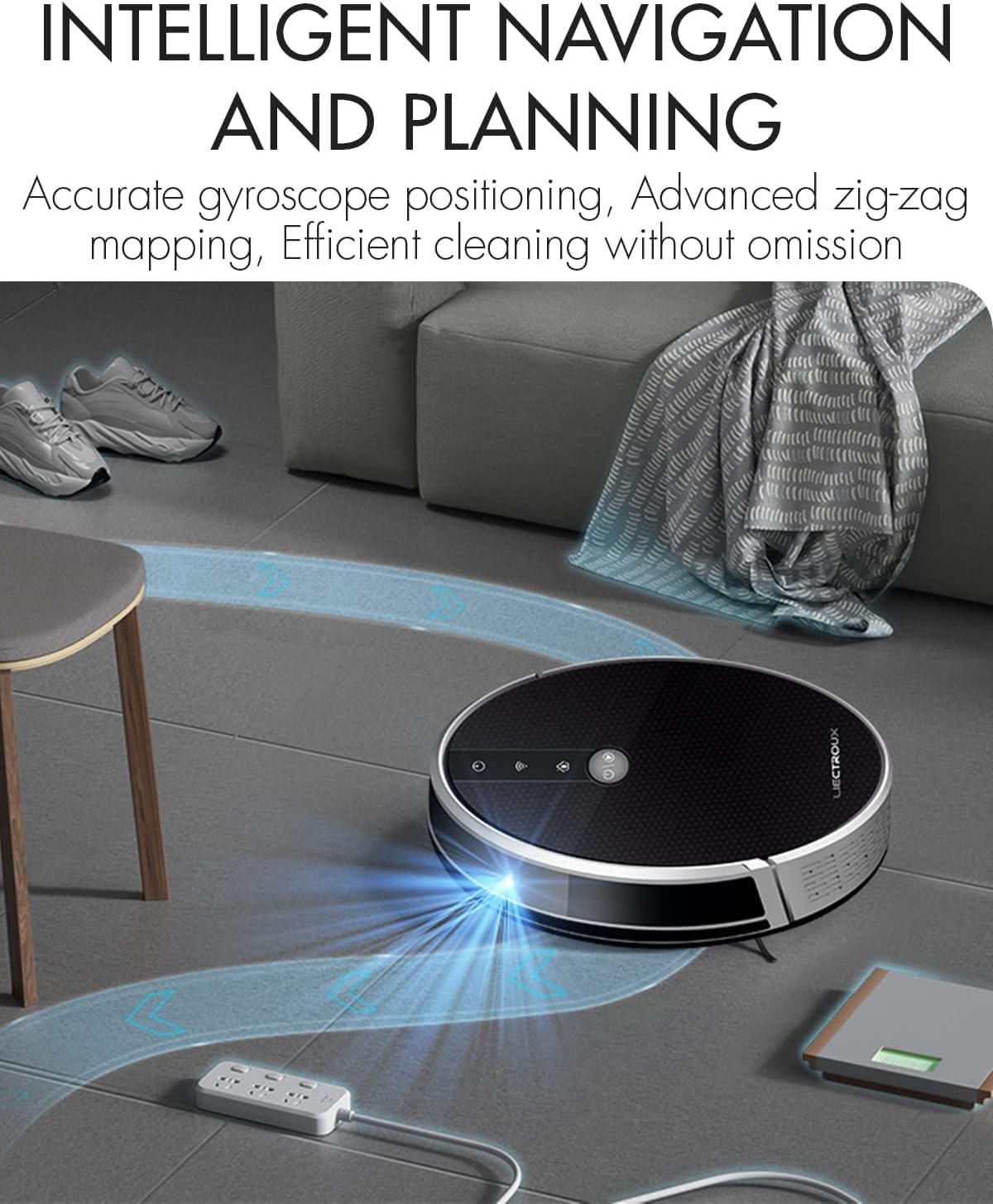
Figure 4.1: The robot vacuum utilizing its intelligent navigation system to plan and execute efficient cleaning paths, ensuring thorough coverage of your home.
4.1. Негизги өзгөчөлүктөрү
- Gyroscope Smart Navigation: Detects the entire house and builds a real-time cleaning roadmap for efficient, room-to-room cleaning.
- Super Suction & 2-in-1 Functionality: Equipped with a NIDEC brushless motor and V-shaped floating central brush for deep cleaning. Interchangeable 600ml dustbin and water tank allow for simultaneous vacuuming and mopping.
- Slim Body Design: At 7.4 cm (2.9 inches) thin, it can easily clean under furniture and hard-to-reach areas.
- Тамчыга каршы сенсорлор: Integrated infrared sensors detect obstacles and prevent falls from stairs or ledges.
- Тынч иштөө: Designed to operate at a low noise level (45 dB), minimizing disturbance.
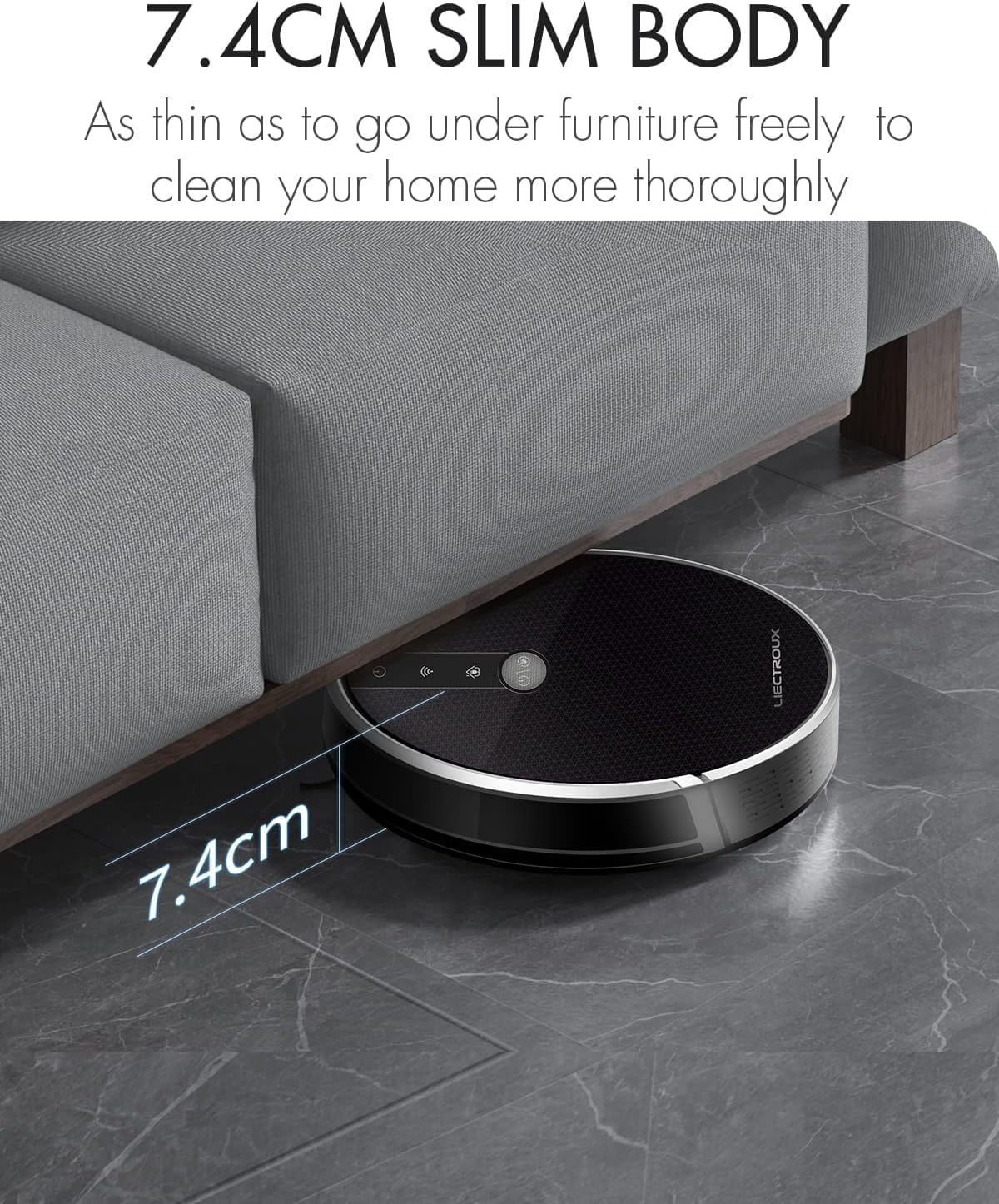
Figure 4.2: The robot's ultra-slim 7.4 cm body allows it to effortlessly clean under low-lying furniture, ensuring no dust or debris is left behind.
5. Орнотуу
5.1. Роботту заряддоо
- Place the charging station against a wall in an open, uncluttered area. Ensure there is at least 1 meter (3.3 feet) of clear space on both sides and 2 meters (6.6 feet) in front of the station.
- Connect the power adapter to the charging station and plug the other end into a wall outlet.
- Place the robot onto the charging station, ensuring the charging contacts align. The robot will automatically begin charging. A full charge takes approximately 4-5 hours.
- For initial use, it is recommended to fully charge the robot before its first cleaning cycle.
5.2. Каптал щеткаларды орнотуу
Attach the side brushes by pressing them onto the square posts at the bottom of the robot until they click into place. Ensure the left (L) and right (R) brushes are installed on the correct sides.
5.3. Таштанды же суу челек орнотуу
The LIECTROUX C30B comes with an interchangeable dustbin and water tank. Choose the appropriate container for your cleaning needs.
- Чаң соргуч үчүн: Insert the dustbin into the designated slot at the rear of the robot until it locks securely.
- Чыпкалоо үчүн: Fill the water tank with clean water (do not use detergents or harsh chemicals). Attach a mopping pad to the bottom of the water tank. Insert the water tank into the designated slot at the rear of the robot until it locks securely.
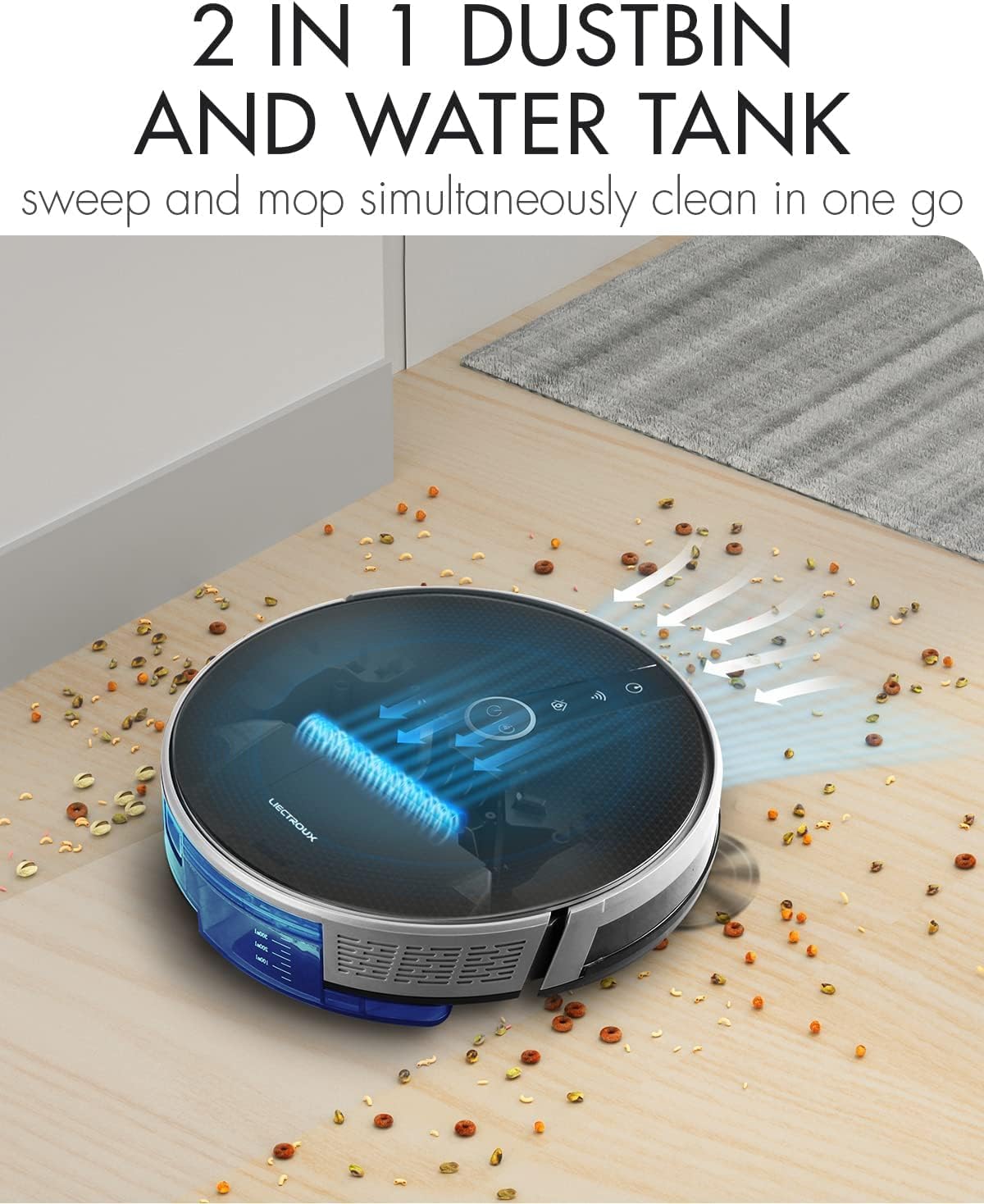
Figure 5.1: The robot's innovative 2-in-1 design allows for easy switching between the dustbin for vacuuming and the water tank for mopping, enabling simultaneous sweep and mop functions.
5.4. Колдонмону орнотуу жана туташуу
The LIECTROUX C30B can be controlled via the Tuya Smart app. It also supports voice control through Amazon Alexa and Google Assistant.
- "Tuya Smart" тиркемесин App Store'дон (iOS) же Google Play Store'дон (Android) жүктөп алыңыз.
- Каттоо эсебин жана кирүү.
- Роботуңуздун кубатталганын жана күйүп турганын текшериңиз.
- In the app, tap "+" to add a device. Select "Small Home Appliance" > "Robot Vacuum".
- Follow the on-screen instructions to connect the robot to your home Wi-Fi network (2.4GHz only).
- Once connected, you can control the robot, schedule cleanings, and monitor its status from your smartphone.

Figure 5.2: The mobile application provides comprehensive remote control, allowing users to manage cleaning modes, schedules, and monitor the robot's status from anywhere.
6. Иштөө нускамалары
6.1. Тазалоо режимдери
The LIECTROUX C30B offers 6 cleaning modes to suit various needs:
- Автоматтык тазалоо: The robot intelligently plans its route to clean the entire area.
- Чыпкалоо режими: When the water tank is installed, the robot will perform wet mopping.
- Бир бөлмөнү тазалоо: Cleans a specific room. Close the door to confine the robot to that area.
- Четтерин тазалоо: Робот дубалдарды жана эмеректердин четтерин тазалайт.
- Тазалоо: Concentrates cleaning on a specific dirty area in a spiral pattern.
- Пландаштырылган тазалоо: Set specific times for the robot to start cleaning automatically via the app.
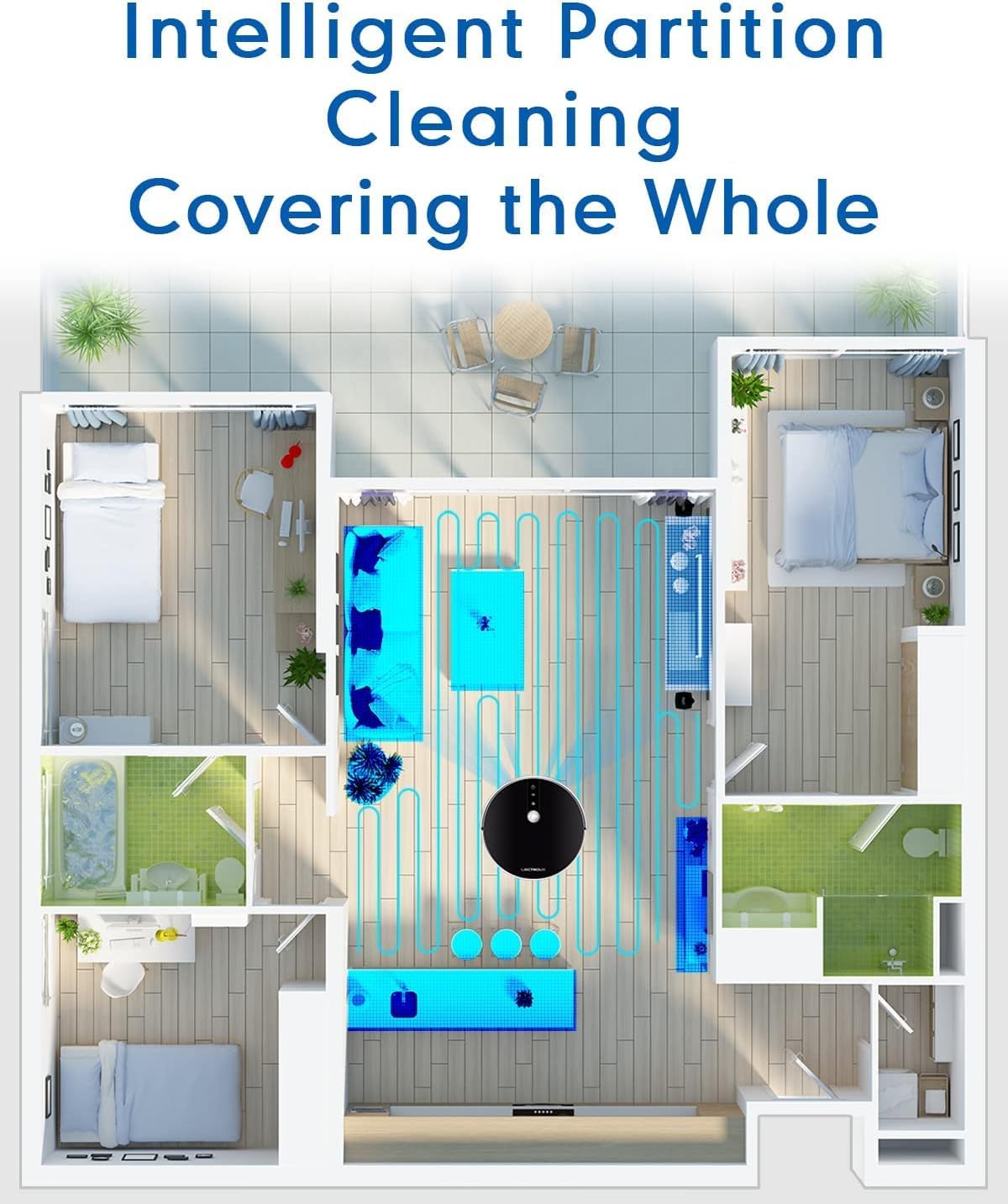
Figure 6.1: The robot's intelligent partition cleaning capability allows it to map and clean different areas of your home systematically, ensuring comprehensive coverage.
6.2. Тазалоону баштоо/тындыруу
- Роботто: Press the power button on the robot's top panel to start or pause cleaning.
- Алыстан башкарууну колдонуу: Use the "Auto Clean" button on the remote control.
- Колдонмо аркылуу: Use the "Start" or "Pause" buttons within the Tuya Smart app.
6.3. Voice Control (Alexa/Google Assistant)
Once connected to the Tuya Smart app, you can link your robot to Amazon Alexa or Google Assistant for voice commands.
- Enable the "Tuya Smart" skill in your Alexa or Google Home app.
- Link your Tuya Smart account.
- Түзмөктөрдү табыңыз.
- Эми сиз төмөнкү буйруктарды колдоно аласыз:
- "Alexa, start cleaning the robot vacuum."
- "Hey Google, tell the robot vacuum to go back to charging."
- "Alexa, stop the robot vacuum."

Figure 6.2: The robot vacuum seamlessly integrates with smart home assistants like Amazon Alexa and Google Assistant, allowing for convenient voice-activated control of cleaning tasks.
7. Техникалык тейлөө
Regular maintenance is crucial for optimal performance and longevity of your robot vacuum.
7.1. Таштанды кутусун бошотуу
Empty the dustbin after each use or when the "Dustbin Full" indicator appears on the app.
- Таштанды урнасын чыгаруу баскычын басып, таштанды челектерин чыгарыңыз.
- Open the dustbin cover and empty its contents into a trash can.
- Clean the dustbin with the provided cleaning tool or a soft cloth. It can also be rinsed with water, but ensure it is completely dry before re-installing.
7.2. Чыпкаларды тазалоо
Clean the HEPA filter and sponge filter weekly. Replace HEPA filters every 3-6 months, depending on usage.
- Таштанды салгычты алып салыңыз.
- Take out the HEPA filter and sponge filter.
- Tap the filters gently to remove dust. Do not wash HEPA filters with water.
- Rinse the sponge filter with water if necessary, and ensure it is completely dry before re-installing.
7.3. Cleaning Main Brush and Side Brushes
Clean the main brush and side brushes weekly to remove tangled hair and debris.
- Негизги щетка: Flip the robot over. Press the release tabs on the brush guard to remove it. Lift out the main brush. Use the cleaning tool to cut and remove any tangled hair. Reinstall the brush and guard.
- Каптал щеткалар: Gently pull the side brushes off their posts. Remove any hair or debris. If brushes are worn, replace them.
7.4. Cleaning Water Tank and Mopping Pads
Ар бир тазалоо сессиясынан кийин:
- Танктан калган сууну бошотуңуз.
- Remove the mopping pad and rinse it thoroughly with water. Allow it to air dry completely.
- Clean the water tank interior if necessary.
7.5. Сенсорлорду жана заряддоо контакттарын тазалоо
Wipe the sensors and charging contacts regularly with a clean, dry cloth to ensure proper function.
- Тамчыга каршы сенсорлор: Located on the bottom of the robot.
- Wall Sensors: Located on the front bumper.
- Заряддоо байланыштары: On the bottom of the robot and on the charging station.

Figure 7.1: The robot is equipped with anti-drop sensors that detect changes in elevation, such as stairs, preventing it from falling and ensuring safe operation.
8. Кыйынчылыктарды
Робот чаң соргучуңузда көйгөйлөргө туш болсоңуз, жалпы көйгөйлөр жана чечүү жолдору үчүн төмөнкү таблицага кайрылыңыз.
| Көйгөй | Мүмкүн себеп | Чечим |
|---|---|---|
| Робот күйбөйт. | Батарея аз же заряддалган эмес. | Place the robot on the charging station and ensure it is fully charged. |
| Робот бат-баттан тыгылып калат. | Тоскоолдуктар, чаташып калган щеткалар же кир сенсорлор. | Тазалоо жолундагы тоскоолдуктарды алып салыңыз. Негизги щетканы, каптал щеткаларды жана бардык сенсорлорду тазалаңыз. |
| Начар тазалоо көрсөткүчү. | Full dustbin, clogged filter, or worn brushes. | Empty dustbin. Clean/replace filters. Clean/replace brushes. |
| Robot does not return to charging station. | Charging station obstructed or out of range. Dirty charging contacts. | Ensure charging station is in an open area. Clean charging contacts on both robot and station. |
| Колдонмого туташуу маселелери. | Incorrect Wi-Fi password, 5GHz network, or robot too far from router. | Ensure you are using a 2.4GHz Wi-Fi network. Re-enter Wi-Fi password. Move robot closer to router. Restart robot and router. |
Бул чечимдерди колдонуп көргөндөн кийин көйгөй чечилбесе, кардарларды колдоо менен байланышыңыз.
9. Техникалык шарттар
| Өзгөчөлүк | Спецификация |
|---|---|
| Модель номери | C30B |
| Бренд | LIECTROUX |
| Өлчөмдөрү (L x W x Y) | 33 x 33 x 7.4 см (13 x 13 x 2.9 дюйм) |
| Салмагы | 2.7 кг (5.95 фунт) |
| Күч | 28 Ватт |
| Тtage | 14.4 вольт |
| Батарея түрү | Литий-ион (2500mAh) |
| Ызы-чуу деңгээли | 45 дБ |
| Таштанды кутусунун сыйымдуулугу | 0.6 литр |
| Чыпка түрү | HEPA |
| Surface Recommendation | Катуу полдор, килемдер |
| Башкаруу түрү | App Control, Voice Control (Alexa, Google Assistant), Remote Control |
| Runtime | 100-120 minutes (approx. 170-220 sq meters) |
10. Кепилдик жана колдоо
The LIECTROUX C30B Hybrid Robot Vacuum and Mop comes with a 24-month professional warranty сатып алынган күндөн тартып. Бул кепилдик өндүрүштүк кемчиликтерди жана нормалдуу колдонуудагы бузулууларды камтыйт.
10.1. Кепилдик алып салуулар
Кепилдик төмөнкүлөрдү камтыбайт:
- Damage caused by improper use, negligence, or accident.
- Normal wear and tear of consumable parts (e.g., brushes, filters, mopping pads).
- Уруксатсыз оңдоодон же өзгөртүүлөрдөн келтирилген зыян.
- Damage caused by external factors such as power surges or natural disasters.
10.2. Кардарларды колдоо кызматы
For technical assistance, warranty claims, or general inquiries, please contact LIECTROUX customer support through the retailer where you purchased the product or visit the official LIECTROUX webбайланыш маалыматы үчүн сайт.
Please have your model number (C30B) and proof of purchase ready when contacting support.


