1. Киришүү
The Thomson WEAR7701 Bluetooth HiFi Earbuds provide a wireless audio experience with high-fidelity sound. Designed for comfort and convenience, these lightweight in-ear headphones feature touch controls, voice assistant compatibility, and IPX4 splash protection, making them suitable for various activities, including sports.
This manual provides detailed instructions for setting up, operating, and maintaining your WEAR7701 earbuds to ensure optimal performance and longevity.

2. Пакеттин мазмуну
Пакетте бардык буюмдар бар экенин текшериңиз:
- 1x Thomson WEAR7701 Bluetooth Earbuds
- 1x заряддоо кутусу
- 3x Pairs of Silicone Ear Tips (Sizes S, M, L)
- 1x Микро USB кубаттоо кабели
- 1x Колдонуучунун колдонмосу
3. Орнотуу
3.1 Алгачкы заряддоо
Биринчи колдонуудан мурун, кулакчындарды жана заряддоо кутучасын толук заряддаңыз.
- Connect the supplied Micro USB cable to the charging port on the charging case and to a suitable USB power source.
- Place the earbuds into the charging case. Ensure they are correctly seated; indicator lights on the earbuds or case will confirm charging status.
- A full charge for the case takes approximately 3 hours. The earbuds charge within the case.
The charging case provides up to 3 additional full charges for the earbuds, extending their usage time.
3.2 Bluetooth түзмөгү менен жупташтыруу
For the first connection, it is crucial to remove both earbuds from the charging case simultaneously to ensure proper stereo pairing with your smartphone.
- Ensure your smartphone's Bluetooth function is enabled.
- Заряддоо кутусунан эки кулакчынды алып салыңыз. Алар автоматтык түрдө күйүп, жупташтыруу режимине кирет.
- On your smartphone, search for available Bluetooth devices.
- Select "Thomson WEAR7701" (or similar name) from the list of found devices.
- Once connected, your device will indicate successful pairing.
Маанилүү эскертүү: If only one earbud connects, place both earbuds back into the charging case, close the lid, wait a few seconds, then remove both simultaneously and repeat the pairing process.

4. Иштөө нускамалары
4.1 Күйгүзүү/өчүрүү
- Күйгүзүү: Кулакчындар заряддоо кутусунан чыгарылганда автоматтык түрдө күйөт.
- Өчүрүү: Кулакчындар кубаттоочу кутуга кайра салынганда жана капкагы жабылганда автоматтык түрдө өчөт.
4.2 Сенсордук башкаруу
The earbuds feature intuitive touch controls for managing music playback and calls.
- Музыканы ойнотуу/тындыруу: Кулакчындарды бир жолу таптаңыз.
- Кийинки трек: Оң кулакчынды эки жолу таптаңыз.
- Мурунку трек: Сол кулакчынды эки жолу таптаңыз.
- Чалууга жооп берүү/аяктоо: Кулакчындарды бир жолу таптаңыз.
- Чакырууну четке кагуу: Кулакчындын экисин тең 2 секунд басып туруңуз.
- Үн жардамчысын иштетүү (Siri/Google Жардамчысы): Кулакчындарды үч жолу таптаңыз.

4.3 Кулакчындарды тагынуу
Select the ear tips that provide the most comfortable and secure fit. The package includes three sizes (S, M, L) of Mushroom-shaped silicone ear tips to ensure a proper seal for optimal sound quality and stability, even during physical activity.
- Наушникти кулак каналыңызга акырын киргизиңиз.
- Кулакчын коопсуз жана ыңгайлуу сезилгенге чейин аны бир аз буруңуз.
- If the fit is not ideal, try a different size of ear tip.
5. Техникалык тейлөө
5.1 Тазалоо
- Кулакчындарды жана заряддоо кутусун жумшак, кургак, түксүз чүпүрөк менен дайыма тазалап туруңуз.
- Кулагынын учтарын алып салып, жумшак самын жана суу менен тазалаңыз, анан кайра кийер алдында жакшылап кургатып алыңыз.
- Абразивдүү тазалагычтарды, спиртти же химиялык эриткичтерди колдонбоңуз.
5.2 Сууга туруктуулук (IPX4)
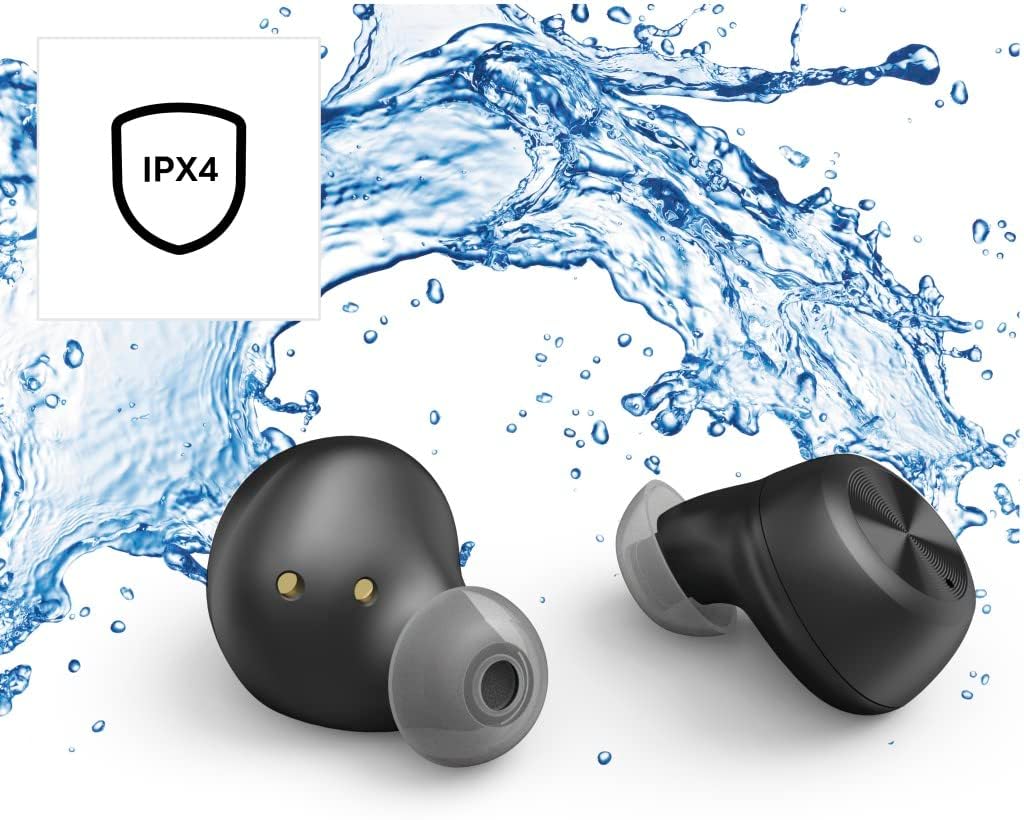
The Thomson WEAR7701 earbuds are rated IPX4, meaning they are protected against splashing water from any direction. This makes them suitable for use during workouts or in light rain.
- Кулакчындарды сууга салбаңыз.
- Аларды басымдуу сууга же душка түшүү же сүзүү сыяктуу жогорку ылдамдыктагы сууга тийгизбеңиз.
- Кулакчындарды кайра заряддоо кутусуна коюудан мурун, кубаттоо контакттарына зыян келтирбөө үчүн кургатылганын текшериңиз.
5.3 Сактоо
Колдонулбаганда, кулакчындарды коргоо жана кубаттоо үчүн кубаттоочу кутучага сактаңыз.
6. Кыйынчылыктарды
6.1 Earbuds Not Pairing or Only One Earbud Connects
- Эки кулакчындын тең кубатталганын текшериңиз.
- Place both earbuds back into the charging case, close the lid, wait a few seconds, then remove both simultaneously.
- Delete the earbuds from your device's Bluetooth list ("Forget Device") and attempt to pair again from scratch.
- Ensure the earbuds are within Bluetooth range of your device (up to 10 meters).
6.2 Үн жок же үнү төмөн
- Туташкан түзмөгүңүздүн жана кулакчындардын үн деңгээлин текшериңиз.
- Кулакчындардын кулагыңызга туура орнотулганын жана кулактын учтары жакшы жабылып турганын текшериңиз.
- Кулакчындарды түзмөгүңүзгө кайра туташтырыңыз.
- Кулакчын динамиктериндеги калдыктарды тазалаңыз.
6.3 Заряддоо маселелери
- Заряддоо кабели корпуска да, кубат булагына да бекем туташтырылганын текшериңиз.
- Кубат булагынын иштеп турганын текшериңиз.
- Кулакчындардагы жана заряддоо кутучасынын ичиндеги заряддоо контакттарын тазалаңыз.
- Try a different Micro USB charging cable.
7. Техникалык шарттар
| Модель аты | WEAR7701 |
| Модель номери | 132568 |
| Түс | Кара |
| Байланыш | Bluetooth 5.0 |
| Bluetooth классы | 2-класс |
| Frequency Band | 2402-2480 МГц |
| Кулакчындын жыштык диапазону | 20 Гц - 20 кГц |
| Микрофондун жыштык диапазону | 100 Гц - 5 кГц |
| Кулакчындын импедансы | 32 Ом |
| Микрофон импедансы | 2.2 кОм |
| Өткөрмө аралык | 10 м |
| Кулакчындын сезгичтиги | 92 дБ +/- 3 дБ |
| Микрофондун сезгичтиги | -42 дБ ± 3 дБ |
| Максималдуу сүйлөшүү убактысы | 4 саат |
| Музыканы ойнотуунун максималдуу убактысы | 4 саат |
| Макс. Күтүү убактысы | 150 саат |
| Заряддоо корпусунун заряддары | 3 эсеге чейин |
| Average Charging Time (Case) | 3 саат |
| Заряддоо түрү | Микро USB |
| Микрофондун абалы | Интеграцияланган |
| Микрофон түрү | Көп багыттуу |
| Үн менен башкаруу | Apple Siri / Google Жардамчысы |
| Bluetooth Pro колдоого алынатfiles | A2DP V1.3/AVRCP V1.6/HFP V1.7/SPP V1.2 |
| Өзгөчөлүктөр | Finger-Touch Sensor, QuickPair, Call Answer Button, True Wireless |
| Сууга туруктуулук рейтинги | IPX4 (чачууга каршы) |
| Салмагы (ар бир кулакчын үчүн) | 4 г |
| Жалпы салмагы | 41 г (кулакчын + кутуча) |
| Сунушталган колдонуу | Спорт |
8. Кепилдик жана колдоо
Thomson products are manufactured with attention to quality and performance. For information regarding warranty coverage, please refer to the warranty card included with your product or visit the official Thomson webсайт.
For technical support, troubleshooting assistance, or to inquire about replacement parts, please contact Thomson customer service through their official channels. Contact details can typically be found on the product packaging or the manufacturer's webсайт.
Кепилдик дооматтары үчүн сатып алганыңыздын далилин сактап коюңуз.


