1. Киришүү
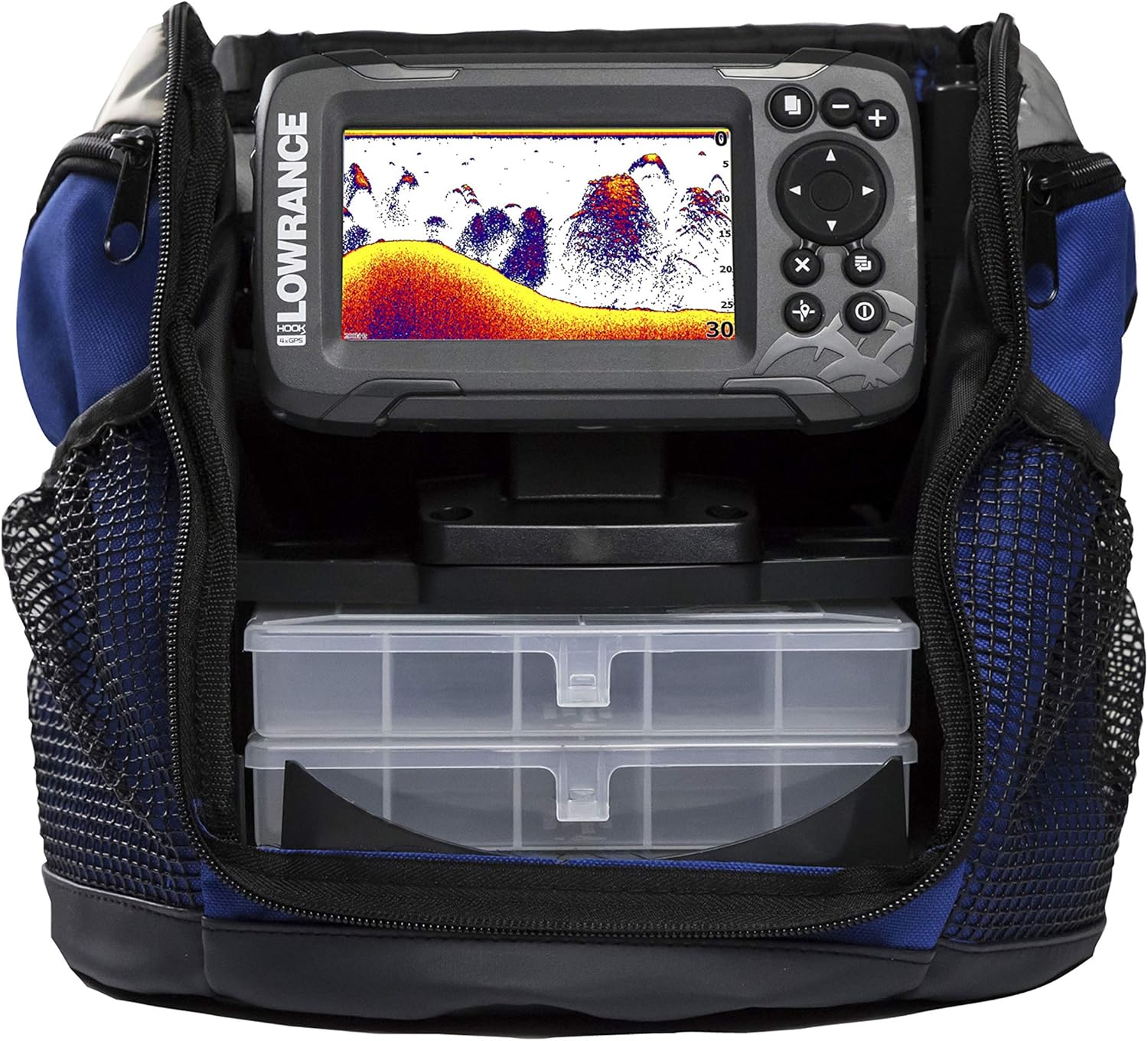
This manual provides comprehensive instructions for the setup, operation, and maintenance of your Lowrance HOOK2 Fish Finder All-Season Pack. Designed for simplicity and effectiveness, the HOOK2 series offers intuitive controls and advanced sonar technology to enhance your fishing experience in various environments, from open water to ice fishing.
Please read this manual thoroughly before using the device to ensure proper functionality and safety.
2. Кутуда эмне бар
Verify that all the following components are included in your Lowrance HOOK2 Fish Finder All-Season Pack:
- Lowrance HOOK2 Fish Finder Unit (4-inch SolarMAX Display)
- Жөнгө салынуучу монтаждык кашаа
- Bullet Skimmer Transducer
- Transducer Mounting Hardware (screws, bolts, brackets)
- Электр кабели
- All-Season Pack Carry Bag
- 12V Sealed Lead-Acid Battery
- Батарея заряддагыч
- Quick Guide and Welcome Aboard Documentation

3. Орнотуу
3.1 Mounting the Fish Finder Unit
Attach the adjustable mounting bracket to a stable, flat surface on your boat or ice fishing sled using the provided hardware. Ensure the mount is secure and allows for easy adjustment of the display angle. The unit can then be clicked into place on the bracket.
3.2 Өткөргүчтү туташтыруу
For boat use, mount the Bullet Skimmer Transducer to the transom or a suitable location ensuring it is submerged and has a clear view of the water below. For ice fishing, the transducer can be suspended directly into the ice hole. Connect the transducer cable to the corresponding port on the back of the HOOK2 unit.
3.3 Күйгүзүү
Connect the power cable to the HOOK2 unit and then to the 12V battery. Ensure the battery is fully charged using the provided charger before first use. Press and hold the power button on the unit to turn it on. The unit will typically boot directly into sonar mode.

4. Иштөө нускамалары
4.1 Негизги навигация жана дисплей
The HOOK2 features a simple keypad for navigation. Use the arrow keys to move through menus and adjust settings. The 'Pages' button cycles through different display views (Sonar, GPS, etc.). The 'Enter' button confirms selections, and the 'X' button cancels or goes back.
4.2 Sonar Display Interpretation
The sonar display shows the bottom contour, fish arches, and structure. Fish typically appear as arches or inverted V-shapes. The depth is indicated on the left side of the screen. The autotuning sonar automatically adjusts settings for the clearest image, but manual adjustments can be made via the menu.
4.3 GPS навигациясы
The GPS model allows you to track your movement and generate basic maps on the fly. You can view your current coordinates and track your path. This feature is particularly useful for navigating in areas without pre-loaded charts or for marking productive fishing spots.
4.4 Waypoint Management
Mark waypoints at locations of interest, such as productive fishing holes or underwater structures. To mark a waypoint, press the 'Waypoint' button. You can then edit the waypoint's symbol to categorize it (e.g., a fish symbol for a productive spot). This allows for easy identification and navigation back to these locations.
5. Техникалык тейлөө
To ensure the longevity and optimal performance of your HOOK2 Fish Finder, follow these maintenance guidelines:
- Тазалоо: After each use, wipe down the unit and transducer with a damp кездеме. Абразивдүү тазалагычтардан же эриткичтерден качыңыз.
- Сактагыч: Store the unit in a dry, cool place away from direct sunlight. Ensure the battery is fully charged before long-term storage and recharge periodically.
- Кабельге кам көрүү: Inspect cables for any signs of wear or damage. Avoid sharp bends or kinks that could damage internal wires.
- Батареяга кам көрүү: Always use the provided charger. Do not overcharge or deep discharge the battery.
6. Кыйынчылыктарды
If you encounter issues with your Lowrance HOOK2 Fish Finder, refer to the following common troubleshooting tips:
- Кубат жок: Check battery connections and ensure the battery is charged. Verify the power cable is securely plugged into the unit.
- No Sonar Reading: Ensure the transducer is fully submerged in water and free from obstructions. Check that the transducer cable is securely connected to the unit.
- Начар Sonar Image: Adjust sensitivity settings. Ensure the transducer is properly aligned and not experiencing air bubbles or turbulence.
- GPS Not Tracking: Агрегаттын таза болушун текшериңиз view спутник сигналдарын алуу үчүн асмандын.
For more detailed troubleshooting or persistent issues, please consult the full user manual or contact Lowrance customer support.
7. Техникалык шарттар
| Өзгөчөлүк | Деталь |
|---|---|
| Бренд | Лоуренс |
| Модель аты | Ice Fishing Electronics |
| Модель номери | 000-14178-001 |
| Screen Size | 4 дюйм |
| Дисплей түрү | LCD |
| Power Source | Батарея менен иштейт |
| Элемент Салмагы | 4.5 фунт |
| Монтаж түрү | Surface Mount |
| Түс | Боз |
| Материал | Пластик |
8. Кепилдик жана колдоо
Your Lowrance HOOK2 Fish Finder All-Season Pack is covered by a 1-Year Limited Warranty from the date of purchase. This warranty covers defects in materials and workmanship under normal use.
For warranty claims, technical support, or additional product information, please contact Lowrance Customer Service or visit their official webсайт:
- Кепилдик: 1 жыл
- Онлайн колдоо: Расмий Lowrance сайтына баш багыңыз website for FAQs, software updates, and detailed product manuals.
- Колдоо кызматы менен байланышуу: Refer to your product packaging or the Lowrance website for current contact information (phone, email).


