1. Киришүү
The EARISE Vigorowl T65 is a portable PA system designed for both indoor and outdoor use, featuring powerful audio output, Bluetooth connectivity, and wireless microphones. This manual provides comprehensive instructions for setting up, operating, and maintaining your T65 PA system to ensure optimal performance and longevity.
2. Кутуда эмне бар
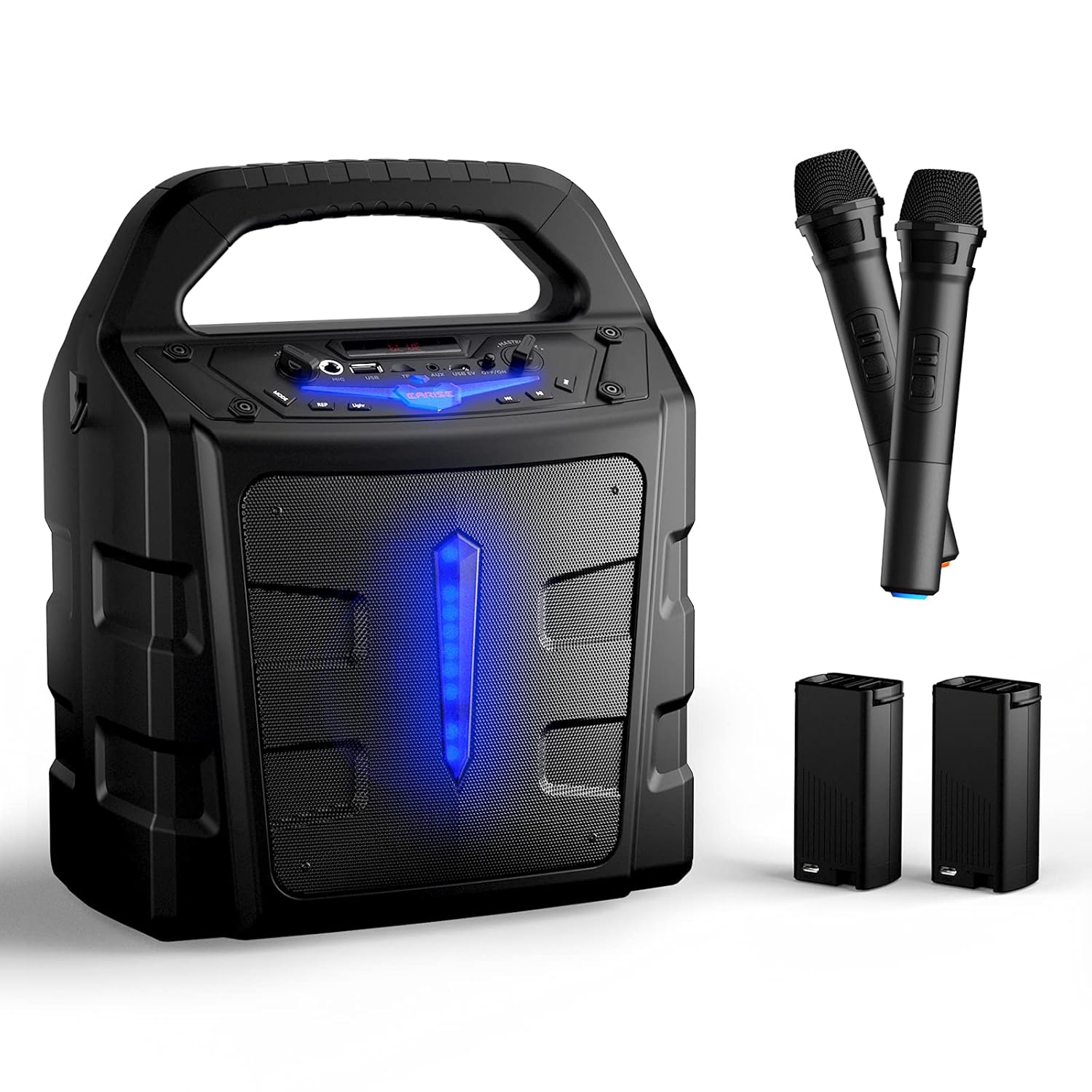
Сураныч, кутудан чыгарганда пакеттин мазмунун текшерип, бардык буюмдар бар экенин текшериңиз:
- 1 x T65 PA спикери
- 2 x Wireless Microphones (Batteries not included for microphones)
- 2 х тышкы Li-ion батареялары
- 1 x USB Charging Cable (Адаптер камтылган эмес)
- 1 x User Manual

3. Продукт бүтүп калдыview
Familiarize yourself with the various controls and ports on your T65 PA system:

- Мастердин үнүн көзөмөлдөө: Жалпы үн чыгаруу деңгээлин тууралайт.
- Кубат которгучу: Агрегатты КҮЙГҮЗӨТ же ӨЧҮРөт.
- USB 5V Input Port: Агрегатты заряддоо үчүн.
- AUX кирүүсү: Тышкы түзмөктөр үчүн 3.5 мм аудио киргизүү.
- TF карта уячасы: TF (Micro SD) картасынан аудио ойнотуу үчүн.
- USB Flash Slot: USB флэш-дискинен аудио ойнотуу үчүн.
- Микрофон: Зымдуу микрофондор үчүн 6.35 мм киргизүү.
- Микрофондун үнүн башкаруу: Adjusts the volume of the microphones independently.
- Режим баскычы: Switches between Bluetooth, FM Radio, AUX, USB, and TF card modes.
- Жарык баскычы: LED жарык эффекттерин башкарат.
- REP (кайталоо) баскычы: Учурдагы тректи же ойнотмо тизмесин кайталайт.
- Мурунку ыр баскычы: Мурунку трекке өтүшөт.
- Ойнотуу/тындыруу баскычы: Учурдагы тректи ойнойт же тындырат.
- Кийинки ыр баскычы: Кийинки трекке өтүү.
4. Орнотуу
4.1 Бөлүктү кубаттоо
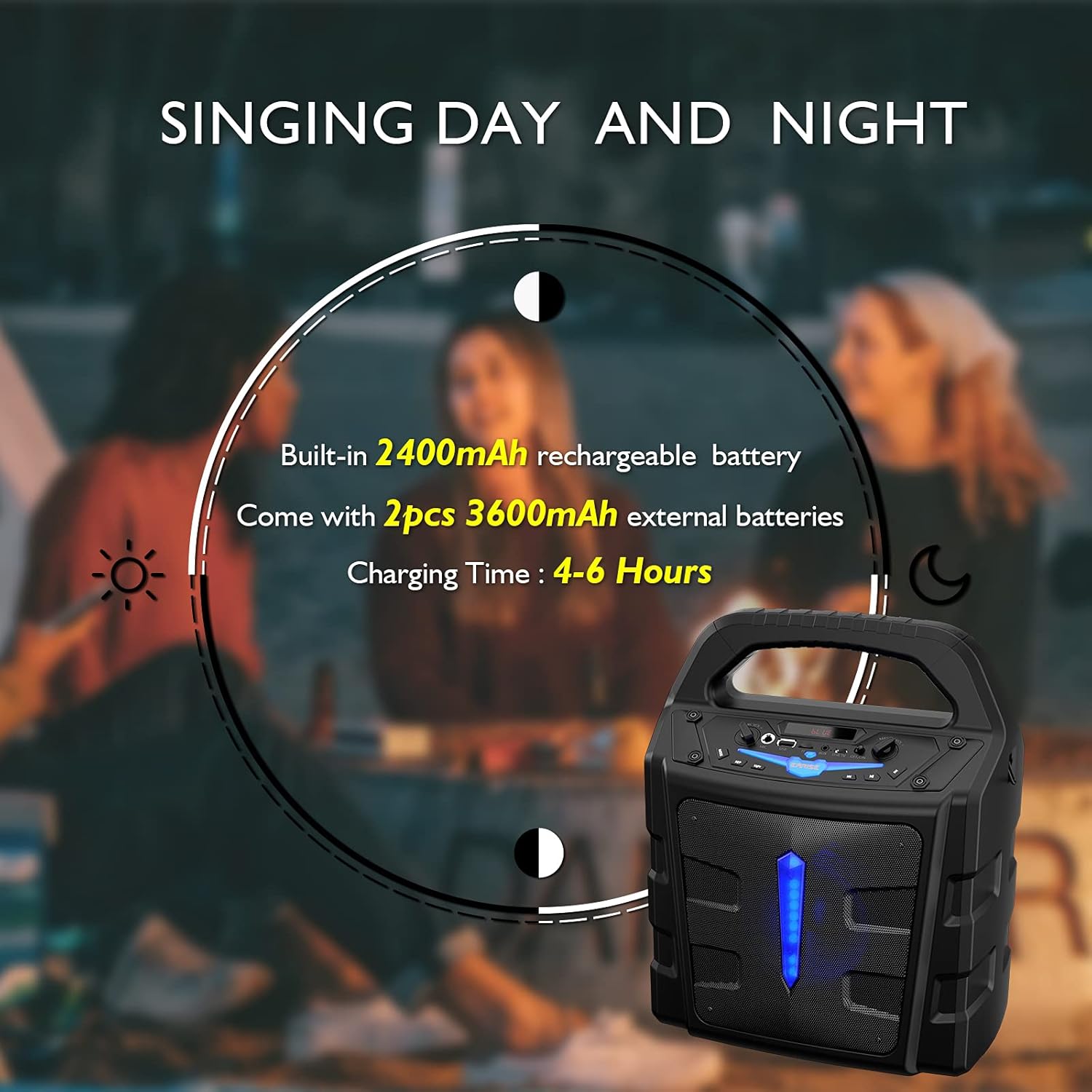
The T65 PA system comes with a built-in 2400mAh Li-ion battery and two external 3600mAh Li-ion batteries. Before first use, it is recommended to fully charge the unit.
- Connect the provided USB charging cable to the USB 5V input port on the T65.
- USB кабелинин экинчи учун стандарттуу USB кубат адаптерине (кошулмада жок) же кубаттуу USB портуна туташтырыңыз.
- Заряддоо индикаторунун жарыгы күйөт. Толук кубаттоо адатта 4-6 саатка созулат.
4.2 Battery Installation (Wireless Microphones)
The wireless microphones require 2 x AA batteries each (not included). To install:
- Unscrew the bottom part of the microphone handle.
- Туура полярдуулукту (+/-) камсыз кылуу менен эки AA батарейкасын салыңыз.
- Төмөнкү бөлүгүн кайра бекем буруңуз.
5. Иштөө нускамалары
5.1 Күйгүзүү/өчүрүү
басып, кармап туруңуз Power Switch button on the control panel to turn the unit ON or OFF.
5.2 Bluetooth байланышы
Мобилдик түзмөгүңүздү Bluetooth аркылуу туташтыруу үчүн:
- Turn on the T65 PA system. It will automatically enter Bluetooth pairing mode, indicated by a flashing 'BLUE' on the display.
- Enable Bluetooth on your mobile device (smartphone, tablet, PC, laptop).
- Издөө available devices and select "EARISE T65" from the list.
- Once connected, the 'BLUE' indicator will stop flashing, and you can play audio from your device through the T65.

5.3 Микрофондорду колдонуу
The T65 comes with two wireless microphones for karaoke or public speaking. You can also connect a wired microphone to the 'Mic In' port.
- Turn on the wireless microphones using their respective ON/OFF switches. They will automatically pair with the T65 unit.
- жардамы менен микрофондун үнүн тууралаңыз Микрофонду көзөмөлдөө knob on the T65 control panel.
- Жалпы үн деңгээлин төмөнкү менен тууралаңыз: Үн көлөмүн көзөмөлдөө.


5.4 USB/TF картасын ойнотуу
Insert a USB flash drive or TF (Micro SD) card (up to 32GB) into the respective slot. The unit will automatically switch to USB/TF mode and begin playing compatible audio files.
- колдонуу Мурунку ыр, Ойнотуу/Тыныгуу, жана Кийинки ыр ойнотууну башкаруу үчүн баскычтар.
- басыңыз РЕП кайталоо режимдери (мисалы, бирин кайтала, баарын кайтала) баскычын басыңыз.
5.5 AUX киргизүү
Тышкы аудио түзмөгүн (мисалы, MP3 ойноткуч, CD ойноткуч) туташтырыңыз AUX In 3.5 мм аудио кабелин колдонуп, портко туташтырыңыз. Басыңыз Mode button until 'AUX' is displayed.
5.6 FM радио режими
басыңыз Mode button repeatedly until 'FM' is displayed. The unit will enter FM radio mode.
- басып, кармап туруңуз Ойнотуу/Тыныгуу button to auto-scan and save available FM stations.
- колдонуу Мурунку ыр жана Кийинки ыр баскычтар сакталган станциялардын ортосунда чабыттоо.
5.7 Жарык эффекттери
басыңыз Жарык button to toggle the LED light effects on the front panel.
6. Техникалык тейлөө
- Тазалоо: Түзмөктүн сыртын тазалоо үчүн жумшак, кургак чүпүрөктү колдонуңуз. Абразивдүү тазалоочу каражаттарды же эриткичтерди колдонбоңуз.
- Батареяга кам көрүү: To prolong battery life, fully charge the unit before long periods of storage. If storing for extended periods, recharge every 3 months.
- Сактагыч: Аппаратты күн нурунан жана экстремалдык температурадан алыс салкын, кургак жерде сактаңыз.
- Суу таасири: This unit is not waterproof. Avoid exposure to rain, splashes, or high humidity.
7. Кыйынчылыктарды
If you encounter any issues with your T65 PA system, please refer to the following table for common problems and solutions:
| Көйгөй | Мүмкүн себеп | Чечим |
|---|---|---|
| Күч жок | Батарея түгөнүп калды. | Charge the unit using the USB charging cable. |
| Үн чыгышы жок | Үн өтө төмөн же үнсүз. Туура эмес киргизүү режими. | Increase Master Volume. Press Mode button to select correct input (Bluetooth, AUX, USB, TF, FM). |
| Микрофондор иштебейт | Microphone batteries are low or incorrectly installed. Microphone is off. Mic Volume is too low. | Replace AA batteries in microphones, ensuring correct polarity. Turn on microphone power switch. Increase Mic Volume Control. |
| Bluetooth туташпай жатат | Unit is not in Bluetooth mode. Device is too far. Interference. | Press Mode button until 'BLUE' is displayed. Ensure device is within 10 meters. Move away from other electronic devices. |
| FM радиосун кабыл алуу начар | Алсыз сигнал. | Relocate the unit to an area with better reception. Perform auto-scan again. |
8. Техникалык шарттар
Detailed technical specifications for the EARISE Vigorowl T65 Portable PA System:
| Өзгөчөлүк | Спецификация |
|---|---|
| Эң жогорку кубаттуулук | 30 Вт |
| R.Frequency | 90Гц-20КГц |
| Камтылган Li-ion Батарея | 3.7V / 2400mAh |
| External Li-ion Battery | 2шт 3.7V / 3600mAh |
| Иштеткич | 5.25" 3Ω |
| S/N катышы | ≥60дБ |
| DC киргизүү | USB 5V |
| Электр камсыздоо | AC 100-240V |
| Өлчөмдөрү (L x W x Y) | 280 мм x 200 мм x 340 мм (11" x 7.9" x 13.4") |
| Элемент Салмагы | 2.72 кг |
| Байланыш технологиясы | Bluetooth, USB |
| Шайкеш түзмөктөр | iPhone, smartphone, tablet, PC |
| Медиа түрү колдоого алынат | Micro SD, USB |
9. Кепилдик жана колдоо
For warranty information or technical support, please refer to the contact details provided with your purchase documentation or visit the official EARISE webсайт. Сатып алуу квитанциясын кепилдик дооматтары үчүн сатып алуунун далили катары сактаңыз.


