Introduction
Thank you for choosing the NETUM Bluetooth Receipt Printer, Model NT-1809. This portable 58mm thermal printer is designed for efficient and convenient receipt printing in various environments. It offers seamless connectivity via Bluetooth and USB, making it compatible with a wide range of devices including Android, iOS, Windows, and Linux systems. This manual provides detailed instructions on setting up, operating, maintaining, and troubleshooting your printer to ensure optimal performance.

The NETUM Bluetooth Receipt Printer, showcasinанын компакттуу дизайны жанаample receipt indicating NFC and Bluetooth connectivity.
Негизги өзгөчөлүктөрү
- Мыкты шайкештик: Supports Loyverse (Android), iReap, Pozool, Kyte, CasierStock, PAYPAL (Android), Vyapar (Android), Fair Crat, Kasse Speedy, Tab Shop Lite, Orderlyze, Breakforyou. Compatible with Android & iOS operating systems, Windows, and Linux.
- Эффективдүү: Utilizes thermal printing technology, eliminating the need for ink, ribbons, or cartridges. Only requires 58x30mm thermal paper.
- Кеңири колдонмолор: Ideal for TAXI bill printing, administrative fees, post receipts, restaurant ordering, online payment information, and other outdoor working environments.
- Узак күтүү убактысы: Equipped with a built-in 2000mAh rechargeable battery, offering up to 7 days of standby time. Features auto-sleep and auto-awake functions for power saving.
- Жогорку ылдамдыктагы басып чыгаруу: Achieves print speeds of up to 70mm/sec with a resolution of 203DPI.
- Компакт жана жеңил дизайн: Ар кандай орнотууларда алып жүрүү жана колдонуу оңой.

The compact and lightweight design of the printer, with dimensions of 118 x 83 x 59mm and a weight of 260g, highlighting its portability.
Пакеттин мазмуну
Пакетти ачканда, төмөнкү нерселердин бардыгы бар экенин текшериңиз:
- NETUM Bluetooth Receipt Printer (Model NT-1809)
- Thermal Paper Roll (58mm width)
- USB заряддоо кабели
- Колдонуучунун Колдонмосу (бул документ)
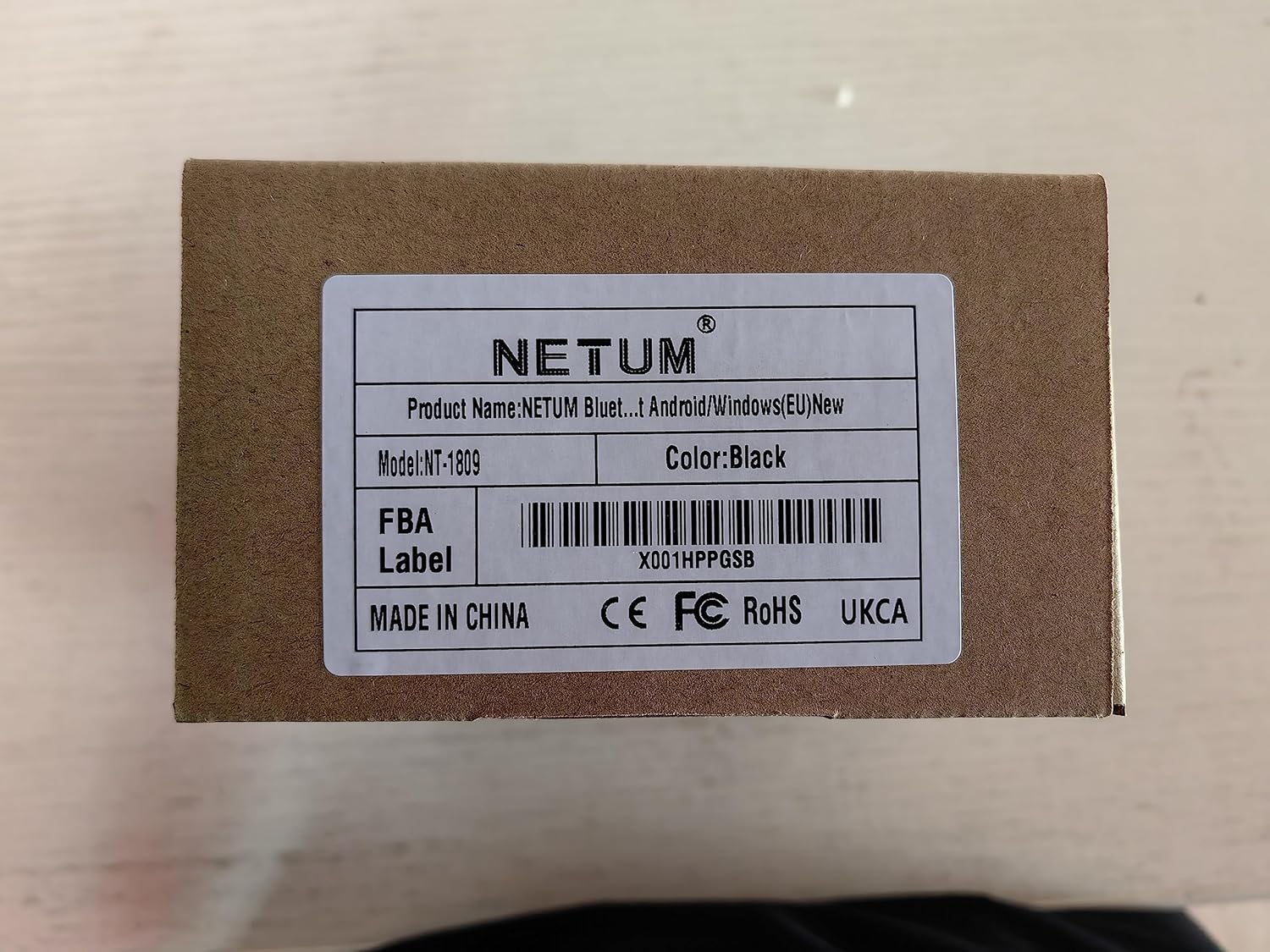
The product packaging, indicating the model number NT-1809 and other product details.
Орнотуу колдонмосу
- Принтерди заряддоо: Before first use, ensure the printer is fully charged. Connect the provided USB charging cable to the printer's charging port and a compatible USB power adapter (DC 5V/2A). The "CHARGE" indicator light will show charging status.
- Remove Battery Insulating Tape: For safety during storage and transportation, a piece of insulating tape is placed on the metal contacts of the Li-ion battery. Please open the battery compartment and remove this tape before turning on the printer for the first time.
- Термалдык кагазды жүктөө:
- Open the paper compartment cover by sliding the latch or pressing the release button.
- Insert the 58mm thermal paper roll with the printing side facing the thermal print head. Ensure the paper feeds smoothly.
- Close the paper compartment cover firmly until it clicks into place. Leave a small amount of paper protruding from the slot.
- Күйгүзүү: Кубат баскычын басып, кармап туруңуз (⑁) индикатор жарыктары күйгөнгө чейин.

The printer's indicators, including the charge status, and a visual representation of its 2000mAh battery capacity and 6-hour continuous operation.
Операция
The NETUM NT-1809 printer supports both Bluetooth and USB connectivity for versatile use.
Bluetooth байланышы (Мобилдик түзмөктөр үчүн сунушталат)
- Install a Compatible Application: The printer cannot be discovered directly by your device's built-in Bluetooth function. You must use a compatible printing application (e.g., Loyverse, iReap, Pozool, Kyte, etc.) to search for and establish the connection.
- Bluetooth иштетүү: Смартфонуңузда же планшетиңизде Bluetooth иштетилгенин текшериңиз.
- Издөө Принтер: Open your chosen printing application. Navigate to the printer settings or connection section within the app. Издөө жеткиликтүү Bluetooth түзмөктөрү.
- Тандоо жана жупташтыруу: Select "58mm Printer" or a similar device name from the list. The application will handle the pairing process.
- Сыноо басып чыгаруу: Once connected, perform a test print from the application to confirm functionality.

Instructions on how to connect the printer via Bluetooth, illustrating that a dedicated POS application is required for discovery and pairing, not the device's native Bluetooth settings.
USB Connection (Recommended for PC/Laptop)
- Кабелди туташтыруу: Use the provided USB cable to connect the printer to your computer's USB port.
- Драйверди орнотуу: For Windows and Linux systems, you may need to install the appropriate printer driver. Drivers are typically available on the NETUM official website or included on a mini-CD (if provided with your package).
- Set as Default Printer: After driver installation, set the NETUM printer as your default printer in your operating system's settings.
- Басып чыгаруу: You can now print directly from any application on your PC or laptop.

The printer's broad compatibility with different operating systems and devices, including iOS, Android, Windows, and Linux, supporting both Bluetooth and USB modes.
Техникалык тейлөө
- Басып чыгаруу башын тазалоо: Regularly clean the thermal print head with an alcohol swab or a specialized print head cleaning pen. Ensure the printer is off and cooled down before cleaning.
- Кагаз менен иштөө: Use only high-quality 58mm thermal paper. Store paper rolls in a cool, dry place away from direct sunlight to prevent fading.
- Батареяга кам көрүү: To prolong battery life, avoid fully discharging the battery frequently. Charge the printer regularly, even if not in constant use.
- Жалпы тазалоо: Принтердин сыртын жумшак, кургак чүпүрөк менен сүртүңүз. Катуу химиялык заттарды же абразивдүү материалдарды колдонуудан алыс болуңуз.
Проблемаларды чечүү
| Көйгөй | Мүмкүн себеп | Чечим |
|---|---|---|
| Принтер күйбөй жатат. | Low battery; Insulating tape on battery; Power button not pressed long enough. | Charge the printer; Remove insulating tape from battery; Press and hold power button for 3-5 seconds. |
| Bluetooth аркылуу туташуу мүмкүн эмес. | Not using a compatible POS application; Bluetooth not enabled; Printer out of range. | Use a supported POS application for connection; Ensure Bluetooth is on; Move printer closer to device. |
| No print output / Blank paper. | Paper loaded incorrectly (upside down); No paper; Print head dirty. | Re-load paper with printing side facing print head; Load new paper roll; Clean print head. |
| Басма сапаты начар. | Print head dirty; Low battery; Poor quality thermal paper. | Clean print head; Charge printer; Use recommended thermal paper. |
| "ERROR" indicator light is on. | Paper out; Print head overheating; Cover open. | Load paper; Allow printer to cool down; Ensure paper cover is closed properly. |
Техникалык мүнөздөмөлөр
| Өзгөчөлүк | Деталь |
|---|---|
| Модель аты | NT-1809 |
| Басма технологиясы | Термикалык линия басып чыгаруу |
| Басып чыгаруу ылдамдыгы | 70мм/сек |
| Резолюция | 203DPI (8 dots/mm) |
| Print Width | 48мм |
| Кагаз түрү | Термикалык түрмөк кагаз |
| Paper Width | 57.5 ± 0.5 мм |
| Кагаз түрмөгүнүн диаметри | φ ≤ 40mm |
| Кагаз калыңдыгы | 0.06-0.08мм |
| Interfaces | USB / Bluetooth 4.0 |
| Басып чыгаруу буйругу | ESC/POS |
| Батарея | 7.4VDC/2000mAh Lithium Polymer |
| Заряддоо режими | DC 5V/2A |
| Күтүү убактысы | Up to 4 days (after fully charged) |
| Үзгүлтүксүз басып чыгаруу | 120 pieces Thermal Roll (for fully charged battery) |
| Шайкеш системалар | Android, iOS, Windows, Linux |
| Продукциянын өлчөмдөрү | 5.55 x 7.09 x 2.83 дюйм (14.1 x 18.0 x 7.2 см) |
| Элемент Салмагы | 11.3 унция (320 грамм) |
Кепилдик жана колдоо
NETUM products are designed for reliability and performance. For any technical assistance, warranty claims, or product inquiries, please contact NETUM customer support through the official channels provided with your purchase or visit the Amazonдагы NETUM бренд дүкөнү. Please retain your proof of purchase for warranty purposes.

The official NETUM brand logo.


