1. Киришүү
Thank you for choosing the Baseus Smart Eye-Caring Desk Lamp. Бул көчмө жана кайра заряддоого болгон LED лamp is designed to provide optimal illumination for various tasks, featuring intelligent auto-dimming, adjustable color temperature, and a flexible, space-saving design. This manual provides detailed instructions for setup, operation, maintenance, and troubleshooting to ensure you get the most out of your device.
2. Коопсуздук нускамалары
- Do not disassemble, repair, or modify the product. Unauthorized disassembly may cause electric shock or fire.
- л-ды ачыкка чыгарбаamp to water or high humidity. This product is designed for indoor use only.
- л коюудан качыңызamp in direct sunlight or near heat sources to prevent damage to internal components.
- Use only the specified charging cable and adapter. Incorrect charging may lead to battery damage or fire.
- Балдар жетпеген жерде сактаңыз.
- Эгерде лamp exhibits abnormal behavior, such as smoke or unusual odors, immediately unplug it and contact customer support.
3. Пакеттин мазмуну
Сураныч, пакетте төмөнкү нерселерди текшериңиз:
- 1 x Baseus Smart Eye-Caring Desk Lamp
- 1 х USB-C кубаттоо кабели
- 1 х Колдонуучунун колдонмосу (бул документ)

Figure 3.1: Product packaging showing the desk lamp.
4. Продукт бүтүп калдыview
The Baseus Smart Eye-Caring Desk Lamp features a sleek, minimalist design with intuitive controls and advanced lighting technology.
4.1 Компоненттер
- Light Bar: Houses the LED light source.
- Жөнгө салынуучу кол: Connects the light bar to the base, allowing 0-180° rotation.
- Негизги: Provides stability and contains the battery, control panel, and charging port.
4.2 Башкаруу каражаттары жана өзгөчөлүктөрү
- Сенсордук башкаруу панели: Located on the top of the base for power, brightness, and color temperature adjustments.
- Айланадагы жарык сенсору: Automatically adjusts brightness based on surrounding light conditions.
- Күйгүзүү/өчүрүү: A physical switch located on the bottom of the base to enable or disable the ambient light sensor.
- USB-C заряддоо порту: Located at the back of the base for convenient charging.

Сүрөт 4.1: Алдыңкы view of the Baseus Smart Eye-Caring Desk Lamp.

Figure 4.2: Detail of the touch control panel and ambient light sensor on the lamp база.

Figure 4.3: Bottom of the lamp base with the physical on/off switch for the ambient light sensor.
5. Орнотуу
- Таңылганын ачуу: кылдаттык менен алып салуу лamp жана таңгактагы бардык аксессуарлар.
- Баштапкы төлөм: Биринчи колдонуудан мурун lamp using the provided USB-C cable and a compatible power adapter (not included). The charging indicator on the base will show charging status.
- Жайгашкан жери: l коюңузamp on a stable, flat surface. Ensure the physical switch on the bottom of the base is in the 'ON' position to enable the ambient light sensor for automatic brightness adjustment.
6. Иштөө нускамалары
6.1 Күйгүзүү/өчүрүү
- Күйгүзүү: Tap the touch control button on the base.
- Өчүрүү: Tap the touch control button again.
6.2 Жарыктыкты жөндөө
- Кол менен тууралоо: Long press the touch control button to continuously adjust the brightness level. Release when the desired brightness is reached.
- Automatic Adjustment (Auto-Dimming): With the physical switch on the bottom set to 'ON', the built-in ambient light sensor will automatically detect surrounding light and adjust the lamp's brightness accordingly. This feature helps prevent eye strain by optimizing illumination for the environment.

6.1-сүрөт: l иллюстрациясыamp's smart recognition and auto-dimming feature in different ambient light conditions.
6.3 Түс температурасын жөндөө
- Цикл режимдери: Ал эми лamp is on, short press the touch control button (do not long press) to cycle through the three available color temperature modes:
- 6000K (White Light): Bright, cool light suitable for focused work.
- 4500K (Mixed Light): Neutral light for general use.
- 3000K (Жылуу жарык): Soft, warm light ideal for relaxation or reading.
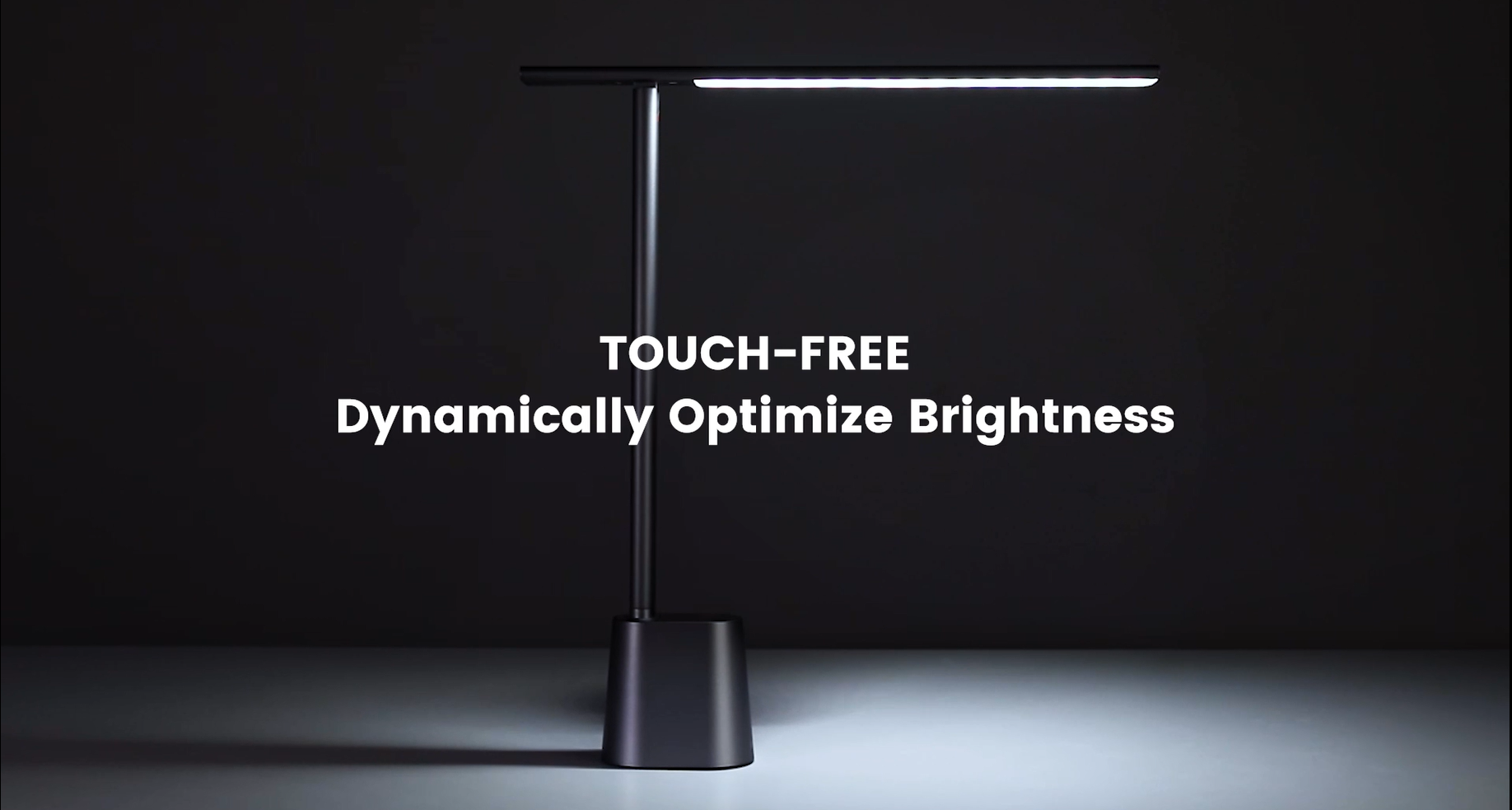
Video 6.1: Official demonstration of the auto-dimming and three color temperature modes (6000K, 4500K, 3000K) of the Baseus Desk Lamp.
6.4 Лamp Колду тууралоо
- лamp arm can be manually adjusted from 0° to 180° to direct light precisely where needed. This flexibility allows for various lighting angles, including direct downward illumination for desktops or upward for ambient room lighting.
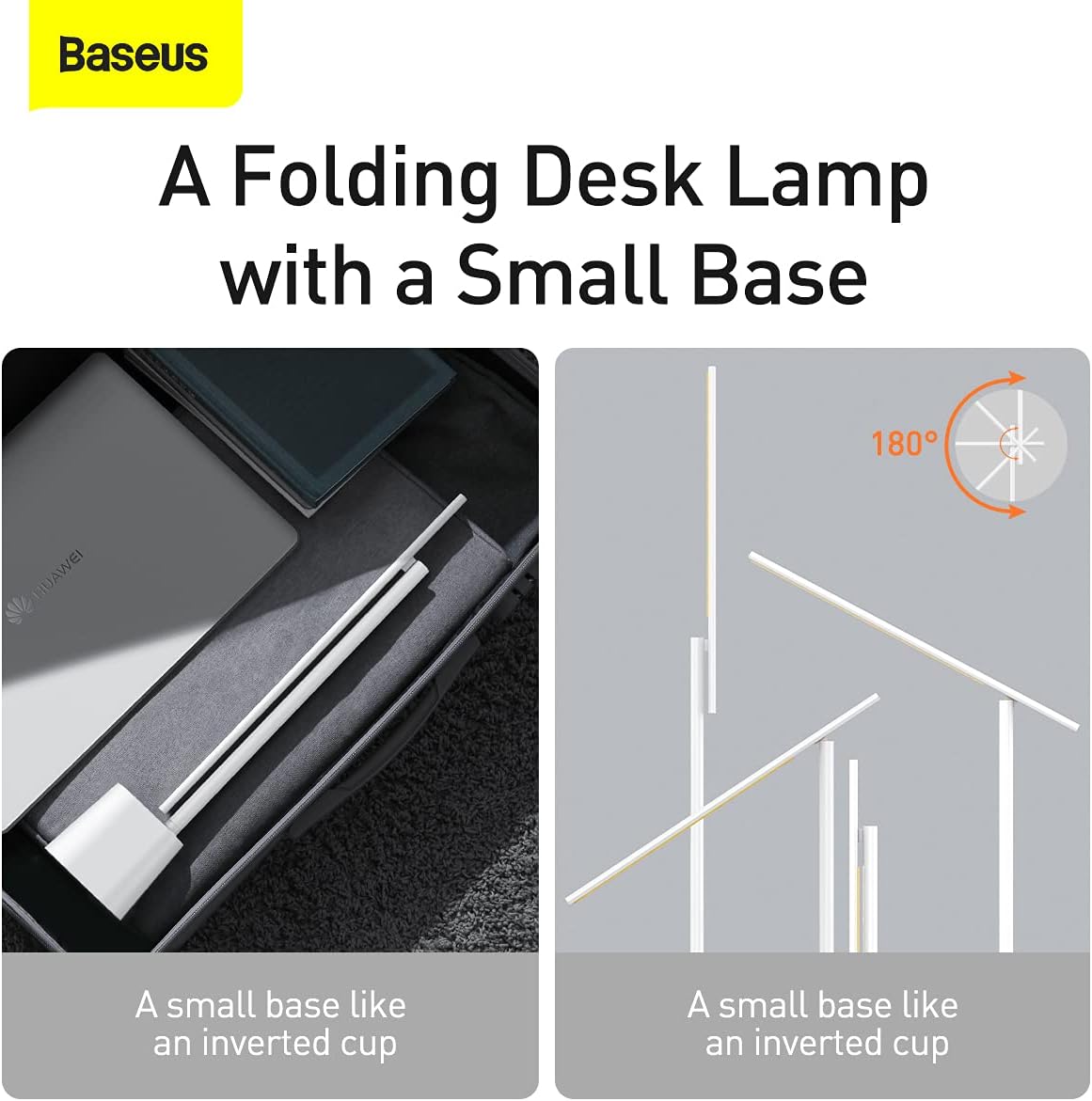
6.2-сүрөт: lamp's foldable design and 180-degree adjustable arm for versatile positioning.
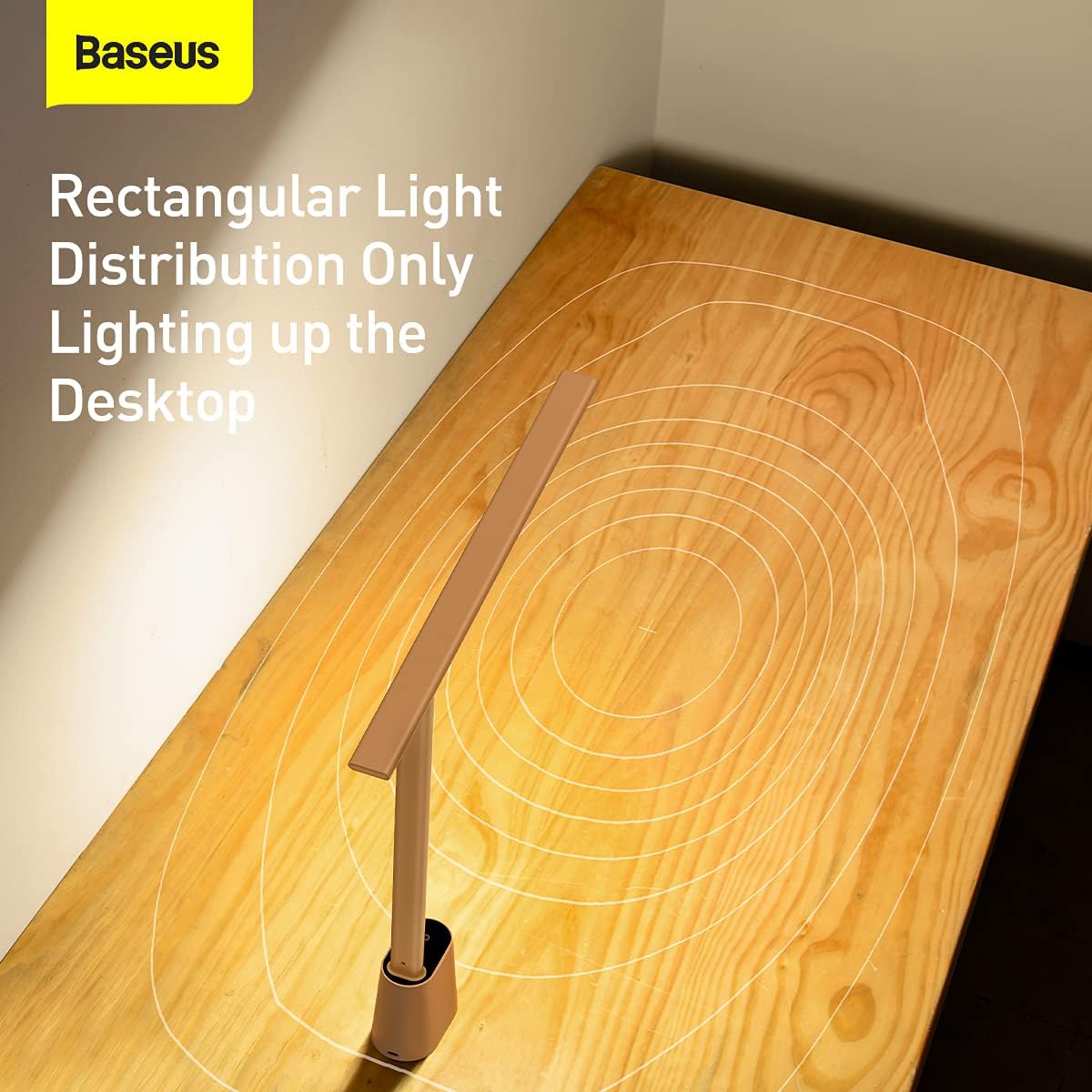
6.3-сүрөт: lamp provides a rectangular light distribution, focusing illumination specifically on the desktop area.
7. Заряддоо
The Baseus Smart Eye-Caring Desk Lamp is equipped with a built-in rechargeable Lithium-Ion battery (2200mAh capacity).
- Заряддоо порту: Connect the provided USB-C cable to the charging port on the back of the lamp base and to a USB power source.
- Заряддоо көрсөткүчү: The indicator light on the base will illuminate to show charging status (e.g., red for charging, green for fully charged).
- Батареянын иштөө мөөнөтү: A full charge provides approximately 3-4 hours of use at maximum brightness and up to 10 hours at the lowest brightness setting.
8. Техникалык тейлөө
- Тазалоо: л сүртamp жумшак, кургак чүпүрөк менен. Абразивдүү тазалагычтарды же эриткичтерди колдонбоңуз.
- Сактагыч: Узак мөөнөткө колдонулбаганда, лamp in a cool, dry place. It is recommended to fully charge the battery every 3 months to maintain battery health.
9. Кыйынчылыктарды
| Көйгөй | Мүмкүн себеп | Чечим |
|---|---|---|
| Lamp күйбөйт. | Батарея түгөнүп калды. | l заряддооamp толугу менен. |
| Physical switch on bottom is OFF. | Flip the physical switch on the bottom of the base to the 'ON' position. | |
| Brightness adjustment is not working. | Not long-pressing the touch control. | Ensure you are long-pressing the touch control button for continuous adjustment. |
| Түс температурасы өзгөрбөйт. | Not short-pressing the touch control. | Ensure you are short-pressing the touch control button to cycle modes. |
| Auto-dimming feature is not working. | Physical switch on bottom is OFF. | Flip the physical switch on the bottom of the base to the 'ON' position. |
| Ambient light sensor is obstructed. | Ensure the ambient light sensor on the base is not covered. |
10. Техникалык шарттар
- Модель номери: ДГЗГ-02
- Бренд: Baseus
- Lamp Түрү: Үстөл Л.amp
- Жарык булагы түрү: LED
- Жарык булактарынын саны: 32
- Ватtage: 5 ватт
- Тtage: 6 вольт
- Кубат булагы: Батарея менен иштейт (кайра заряддалуучу)
- Батареялар: 2 литий-иондук батарейкалар талап кылынат (кошулган)
- Батарея сыйымдуулугу: 2200mAh (болжол менен)
- Байланыш технологиясы: USB (заряддоо үчүн)
- Башкаруу ыкмасы: тийүү
- Материал: Алюминий, металл
- Бүткөн түрү: боёлгон
- Түсү: Ак
- Продукциянын өлчөмдөрү: 13.78 x 2.08 x 15.15 inches (approx. when unfolded)
- Элемент Салмагы: 1.87 фунт (0.85 килограмм)
- Өзгөчөлүктөр: Full Spectrum, Adjustable (0-180°), Auto-Dimming, Eye-Caring
- Ички/тышкы колдонуу: Indoor
- Сууга туруктуулук деңгээли: Сууга чыдамдуу эмес
11. Кепилдик жана колдоо
Baseus products are manufactured to the highest quality standards. For information regarding warranty coverage, technical support, or service inquiries, please refer to the warranty card included with your purchase or visit the official Baseus webсайт. Сатып алуу квитанциясын кепилдик дооматтары үчүн сатып алуунун далили катары сактаңыз.
For additional resources, you may find the official User Manual PDF бул жерде.


