Introduction to eero Pro 6E
The eero Pro 6E is eero's first Wi-Fi 6E router, designed to deliver fast speeds and direct access to the new 6 GHz band for Wi-Fi 6E compatible devices. This results in lower latency and improved performance, ideal for demanding applications like 8K streaming, AR/VR, and gaming. It is backwards compatible with previous-generation eero devices and supports network speeds up to 2.3 Gbps, combining wired and wireless capabilities. With coverage up to 190 m² per unit, it can support over 100 connected devices, making it suitable for modern smart homes.

Image: The eero Pro 6E router, a compact white device, showcasing its design and the PCMag Readers' Choice badge.
Негизги өзгөчөлүктөрү
- Wi-Fi 6E Technology: Utilises the new 6 GHz band for faster speeds and lower latency with compatible devices.
- Gigabit+ Speeds: Supports combined wired (up to 1 Gbps) and wireless (up to 1.3 Gbps) speeds, totalling up to 2.3 Gbps.
- Кеңири камтуу: A single unit covers up to 190 m² and supports over 100 connected devices.
- eero TrueMesh: Patented technology intelligently routes traffic, reducing drops and dead zones.
- Оңой орнотуу: Guided setup via the eero app allows network management from anywhere.
- Built-in Smart Home Hub: Functions as a hub for compatible Thread and Zigbee devices, controllable with Alexa.
- eero орнотулган: Extends Wi-Fi coverage when paired with compatible Echo devices.

Image: Visual representation of the eero Pro 6E providing comprehensive Wi-Fi coverage throughout a multi-story home, supporting numerous devices.

Image: A graphic demonstrating the increased bandwidth and faster speeds offered by Wi-Fi 6E, particularly highlighting the new 6 GHz band compared to 2.4 GHz and 5 GHz.

Image: A user engaged in high-performance gaming on a monitor, with the eero Pro 6E router positioned nearby, illustrating its capability for demanding applications like 8K streaming and AR/VR.
Орнотуу колдонмосу
Кутуда эмне бар
- eero Pro 6E Router Unit
- Кубаттуу адаптер
- Ethernet кабели
Requirements for Setup
- Supported iOS or Android device (for the eero app)
- Internet service (with cable or DSL modem, if required by your ISP)
- An активдүү интернет байланышы
Баштапкы орнотуу кадамдары
- Download the eero App: Издөө "eero" in your device's app store and download the official eero app.
- Create an eero Account: Open the app and follow the prompts to create a new eero account.
- Unplug Your Old Router/Modem: Disconnect your existing router and modem from power.
- Connect Your eero: Connect one end of the provided Ethernet cable to the 2.5 Gbps Ethernet port on your eero Pro 6E and the other end to your modem.
- Күйгүзүү: Plug in your eero Pro 6E and your modem. Wait for them to power on completely.
- Колдонмодогу нускамаларды аткарыңыз: The eero app will guide you through the rest of the setup process, including naming your network and setting a password.
- Add Additional eero Devices (if applicable): If you have multiple eero units, the app will guide you on how to add them to your network to expand coverage.
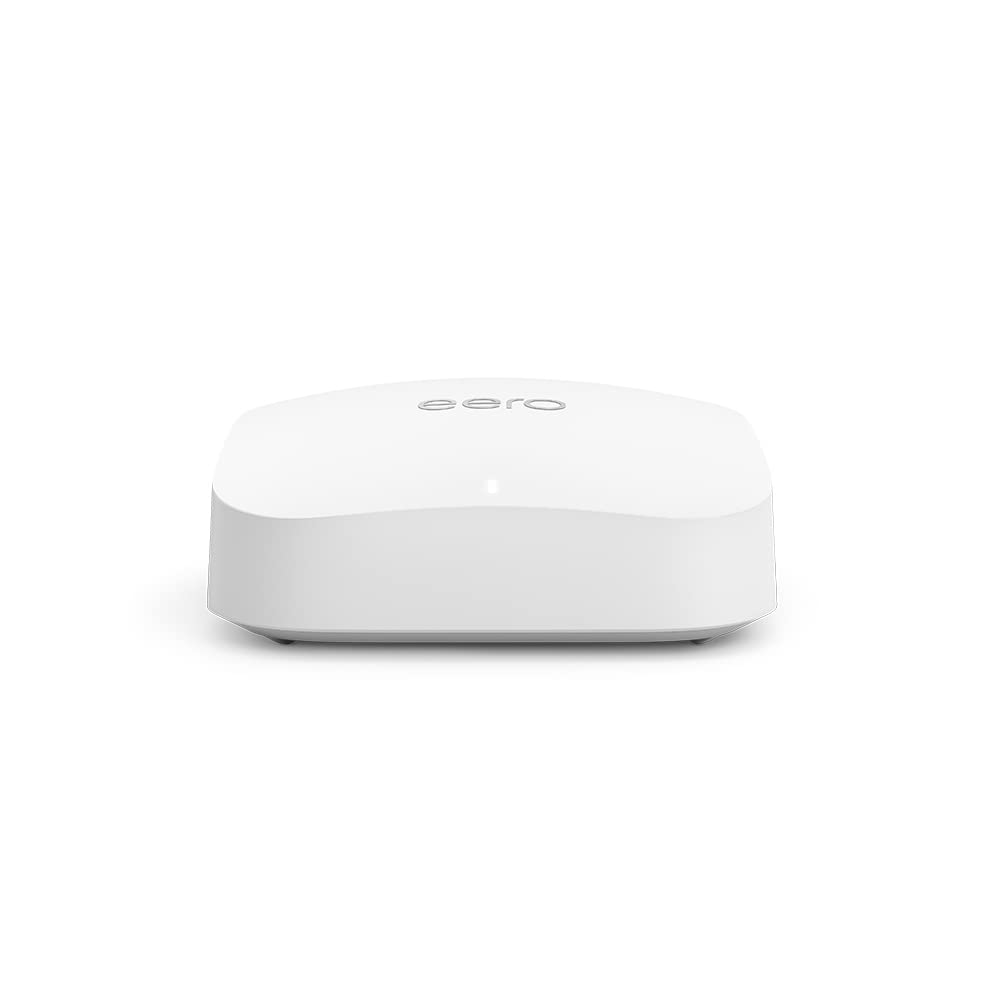
Сүрөт: деталдуу view of the eero Pro 6E router, highlighting its compact design and connectivity ports for easy setup.
Operating Your eero Pro 6E
Network Management via eero App
The eero app is your central control panel for your Wi-Fi network. From the app, you can:
- View connected devices and their activity.
- Create guest networks for visitors.
- Manage parental controls and content filtering (with eero Plus subscription).
- Интернетиңиздин иштешин текшерүү үчүн ылдамдыкты текшериңиз.
- Configure advanced network settings like port forwarding and DNS.
- Receive notifications about network status and updates.
Акылдуу үй туташуусу
The eero Pro 6E includes a built-in smart home hub, supporting Thread and Zigbee devices. This allows you to connect and control compatible smart home devices directly through your eero network, often via Alexa. It also acts as a border router for Thread-enabled devices, enhancing your smart home ecosystem.
Техникалык тейлөө
Программалык камсыздоо жаңыртуулары
eero devices automatically receive software security updates to ensure optimal performance and security. These updates are typically applied in the background. It is recommended to keep your eero devices connected to power and the internet to receive these updates promptly. You can check the update status via the eero app.
Физикалык кам көрүү
- Keep your eero unit in a well-ventilated area, away from direct sunlight and heat sources.
- Сыртын жумшак, кургак чүпүрөк менен тазалаңыз. Суюк тазалоочу каражаттарды же аэрозольдорду колдонбоңуз.
- Ensure cables are securely connected and not strained.
Жалпы көйгөйлөрдү чечүү
Интернет байланышы жок
- Check if your modem is working correctly. Try restarting your modem and then your eero unit.
- Ensure all Ethernet cables are securely connected between your modem and eero, and between eero units if applicable.
- Verify your internet service is active with your provider.
Slow Speeds or Poor Coverage
- Relocate eero units to central locations, away from obstructions like thick walls or large appliances.
- Ensure your eero units are within optimal range of each other for mesh connectivity.
- Башка электрондук түзүлүштөрдөн (мисалы, микротолкундуу мештер, зымсыз телефондор) келип чыгышы мүмкүн болгон тоскоолдуктарды текшериңиз.
- Run a speed test via the eero app to diagnose network performance.
Device Not Connecting to Wi-Fi
- Туура Wi-Fi сырсөзүн киргизип жатканыңызды текшериңиз.
- Сиз туташтырып жаткан аппаратты өчүрүп күйгүзүңүз.
- Түзмөктүн Wi-Fi адаптери күйгүзүлгөнүн жана туура иштеп жатканын текшериңиз.
- Temporarily disable any VPN or proxy settings on the device.
Техникалык мүнөздөмөлөр
| Өзгөчөлүк | Description |
|---|---|
| Wi-Fi камтуу | Up to 190 m² per unit |
| Type | Router (connects to modem as primary router) |
| Колдоого алынган ылдамдыктар | Up to 2.3 Gbps (1 Gbps wired, 1.3 Gbps wireless); ideal for gigabit+ internet plans (up to 2.5 Gbps via 2.5 Gb Ethernet port) |
| Wi-Fi туташуусу | Wi-Fi 6E tri-band concurrent 2:2:2 (802.11ax); compatible with older Wi-Fi standards |
| Зымдуу туташуу | One auto-sensing 2.5 gigabit Ethernet port and one auto-sensing 1 gigabit Ethernet port |
| Тез Rating | AX5400 |
| Акылдуу үй туташуусу | Amazon Frustration-Free Setup, 802.15.4 radio (Zigbee, Thread), Bluetooth Low Energy 5.0 |
| Электрдик рейтинг | 100–240 В AC, 50-60 Гц |
| Processor, Memory, Storage | 1 GHz dual-core processor, 1024 MB RAM, 4 GB flash storage |
| Network Security & Services | Profiles, WPA3 (eero Labs feature), WPA2, TLS v1.2+, VPN pass-through, IPv6, NAT, UPnP, port forwarding, DHCP, static IP, cloud connectivity |
| Орнотуу үчүн талап кылынат | Supported iOS or Android device and internet service |
| Температура рейтинги | Operating: 0°C to 40°C; Storage: −25°C to 60°C |
| Өлчөмдөр | 142 x 138 x 51 мм |
Кепилдик жана колдоо
Продукт Кепилдиги
The eero Pro 6E is sold with a limited warranty of one year provided by the manufacturer. As a consumer, your statutory rights are not affected by this limited warranty. For detailed terms of service, please refer to the official eero webсайт.
Кардарларды колдоо
For any questions or assistance with your eero Pro 6E, expert Wi-Fi troubleshooters are available to help. You can reach customer support by phone or email:
- Телефон (Улуу Британия): +44 800 048 9127
- Электрондук почта: support@eero.com
Additional resources and information can be found on the official eero webсайт: eero.com/support.


