1. Киришүү
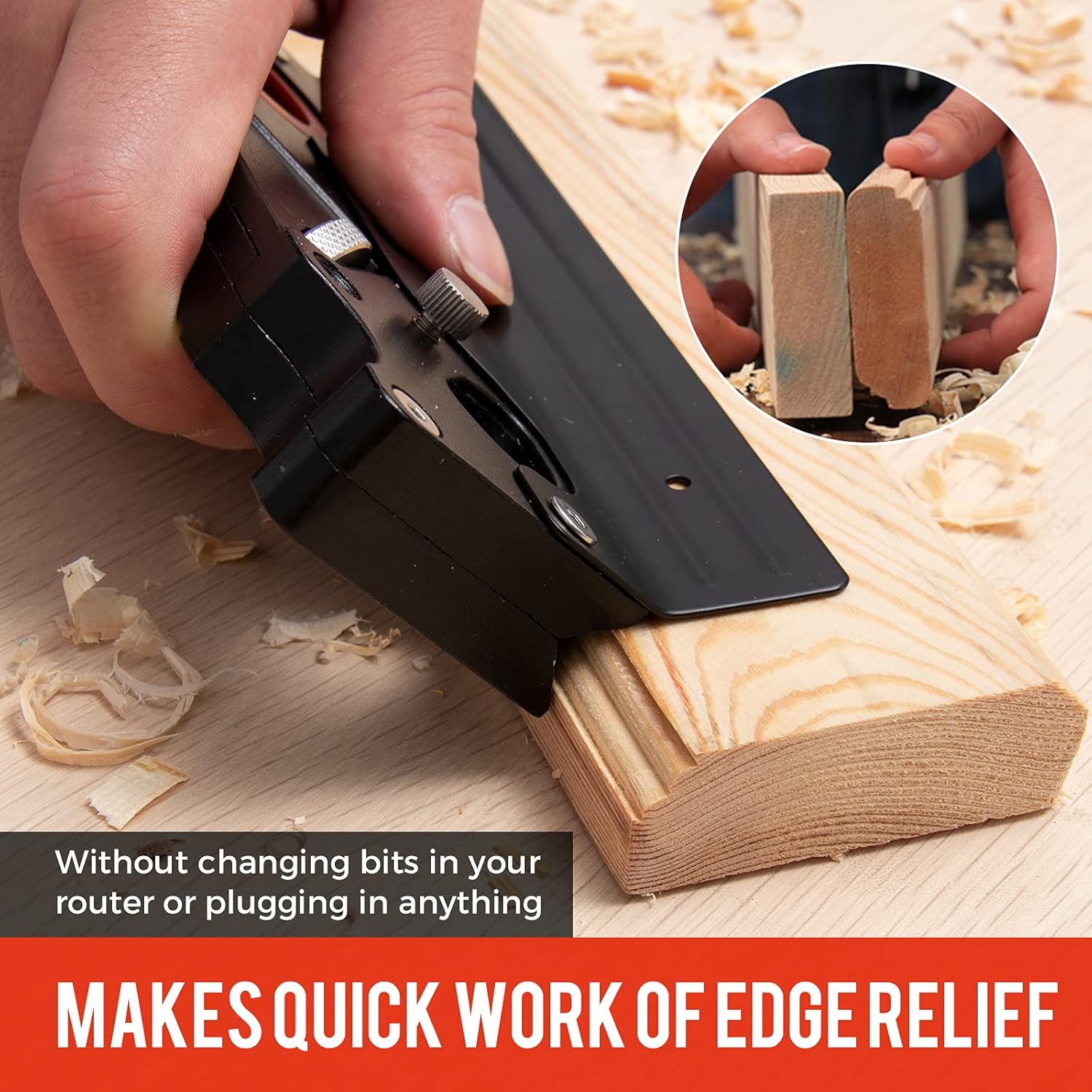
The Saker Chamfer Plane is a versatile woodworking tool designed for precise edge trimming and chamfering of various wood types. Its compact design and adjustable features make it suitable for both professional woodworkers and DIY enthusiasts. This manual provides essential information for the safe and effective use, setup, operation, and maintenance of your chamfer plane.
2. Коопсуздук маалыматы
Always prioritize safety when operating any woodworking tool. Failure to follow these safety guidelines may result in injury or damage to the tool or workpiece.
- Көздү коргоону кийүү: Always wear safety glasses or goggles to protect your eyes from wood chips and debris.
- Колду таза карма: Ensure your hands are always clear of the cutting blade during operation.
- Коопсуз жумуш бөлүгү: Always secure the workpiece firmly to prevent movement during planing. Use clamps or a vise if necessary.
- Текшерүү куралы: Before each use, inspect the chamfer plane for any damage, loose parts, or dull blades. Do not use a damaged tool.
- Курч бычактар: Handle blades with extreme care. They are very sharp and can cause severe cuts.
- Туура сактоо: Store the tool in a dry, safe place, out of reach of children and unauthorized users.
3. Пакеттин мазмуну
Пакетиңизде бардык буюмдар бар экенин текшериңиз:
- 1x Saker Chamfer Plane
- 1x Cutter Head (Round)
- 1x Auxiliary Locator
- 1x Hex Key (for adjustments)

4. Продукт бүтүп калдыview
The Saker Chamfer Plane features a durable body, an adjustable cutting blade, and integrated leveling bubbles for accuracy.
- Негизги органы: Constructed from alloy steel and aluminum for durability.
- Кесүүчү башчысы: Interchangeable carbon steel blade for various profiles.
- Жөнгө салуу баскычы: Кесүү тереңдигин так көзөмөлдөөгө мүмкүндүк берет.
- Auxiliary Locator: Provides additional stability and guidance during use.
- Leveling Bubbles: Integrated horizontal and vertical bubbles assist in maintaining proper alignment for accurate cuts.

5. Орнотуу
5.1 Бычактарды орнотуу жана жөндөө
- Using the provided hex key, loosen the screws securing the blade cover.
- Carefully insert the desired cutter head into its slot. Ensure it is seated correctly.
- Tighten the screws to secure the blade. Do not overtighten.
5.2 Кесүү тереңдигин жөндөө
The cutting depth can be adjusted to suit your specific woodworking requirements.
- Locate the depth adjustment knob on the side of the plane.
- Turn the knob clockwise to decrease the cutting depth or counter-clockwise to increase it.
- Make small adjustments and test on a scrap piece of wood until the desired depth is achieved.


6. Иштөө нускамалары
Follow these steps for effective and safe operation of your Saker Chamfer Plane.
6.1 General Planing Technique
- Даярдоо бөлүгүңүздүн коопсуз экенин текшериңизamped же өткөрүлдү.
- Position the chamfer plane on the edge of the wood, ensuring the base is flat against the surface.
- Apply even pressure and push the plane smoothly along the edge in the direction of the wood grain.
- Repeat passes, adjusting the depth as needed, until the desired chamfer or edge profile жетишилет.

6.2 Окуу видеолору
Video 6.1: This video demonstrates the chamfering capabilities of the Saker Chamfer Plane, showing how to achieve smooth, angled edges on wood.
Video 6.2: This video illustrates how the Saker Chamfer Plane can enhance efficiency in woodworking tasks, showcasing анын практикалык колдонулушу.
Video 6.3: A demonstration of the Saker Chamfer Plane's suitability for quick edge trimming of various wooden materials.
7. Техникалык тейлөө
Regular maintenance ensures the longevity and optimal performance of your chamfer plane.
- Тазалоо: After each use, clear all wood chips and dust from the plane body and blade area. A brush or compressed air can be used.
- Бычакты багуу: The carbon steel blades are designed for durability. If the blade becomes dull or damaged, it can be sharpened or replaced. Refer to Section 5.1 for blade replacement.
- Майлоо: Periodically apply a light coat of machine oil to moving parts and metal surfaces to prevent rust and ensure smooth operation.
- Сактагыч: Store the chamfer plane in a dry environment to prevent corrosion. Consider using a blade guard or storing it in its original packaging to protect the blade.
8. Кыйынчылыктарды
If you encounter issues with your Saker Chamfer Plane, refer to the following common problems and solutions:
| Көйгөй | Мүмкүн себеп | Чечим |
|---|---|---|
| Blade not cutting cleanly or leaving rough edges. | Dull or damaged blade; incorrect cutting depth. | Sharpen or replace the blade. Adjust the cutting depth to a shallower setting. |
| Uneven cuts or gouging. | Inconsistent pressure; workpiece not secure; blade misalignment. | Apply even pressure. Secure the workpiece firmly. Re-check blade installation and alignment. |
| Blade loosens during use. | Бурамалар жетиштүү деңгээлде бекемделген эмес. | Ensure all blade retaining screws are tightened securely with the hex key. |
9. Техникалык шарттар
- Бренд: Сакер
- Модель номери: GJ16478
- Материал: Эритме болот, алюминий
- Түсү: Кара
- Продукциянын өлчөмдөрү: 6.08"L x 1.97"W x 0.79"H
- Кубат булагы: Manual
- Негизги материал: Алюминий эритмеси
- Элемент Салмагы: 14.1 унция
10. Кепилдик жана колдоо
For warranty information, product support, or to inquire about replacement parts, please contact Saker customer service directly. Refer to the product packaging or the official Saker webбайланыш маалыматы үчүн сайт.


